
You need tools that help improve small business productivity, reduce busywork, centralize knowledge, and help your team move faster. This guide highlights ten software solutions chosen for their ability to save time, improve collaboration, and deliver measurable ROI for small businesses in 2026.
Read on to find the right mix of workspace hubs, AI assistants, automation tools, and lightweight utilities so you can pick the tools that will make the biggest impact on your day-to-day operations.
Top Picks
| Category | Product | Price | Score |
|---|---|---|---|
| 🏆 Best Collaboration Hub | FuseBase | $79 | 88/100 |
| 💼 Best PDF Editor | UPDF | $59 | 96/100 |
| 🎯 Best Writing Assistant | Pismo | $59 | 96/100 |
| 💸 Best Low-Cost eSign | BreezeDoc | $19 | 36/100 |
| 🚀 Best Desktop AI | Triplo AI | $69 | 88/100 |
| ⭐ Best OCR Tool | TextSniper | $6.49 | 96/100 |
| 🔮 Best Prompt Builder | Pretty Prompt | $34 | 100/100 |
| 🤖 Best Sheets Automation | Logic Sheet | $99 | 92/100 |
| 🧭 Best Task Manager | Illumtori | $39 | 68/100 |
| 🧠 Best Mind Maps | AmyMind | $59 | 84/100 |
How We Chose These Tools
We evaluated tools by how effectively they boost productivity for small teams and solopreneurs. Criteria included: measurable time savings, breadth of core features (docs, collaboration, automation, OCR, AI), ease of onboarding, cross-platform support, pricing value for small businesses, and vendor responsiveness. You should expect tools on this list to either reduce repetitive work, centralize information, or improve the quality and speed of output.
Where user feedback revealed reliability or support issues, that affected the score so you can weigh risk versus value.
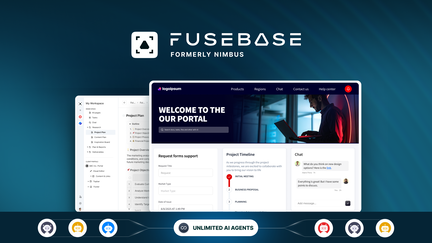
FuseBase is a flexible all-in-one workspace that helps you keep notes, tasks, documents, client portals and knowledge bases in one place. You can use it day-to-day for meeting notes, task tracking, and content drafts, and for special occasions like client handoffs or publishing branded portals.
It’s practical for solo founders who want fewer tools and for small teams that need structured collaboration and client-facing spaces. The AI features, templates and automations make repetitive work faster, and the permissioned portals let you share polished updates with clients without juggling multiple apps. If you’re trying to consolidate a handful of tools into one platform, FuseBase is worth testing.
What People Say
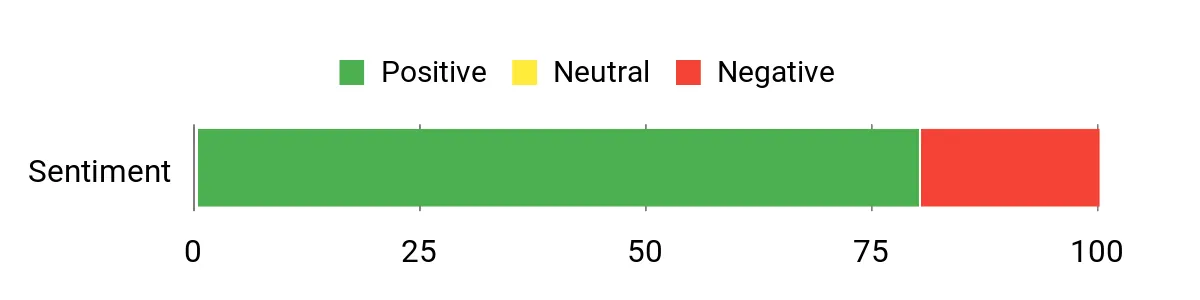
Customers regularly highlight how FuseBase consolidates multiple tools into a single hub. Users praise the client portals, powerful capture features, and ongoing product improvements that make it a dependable daily workspace.
Overall Sentiment: Positive
🗣️ FFM
We’ve used this product since the Nimbus Note days and FuseBase now sits at the center of our collaborative work — notes, tasks, documents, client spaces and internal knowledge bases all live in one system. Structured client portals with permissions and custom branding have improved how we collaborate with partners, and features like databases, automations and integrations keep getting better.
🗣️ Avinash.Katta
FuseBase keeps everything organized: fast web capture, image-to-text, unlimited recording, document scanning and password-protected public pages. The speed improvements over the old Nimbus experience and the new AI tools for summarizing and organizing content make it a daily driver for content, tasks and client work.
Long-Term Cost Benefits
By replacing several single-purpose apps with one workspace, you reduce recurring subscription costs and lower the time spent switching between tools. Lifetime or low‑cost plans and the automation features also reduce manual work, so ongoing expenses tend to drop over time.
Return On Investment
At a $79 entry price, many small teams recoup the cost quickly through time savings, fewer tool subscriptions, and faster client deliveries. The value multiplies if you use portals to streamline client communication and reduce revision cycles.
Usability
| Aspect | Ease Level | Notes |
|---|---|---|
| Onboarding | Moderate | There’s a short learning curve moving from a single-note app to an all-in-one workspace, but templates and guides help. |
| Daily Use | Easy | Once set up, accessing notes, tasks and portals is straightforward and fast. |
| Mobile Experience | Moderate | Mobile apps cover core needs but desktop remains better for heavy structuring and database views. |
| Customization | Moderate | You can build tailored portals and views, though deeper customization takes some time. |
Integration Capabilities
| Software | Integration Quality |
|---|---|
| Zapier | Excellent |
| Google Drive / Docs | Good |
| Slack | Good |
| Public API | Moderate |
Collaboration
Comments, mentions, shared workspaces, access controls and client-specific portals let you collaborate internally and with external partners while keeping control over who sees what.
Reporting & Analytics
Basic activity logs and usage details help you track changes and who accessed shared pages. For deeper analytics you may connect external tools via integrations or API.
Key Benefits
- Centralize notes, tasks, files and client portals in one workspace
- Create branded, permissioned client portals for polished sharing
- Flexible databases and views (table, Kanban, list) to manage workflows
- Built-in capture tools: web clipper, image-to-text, audio/video recording
- AI summaries, automations and templates to reduce busywork
Current Price: $79
Rating: 4.77 (total: 552+)
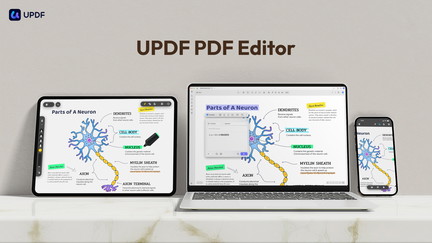
UPDF is a straightforward PDF editor that makes everyday PDF tasks feel less like a chore. You can edit text and images, reorder pages, annotate, apply OCR to scanned documents, convert PDFs to Word/Excel/PowerPoint and more across Windows, macOS, iOS and Android. If you handle invoices, contracts, lesson plans or client deliverables, UPDF speeds things up without the Adobe complexity.
It’s handy for daily tasks like quick text fixes, page rearrangements, and searchable scans, and it’s useful for special moments such as preparing polished proposals or converting batch reports. The AppSumo deal gives you an individual lifetime plan redeemable on up to 4 devices (2 desktops + 2 mobiles) and 2GB of UPDF Cloud; note the AI Assistant features aren’t bundled in this deal.
If you want a reliable, cross-platform PDF editor that keeps the workflow simple, UPDF is worth trying.
What People Say
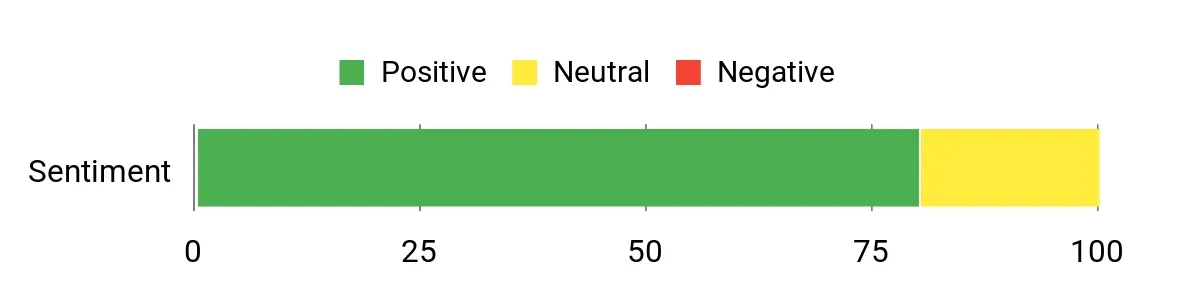
Customers consistently praise UPDF for making PDF editing feel simple and reliable. Users highlight its OCR accuracy, easy page management, and how it replaced pricier subscriptions for everyday PDF work.
Overall Sentiment: Positive
🗣️ izza
OCR is very good — scanned docs become searchable and editable even when scans aren’t perfect. Editing feels like working in Word: change text, swap images, update links, and rearrange pages with a friendly interface.
🗣️ FLVBK-Jessica
Great for adding, deleting and rearranging pages and basic text edits. It replaced my Foxit subscription for those tasks, though be aware license redemptions are tied to specific OS devices which can limit cross‑platform use.
Long-Term Cost Benefits
With a single low-cost purchase you can often retire an annual PDF subscription, cutting recurring fees. The ability to handle editing, OCR and conversions in one app reduces the need for multiple specialist tools over time.
Return On Investment
At $59, many users recoup the cost quickly by cancelling existing PDF subscriptions and saving time on document edits and conversions. If you regularly convert or OCR documents, the savings stack up fast.
Usability
| Aspect | Ease Level | Notes |
|---|---|---|
| Onboarding | Moderate | Basic tasks are quick to pick up, but exploring the full feature set like advanced conversions or protection settings takes a bit of time. |
| Daily Use | Easy | Editing, annotating and page management are intuitive for routine document work. |
| Mobile Experience | Moderate | Mobile apps cover core needs well; desktop remains better for heavy editing or batch conversions. |
| OCR Accuracy | Easy | OCR handles imperfect scans and multiple languages reliably for most office and educational documents. |
Integration Capabilities
| Software | Integration Quality |
|---|---|
| UPDF Cloud / Share via link | Good |
| Email (share) | Good |
| Office formats (Word/Excel/PowerPoint) | Excellent |
| Cross-platform devices (Windows/macOS/iOS/Android) | Excellent |
Collaboration
You can share PDFs via links or email, annotate and comment on files, and protect documents with open or permission passwords to control access during collaboration.
Reporting & Analytics
Basic activity comes from file history and sharing; there aren’t advanced analytics, but version control and share links make tracking changes straightforward.
Key Benefits
- Edit PDF text and images with a familiar, Word-like flow
- Fast, accurate OCR to turn scans into searchable, editable files
- Convert PDFs to Word, Excel, PowerPoint, images and more without losing layout
- Organize pages: delete, rearrange, extract or replace easily
- Cross-platform support across Windows, macOS, iOS and Android
Current Price: $59
Rating: 4.67 (total: 175+)
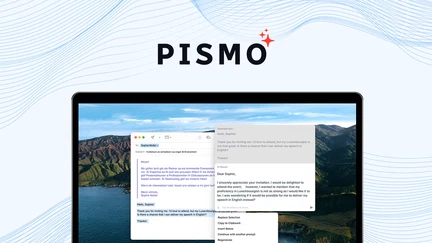
Pismo is a system‑wide writing assistant that helps you rewrite, proofread and translate text without switching apps. You get a floating widget and customizable hotkeys so you can select a paragraph in an email, document, or chat and improve tone, fix grammar, or translate on the fly.
For everyday work, that means faster emails, cleaner client messages, and fewer back-and-forth edits. For special occasions — pitching a proposal, localizing marketing copy, or polishing a multilingual report — Pismo saves you time and keeps the voice consistent.
If you want a simple way to lift your writing across apps, Pismo is a practical, low‑friction tool worth trying.
What People Say
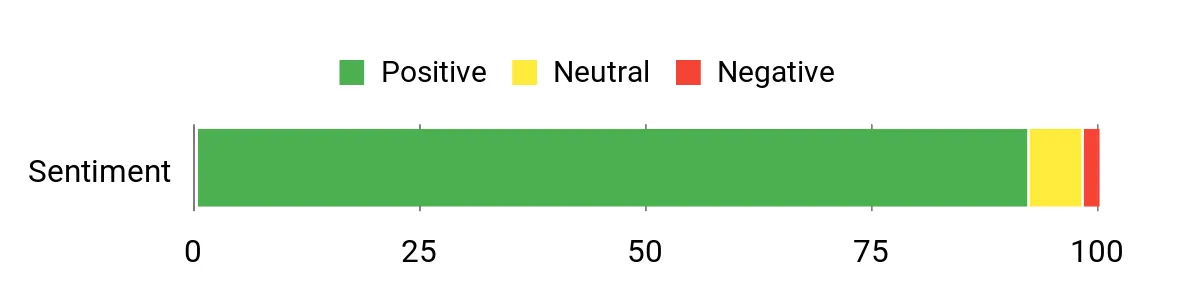
Users consistently highlight the floating widget and custom hotkeys as the features that make Pismo practical day to day. Reviewers praise its translation accuracy and how it speeds up longer projects, while a few mention desired additions like live grammar highlighting.
Overall Sentiment: Positive
🗣️ DreamKonnectConsulting
Quick shortcut and customizable keyboard combinations are a standout — I used it to translate a Hindi book to English and each paragraph selection executed flawlessly. Super user friendly for long projects.
🗣️ KingFisher
The floating widget and custom hotkeys make it effortless to improve, translate, and rephrase text anywhere. It’s become part of my daily workflow and saves a ton of time fixing tone, grammar and length.
Long-Term Cost Benefits
At a single low price, Pismo can replace fiddly manual edits and reduce the need for multiple writing tools or expensive subscriptions. If you frequently translate, rephrase, or tidy up text, the time savings add up over months.
Return On Investment
For $59 you’ll likely recoup the cost quickly if Pismo streamlines just a few hours of editing or replaces a recurring tool. It’s a small upfront spend for ongoing time savings across documents and messages.
Usability
| Aspect | Ease Level | Notes |
|---|---|---|
| Onboarding | Moderate | Install and basic use are quick; exploring hotkeys and custom shortcuts takes a little time but pays off. |
| Daily Use | Easy | Selecting text and invoking the widget is smooth, making routine fixes fast and low effort. |
| Shortcuts | Easy | Custom hotkeys are a highlight — once you set them, repetitive tasks become much faster. |
| Language Support | Easy | Translation and multilingual tone adjustments are reliable for common language pairs; great for cross‑language workflows. |
Integration Capabilities
| Software | Integration Quality |
|---|---|
| Desktop apps (email, docs, chat) | Excellent |
| Browser (Chrome / Firefox) | Good |
| System hotkeys / global shortcuts | Excellent |
| Translation workflows / multilingual text | Good |
Collaboration
Pismo is focused on individual writing support rather than shared documents; you can use it inside collaborative docs and messages to polish content before you share, but it doesn’t provide built-in comments or real‑time multiuser editing.
Reporting & Analytics
There aren’t built-in analytics or team usage reports — Pismo is designed as a lightweight, personal assistant rather than a tracking or analytics platform.
Key Benefits
- System-wide assistant that works in email, docs and chat
- Rewrite, proofread and translate selected text instantly
- Floating widget plus custom hotkeys for fast access
- Saves time on tone, length and multilingual tasks
- Lightweight tool that fits into existing workflows
Current Price: $59
Rating: 4.79 (total: 151+)
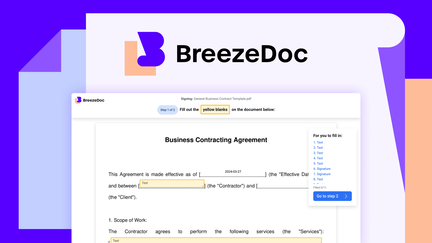
BreezeDoc is a lightweight e-signature tool that aims to make sending, filling and signing documents simpler for small teams and solo operators. You can use it to send client forms, contracts, waivers or onboarding packets without building PDFs by hand every time. For everyday use, it can speed up signature collection and reduce paper chasing; for special occasions like event releases or one-off vendor agreements, it gives you a quick, low-cost way to capture signatures.
That said, you should know some real users ran into reliability problems — overlapping answers on form fields, US-only date formatting, and occasional failures to access purchased plans. If you’re on a tight budget and willing to tolerate a few rough edges, BreezeDoc can be useful; if you need rock-solid, enterprise-grade signing and audit trails, you might want a more mature alternative.
What People Say
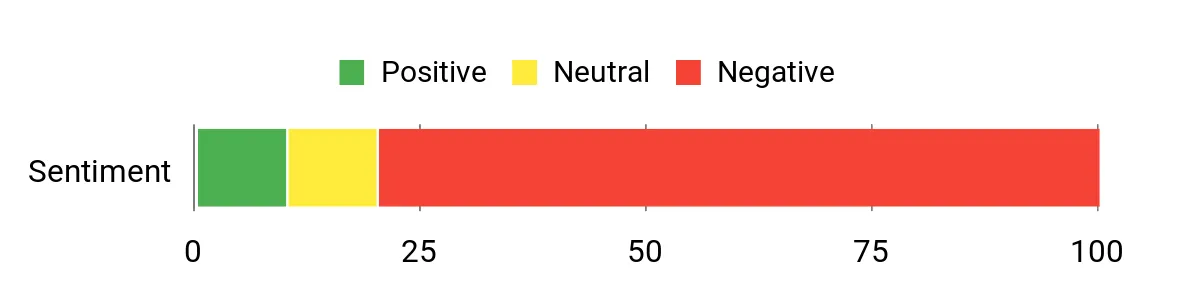
User feedback is mixed: people like the idea, low price and the basic sending flow, but many reviews call out reliability problems (overlapping form entries, access issues, and missing features like a proper void/archive). A number of buyers report the app feels unfinished and needs updates.
Overall Sentiment: Mixed
🗣️ costa9
Has a fair AppSumo price and shows lots of potential despite needing work — the basics are there and it could become great with updates.
🗣️ shelley238
Initially, forms sent and received fairly easily — when it worked it was a helpful way to get client forms signed quickly.
Long-Term Cost Benefits
At $19, BreezeDoc can be an inexpensive alternative to recurring e-sign subscriptions if it reliably handles your volume. For occasional signings it can eliminate monthly fees and cut admin time compared with manual PDF workflows — assuming you don’t hit the bugs described by users.
Return On Investment
If BreezeDoc reliably replaces a paid e-sign service you use now, you could recoup the cost in a month or two. That said, recurring savings depend on stability: frequent glitches or the need to fallback to PDFs will reduce the ROI.
Usability
| Aspect | Ease Level | Notes |
|---|---|---|
| Onboarding | Moderate | Basic setup and sending work okay, but learning the quirks and limits takes a bit of time. |
| Form Creation | Moderate | Adding fields is straightforward, but users report positioning problems and overlapping entries that make forms harder to read. |
| Signing Experience | Difficult | Some recipients could not finalize forms or saw overlaps; that impacts professionalism and completion rates. |
| Customer Support | Difficult | Several reviewers mention limited or unclear support options when problems arise. |
Integration Capabilities
| Software | Integration Quality |
|---|---|
| Email notifications / delivery | Poor |
| PDF export / downloads | Moderate |
| Date / regional formats | Limited |
| API / advanced automations | Limited |
Collaboration
BreezeDoc covers basic sign-and-send flows but lacks robust collaboration features: there’s no reliable archive/void workflow and recipients may not get clear notifications when something changes, which makes team handoffs and audits harder.
Reporting & Analytics
There are no visible advanced reporting or audit-trail features mentioned by users — it’s primarily a signing tool rather than a tracking or compliance platform.
Key Benefits
- Simple, focused e-signature and form sending
- Affordable one-off price that’s friendly for small budgets
- Good for quick client contracts, releases and waivers
- Potential to replace manual PDF workflows when stable
Current Price: $19
Rating: 3.78 (total: 137+)
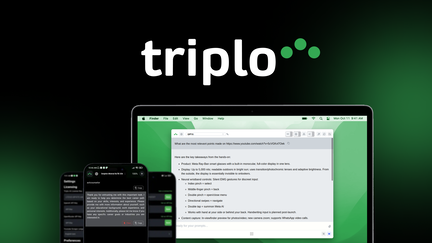
Triplo AI is a desktop-and-mobile AI assistant that sits in your workflow and helps you write, automate and fetch information without leaving your apps. You can use it for everyday tasks like drafting emails, social posts, and blog drafts, or for bigger projects such as content calendars, client proposals and research summaries.
It supports local LLMs (Ollama), BYOK and multiple API providers, so you can balance privacy and power. In daily use you’ll appreciate quick hotkeys and one-click prompts that shave hours off repetitive writing; for occasional deep work it can act as a micro RAG tool by pulling from your uploaded docs.
There’s a learning curve for advanced automations, but if you spend a little time with the tutorials you’ll likely find Triplo becomes a reliable productivity companion worth the price.
What People Say
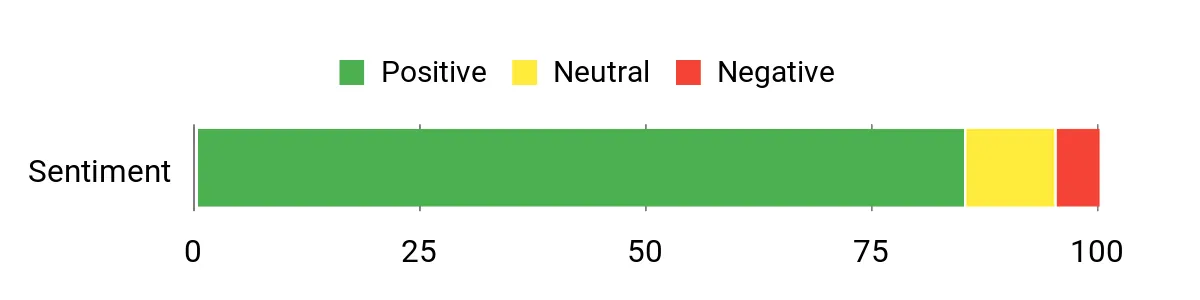
Users consistently praise speed, the natural tone of outputs and the deep customization options — especially local LLM support and webhook integrations. A few buyers mention an initial learning curve and occasional onboarding hiccups, but most say it becomes essential once configured.
Overall Sentiment: Positive
🗣️ Avinash.Katta
Saves a huge amount of time—fast content generation that still sounds natural, helpful SEO tools, and hotkeys that get Triplo into your workflow quickly.
🗣️ m_b
Power-user friendly: runs on Linux/macOS/Windows, integrates via webhooks and API keys (OpenAI, Anthropic, OpenRouter) and supports local LLMs — excellent for building a consistent workflow.
Long-Term Cost Benefits
At $69 (down from an original $102), Triplo can replace pricier monthly writing/AI assistants you might be using now. If you use it across content, emails and routine automations, you’ll likely save on subscription costs for multiple niche tools and cut hours from recurring tasks.
Return On Investment
If Triplo shortens or eliminates several hours of weekly writing and admin work, you can recoup the cost in a few weeks. The ROI improves if you replace multiple subscriptions (content AI, workflow automations) and make use of local LLMs to avoid per-call fees.
Usability
| Aspect | Ease Level | Notes |
|---|---|---|
| Onboarding | Moderate | There’s a learning curve for advanced features, but video tutorials and in-app hints help you get productive in days rather than weeks. |
| Daily Use | Easy | Hotkeys and overlays let you grab Triplo fast for notes, emails and social posts; outputs generally read naturally. |
| Automations | Moderate | Powerful and flexible once you learn them, but initial setup for multi-step automations can take time. |
| Customer Support | Moderate | Support is responsive and helpful, though a few users reported slower replies during peak times. |
Integration Capabilities
| Software | Integration Quality |
|---|---|
| Webhooks (n8n, Google Sheets, boost.space) | Good |
| API keys (OpenAI, Anthropic, OpenRouter) | Good |
| Local LLMs (Ollama) & BYOK | Strong |
| Common apps (Slack, Google Workspace) | Moderate |
Collaboration
Triplo includes device management and basic admin controls so you can share access across team machines and set limits per device. It’s great for individual contributors and small teams, though advanced multi-user admin features are still evolving.
Reporting & Analytics
You get useful device and usage controls plus a micro-RAG “Brain” for querying uploaded docs, but there aren’t extensive enterprise analytics or compliance dashboards mentioned by users.
Key Benefits
- Fast, natural-feeling content generation across apps
- Works on desktop and mobile with hotkeys for quick access
- Supports BYOK, local LLMs (Ollama) and multiple API providers
- Flexible automation and webhook integrations for workflows
Current Price: $69
Rating: 4.4 (total: 123+)
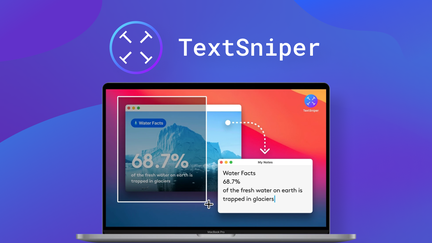
TextSniper is a tiny, focused OCR tool for macOS that feels like one of those apps you didn’t know you needed until it saves you ten minutes a day. You trigger it with a quick CMD+SHIFT+2, select a screen area and the text is copied to your clipboard — whether it’s from a paused YouTube video, a PDF that won’t let you copy, a slide, or a photo of a handwritten note you imported from your phone.
It works offline, respects your privacy (all recognition happens on your Mac), and even preserves line breaks so lists and formatted text stay useful. For daily use you’ll grab snippets for notes, social posts, or research; for special tasks it’s great for converting captions, scanning QR codes, or extracting blocks of text during client calls. It’s lightweight, fast, and priced to be an easy add to your toolkit if you want to stop retyping text.
What People Say
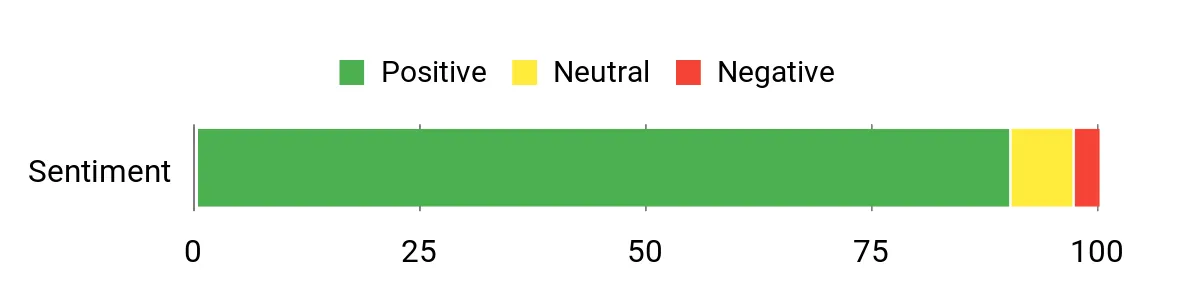
Users repeatedly highlight how much time TextSniper saves on routine tasks — from grabbing text in videos to converting photos of notes. Buyers mention reliability, quick setup, and accurate recognition across fonts and layouts.
Overall Sentiment: Positive
🗣️ maesk
Set up on two Macs in minutes and solved a real pain point: copying text from apps that don’t allow selection. The phone import turned a handwritten note into accurate, ready-to-paste text and preserved line breaks.
🗣️ eric746
Practical and easy to use every day — perfect if you move through lots of content (videos, PDFs, landing pages). Makes grabbing copy quick and keeps my workflow moving.
Long-Term Cost Benefits
At a one-time price of $6.49 for the current AppSumo offer (license for 3 Macs), TextSniper is a small purchase that eliminates repeated retyping and reduces friction across content capture tasks. Over time it can replace manual copy-and-paste work and shave minutes off many daily routines.
Return On Investment
If TextSniper saves you even 10–15 minutes a day on recurring tasks, you’ll recoup the cost in days or a few weeks. For content-heavy workflows or customer support workflows, the time savings compound quickly.
Usability
| Aspect | Ease Level | Notes |
|---|---|---|
| Onboarding | Easy | Installation and initial setup are straightforward; the CMD+SHIFT+2 shortcut is intuitive and documentation is minimal by design. |
| Daily Use | Very Easy | Once you learn the hotkey, grabbing text is instant and fits naturally into research, drafting, or social content workflows. |
| Shortcuts & Customization | Easy | You can customize shortcuts and tweak behavior quickly in the menu bar without digging through complex settings. |
| Offline & Privacy | Very Easy | All recognition runs locally, so you don’t need to manage accounts or cloud permissions. |
| Support | Moderate | Support is available (email), and the app’s simplicity means you rarely need it; some users ask for expanded multi-device licensing options. |
Integration Capabilities
| Software | Integration Quality |
|---|---|
| macOS (menu bar & shortcuts) | Strong |
| Clipboard & text editors | Strong |
| Photos/PDF viewers | Good |
| Phone import (photo upload) | Moderate |
Collaboration
TextSniper is primarily a single-user tool with a license model geared to a few Macs (current offer covers 3). It’s great for solo users or small teams who share a license, but it doesn’t include advanced team management or multi-user admin controls.
Reporting & Analytics
There aren’t analytics or usage reports — TextSniper is focused on immediate capture and clipboard transfer rather than activity dashboards.
Key Benefits
- Instantly extract editable text from any on-screen content
- Works offline and processes OCR locally for privacy
- Preserves formatting like line breaks for cleaner pastes
- Simple hotkey workflow keeps it non-disruptive to your day
Current Price: $6.49
Rating: 4.88 (total: 96+)
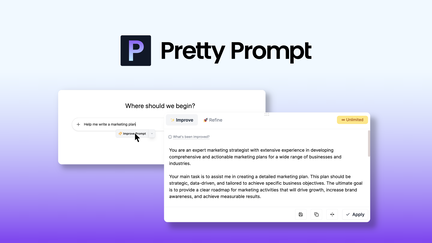
Pretty Prompt feels like having a prompt engineer tucked into your browser. You paste a rough idea, it asks smart follow-up questions, tightens context, and returns a polished prompt tailored to the LLM you’re using.
For daily work you’ll use it to sharpen customer replies, draft clearer briefs, or get consistently better content from fewer runs. For special tasks — a high-stakes proposal, legal drafts, or marketing campaigns — it helps you squeeze more value from each model call and keeps versions in a Prompt Library so nothing gets lost.
It’s simple to install, works across Chrome-based browsers and mobile, and leans into practical features (history, favorites, sharing) so your team stays consistent without extra training. If you rely on AI for real work, this is one of those small tools that quickly becomes part of your routine.
What People Say
Users highlight that Pretty Prompt noticeably improves output quality and consistency. Reviewers frequently call out the prompt history, library organization, and the time saved by avoiding repeated prompt edits — especially valuable for teams who want predictable results.
Overall Sentiment: Positive
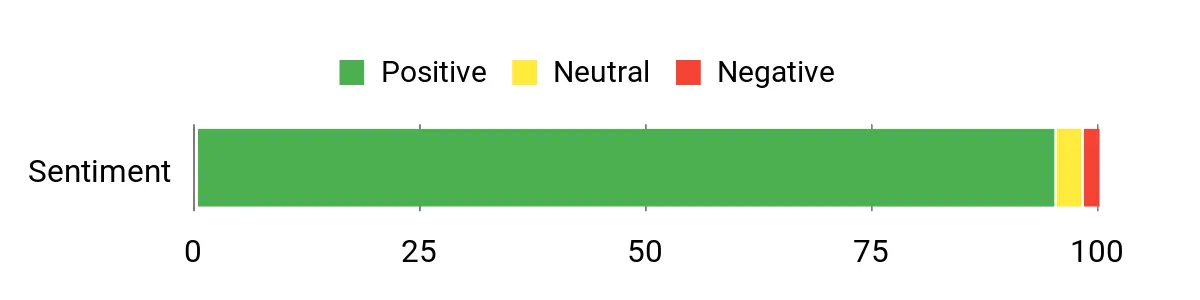
🗣️ frank103
Pretty Prompt feels like having a prompt engineer on call. It takes my initial prompt, applies best practices, and guides me with smart questions that sharpen intent and context. Managing history across LLMs and stashing favorites in the Prompt Library has streamlined my workflow and collaboration. Mobile use works well, and the output quality for projects noticeably improved.
🗣️ Avinash.Katta
Easy to use from the start — installation was quick and results followed immediately. Rough ideas turn into clear prompts and the refine/save workflow saves time. Folders and history make reusing prompts painless, and the team responds to feedback with updates that matter.
Long-Term Cost Benefits
At the current price, you’re buying better prompts and fewer wasted model calls. By improving prompt clarity up front, you use fewer credits and avoid costly retries.
For teams that run many LLM requests, those savings add up alongside the time you reclaim from fewer edits.
Return On Investment
If Pretty Prompt reduces even a few unnecessary model calls per week and cuts down on editing time, you’ll likely recoup the cost quickly. For frequent AI users the combination of saved credits and faster workflows makes the ROI apparent within weeks.
Usability
| Aspect | Ease Level | Notes |
|---|---|---|
| Onboarding | Easy | Install and start refining prompts almost immediately; minimal setup and intuitive prompts-based workflow. |
| Daily Use | Very Easy | Refine, save, and reuse prompts with a small set of buttons — it fits into your normal drafting routine. |
| Library & History | Easy | Folders and history make it simple to find past prompts and maintain consistent outputs across projects. |
| Browser Support | Moderate | Works well in Chrome-based browsers but currently limited for users on Safari or Firefox. |
| Support | Moderate | Responsive team and active updates; occasional login/refresh quirks reported but addressed quickly. |
Integration Capabilities
| Software | Integration Quality |
|---|---|
| Chrome-based Browsers | Strong |
| Mobile (app/extension support) | Good |
| Multiple LLMs / Model workflows | Strong |
| Vibe Coding tools (planned integration) | Moderate |
| Prompt sharing / export | Strong |
Collaboration
You can save and share prompts privately, organize prompts into folders, and maintain a team-friendly prompt library. It’s geared toward improving team consistency rather than full enterprise user management, but sharing and history features make collaboration straightforward.
Reporting & Analytics
There aren’t detailed analytics dashboards; tracking comes from prompt history and saved versions. That gives basic visibility into what’s been used and who saved what, but not advanced usage reports.
Key Benefits
- Turn vague instructions into clearer, higher-quality prompts
- Prompt Library and history keep your best prompts reusable and shareable
- Saves LLM credits by improving prompt efficiency and reducing trial-and-error
- Works across Chrome-based browsers and mobile for on-the-go editing
- Refine button and follow-up questions help you sharpen intent without guesswork
Current Price: $34.00
Rating: 4.87 (total: 83+)
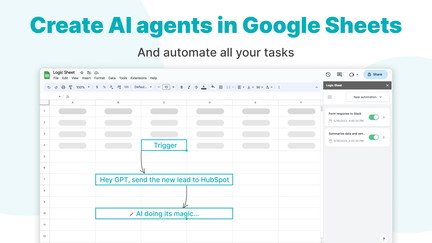
If you spend too many hours poking at spreadsheets, Logic Sheet is the kind of tool that quietly takes that busywork off your plate. You build AI agents inside Google Sheets that can summarize rows, generate content, categorize data, and trigger actions when things change — on a schedule, on edit, or when a form is submitted.
For day-to-day work you’ll use it to clean leads, auto-generate follow-up notes, or produce summaries for meetings. For special projects — like launching a campaign or prepping quarterly reports — it can stitch together data, call OpenAI or Google Gemini for text generation, and push updates to Slack, Notion, Airtable, or HubSpot so everyone stays in the loop.
Setup feels more like configuration than coding, and once you’ve got a few agents running you’ll notice less copying and pasting and more time for actual thinking. If you live in Google Sheets and want to stop treating it like a manual task list, Logic Sheet is worth trying.
What People Say
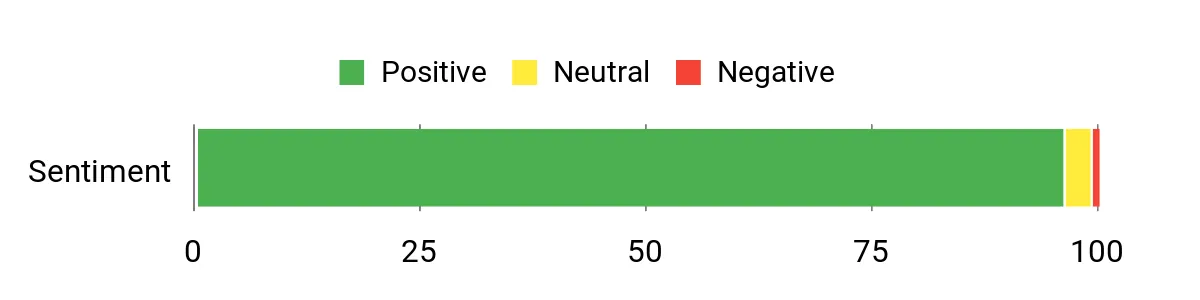
Users appreciate that Logic Sheet turns Google Sheets from a manual chore into an automated workspace. Feedback often highlights time saved by automated triggers, the ability to generate summaries and content directly in sheets, and practical integrations that reduce handoffs between apps.
Overall Sentiment: Positive
🗣️ sarah_marketer
Saved dozens of hours every week by automating repetitive tasks in Google Sheets — I set up triggers on form submission and on-edit to run summaries and categorization automatically.
🗣️ ops_tom
Builds AI agents that connect to OpenAI and Google Gemini to generate text and manage data. We used it to push updates to Slack and Notion and it cut down manual handoffs between tools.
Long-Term Cost Benefits
Automating recurring tasks reduces time spent on manual data wrangling, which translates to fewer billable hours or lower overhead for small teams. With unlimited executions and automation creation in the plans, you avoid per-action fees that can add up over time.
Return On Investment
If Logic Sheet saves a few hours per week for you or a teammate, the $99 price point can pay back quickly through time saved. For teams that run many automations, avoiding repetitive manual work and reducing errors creates clear ROI within weeks to a few months.
Usability
| Aspect | Ease Level | Notes |
|---|---|---|
| Onboarding | Easy | Connect a Google Sheets account and follow setup prompts; templates and example agents help you get started without coding. |
| Building Agents | Moderate | Drag-and-drop style triggers and clear options make common automations straightforward; more advanced logic takes a little experimentation. |
| Daily Use | Easy | Once agents are set up they run automatically — you mainly monitor results and tweak rules as needed. |
| Troubleshooting | Moderate | Logs and execution history help debug runs, but diagnosing complex multi-step automations can take time. |
| Support | Moderate | Documentation and examples are useful; direct support responsiveness varies but community tips fill gaps. |
Integration Capabilities
| Software | Integration Quality |
|---|---|
| Slack | Strong |
| Notion | Strong |
| Airtable | Good |
| HubSpot | Good |
| OpenAI / Google Gemini | Strong |
Collaboration
You can share automations within a Google Workspace domain (depending on plan), push updates to team tools like Slack and Notion, and keep teammates in sync without manual handoffs.
Reporting & Analytics
Execution logs and histories give basic visibility into what ran and when; it’s practical for troubleshooting but not a full analytics dashboard for long-term usage trends.
Key Benefits
- Automate repetitive sheet tasks and reclaim hours each week
- Create AI agents that summarize, categorize, and generate content
- Run triggers on schedule, on edit, or on form submission
- Integrate with Slack, Notion, Airtable, HubSpot and more
- Unlimited automation creation and executions per day (per plan)
Current Price: $99.00
Rating: 4.95 (total: 57+)

If you feel like tasks, habits, and goals live in a dozen different apps, Illumtori aims to pull them together so you can actually get things done. You’ll use it day-to-day to manage your to-dos, track habits, and keep a calendar with reminders; it’s built around simplicity, so you don’t need to fight a steep learning curve.
For one-off projects — launching a product, planning an event, or prepping a quarterly review — you can centralize notes, time-block tasks, and see progress toward goals without hopping between tools. The web app feels polished and intuitive, and the feature set includes encrypted notes, tags, budgeting insights, and flexible reminders.
It isn’t perfect yet — mobile polish and some UX rough edges are still being ironed out — but if you want an all-in-one personal productivity hub that doesn’t overcomplicate things, Illumtori is worth trying.
What People Say
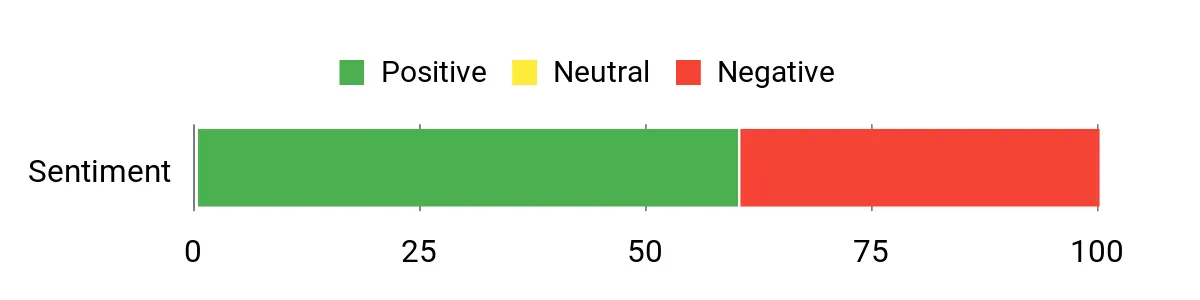
Users often praise Illumtori for being straightforward and effective at unifying calendars, notes, and tasks. Positive feedback highlights how the web experience helps daily planning, while critiques commonly call out mobile bugs and slower support response times.
Overall Sentiment: Mixed
🗣️ Erozenin
Very intuitive and simple to use — the web version made planning weekly and monthly tasks straightforward for my wife. The app’s straightforward task manager approach was the reason we chose it over more complex AI-first options.
🗣️ JaimeCY
A great all-in-one solution for keeping calendar, notes and tasks together. It helped me stop scattering reminders and actually follow through on daily items — plus the team noted suggestions and responded publicly about roadmap items.
Long-Term Cost Benefits
By consolidating multiple single-purpose apps into one, you can cut subscription overlap and reduce the time spent switching contexts. For a solo operator or small team, that means fewer subscriptions and less time lost to setup and switching.
Return On Investment
At the $39 price point, you only need a few hours of time saved per month to see a quick return. If Illumtori helps you avoid juggling multiple tools and reduces repeated work, you’ll likely recoup the cost within weeks.
Usability
| Aspect | Ease Level | Notes |
|---|---|---|
| Onboarding | Easy | Sign-up and basic setup are straightforward; templates and simple workflows get you managing tasks and habits quickly. |
| Daily Use | Easy | Checking your day, ticking off tasks, and tracking habits is simple — the core flows are designed for routine use. |
| Advanced Features | Moderate | Tags, budgeting insights, and goal tracking take a bit more exploration to customize for your workflow. |
| Mobile Experience | Moderate | Mobile works but has some reported bugs and rough edges — expect occasional freezes or missing parity with the web app. |
| Support | Moderate | Support exists (Discord and email) but response times can be slow based on user reports. |
Integration Capabilities
| Software | Integration Quality |
|---|---|
| Google Calendar | Good |
| iOS / Android (Mobile Sync) | Moderate |
| Notion / Notes exports | Good |
| Zapier | Moderate |
Collaboration
Illumtori is primarily designed for personal planning and light sharing. You can share items or export notes, but full team project management features are limited compared with dedicated team tools.
Reporting & Analytics
You get basic insights into habits, tags, and budgeting trends that help you spot where time or money is going. It’s useful for personal reflection but stops short of enterprise analytics.
Key Benefits
- Consolidates tasks, goals, habits, calendar, and notes in one place
- Simple, intuitive interface that’s easy to pick up
- Encrypted notes for private personal planning
- Flexible tags and reminders to fit how you work
- Basic budgeting and analytics to spot patterns
Current Price: $39.00
Rating: 4.27 (total: 51+)
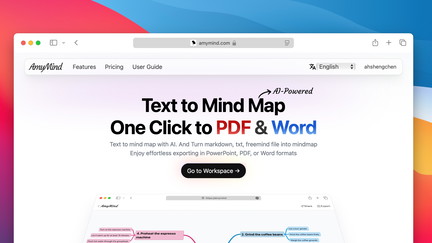
If your notes are a messy jumble and you want something that turns text into clear visual maps, AmyMind is built for that. You paste or upload text, prompts, or files and the AI lays out a readable mind map you can tweak, share, or export.
Use it day-to-day to organize meeting notes, study material, or content outlines; for special occasions, it’s handy for client pitches, event planning, lesson prep, or brainstorming sessions where you want a clean, shareable visual fast. The editor is polished and lets you drag-and-drop nodes, add images, and expand branches with the AI.
Exports include PPT, PDF, DOC, TXT, MD, and PNG, so you can take a map straight into a slide deck or a doc. There are a few navigation quirks — some users mention awkward dragging controls and occasional AI language hiccups — but if you want to stop scribbling and start shaping ideas into presentable maps, AmyMind makes that transition simple and useful.
What People Say
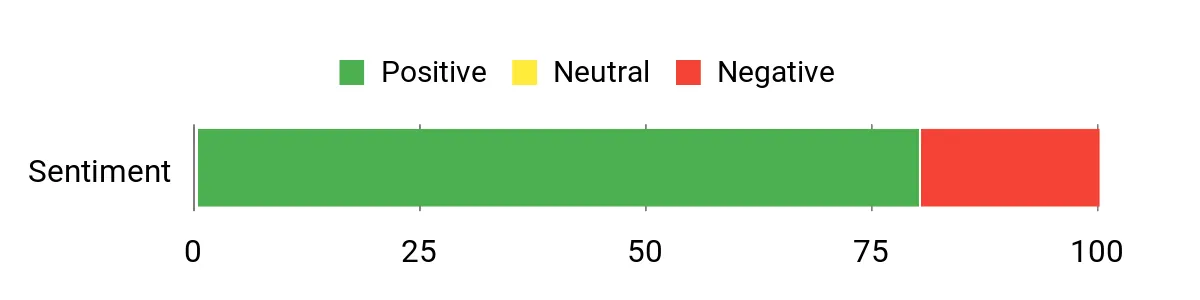
Users praise AmyMind for making mind-map creation fast and shareable. Feedback highlights reliable AI-generated maps from files and prompts, useful export options, and a clean interface — while occasional issues like language glitches and clunky navigation come up in a few reviews.
Overall Sentiment: Positive
🗣️ cameyer
I created mind maps from scratch and automatically from Word or PDF — usually excellent on the first try. AI can generate extra subpoints, add notes and images, and exports work well. The interface and rearranging tools make it a solid standalone mind map program.
🗣️ J_H
Creating mind maps is quick and simple from a prompt or file. The AI chat/explore helps you dig deeper into topics, images are easy to add, drag-and-drop rearranging works smoothly, and the pitch mode is a unique plus.
Long-Term Cost Benefits
Instead of juggling multiple tools or spending hours formatting ideas into slides or docs, AmyMind converts your notes into presentable visuals quickly. For a small business, that reduces time spent on manual structuring and slide prep, and can cut down on repetitive editing or outsourcing design work over time.
Return On Investment
At the $59 price point, if AmyMind saves you even a couple of hours a month on planning, content prep, or client pitches, you’ll see a quick payback. The export features mean you can skip extra formatting steps, so time saved becomes tangible value.
Usability
| Aspect | Ease Level | Notes |
|---|---|---|
| Onboarding | Easy | Sign-up and basic map creation are straightforward; templates and AI prompts get you started quickly. |
| Daily Use | Easy | Building and editing maps, adding images, and exporting are smooth for routine tasks. |
| Advanced Features | Moderate | AI explore/chat and advanced node notes add power but may take a little practice to get the best results. |
| Navigation & Movement | Moderate | Some users find the pan controls (space + right-click) and fit-to-window scaling awkward on laptops. |
| Support | Moderate | Support exists via email, but a few reviews say reaching help felt unclear at first. |
Integration Capabilities
| Software | Integration Quality |
|---|---|
| PPT / PDF / DOC / TXT / MD / PNG Exports | Excellent |
| Word / PDF Import | Good |
| Sharing / Link Exports | Good |
Collaboration
You can share maps, export to common document and slide formats, and organize maps in folders. It’s great for collaborating on ideas and handing off visuals, though it’s not a full project-management suite.
Reporting & Analytics
AmyMind focuses on visual organization and exports rather than analytics. You get outline mode and presentable views to track content structure, but it doesn’t provide usage analytics or team performance reporting.
Key Benefits
- Instantly convert text, prompts, or files into structured mind maps
- AI-assisted expansion for deeper subpoints and automatic node notes
- Export maps to PPT, PDF, DOC, TXT, MD, and PNG for easy sharing
- Intuitive drag-and-drop rearranging and visually appealing themes
- Folder manager, unlimited diagrams, and outline mode for organization
Current Price: $59.00
Rating: 4.23 (total: 22+)
FAQ
How Do I Choose The Right Productivity Tools For My Small Business In 2025?
You start by mapping the real problems you need to solve — communication, document management, automation, writing, or task tracking — and then match tools to those specific needs. Evaluate compatibility with your existing stack, device limits, and licensing: for example, if you handle many PDFs you may prefer UPDF at $59 which redeems on up to four devices, while an all‑in‑one workspace like FuseBase (current price $79) reduces tool sprawl.
Compare total cost of ownership rather than headline price: include onboarding, integrations, and recurring AI credit costs; consider Pretty Prompt or Triplo AI if you need prompt engineering or content generation and watch whether they charge per credit or tokens. Finally, validate vendor reliability by checking reviews, support responsiveness, and product roadmaps, and run a short pilot with two or three real workflows before committing to a full rollout; this pilot-first approach prevents costly mistakes.
Are AI Features Worth The Cost And What Are The Privacy Risks?
AI features can deliver disproportionate time savings for writing, summarization, OCR, and automations, but you must weigh the cost of credits, model access, and quality of outputs against the labor they replace. Inspect how the tool implements AI: does it allow BYOK or local models (important for sensitive data), what are the retention and export policies, and do they offer a signed BAA if you handle protected health information — note that some vendors have promised HIPAA support but delayed BAAs, which can block use in regulated workflows. Demand clear answers about encryption, data residency, and admin controls, and run a risk assessment for each use case; when handling confidential data prefer options with BYOK/local LLM or an executed BAA, anonymize inputs where possible, and monitor outputs for hallucinations before using them in client‑facing materials.
How Can I Implement These Tools Without Disrupting My Team’s Workflow?
You minimize disruption by phasing adoption: start with a single high‑value use case, assign a product champion to lead training, and define measurable KPIs such as time saved per task or fewer handoffs. Use templates and automations to standardize usage (Logic Sheet can automate repetitive Google Sheets tasks, for example) and document processes in a central workspace like FuseBase so everyone has a single source of truth. Schedule short hands‑on sessions, keep the rollout to a small group first, and collect feedback daily for the first two weeks so you can iterate quickly; ensure you have backup and export options enabled before transitioning critical work and set clear governance for access, naming conventions, and data retention to avoid shadow IT.
Preferred Productivity Tools
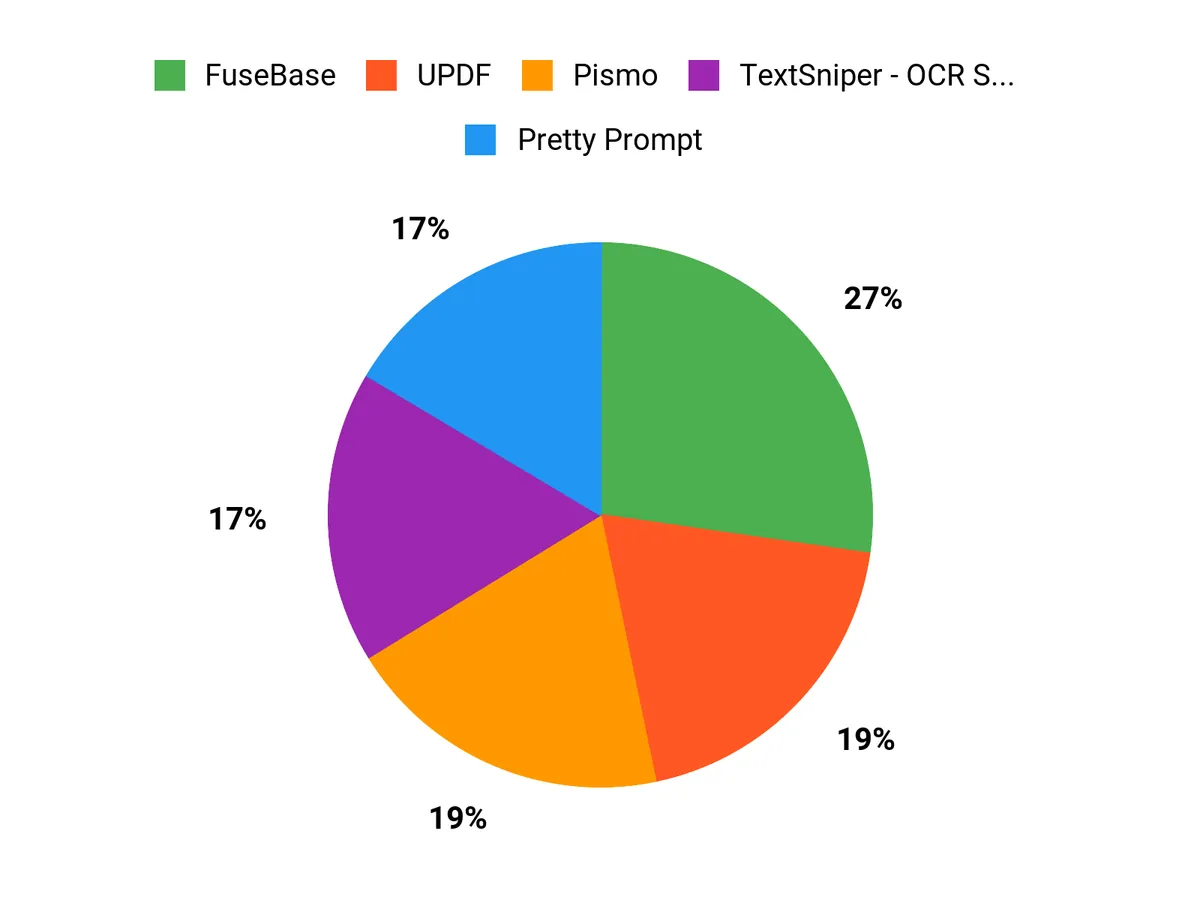
When choosing between FuseBase, UPDF, and Pismo, you look for which tool solves your primary pain point—FuseBase for unified data and workflow automation, UPDF for fast, reliable PDF editing and document workflows, and Pismo for secure, scalable payment processing. You prioritize seamless integration with your existing systems, strong security and compliance, automation and collaboration features that save staff time, and predictable pricing plus responsive support.
Wrapping Up
By adopting one or more of these tools you can reduce manual tasks, improve team alignment, and free up time to focus on growth. Choose a central workspace like FuseBase if you need client portals and structured collaboration, pick UPDF or TextSniper for document and OCR workflows, and add AI tools such as Triplo AI, Pismo, or Pretty Prompt to speed writing and content creation. If your spreadsheets are a bottleneck, Logic Sheet can automate repetitive workflows. Evaluate trade-offs for cost, onboarding time, and vendor support, then start with one high-impact tool to gain momentum and compound productivity improvements over the year.
| Product | Image | Rating | Key Highlights | Best For | Price Plans |
|---|---|---|---|---|---|
| FuseBase |  | 4.77/5 (552+ reviews) |
|
| Original Price: $468, Current Price: $79 |
| UPDF – PDF Editor All Platforms for Individuals |  | 4.67/5 (175+ reviews) |
|
| Original Price: $109.99, Current Price: $59 |
| Pismo |  | 4.79/5 (151+ reviews) |
|
| Price: $59 |
| BreezeDoc |  | 3.78/5 (137+ reviews) |
|
| Original Price: $180, Current Price: $19 |
| Triplo AI | 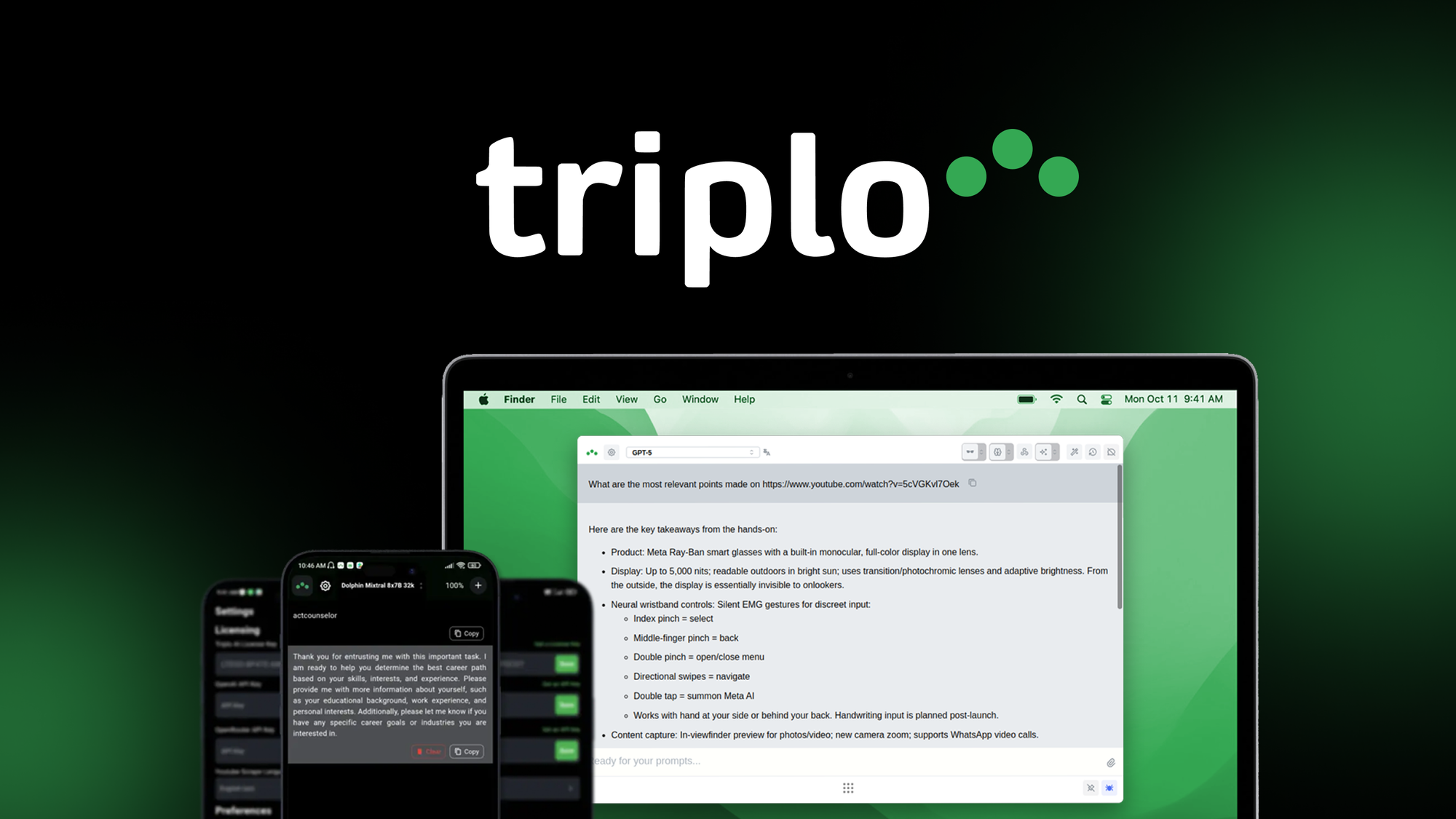 | 4.9/5 (123+ reviews) |
|
| Price: $69 |
| TextSniper – OCR Simplified |  | 4.88/5 (96+ reviews) |
|
| Original Price: $9.99, Current Price: $6.49 |
| Pretty Prompt | 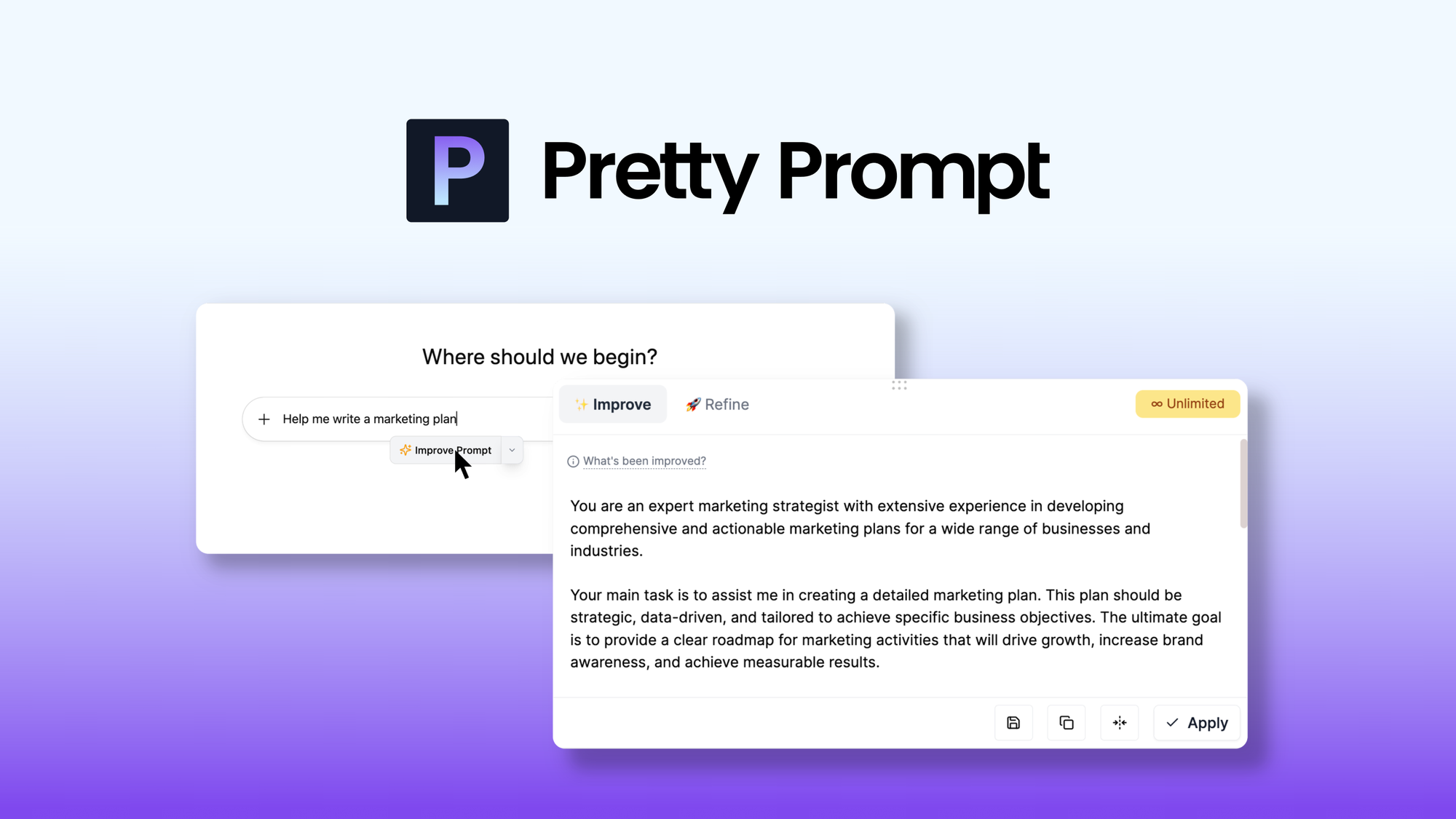 | 4.87/5 (83+ reviews) |
|
| Original Price: $180, Current Price: $34 |
| Logic Sheet – Create AI agents & automation in Google Sheets |  | 4.95/5 (57+ reviews) |
|
| Original Price: $440, Current Price: $99 |
| AmyMind |  | 4.23/5 (22+ reviews) |
|
| Original Price: $244, Current Price: $59 |
This Roundup is reader-supported. When you click through links we may earn a referral commission on qualifying purchases.