
You rely on external storage to protect projects, free up device space, and move large files between devices. Choosing the right drive affects speed, reliability, and how smoothly you work. This guide cuts through specs and marketing to show you the top external hard drives that matter in 2026 and beyond, so you can pick storage that matches how you work — fast transfers for editing, rugged builds for fieldwork, or big, affordable HDDs for archiving.
Top Picks
| Category | Product | Score |
|---|---|---|
| 🏆 Best Overall | SanDisk Extreme | 96/100 |
| 🚀 Fastest Performance | Samsung T9 | 95/100 |
| 🎯 Best For Pro Creators | SanDisk PRO | 93/100 |
| 🎬 Best For Video Editing | Crucial X10 | 92/100 |
| 💼 Best For Thunderbolt Mac | Fantom Extreme | 89/100 |
| ⭐ Best Compact SSD | Samsung T7 | 90/100 |
| 🔰 Best Portable Pick | SanDisk 1TB | 88/100 |
| 💰 Best Budget HDD | Seagate Portable | 82/100 |
| 🧾 Best Mid-Capacity HDD | Seagate 4TB | 83/100 |
| 📦 Best Desktop Capacity | Seagate Expansion | 87/100 |
How We Picked These Drives
You need a drive that matches your priorities. We evaluated each model on real-world performance (sustained read/write), durability (drop, water, and dust ratings or build quality), compatibility (Windows, macOS, consoles, mobile), capacity and price balance, software/security features (hardware encryption, bundled recovery), and long-term value (warranty, brand support).
For SSDs we emphasized sustained throughput and thermal control so you can edit or run apps from the drive; for HDDs we prioritized capacity-per-dollar and reliability for backups and archives.
🏆 Best Overall

You get a compact NVMe SSD that feels like a sensible upgrade from spinning drives — noticeably faster and a lot easier to carry. It’s built to go everywhere with you: clip it to a bag with the carabiner loop, toss it in a travel pouch, or keep it next to your laptop for daily backups. For regular photo and document backups it saves time, and for occasional video editing or moving big media files it keeps your workflow smooth.
If you want full speeds, plug it into a USB‑C port that supports USB 3.1/3.2 Gen 2; otherwise it still works fine just a bit slower. There’s hardware AES encryption and a tidy companion app for managing files, so it’s useful for both everyday storage and trips where durability matters. If you need a fast, portable drive that won’t fuss over a little rain or a bumped backpack, this is a really practical pick.
What People Say
Most customers praise the speed and tiny size — they often mention how much quicker file moves and edits feel compared with older HDDs, and how easy it is to carry around. Reviews frequently highlight the rugged design and water/dust resistance as useful for travel and outdoor use.
A few people note it can warm during heavy transfers and that you’ll need a USB‑C Gen 2 port to hit peak performance.
Overall Sentiment: Positive

When To Use
| Situation | How It Helps |
|---|---|
| Travel and on‑the‑road backups | Small, lightweight and clip-ready so you can offload photos and backups without adding bulk to your pack. |
| Photo and video editing | High read/write speeds let you edit directly from the drive or move large media files quickly between devices. |
| Outdoor shoots and fieldwork | IP65 rating and multi‑meter drop protection reduce worry about dust, splashes or accidental drops. |
| Everyday laptop storage | Plug-and-play portability gives easy extra space for projects, backups, and transporting work between machines. |
Ease Of Use
| Feature | Ease Level |
|---|---|
| Initial Setup | Easy |
| File Transfers | Easy |
| Encryption Setup | Moderate |
| Cross‑Platform Use | Easy |
| Using Older USB Ports | Limited |
Versatility
Works well as a daily backup drive, a portable scratch disk for editing, or a rugged travel companion — you can use it with laptops, desktops, and many cameras or mobile devices via USB adapters.
Durability
The rubberized housing, carabiner loop and IP65 rating make it resilient to bumps, dust and short water exposure, so it handles travel and outdoor conditions better than most pocket SSDs.
Practicality
Its compact size and included cables make it an easy grab-and-go option for extra storage and quick transfers, though you might want a longer cable for certain setups and a Gen 2 port to maximize speed.
Security Features
| Feature | Protection Level |
|---|---|
| 256‑bit AES Hardware Encryption | High |
| Password Protection via SanDisk Software | Moderate |
| Physical Carabiner Loop | Low (helps prevent loss) |
Key Benefits
- Blistering NVMe speeds for fast transfers and editing
- Really compact and travel-friendly with carabiner loop
- IP65 water/dust resistance and multi-meter drop protection
- 256‑bit AES hardware encryption for private files
- Simple file management via the SanDisk Memory Zone app
Rating: 4.6 out of 5 (total: 85,378+)
💰 Best Budget HDD

You get a straightforward, no-fuss portable drive that’s built around practicality. It’s the kind of drive you stash in your bag for extra laptop storage, use for Time Machine or photo libraries, or plug into a console for extended game storage. For everyday backups and moving large folders it’s reliable and simple to use, though it won’t match SSDs for raw speed.
The included USB 3.0 cable and automatic recognition make setup painless, and Seagate’s rescue/data-recovery coverage adds a helpful safety net. If you want roomy, dependable portable storage without complexity, this is a sensible pick.
What People Say
Customers commonly praise how reliable and easy the drive is to use — people like that it just plugs in and is immediately recognized on PCs and Macs. Reviews frequently call out the roomy capacity and steady transfer performance for backups, while a minority mention noticeable noise during operation and that it isn’t as fast as SSD alternatives.
Overall Sentiment: Positive

When To Use
| Situation | How It Helps |
|---|---|
| Everyday laptop backups | Gives you plenty of space for Time Machine or regular file backups without changing your workflow—just plug in and copy. |
| Traveling with photos or media | Small footprint and simple setup make it easy to offload camera files or carry a media library while you’re on the move. |
| Console extended storage | Works with PS4/PS5 and Xbox for storing games (with platform limitations for running next-gen titles directly from external HDDs). |
| Bulk archive and cold storage | Useful as a low-maintenance place to stash large archives, older projects, or infrequently accessed files. |
Ease Of Use
| Feature | Ease Level |
|---|---|
| Initial Setup | Easy |
| File Transfers | Moderate |
| Formatting for Mac | Moderate |
| Using With Game Consoles | Easy |
| Long Transfers / Large Archives | Moderate |
Versatility
Good for everyday backups, media transport, console storage and archiving. It fits many roles where capacity matters more than peak speed, though it’s not ideal as a scratch drive for heavy video editing.
Durability
The plastic enclosure is lightweight and portable but not ruggedized; it’s fine for desk use and light travel, though you’ll want to avoid drops, spills, and rough handling.
Practicality
Everything you need is in the box: the drive and a USB 3.0 cable, and it works right away with most systems. It’s a pragmatic choice when you want lots of storage without setup hassle, keeping in mind it’s a mechanical drive with the usual speed and noise trade-offs.
Security Features
| Feature | Protection Level |
|---|---|
| Built-in encryption | Low (none by default) |
| Compatible with third‑party backup and encryption tools | Moderate |
| 1‑Year Rescue Data Recovery Service | Moderate (helps recover lost data) |
Key Benefits
- Large 2TB capacity for photos, backups and game libraries
- Plug-and-play setup with included USB 3.0 cable
- Works with Windows, Mac, PlayStation and Xbox out of the box
- Compact, pocketable design for easy transport
- Includes Seagate Rescue data recovery support
Rating: 4.6 out of 5 (total: 267,955+)
🧾 Best Mid-Capacity HDD

This 4TB Seagate Portable drive is a no-nonsense option when you need a lot of space without fuss. You can tuck it in a bag for trips, use it for Time Machine or large photo libraries, or attach it to a console for extra game storage. Setup is as simple as plugging in the included USB 3.0 cable — your computer recognizes it automatically — so you can focus on moving files instead of fiddling with software.
It’s not as fast as an SSD, but for everyday backups, archiving old projects, and carrying media between devices it’s practical and dependable. If you want roomy portable storage that just works, this is a solid choice.
What People Say
Across reviews people repeatedly note how easy the drive is to use — it usually just plugs in and is ready. Customers appreciate the large capacity and steady transfer performance for backups and bulk copies, while some mention audible noise during operation and that it won’t match SSD speeds.
Many also point out the convenience for console storage and the extra peace of mind from Seagate’s recovery service.
Overall Sentiment: Positive

When To Use
| Situation | How It Helps |
|---|---|
| Daily laptop backups | Gives you roomy space for Time Machine or routine file backups with a simple plug-and-play workflow. |
| Traveling with media | Slim size and included cable make it easy to offload camera cards or carry movies and music between devices. |
| Console storage | Expands storage for PS4/PS5 and Xbox libraries (with platform limitations for running next‑gen titles directly from external HDDs). |
| Archiving projects | Useful as a place to store completed projects, old photos, or large archives that don’t need SSD speeds. |
Ease Of Use
| Feature | Ease Level |
|---|---|
| Initial Setup | Easy |
| File Transfers | Moderate |
| Formatting for Mac | Moderate |
| Using With Game Consoles | Easy |
| Long Transfers / Large Archives | Moderate |
Versatility
Great for backups, media transport, console libraries and archiving. It covers many everyday needs where capacity matters more than peak performance, though you’ll want an SSD if you need very fast scratch storage for editing.
Durability
The lightweight plastic enclosure is fine for desk use and light travel but isn’t ruggedized; avoid drops, heavy impacts and moisture. Some users report the drive runs a bit noisy under load, which is typical for mechanical drives.
Practicality
You get exactly what you need: the drive and an 18‑inch USB 3.0 cable, plug‑and‑play compatibility with most systems, and Seagate’s rescue/data‑recovery option. It’s a pragmatic pick when you want lots of portable storage without extra setup.
Security Features
| Feature | Protection Level |
|---|---|
| Built‑in encryption | Low (none by default) |
| Compatible with third‑party backup and encryption tools | Moderate |
| 1‑Year Rescue Data Recovery Service | Moderate (helps recover lost data) |
Key Benefits
- Generous 4TB capacity for photos, backups and large file libraries
- Plug-and-play setup with the included USB 3.0 cable
- Works with Windows, Mac, PlayStation and Xbox out of the box
- Compact, slim profile that’s easy to transport
- Includes Seagate Rescue data recovery support
Rating: 4.6 out of 5 (total: 267,955+)
🔰 Best Portable Pick
If you want fast, pocketable storage that you can actually take with you, this is a great pick. You get NVMe-level speeds for moving large photo and video files, plus a compact, rubberized design with a carabiner loop so it tucks into a bag or clips to your gear.
It’s handy for everyday backups, editing short video projects on the go, or offloading camera cards while you travel. The IP65 rating and improved drop protection mean it handles rougher conditions than a typical drive, and the included software options make basic file management and password protection straightforward. In short, it’s a practical, durable SSD that’s easy to recommend if portability and speed matter to you.
What People Say
Customers consistently praise how much faster this SSD feels compared with traditional external drives and how small and easy it is to carry. People also appreciate the ruggedized build—many mention the water/dust resistance and drop protection—and the included encryption options.
A few buyers note it can run warm under heavy use and that full speeds require a compatible USB‑C port.
Overall Sentiment: Positive

When To Use
| Situation | How It Helps |
|---|---|
| Travel and field shoots | Clips to a bag with the carabiner loop, resists dust and splashes, and holds large photo or video files so you can back up on the road. |
| On‑the‑go editing | Fast read/write performance lets you edit smaller projects directly from the drive when your laptop storage is limited. |
| Everyday backups | Compact size and reliable solid‑state performance make routine backups quick and unobtrusive. |
| Sharing large media between devices | USB‑C compatibility and high transfer speeds reduce wait times when moving big folders of photos or video clips. |
Ease Of Use
| Feature | Ease Level |
|---|---|
| Initial Setup | Easy |
| File Transfers | Easy (with compatible ports) |
| Using Encryption/Password Protection | Moderate (software setup required) |
| Portability | Easy |
| Long, sustained transfers | Moderate (may warm up) |
Versatility
Well suited for photographers, content creators and anyone who needs fast portable storage; useful for backups, media transport and light editing workflows.
Durability
Solid for travel — rubberized exterior, IP65 dust/water resistance and improved drop protection give confidence on the go, though it’s not indestructible and shouldn’t be submerged.
Practicality
Tiny footprint, simple plug‑and‑play with modern laptops, and useful extras like the carabiner loop and file management app make it a practical everyday tool for moving and protecting your files.
Security Features
| Feature | Protection Level |
|---|---|
| 256‑bit AES hardware encryption | High |
| Password protection via SanDisk software | Moderate (software required) |
| Five‑year limited warranty | Low‑Moderate (manufacturer support) |
Key Benefits
- Fast NVMe performance—up to 1050 MB/s read and 1000 MB/s write for quick transfers
- Compact, lightweight design with a carabiner loop for easy transport
- IP65 water and dust resistance and enhanced drop protection for travel
- Password protection with 256‑bit AES encryption for basic data security
- Five‑year limited warranty and SanDisk’s software tools for file management
Rating: 4.6 out of 5 (total: 85,378+)
🔐 Best Reliable Storage

If you need a simple way to free up space without fuss, this 5TB WD Elements drive is the kind of tool you keep tucked under your desk or in a bag for occasional moves. You plug it in and get a huge chunk of storage that works straight away on Windows (it’s NTFS-formatted out of the box), and it’s easy to reformat for Mac.
It’s great for everyday backups, storing large photo and video libraries, or giving a console or laptop extra room. Don’t expect SSD speeds or ruggedized protection — think dependable, quiet, high-capacity storage for home, office, and light on-the-road use.
If you want straightforward expandability that just works, this is a practical pick.
What People Say
Most buyers praise the sheer amount of storage and how quietly the drive runs, calling it a reliable workhorse for backups and large media libraries. People also note it’s convenient out of the box for Windows but that you may want to reformat for a Mac.
A few common caveats show up: the included cable can be a weak point and the drive needs direct USB power rather than an underpowered hub.
Overall Sentiment: Positive

When To Use
| Situation | How It Helps |
|---|---|
| Home backups and archive | Gives you plenty of space to keep family photos, movies and system backups in one place without managing cloud quotas. |
| Media library for desktop use | Stores large video and music collections so your main drive can stay uncluttered; ideal for streaming or casual editing workflows. |
| Console or secondary storage | Works well as extra space for game libraries and media on consoles that support external HDDs, once formatted if needed. |
| Occasional travel or moving between desks | Lightweight enough to carry, so you can transfer big batches of files when you need to move data between machines (just handle gently). |
Ease Of Use
| Feature | Ease Level |
|---|---|
| Initial Setup | Easy (plug-and-play on Windows) |
| Reformatting for Mac | Moderate (one-time step required) |
| Transferring large files | Moderate (good speeds for HDD but slower than SSD) |
| Moving while in use | Difficult (avoid moving during read/write) |
| Using with hubs or phones | Moderate to Difficult (may need powered hub or adapter) |
Versatility
A no-nonsense option for anyone who needs lots of offline storage — fits desktop backups, media libraries, console use and occasional file transfers between machines; not aimed at speed-hungry editing workflows.
Durability
Built for everyday desktop use rather than heavy fieldwork — the plastic enclosure is fine for normal handling but the drive contains moving parts and can fail if dropped or jarred during operation.
Practicality
Simple, effective and low-maintenance: plug it in, get a lot of space, and use OS tools for backups or encryption. It’s a practical choice when you want capacity and reliability without extra features.
Security Features
| Feature | Protection Level |
|---|---|
| Built-in hardware encryption | Low (not included) |
| Works with OS-level encryption (BitLocker / FileVault) | High (when you enable it) |
| Optional data recovery plans available | Low‑Moderate (third‑party/manufacturer services) |
Key Benefits
- Massive 5TB capacity for large media collections, archives, and backups
- SuperSpeed USB 3.2 Gen 1 / USB 3.0 connectivity for reasonable transfer rates
- Plug-and-play on Windows, with quick reformat options for Mac compatibility
- Compact, lightweight design that’s easy to tuck into a desk setup or carry between locations
- Quiet operation during use, suitable for always-on backup drives
Rating: 4.5 out of 5 (total: 39,717+)
📦 Best Desktop Capacity

If you need a reliable desktop drive to stash a growing media collection, this Seagate Expansion 8TB is the kind of thing you set up once and largely forget about. You plug the included USB 3.0 cable and power adapter in, drag-and-drop files, and get tons of space for photos, video projects, and archives.
It’s handy for everyday backups, offloading full photo libraries, and giving a desktop or console extra capacity — and if you’re on a Mac you’ll just reformat it for Time Machine. It’s not an SSD, so don’t expect ultra-fast edit-from-drive performance, but for bulk storage and straightforward use it’s a practical, no-nonsense pick you can rely on.
What People Say
Buyers routinely highlight the massive storage and how easy the drive is to set up — plug it in and you’re off. People appreciate the steady transfer speeds for large copies and the included power adapter and cable. Common caveats mention audible drive noise and that it’s a USB-A 3.0 desktop unit (not a USB-C SSD), and some users point out you may want to reformat for Mac or shuck the enclosure for NAS projects.
Overall Sentiment: Positive

When To Use
| Situation | How It Helps |
|---|---|
| Everyday desktop backups | Gives you room to keep complete system images, photos and documents without juggling cloud quotas. |
| Storing large media libraries | Holds huge video and photo collections so your main drive can stay uncluttered; useful for casual editing and archiving. |
| Console extended storage | Provides extra space for game libraries (works for PS4 games and as transferable storage for PS5 workflows). |
| DIY NAS or internal drive swap | The enclosure can be shucked if you want the internal HDD for a NAS build, giving a budget-friendly way to repurpose the drive (with warranty caveats). |
Ease Of Use
| Feature | Ease Level |
|---|---|
| Initial Setup | Easy (plug-and-play on Windows) |
| Reformatting for Mac/Time Machine | Moderate (one-time step via Disk Utility) |
| Transferring large batches | Easy to Moderate (steady speeds thanks to USB 3.0) |
| Using with modern USB-C only laptops | Moderate (needs an adapter or cable) |
| Moving while in use | Difficult (avoid moving during read/write) |
Versatility
A straightforward desktop drive that fits many needs — backups, media storage, console libraries and even DIY NAS conversions if you’re comfortable opening the enclosure. It’s versatile for capacity, less so for ultra-fast editing or rugged fieldwork.
Durability
Designed for regular desktop use: the plastic enclosure and mechanical internals are fine for stationary setups but aren’t shockproof. Expect long service for typical home or office use, but avoid drops or moving it while active.
Practicality
Practical and low-maintenance: it includes the cable and power adapter you need, works immediately on Windows, and gives a cost-effective way to store terabytes of data without fuss.
Security Features
| Feature | Protection Level |
|---|---|
| Built-in hardware encryption | Low (not included) |
| Works with OS-level encryption (BitLocker / FileVault) | High (when enabled) |
| Rescue Data Recovery Services and limited warranty | Moderate (manufacturer-backed recovery option) |
Key Benefits
- Very large 8TB capacity for long-term archives, media libraries and backups
- Plug-and-play setup with USB 3.0 — includes cable and 18W power adapter
- Works with Windows out of the box and can be reformatted for Mac Time Machine
- Rescue Data Recovery Services and a limited warranty add an extra safety net
- Stable transfer behavior for big batches of files; good for desktop use and console libraries
Rating: 4.6 out of 5 (total: 267,955+)
⭐ Best Compact SSD

You’ll notice the T7 the moment you pick it up — it’s small, solid and built to move with you. It uses PCIe NVMe tech over USB 3.2 Gen 2 to deliver near‑NVMe speeds in a pocketable package, so copying photo shoots, moving game libraries, or editing a project on the go feels much less like waiting and more like working. For everyday use it’s great as a fast backup drive, a place to stash large media, or a handy external boot drive for an older laptop. For special occasions — say a weekend shoot or a client presentation — you can plug it into camera rigs, phones (with supported adapters), or a borrowed laptop and keep working without fuss.
If you want a compact, dependable SSD that simply speeds up common tasks, the T7 is an easy recommend.
What People Say
Customers consistently praise how much faster the T7 feels compared with spinning hard drives, calling out quick transfers and snappier workflow performance. People also like the compact, metal design and the convenience of the included cables, and many mention that it stays relatively cool during normal use.
A few users note small annoyances like short bundled cable length or the occasional need to reformat for certain systems, but overall reliability and speed are common themes.
Overall Sentiment: Positive

When To Use
| Situation | How It Helps |
|---|---|
| On-the-go photo and video shoots | Lets you offload large files quickly between takes so your camera or laptop stays ready for the next shoot. |
| Traveling with a laptop | Small footprint and solid casing make it easy to toss in a bag for quick backups or editing away from your desk. |
| Reviving an older machine | Use it as an external boot drive or to store active projects and enjoy noticeably faster boot and app load times than a platter drive. |
| Expanding console or workstation storage | Adds fast external capacity for game libraries or active media projects when you need more space without opening the machine. |
Ease Of Use
| Feature | Ease Level |
|---|---|
| Initial Setup | Easy (plug in and use on most systems) |
| Using with phones/tablets | Easy to Moderate (works with Android and some cameras; may need adapters) |
| Reformatting for specific OS (e.g., Time Machine) | Moderate (one-time step via Disk Utility or format tool) |
| Using as an external boot drive | Moderate (works well but requires correct OS support and setup) |
| Cable flexibility and length | Moderate (includes two cables but some users prefer a longer USB-C cable) |
Versatility
This is a very flexible portable SSD: great for photographers, creators, students and gamers who need fast external storage. It handles everything from quick backups to active editing and can plug into a variety of devices, though truly specialty workflows (like sustained heavy editing directly from the drive) may still benefit from higher-end Thunderbolt setups.
Durability
The metal unibody and internal shock resistance give the T7 better drop protection than many slim SSDs, and Samsung’s thermal management keeps performance steady in typical use. It’s not a fully ruggedized field drive, but it’s tough enough for daily travel and commuter life.
Practicality
Practical for everyday use: small, lightweight, and ready out of the box with both USB-C and USB-A cables. It’s an easy way to boost storage without changing hardware, and the combination of speed and portability makes it useful for many common tasks.
Security Features
| Feature | Protection Level |
|---|---|
| 256-Bit AES Hardware Encryption (via software) | High (when enabled with Samsung software) |
| OS-level encryption compatibility (BitLocker, FileVault) | High (secure when you use system encryption) |
| Physical shock resistance and thermal control | Moderate (protects against drops and overheating in normal use) |
Key Benefits
- Very fast transfer rates (up to 1,050/1,000 MB/s) for quick file moves and smoother editing workflows
- Pocketable aluminum unibody with drop protection up to 6 ft for everyday portability
- Broad compatibility — works with Windows, macOS and many Android devices (software may be required)
- Includes USB-C to C and USB-C to A cables so you can connect to modern and older hosts
- Built-in thermal control and reliable Samsung NAND/DRAM for consistent performance
Rating: 4.7 out of 5 (total: 36,893+)
⭐ Best Compact SSD
You’ll feel the difference the moment you slide the T7 into your bag — it’s compact, solid and built to travel. It uses PCIe NVMe over USB 3.2 Gen 2 to move large files fast, so backing up shoots, swapping game libraries, or editing on a laptop is noticeably quicker.
For daily use it’s perfect as a fast backup drive, a place to store big media projects, or a handy external boot drive for an older machine. On special days — think client presentations, weekend shoots, or working from a café — you can plug it into cameras, phones (with the right adapter), or a borrowed laptop and keep going with minimal fuss.
If you want a small, dependable SSD that speeds up common tasks and actually fits in your pocket, the T7 is easy to recommend.
What People Say
You’ll see most buyers appreciating how much faster the T7 is compared with traditional spinning drives and how compact it is to carry around. People often mention consistent transfer speeds, a solid metal feel, and the convenience of included cables. A few users point out small inconveniences like the bundled cable length or the need to reformat for specific OS setups, but overall reliability and speed are common takeaways.
Overall Sentiment: Positive

When To Use
| Situation | How It Helps |
|---|---|
| On-the-go photo and video shoots | You can offload large files quickly between takes so your camera or laptop stays ready for the next capture. |
| Working while traveling | Its small size and sturdy case let you toss it in a bag for fast backups or editing away from your desk. |
| Breathing new life into older laptops | Use it as an external boot or project drive to noticeably speed up boot and app load times compared with a platter drive. |
| Adding storage to consoles or shared workstations | Gives you fast external capacity for game libraries or active media projects without opening the machine. |
Ease Of Use
| Feature | Ease Level |
|---|---|
| Initial setup | Easy (plug-and-play on most systems) |
| Using with phones and cameras | Easy to Moderate (works with many devices; adapters may be required) |
| Reformatting for macOS Time Machine or specific workflows | Moderate (one-time format step via Disk Utility or similar) |
| Using as an external boot drive | Moderate (works well but needs proper OS support and setup) |
| Cable length and flexibility | Moderate (includes two cables but some users prefer a longer USB-C cable) |
Versatility
You get a very adaptable portable SSD: useful for creators, students and gamers who need fast external storage. It handles quick backups, active editing and can connect to a wide range of devices, though sustained pro editing workflows may still benefit from Thunderbolt-class gear.
Durability
The aluminum unibody and internal shock protection give the T7 better everyday resilience than many slim SSDs, and Samsung’s thermal design helps keep speeds steady during normal use. It’s not a fully rugged field drive, but it’s solid for commuting and travel.
Practicality
Practical and straightforward: it’s small, lightweight, and ready to use with both USB-C and USB-A cables included. It’s an easy way to add fast storage without changing your machine.
Security Features
| Feature | Protection Level |
|---|---|
| 256‑Bit AES Hardware Encryption (via Samsung software) | High (when you enable the encryption tools) |
| Works with OS-level encryption (BitLocker, FileVault) | High (secure when used with system encryption) |
| Physical shock resistance and thermal control | Moderate (helps protect data from drops and overheating in normal conditions) |
Key Benefits
- Near‑NVMe transfer speeds (up to 1,050/1,000 MB/s) that cut waiting during big file moves
- Durable aluminum unibody with drop protection up to 6 ft for everyday portability
- Works across Windows, macOS and many Android devices (some setups may need reformatting)
- Comes with both USB-C to C and USB-C to A cables for compatibility with modern and older hosts
- Built-in thermal control and Samsung’s in-house NAND/DRAM for steady, reliable performance
Rating: 4.7 out of 5 (total: 36,893+)
🚀 Fastest Performance

You’ll notice the T9 when you start moving big files — it’s built to shave minutes off transfers and keep things stable while you work. It’s compact enough to carry every day and fast enough for editing directly from the drive, offloading camera cards, or running game libraries.
For routine tasks it’s great as a fast backup or a go-to drive for large photo and video projects; for special scenarios like client presentations, on-location shoots, or using an iPhone 15 Pro for 4K capture, it handles sustained workloads without getting flaky thanks to Samsung’s thermal controls. If you want a portable drive that prioritizes speed and steady performance, the T9 is an easy pick.
What People Say
Most buyers praise how reliably fast the T9 is for real workloads — people repeatedly mention quick transfers, steady performance during long copies, and a solid, travel-friendly build. Users also appreciate the included cables and wide device compatibility, while a minority note quirks with the locking/encryption app or the occasional need to reformat for certain phones or systems.
Overall Sentiment: Positive

When To Use
| Situation | How It Helps |
|---|---|
| On-location photo and video shoots | You can offload footage fast between takes so cameras and cards stay ready, and the thermal control helps avoid slowdowns during long copy sessions. |
| Editing on a laptop or tablet | Fast sequential speeds mean you can edit large timelines or open big RAW files from the drive without waiting ages for transfers. |
| Gaming and console storage | Plenty of capacity and quick load times let you store and run game libraries from the drive with minimal hitching. |
| Travel and fieldwork | A grippy, shock-resistant shell and compact size make it easy to toss in a bag and rely on during rough commutes or field conditions. |
Ease Of Use
| Feature | Ease Level |
|---|---|
| Initial setup | Easy (plug-and-play on most modern systems) |
| Connecting to phones and consoles | Easy to Moderate (works with many devices; some phones may need reformatting) |
| Using Samsung Magician and encryption tools | Moderate (handy utilities available, though some users find the locking app less intuitive) |
| Firmware updates and drive maintenance | Easy (updates via Samsung software keep the drive current) |
Versatility
The T9 covers a wide range of needs: creators, students and gamers will all find it useful for fast backups, active editing, and extra console or laptop storage. It’s flexible enough for daily tasks and heavy sessions, though desktop Thunderbolt setups still offer higher peak bandwidth for some pro workflows.
Durability
The textured, rubberized shell and internal protections give the T9 resilience against everyday knocks and drops, and Samsung’s Dynamic Thermal Guard helps avoid throttling during long transfers. It’s not a fully sealed rugged drive for extreme conditions, but it’s durable enough for travel and field use.
Practicality
It’s practical in the way it’s packaged: compact, lightweight, and ready to use with both USB‑C and USB‑A connectivity options included. You get high-capacity storage without needing extra adapters in most setups.
Security Features
| Feature | Protection Level |
|---|---|
| AES 256‑bit hardware encryption (via Samsung software) | High (strong protection when enabled) |
| Samsung Magician firmware and health tools | Moderate (helps keep firmware up to date and monitor drive health) |
| Dynamic Thermal Guard and internal temperature controls | Moderate (protects performance and components from overheating) |
| Shock-resistant casing and build | Moderate (helps protect data from everyday drops and bumps) |
Key Benefits
- Very fast sustained transfers (up to 2,000 MB/s with a compatible USB 3.2 Gen 2×2 host)
- High capacity options up to 4TB for large media projects and game libraries
- Dynamic Thermal Guard keeps temperatures in check during long transfers
- Rugged, grippy exterior that feels travel-ready and resists everyday knocks
- Works across PCs, Macs, consoles and supported phones, with bundled cables for compatibility
Rating: 4.6 out of 5 (total: 2,414+)
🧭 Best Rugged HDD

You’ll like the Rugged Mini if you want a no-nonsense, travel-proof backup that survives a busy bag or a field shoot. It’s a compact 2TB HDD with a rubber bumper and sealed design meant to handle drops (up to about 4 ft), dust and light rain, and it runs off a single USB 3.0 cable so you don’t need an extra power brick.
For daily use it’s great for Time Machine backups, phone and laptop offloads, and extra media storage; for special trips or client jobs it gives you confidence that a bump or spill won’t automatically ruin your backup. If you want something built more for rough handling than top SSD speeds, this is a practical, dependable pick you can toss in a pack and forget about until you need it.
What People Say
Buyers commonly praise how tough the drive feels — people mention surviving drops, backpack travel, and accidental splashes without losing data. Reviews also highlight reliable transfer speeds for HDD class drives and easy setup for backups.
A smaller group points out occasional quirks like needing to reformat for certain Macs or rare failures, but overall durability and straightforward use come up most often.
Overall Sentiment: Positive

When To Use
| Situation | How It Helps |
|---|---|
| Daily laptop backups | Big enough for full Time Machine or File History backups and simple to run regularly since it’s bus-powered and plug-and-play. |
| On-location photo and video offloads | The rubber bumper and sealed shell protect your files from drops and light weather while you move between locations. |
| Travel and commuting | Compact size and a single USB cable mean it fits in a bag and won’t require extra power or adapters on the go. |
| Archiving large media libraries | 2TB gives you room for photos, raw files and video projects that you don’t need to keep on your main drive every day. |
Ease Of Use
| Feature | Ease Level |
|---|---|
| Initial setup | Easy (plug-and-play on Windows; Mac may require reformatting) |
| Power and connectivity | Easy (single USB 3.0 cable powers and transfers data) |
| Password protection | Moderate (built-in option, requires using LaCie tools) |
| Using with backups and software | Easy (works with Time Machine and common backup apps once formatted) |
Versatility
This drive is versatile in everyday and travel roles: great for scheduled backups, archival storage and field offloads. It isn’t meant to replace an SSD for sustained high-performance editing, but it’s a solid companion for creators who need rugged capacity rather than peak speed.
Durability
The rubberized bumper and reinforced casing make it one of the tougher portable HDDs — customers regularly report it surviving drops, spills and rough handling. Keep in mind it’s still a mechanical drive, so it’s more vulnerable than an SSD to internal shock over time and a small number of users report reliability failures.
Practicality
It’s practical: bus-powered over USB 3, compact, and easy to stash in a bag. The bright orange bumper also helps you spot it fast in a crowded kit, and the included Adobe trial plus two-year warranty are handy extras—just remember Mac users may need to reformat for optimal compatibility.
Security Features
| Feature | Protection Level |
|---|---|
| Built-in password protection (LaCie tools) | High (local password protection keeps casual access out) |
| Physical shock, dust and rain resistance | Moderate (helps prevent many common physical accidents) |
| Two-year limited warranty | Moderate (manufacturer support for defects within warranty) |
| Optional data recovery plans | High (paid recovery plans add a safety net for serious failures) |
Key Benefits
- All-terrain protection: rubber bumper plus drop, dust and rain resistance for travel and field use
- 2TB capacity suitable for full laptop backups and large photo/video libraries
- USB 3.0 connectivity with up to ~130 MB/s for reasonably quick transfers
- Plug-and-play simplicity on most systems, with bundled cables and basic software
- Built-in password protection and a two-year limited warranty for added peace of mind
Rating: 4.6 out of 5 (total: 24,078+)
🎯 Best For Pro Creators

If you work with large photo or video files, you’ll appreciate how this drive keeps things moving when you need it most. It’s a portable NVMe SSD with up to 2000MB/s read and write speeds, a forged aluminum chassis that doubles as a heatsink, and IP65 water and dust resistance — so you can edit on the go without constant slowdowns.
For daily use it makes quick backups, media offloads from your camera, and fast file transfers painless; for client shoots or travel it gives you confidence that sustained transfers and rough handling won’t ruin a working day. If you want a pro-focused external drive that balances real-world toughness with sustained high speed, this is a sensible pick you can rely on.
What People Say
You’ll see a lot of praise for the sustained transfer speeds and reliable performance under heavy workloads, plus appreciation for the aluminum chassis that helps keep temperatures in check. People also like the rugged features — the IP65 rating and drop protection come up often — while a smaller number of users mention occasional wake/sleep quirks or intermittent recognition issues on certain systems.
Overall Sentiment: Positive

When To Use
| Situation | How It Helps |
|---|---|
| Daily workstation backups | High sustained write speeds make routine backups and big syncs finish sooner so you’re not waiting around between tasks. |
| On-location photo and video offloads | The IP65 protection, drop resistance and carabiner loop mean you can move between locations and offload footage with less worry. |
| Editing directly from external drive | NVMe performance and thermal management let you scrub timelines and work with large assets with fewer slowdowns compared with typical portable SSDs. |
| Travel and client deliveries | Compact size and bundled USB-C/USB-A cables keep it ready for a range of laptops and ports without extra adapters. |
Ease Of Use
| Feature | Ease Level |
|---|---|
| Initial setup | Easy (plug-and-play on most systems; may require reformatting for specific workflows) |
| Cable and host compatibility | Easy (includes USB-C and USB-A cables for broad compatibility) |
| Thermal management | Moderate (aluminum chassis helps but heavy use can still warm the drive) |
| File management and software | Easy (works with common backup and file-transfer tools; SanDisk apps available for extras) |
Versatility
This drive suits a wide range of creators: from photographers offloading shoots to editors working on timelines and anyone who needs fast, portable storage. It’s not a networked archive or NAS replacement, but it covers day-to-day production and travel-ready tasks very well.
Durability
The forged aluminum body plus IP65 rating and quoted drop protection give it real-world resilience for field work and travel. That said, some users report occasional recognition hiccups with certain setups, so it’s wise to keep backups and test compatibility before critical jobs.
Practicality
It’s compact, bus-powered with included cables, and easy to stash in a kit. The carabiner loop is a small but useful detail for photographers and videographers on the move.
For everyday workflows it reduces transfer time and cuts down on bottlenecks during busy editing sessions.
Security Features
| Feature | Protection Level |
|---|---|
| Hardware encryption support | High (helps protect data if the drive is lost or stolen when enabled) |
| IP65 water and dust resistance | Moderate (protects against common environmental hazards) |
| Five-year limited warranty | Moderate (manufacturer support for defects within warranty period) |
| Optional data recovery plans | High (paid recovery plans add a fallback for serious failures) |
Key Benefits
- Very fast NVMe performance — up to 2000MB/s read and write for large transfers and editing off an external drive
- Forged aluminum chassis acts as a heatsink for better sustained speeds during long transfers
- IP65 water and dust resistance and up to 3-meter drop protection for field use
- Compact and portable with a carabiner loop so you can secure it to a bag or kit
- Five-year limited warranty and mainstream OS compatibility with included USB-C and USB-A cables
Rating: 4.4 out of 5 (total: 15,969+)
🔐 Best Reliable Storage
If you need a simple, no-nonsense way to add lots of space, this WD Elements 6TB portable drive is exactly the kind of tool that makes life easier. You plug it into your laptop or desktop via USB 3.2 Gen 1 and get roomy, reliable storage for photos, video libraries, and system backups without fuss.
For everyday use it’s ideal for routine backups, offloading camera cards between shoots, or keeping a large media collection handy; for occasional heavy-duty jobs you can stash large project files and hand them off or archive them quickly. It doesn’t pretend to be a rugged field drive or an NVMe speed demon — it’s about dependable capacity and straightforward plug-and-play behavior.
If you want a practical, portable way to stop worrying about space, this is a sensible, workhorse option.
What People Say
Most customers appreciate the straightforward reliability and the large capacity — people frequently call out how easy it is to set up and how well it handles backups and media libraries. USB 3.2 performance and the compact, travel-friendly size come up as popular positives, while a few users note occasional warmth under heavy use or the usual need to reformat for some Mac workflows.
Overall Sentiment: Positive

When To Use
| Situation | How It Helps |
|---|---|
| Daily laptop backups | You can run routine system or folder backups quickly thanks to the large capacity and USB 3.2 speed, freeing up your laptop without juggling files. |
| Offloading camera footage between shoots | The roomy 6 TB size means you can store entire shoots without swapping drives, and USB 3.2 moves large files faster than older USB standards. |
| Media library for home theater | Keep a big collection of movies and TV shows on a single drive you can plug into a media player or PC without complicated setup. |
| Offsite or travel backups | Its small, lightweight design makes it easy to carry for offsite backups or to tuck into a bag when you travel. |
Ease Of Use
| Feature | Ease Level |
|---|---|
| Initial setup | Easy (plug-and-play on most Windows systems; Mac users may need to reformat) |
| Cable and connection | Easy (includes a SuperSpeed USB-A cable for common ports) |
| Cross-platform compatibility | Moderate (works with PC out of the box; reformatting may be required for Time Machine or APFS workflows) |
| Ongoing file management | Easy (treat it like any external drive — drag, drop, and back up with your preferred tools) |
Versatility
This drive is versatile for anyone who needs lots of portable capacity without fuss — students, creatives who need big archives, and home users building a media library. It’s not aimed at on-the-fly editing off an SSD or as a networked NAS, but for straightforward storage and backups it does the job well.
Durability
As a 2.5-inch mechanical drive, it balances portability and durability for everyday use. It’s not shockproof like rugged models, so you should avoid drops or heavy impacts, but user feedback consistently points to solid reliability over months and years of typical handling.
Practicality
The Elements drive is practical in that it’s bus-powered, easy to stash in a bag, and works with most devices with minimal setup. The included USB cable and plug-and-play behavior mean you can get back to work quickly without extra adapters or complicated installations.
Security Features
| Feature | Protection Level |
|---|---|
| Manufacturer limited warranty | Moderate (manufacturer support for defects within the warranty period) |
| Optional data recovery plans | High (paid recovery plans available for serious data loss scenarios) |
| Software backup support | Moderate (compatible with common backup tools; third-party software often used for encryption) |
| Hardware encryption | Low (no built-in hardware encryption on most Elements portable models) |
Key Benefits
- Huge 6 TB capacity for photos, videos and large archives
- SuperSpeed USB 3.2 Gen 1 (5Gbps) for noticeably faster transfers than USB 2.0
- Plug-and-play setup with broad PC and Mac compatibility (may require reformatting for some Macs)
- Compact 2.5-inch portable form factor that fits easily in a laptop bag
- Proven reliability and quiet operation that users repeatedly mention
Rating: 4.6 out of 5 (total: 294,709+)
🔰 Best Portable Pick
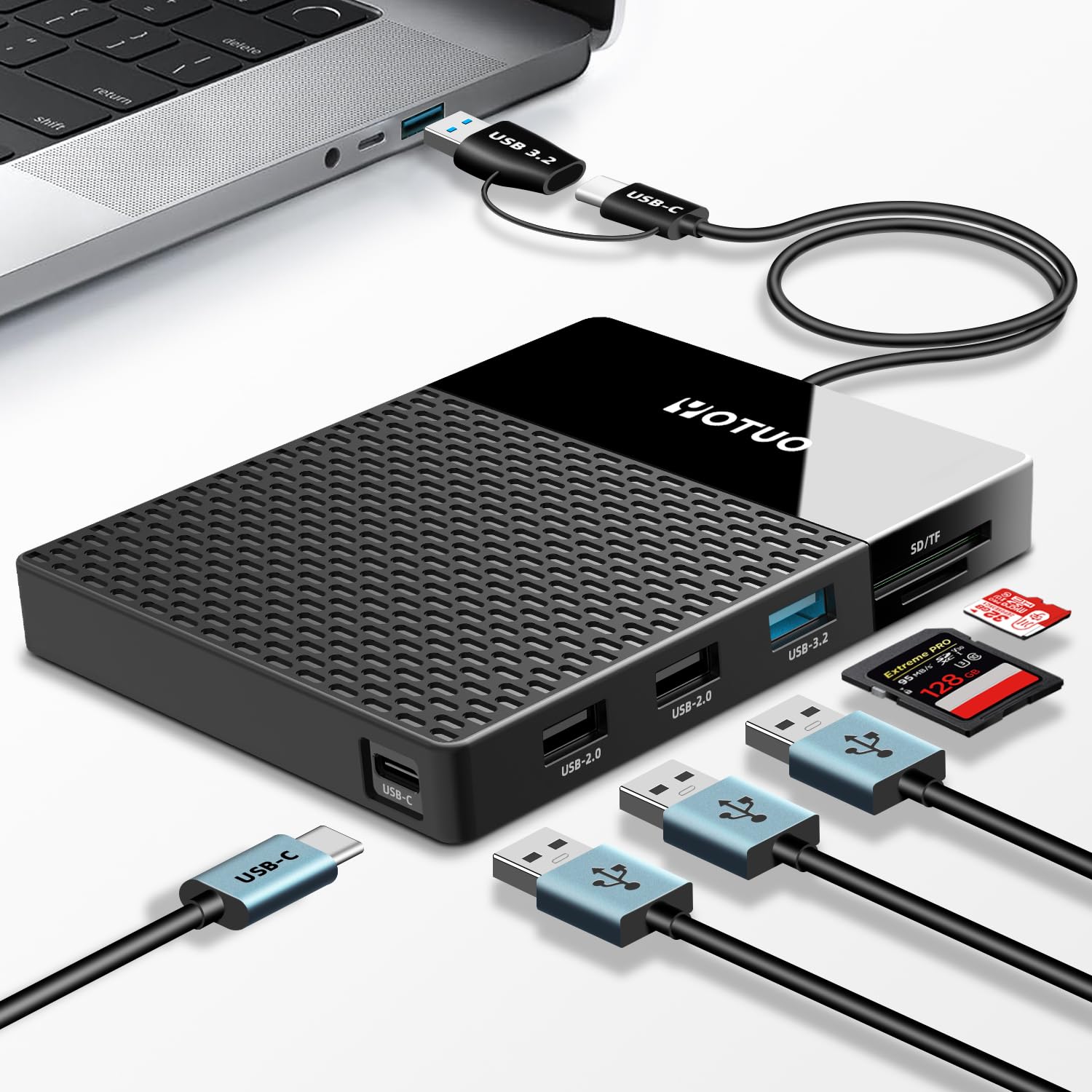
This YOTUO unit tries to solve two annoyances at once: limited ports and limited storage. You get a 1TB mechanical drive built into a compact dock that also adds USB‑C/USB‑A ports plus SD and microSD card slots, so you can offload camera cards, expand a laptop’s ports, or keep a single, easy-to-carry backup on hand.
For everyday use it’s a handy companion for quick backups, transferring photos between cards and a computer, or giving an older laptop extra connectivity. For trips or shoots it doubles as a portable hub so you can plug cameras, drives, and thumb drives into one tidy box.
If you want convenience and flexibility more than NVMe-level speed, this is the kind of practical, multi‑tool drive you’ll reach for.
What People Say
Buyers commonly like the convenience of having storage and a hub in one compact package — people often mention how useful the card reader and extra ports are for photo work or for expanding a slim laptop. Customers also point out that it’s plug-and-play on most PCs and that the dual cable helps with compatibility.
On the flip side, several users note occasional connection or speed quirks, and mobile use sometimes needs extra adapters or power.
Overall Sentiment: Positive

When To Use
| Situation | How It Helps |
|---|---|
| On‑the‑road photo backups | You can plug camera SD cards directly into the dock and copy files to the 1TB drive without hauling a laptop card reader and a separate drive. |
| Working from a thin laptop with few ports | The hub adds USB‑A and USB‑C ports so you can connect a mouse, drive, or flash drive while keeping your primary port free. |
| Phone photo backups (Android) | With an OTG adapter or the included USB‑C cable and sometimes external power, you can back up phone photos directly to the drive without cloud transfers. |
| Quick media offload after shoots | The SD/TF slots speed up the workflow — plug cards in, copy to the drive, and hand the drive off or archive it. |
Ease Of Use
| Feature | Ease Level |
|---|---|
| Initial setup | Easy (plug-and-play on most Windows machines; macOS may require reformatting for some workflows) |
| Switching cables/hosts | Moderate (dual cables help, but older devices or phones may need an OTG adapter) |
| Using the card reader | Easy (direct card slots simplify transfers compared with separate readers) |
| Managing files | Easy (behaves like a standard external HDD for dragging, copying, and backups) |
Versatility
This unit is versatile in that it combines storage and expansion ports in one compact package — handy for photographers, travelers, and anyone with a slim laptop. It’s not a high‑speed SSD for heavy editing, but for backups, card offloads and added ports it fits many use cases.
Durability
As a portable HDD dock, it’s fine for everyday travel and desk use but isn’t designed to survive heavy drops or harsh conditions. Treat it as a convenient workflow tool rather than a rugged field drive.
Practicality
Practicality is where this product shines: you get storage plus a hub and card reader in a small footprint, reducing the number of accessories you carry. The included cable options and broad OS support mean fewer surprises when you plug into different machines.
Security Features
| Feature | Protection Level |
|---|---|
| Manufacturer warranty | Moderate (standard seller/manufacturer support for defects) |
| Optional protection plans | Moderate (third‑party plans available through the marketplace) |
| Drive formatting | Low (no built‑in encryption; you can reformat or add third‑party encryption tools) |
| Data recovery options | Low to Moderate (depends on external services or software you choose) |
Key Benefits
- Built‑in 1TB HDD plus multi‑port hub for fewer adapters and a cleaner desk
- SD and TF card slots make it easy to offload camera or drone footage on the spot
- Dual socket cable (USB‑C and USB‑A) improves compatibility with older and newer hosts
- Portable, compact design you can toss in a bag for travel or fieldwork
- Wide OS support for Windows, macOS, Linux and many Android devices
Rating: 4.3 out of 5 (total: 296+)
🛡️ Best Backup Bundle

If you need a simple way to keep a lot of files with you, this My Passport model is exactly that kind of dependable companion. You get up to 6 TB of portable storage in a slim, pocketable case, plug-and-play USB connectivity, and bundled backup tools to help you automate copies of photos, video and documents.
It’s great for daily backups at your desk, carrying a media library between home and work, or creating an archive before a big trip. If you want massive capacity without chasing NVMe speeds, this is an easy, practical pick you’ll turn to when your laptop or phone runs out of room.
What People Say
You’ll see a lot of buyers praise the My Passport for being reliable, easy to use and offering massive space in a tiny package. People often highlight the password protection and bundled backup tools, though some note the backup software can be hit-or-miss and the supplied cable is short.
Overall, customers tend to recommend it for straightforward, large-capacity portable backups.
Overall Sentiment: Positive

When To Use
| Situation | How It Helps |
|---|---|
| Daily laptop backups | You can set scheduled backups and keep a complete copy of your important files without changing your routine. |
| Travel or photo trips | Drop a folder of photos or a video library on the drive and tuck it in your bag for offsite redundancy or editing on the go. |
| Archiving older machines | Move large folders or full disk images to the drive to free up an older laptop or keep a long-term archive. |
| Sharing large media between machines | Plug it into a friend’s PC or your desktop to move big projects without relying on slow uploads or network transfers. |
Ease Of Use
| Feature | Ease Level |
|---|---|
| Initial setup | Easy (plug the SuperSpeed USB-A cable in and the drive is usually recognized) |
| Running backups | Easy (included software offers guided options for scheduled backups) |
| Using password protection | Moderate (straightforward to enable, but remember your password to avoid lockouts) |
| Connecting to different OSes | Easy (works with Windows out of the box; reformatting can improve Mac or Linux compatibility) |
Versatility
This drive is versatile for anyone who needs lots of portable space — photographers, students, or anyone archiving big media. It’s not a fast NVMe SSD for heavy editing, but it covers backups, transport, and long-term storage well.
Durability
The My Passport feels solid for everyday carry and desk use, but it’s a mechanical HDD underneath, so avoid drops and heavy impacts if you want to keep your data safe.
Practicality
Practicality is a strength here: large capacity, simple USB hookup, and bundled tools make it an easy choice when you want reliable storage without fiddly setup or adapters.
Security Features
| Feature | Protection Level |
|---|---|
| Password protection & hardware encryption | High (built-in to help keep casual access from prying eyes) |
| Included Acronis backup software with ransomware defense | Moderate (adds automated backup and defense features, though experiences vary) |
| Manufacturer warranty | Moderate (standard warranty and support from WD) |
| Optional protection plans | Moderate (third‑party recovery/insurance plans available) |
Key Benefits
- Huge portable capacity (up to 6 TB) for photos, videos and archives
- Includes backup software with ransomware defense to automate copies
- Password protection and hardware encryption to help keep files private
- Slim, lightweight design that slips into a bag for travel
- Standard USB compatibility (SuperSpeed USB‑A cable included) for broad device support
Rating: 4.5 out of 5 (total: 114,992+)
📁 Best Simple Plug-And-Play

If you want straightforward extra space without fuss, this Canvio Basics model is built for you. Plug it into a USB port and you can start dragging files right away — no installers or complicated setup. It’s great for daily backups at your desk, carrying a photo or video library between home and work, or unloading footage in the field before a long trip.
You’ll get solid, consistent transfer speeds for everyday use, a lightweight shell that tucks into a bag, and bus-powered convenience so you don’t need an AC adapter. If you need a simple, reliable way to expand storage rather than top-tier SSD performance, this drive is an easy, practical choice.
What People Say
Customers commonly praise the Canvio for being reliable, easy to use and quietly efficient — people like that it’s ready to go out of the box and feels solid for everyday carry. Reviewers note steady transfer speeds for typical file backups and media, and many appreciate the compact matte finish.
A few users mention the need to reformat for Mac and the proprietary-ish cable as mild annoyances, but overall impressions are favorable.
Overall Sentiment: Positive

When To Use
| Situation | How It Helps |
|---|---|
| Daily laptop backups | Plug it in and run routine file copies or manual backups without installing extra software, keeping your important documents safe. |
| Travel and photo/video shoots | Drop large folders of images or video onto the drive and stash it in your bag for offsite redundancy or editing on another machine. |
| Expanding console storage | Use it as external storage for gaming consoles that support USB drives to store and run games without using internal space. |
| Quick file transfers between PCs | Move big projects or media libraries between home and office machines without relying on slow uploads or network transfers. |
Ease Of Use
| Feature | Ease Level |
|---|---|
| Initial setup | Easy (plug in and the drive is usually recognized on Windows) |
| Transferring large files | Easy (USB 3.0 delivers steady everyday transfer speeds) |
| Connecting to Mac | Moderate (drive is NTFS-formatted for Windows and needs reformatting for native Mac use) |
| Replacing or losing the cable | Moderate (the included cable uses a specific drive-side plug, so keep it handy) |
Versatility
This drive suits anyone who needs large, portable HDD storage — photographers, students, casual gamers, or anyone archiving files. It’s not aimed at heavy editing workflows that benefit from NVMe SSD speeds, but it handles backups, media transport, and console expansion very well.
Durability
The Canvio feels solid for everyday carry and desk use, but remember it’s a mechanical HDD underneath. It’s fine for gentle transport, but avoid drops and strong impacts to protect your data.
Practicality
Practicality is its main strength: large capacity, simple USB hookup, and bus power make it an easy plug-and-play solution when you just need more room without extra setup or adapters.
Security Features
| Feature | Protection Level |
|---|---|
| Built-in encryption/password protection | Low (no hardware encryption included by default) |
| Manufacturer warranty | Moderate (standard warranty support from Toshiba) |
| Optional data recovery plans | Moderate (third-party or add-on recovery plans are available) |
| Physical protection (case) | Low (slim, not rugged — avoid drops) |
Key Benefits
- Truly plug-and-play on Windows — no software to install
- Large portable capacity (4 TB) for photos, video and archives
- USB 3.0 compatibility with backward USB 2.0 support
- Bus-powered design — no external power brick required
- Slim, compact profile that’s easy to carry
Rating: 4.6 out of 5 (total: 17,217+)
🎬 Best For Video Editing
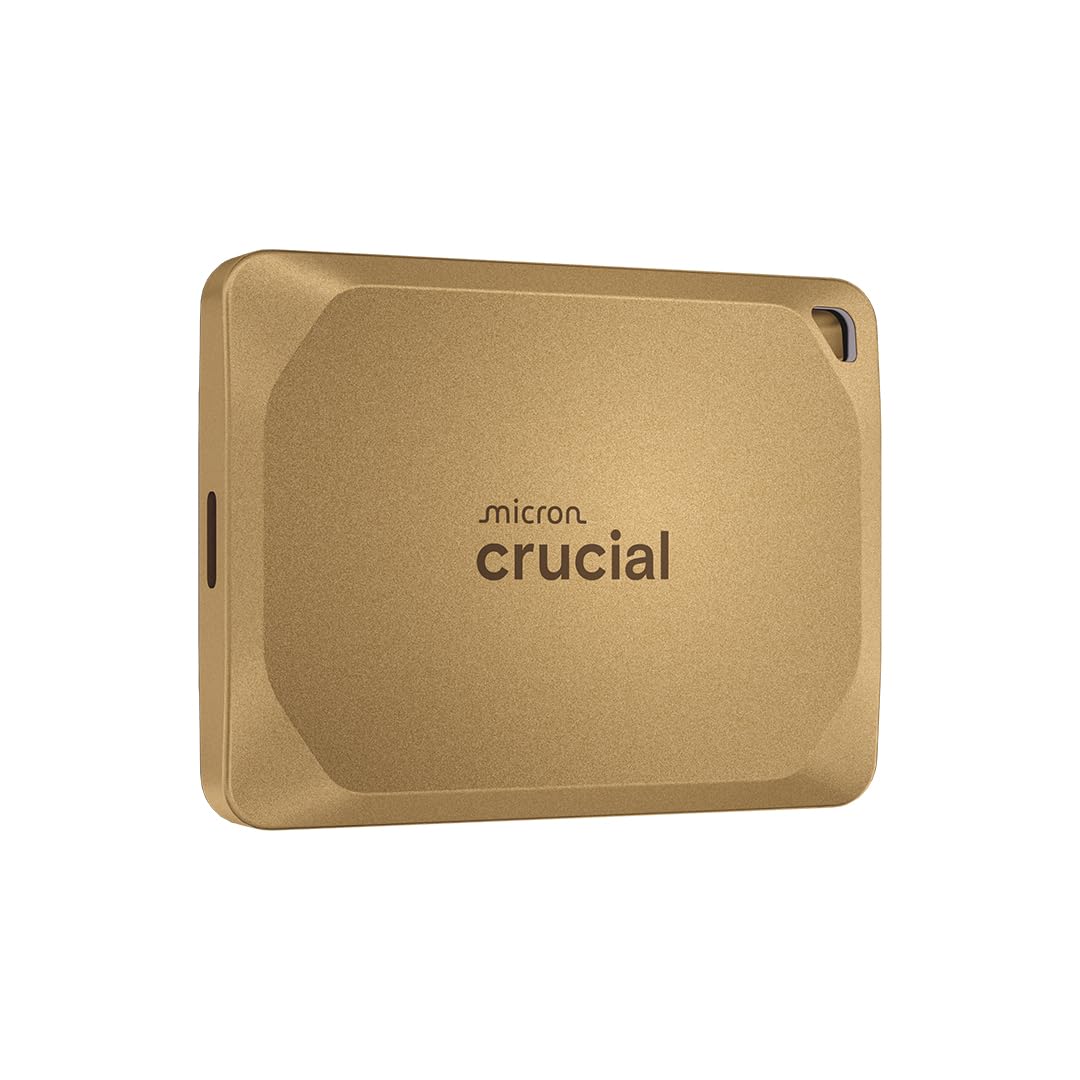
If you work with big media files, this is the kind of drive that makes life noticeably easier. You can edit 4K footage straight off the drive, move multi-gig projects between machines in minutes, and stash it in your bag without feeling weighed down.
It’s compact and solidly built with IP55 rating and drop protection, so you don’t have to baby it when you’re out shooting or traveling. Just remember that to squeeze every last Mbps out of it you’ll want a modern USB-C/USB 3.2 port and the right cable, but otherwise it’s a practical, fast, and reliable pick for creators who need portable performance.
What People Say
Most owners praise the X10 Pro for its blistering transfer speeds and solid build — people often mention how much faster workflows feel when editing or moving large archives. Reviews also highlight the compact, rugged housing and broad compatibility with consoles and laptops. A recurring note: real-world top speeds depend on using the right host port and cable, and a minority report heat or compatibility caveats when connections aren’t optimal.
Overall Sentiment: Positive

When To Use
| Situation | How It Helps |
|---|---|
| On-location video shoots | You can offload camera cards quickly and keep working without waiting for transfers, and the rugged casing reduces worries about dust or light splashes. |
| Editing 4K/8K projects | High sustained read/write speeds let you scrub and edit directly from the drive so you don’t have to rely on slower internal storage. |
| Travel and client deliveries | Its pocket-sized build makes it easy to carry between meetings or hand over large files to clients without packing extra adapters. |
| Console and game storage | Plug-and-play compatibility with PS5/PS4 and Xbox means you can expand storage and move game libraries around quickly. |
Ease Of Use
| Feature | Ease Level |
|---|---|
| Initial setup | Easy (plug into a USB-C port and it’s usually recognized) |
| Transferring large projects | Easy (fast sustained speeds make big transfers painless) |
| Getting advertised peak speeds | Moderate (requires a USB 3.2 host port and proper cable) |
| Using with consoles | Easy to Moderate (works with PS/Xbox but follow each console’s formatting rules) |
Versatility
This drive fits a wide range of users — from photographers and video editors who need fast mobile workstations to gamers wanting extra console storage and anyone who moves large files regularly. It’s especially useful when you need speed and portability in the same package.
Durability
Crucial built the X10 Pro to handle real-world use: the IP55 rating and drop protection up to about 7.5 ft (2 meters) give it more resilience than a typical pocket SSD. It’s not indestructible, but it holds up well in bags, backpacks, and outdoor shoots.
Practicality
Between the compact size, included cable, and multi-platform support, this SSD is a practical everyday tool. It’s suitable for daily backups, editing sessions away from your desk, and quick client handoffs — basically, it just gets the job done without fuss.
Security Features
| Feature | Protection Level |
|---|---|
| SSD password protection | Moderate (software-level encryption/password options) |
| Physical resistance (IP55) | Moderate (limited water and dust protection) |
| Drop protection up to 7.5 ft | Moderate (helps against everyday knocks and slips) |
| Manufacturer warranty and recovery plans | Moderate (standard warranty plus optional recovery plans available) |
Key Benefits
- Very fast reads and writes for smooth editing and quick transfers
- Rugged, pocketable design with IP55 water/dust resistance and 7.5 ft drop protection
- Wide device compatibility (PC, Mac, consoles, Android, Linux)
- Compact size that’s easy to carry on shoots or between workstations
- Includes useful bonus software and a USB-C to C cable for plug-and-play use
Rating: 4.2 out of 5 (total: 3,323+)
🏔️ Best For Field Work

If you need lots of space and something that can survive being tossed in a bag during a shoot, this is the kind of drive you’ll reach for. The ArmorATD pairs a premium metal shell and an easy-grip bumper with IP54 splash and dust resistance, so you don’t have to worry about light rain or dusty trails. With USB-C (USB 3.2) connectivity and up to 130 MB/s read speeds, it’s ideal for offloading camera cards, keeping large photo or video libraries, and routine backups.
Remember it’s a spinning HDD — great for capacity and durability, but if you need SSD-level transfer speeds you should consider a solid-state option instead. Overall, a solid, no-nonsense pick when capacity and ruggedness matter more than peak throughput.
What People Say
You’ll find a lot of users impressed by the build quality and how confident the drive feels on location — the metal housing and bumper get frequent praise. People also like the roomy 5 TB capacity and the convenience of USB-C, while common caveats mention HDD speeds being slower than SSDs and a handful of reports about early failures or I/O issues.
Several customers note you may need to reformat if you want to use it with Windows straight away.
Overall Sentiment: Positive

When To Use
| Situation | How It Helps |
|---|---|
| On-location shoots and outdoor shoots | Protects your footage and photos from light splashes and dust while giving you plenty of space to offload memory cards. |
| Large backups and archives | You can store years of projects or huge photo libraries without worrying about running out of room. |
| Travel between studio and field | Its durable shell and bus-powered design mean you can carry it in a bag and plug into a laptop without extra adapters. |
| Client handoffs and delivery | Big capacity makes transferring final masters or handing over large archives straightforward, as long as speed isn’t the top priority. |
Ease Of Use
| Feature | Ease Level |
|---|---|
| Initial setup | Easy (plug into a USB-C port; formatted for macOS out of the box) |
| Transferring large files | Easy to Moderate (good sustained read speeds for an HDD, but slower than SSDs) |
| Using with Windows | Moderate (may require reformatting or partition changes) |
| Everyday portability | Easy (bus-powered and rugged for toss-in-the-bag use) |
Versatility
This drive works well across workflows where capacity and toughness are priorities — photographers, videographers, field technicians, and anyone who needs reliable large-volume backups. It’s less appropriate if your daily work demands SSD-level speed for realtime editing.
Durability
Built with a premium anodized aluminum shell and an impact-absorbing bumper, the ArmorATD is designed to stand up to travel and rough handling. The IP54 rating offers splash and limited dust protection, but it’s not invincible — a small portion of users report failures, so keep redundant backups for critical data.
Practicality
Between the 5 TB capacity, USB-C compatibility, and bus-powered design, this is a practical workhorse for day-to-day backups, archiving projects, and taking large libraries on the road. It’s straightforward to use and pairs well with laptops and docking stations for quick offloads.
Security Features
| Feature | Protection Level |
|---|---|
| IP54 splash/dust resistance | Moderate (protected against splashes; limited dust ingress) |
| Easy-grip protective bumper | Moderate (helps cushion knocks and drops) |
| SanDisk SecureAccess compatibility | Moderate (software-based encryption option) |
| Manufacturer warranty and recovery plans | Moderate (standard warranty with optional recovery services available) |
Key Benefits
- Rugged anodized aluminum enclosure with easy-grip bumper for real-world protection
- IP54 splash and dust resistance so it handles light outdoor use
- Large 5 TB capacity for archives, camera backups, and bulky media libraries
- USB-C (USB 3.2) connectivity that works with modern laptops and docking stations
- Bus-powered portability — no external power brick to carry
Rating: 4.3 out of 5 (total: 3,726+)
🔰 Best Portable Pick

This is the kind of pocketable drive you’ll reach for when your phone is full and you want a quick, reliable copy of photos and videos. You plug it into your iPhone or iPad, use the iDiskk app for a one‑tap backup, and the built‑in 5,000 mAh battery lets the drive run without draining your phone.
It’s also simple to use with Macs and Windows machines for extra storage or to offload big photo libraries before a trip. If you want huge portable capacity and straightforward backups rather than blazing SSD speeds, this is a sensible, practical pick.
What People Say
Customers commonly praise how easy it is to free up phone space using the one‑tap app backup and the convenience of a self‑powered drive. Many appreciate the MFi certification and the roomy 4 TB capacity for photos and videos. Notes of caution include occasional compatibility hiccups with certain iPad models, a learning curve with the app or manual, and a few reports of defective units or slow seller support.
Overall Sentiment: Positive

When To Use
| Situation | How It Helps |
|---|---|
| On vacation or day trips | You can back up camera roll on the fly without needing Wi‑Fi, freeing your phone for more photos and videos. |
| When swapping between devices | Works with iPhone, iPad, Android, Mac, and Windows so you can move files between platforms easily. |
| Clearing space before an event | Instant backups let you clear phone storage quickly so you won’t miss photos when the moment happens. |
| Offline backups or long transfers | The built‑in battery powers transfers away from a plug point, so you can back up large folders without dying phone battery. |
Ease Of Use
| Feature | Ease Level |
|---|---|
| Initial setup | Easy (install app and plug in; app guides one‑tap backup) |
| Backing up photos/videos | Easy (one‑tap backup in the app; incremental backups avoid duplicates) |
| Using with Mac/Windows | Easy (plug‑and‑play drag‑and‑drop for most systems) |
| Stopping and ejecting safely | Moderate (follow app eject steps to avoid file corruption) |
Versatility
This drive is versatile for anyone who needs portable, high‑capacity backups across phones and computers — photographers with lots of photos, families clearing phone storage, or travelers who want local copies. It’s less suited if you need SSD speeds for real‑time video editing.
Durability
Physically it’s a compact HDD with a battery — fine for everyday carry in a bag but not designed for heavy drops or harsh weather. Treat it as portable rather than rugged and keep redundant backups for critical data.
Practicality
Between the large capacity, MFi compatibility, and battery‑powered operation, this is a very practical tool for freeing up devices and keeping quick backups on the go. The straightforward app workflow makes routine use painless.
Security Features
| Feature | Protection Level |
|---|---|
| MFi certified connector | Moderate (ensures stable, Apple‑approved connectivity) |
| One‑tap app backup with incremental saves | Moderate (reduces duplicate copies and manages backups) |
| Built‑in 5,000 mAh battery | Low to Moderate (keeps transfers powered, reducing mid‑transfer interruptions) |
| 18‑month warranty and seller support | Moderate (manufacturer warranty for replacements and support) |
Key Benefits
- MFi certified connector for stable iPhone/iPad connections
- Large 4 TB capacity to free up phone and computer storage
- Built‑in 5,000 mAh battery so backups don’t drain your device
- One‑tap backup through the iDiskk app to save camera roll quickly
- Plug‑and‑play operation for Mac and Windows without extra software
Rating: 4.2 out of 5 (total: 406+)
💼 Best For Thunderbolt Mac

If you rely on a Mac with Thunderbolt ports and want external storage that feels like an internal drive, this is one to consider. You get true Thunderbolt speeds for editing or running apps straight off the drive, a sturdy aluminum shell that helps shed heat, and plug‑and‑play setup for Macs (it’s preformatted HFS+).
It also falls back to USB 3.2 Gen 2 at about 1,050 MB/s if you need broader compatibility. Use it for big photo libraries, 4K video work on the go, or as a fast boot drive — just be mindful that heavy sustained loads can warm it up.
For most Mac users who need Thunderbolt performance, it’s a practical, solid choice.
What People Say
People mostly rave about the speed and solid build — many say it noticeably speeds up photo and video workflows on Thunderbolt‑equipped Macs. Customers also appreciate the included Thunderbolt cable and the five‑year warranty, while some mention the drive can run warm under heavy loads and a few report occasional slowdowns when near capacity or after long transfers.
Overall Sentiment: Positive

When To Use
| Situation | How It Helps |
|---|---|
| Editing 4K video on location | You can scrub and edit high‑bitrate footage directly from the drive without waiting on transfers, so your workflow stays fluid on shoots. |
| Managing large photo libraries | Offload or host your Photos library on the SSD to get faster previews and imports compared with a standard USB drive. |
| Using as a boot/clone drive | Fast NVMe speeds make the drive responsive enough to act as a boot disk for Mac systems with Thunderbolt support. |
| Moving files between Thunderbolt machines | High transfer rates cut down copy times so you spend less time waiting and more time working. |
Ease Of Use
| Feature | Ease Level |
|---|---|
| Initial setup on Mac | Easy (plug‑and‑play — preformatted HFS+) |
| Setting up for Windows | Moderate (requires reformatting to NTFS or exFAT; steps provided) |
| Daily transfers and editing | Easy (fast and reliable once connected to Thunderbolt) |
| Monitoring temperature/performance | Moderate (drive runs warm under load; keep an eye on sustained transfers) |
Versatility
This drive is best for Thunderbolt‑equipped Macs and content creators who need high throughput, but it’s also useful for anyone who wants a fast external NVMe for backups, boot disks, or transferring large projects. It’s less ideal if you primarily need a rugged, drop‑proof unit.
Durability
Built from thick aluminum it feels solid and dissipates heat better than plastic cases. It’s designed for everyday portable use rather than extreme field conditions, so treat it as durable desk‑and‑bag gear rather than a fully ruggedized drive.
Practicality
For a Thunderbolt Mac user the drive hits a sweet spot — real speed, simple Mac compatibility, and a sturdy build. If your workflow leans heavily on raw transfer or editing speed this is a very practical upgrade; if you mostly need cheap bulk backup, a slower HDD would be more practical.
Security Features
| Feature | Protection Level |
|---|---|
| Preformatted HFS+ for Mac | Low (convenience for Mac, not encrypted by default) |
| Instructions to format and encrypt (APFS/NTFS) | Moderate (you can enable encryption during format) |
| Thermal Dissipation Technology | Moderate (helps keep performance stable under load) |
| 5‑year warranty | High (long manufacturer coverage for defects) |
Key Benefits
- True Thunderbolt 3 performance (up to 2,800 MB/s read, 2,300 MB/s write)
- Aluminum enclosure with Thermal Dissipation Technology for better heat transfer
- Plug‑and‑play for Mac (preformatted HFS+) with instructions for Windows formatting
- Includes a Thunderbolt 3 cable and a 5‑year manufacturer warranty
- Backward compatible with USB 3.2 Gen 2 for wider device support
Rating: 4.4 out of 5 (total: 287+)
🔰 Best Portable Pick

This little YOTUO drive is built for straightforward, everyday storage — you plug it in and it usually just works. It’s a 1TB hybrid (7200 RPM) portable HDD that uses USB 3.0/USB‑C so transfers feel snappy for an HDD, and the patented silicone sleeve adds a bit of drop protection.
Use it to expand a laptop’s storage, keep a backup of family photos, or add extra space for PS4/PS5 and Xbox libraries (with the usual console formatting steps). It’s not an NVMe SSD, so don’t expect blazing sustained speeds, but if you want an easy, compact way to carry a lot of files around, this is a practical pick you can toss in your bag and go.
What People Say
Most customers like how simple the drive is to use: it’s compact, feels solid, and delivers reliable transfers over USB 3.0. People often mention it’s great for expanding console storage and for quick backups, while a smaller group notes occasional reliability hiccups or that the drive can run warm under heavy use.
Several reviewers also remind Mac users to reformat the drive for full compatibility.
Overall Sentiment: Positive

When To Use
| Situation | How It Helps |
|---|---|
| Adding storage to a laptop | You can offload large photo folders or backups to free up space on your machine without changing internal hardware. |
| Expanding console libraries | Use it for PS4/Xbox One games and for storing PS5 media (PS5 games must be moved to the internal SSD to play), so you’ll have more room for downloads and backups. |
| Travel and field backups | Lightweight and compact, it fits in a bag and gives you a convenient way to back up photos or work files on the road. |
| Temporary media transfer between machines | USB‑C and USB 3.0 support makes copying folders between PCs and compatible devices straightforward and faster than USB 2.0 drives. |
Ease Of Use
| Feature | Ease Level |
|---|---|
| Initial setup on Windows | Easy (plug‑and‑play) |
| Initial setup on Mac | Moderate (reformat to exFAT or APFS for full compatibility) |
| Setting up with PS5/PS4/Xbox | Moderate (follow console prompts; PS5 requires formatting and won’t run PS5 games directly) |
| Daily file transfers | Easy (USB 3.0 gives noticeably better throughput than older USB 2.0) |
Versatility
This drive works well for a lot of everyday needs — backups, media libraries, and extra console storage. It’s flexible across platforms once formatted correctly, but because it’s an HDD/hybrid you’ll want an SSD for heavy content creation or sustained high‑speed workflows.
Durability
The silicone sleeve and compact build give it a bit of protection and a reassuring feel in hand, but it’s not designed for extreme field use. Some users report it gets warm during long transfers, so keep it ventilated during heavy sessions.
Practicality
If you want an easy, portable way to add a terabyte of space without fuss, this is practical and convenient. It’s especially useful for backups and console use, though it’s not a replacement for an NVMe SSD when you need peak performance.
Security Features
| Feature | Protection Level |
|---|---|
| Patented silicone sleeve | Moderate (physical shock protection) |
| Can be formatted and encrypted via OS tools | High (you can enable full‑disk encryption using your computer) |
| No hardware encryption enabled by default | Low (encryption requires user setup) |
Key Benefits
- Plug‑and‑play on Windows with USB 3.0/USB‑C compatibility
- 1 TB capacity for lots of photos, video clips and game installs
- Patented silicone sleeve provides extra shock protection
- Slim, lightweight design makes it truly portable
- Works with PCs, Macs (reformat to exFAT), and most game consoles with simple setup
Rating: 4.3 out of 5 (total: 2,251+)
FAQ
Which Type Of External Drive Should You Buy: SSD Or HDD?
You choose based on what you do: if you edit video, run applications from the drive, need near-instant transfers or travel with your storage, buy an SSD; if you archive large libraries, maintain low-cost bulk backups or need multi‑terabyte capacity for stationary storage, buy an HDD. Solid state models such as the SanDisk Extreme and Samsung T7/T9 deliver NVMe or USB 3.2 performance and rugged, shock‑resistant builds that eliminate spinning parts and audible noise, while desktop and portable HDDs from Seagate and Western Digital give you much higher capacity per device.
Also weigh form factor and durability: portable SSDs typically offer better shock resistance, quieter operation and faster sustained throughput, whereas HDDs are heavier, require more careful handling during operation and are best when you prioritize capacity over speed.
How Do You Ensure Compatibility And Get The Drive’s Advertised Speeds?
You must match the drive interface, host port and cable to reach peak performance: USB 3.2 Gen 2 or Thunderbolt 3/4 ports and a proper high‑quality cable are required to approach the 1,000+ MB/s or 2,000+ MB/s numbers many manufacturers quote, and devices without those ports will fall back to lower transfer rates. Format the drive to the right filesystem for your workflow — exFAT for cross‑platform transfer, NTFS or APFS for native features — and enable UASP or the appropriate driver where supported; note that some encryption and management utilities require Windows or specific macOS versions to function. Finally, watch for thermal throttling on sustained transfers and use drives with heat dissipation or aluminum enclosures (many high‑end SSDs and Thunderbolt NVMe enclosures include thermal engineering) and avoid long, cheap cables or unpowered hubs that reduce throughput; in short, match the interface and cable to your host and the drive and verify firmware is current.
How Do You Protect Your Data, Maintain Performance And Troubleshoot Common Problems?
You protect data by designing a backup plan and following safe handling: adopt a reliable strategy such as the 3‑2‑1 approach (multiple copies, multiple media, at least one offsite) and keep at least one redundant copy on a separate physical drive or cloud service; use drives with hardware encryption if you need secure transport, but confirm the vendor’s software and OS compatibility before relying on it. Maintain performance by updating firmware, replacing flimsy or short cables with properly spec’d USB‑C or Thunderbolt cables, avoiding hubs that underpower drives, and letting high‑speed SSDs rest or use thermal pads if you do very long transfers.
Troubleshoot by trying a direct connection to a known high‑speed host port, swapping the cable, checking Disk Utility or Disk Management for correct formatting, running SMART or vendor health tools, and safely ejecting the drive before disconnecting; if an HDD is noisy or intermittently disappears, stop using it and clone data immediately because mechanical failure can follow. If you need console or NAS guidance, remember consoles often require specific formatting and that PS5 can store but not run PS5 titles from external USB drives, and shucking external HDDs for NAS use can void warranties — proceed only if you understand those tradeoffs.
Customer Favorites
You choose the SanDisk Extreme when you need NVMe-like transfer speeds, ruggedness, and reliable, bus-powered performance for editing or frequent file transfers. When deciding between the Seagate Portable 2TB and 4TB, you prioritize capacity and value—pick the 2TB for everyday portable backups and the 4TB when bulk storage and a lower cost per terabyte trump peak speed.
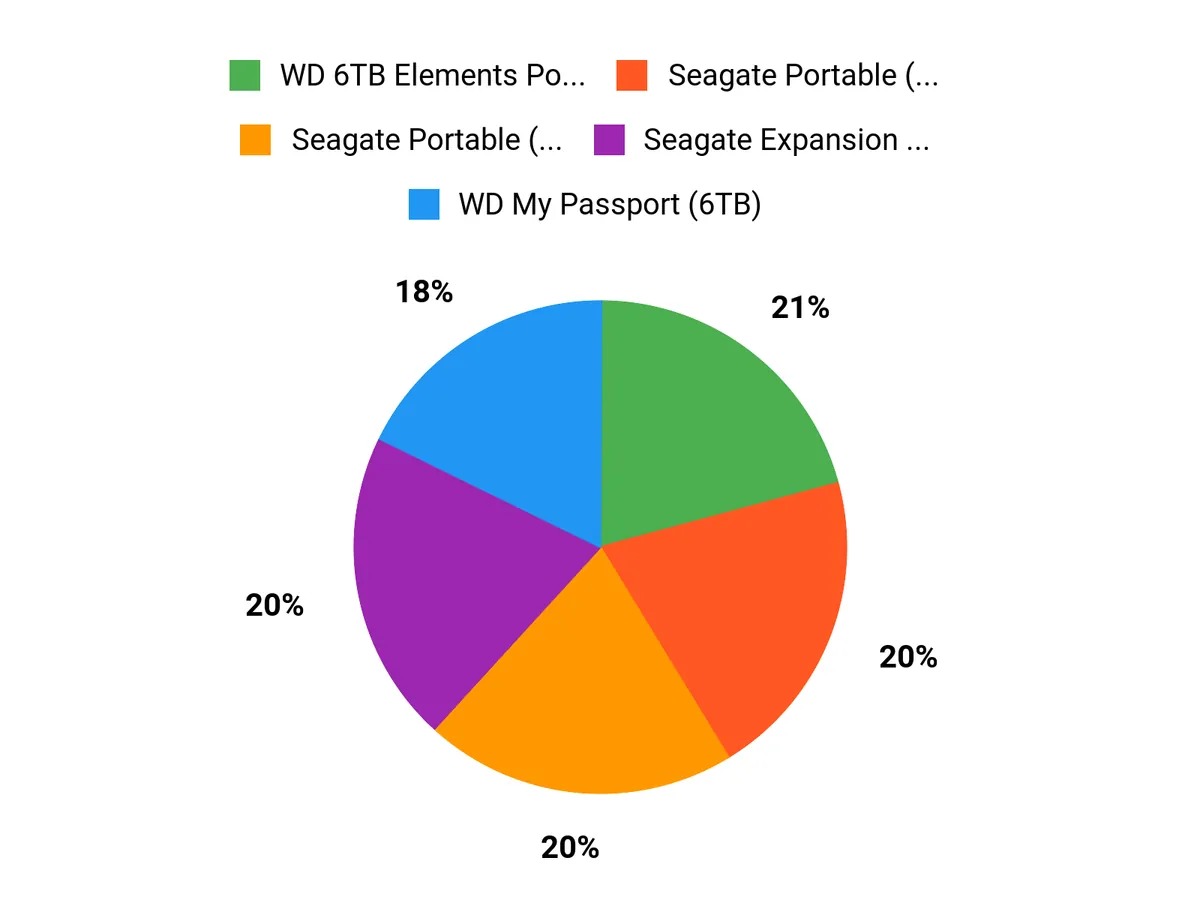
Wrapping Up
Pick an SSD if speed and portability matter; choose an HDD when you need the best capacity-per-dollar. If you edit video or run apps from external storage, go for a high-speed SSD (Samsung T9, SanDisk PRO, Crucial X10). If you archive large libraries or want cost-efficient backups, a desktop HDD like the Seagate Expansion or WD Elements gives more TB for your budget.
For rugged field work choose a drive with IP or military-style protection (SanDisk Extreme, G-Drive Armor, LaCie Rugged). Use the scores and categories above to match a drive to how you work, and remember to keep at least one redundant backup so your data is safe and accessible.
| Product | Image | Rating | Storage Capacity | Read/Write Speed | Durability Highlights |
|---|---|---|---|---|---|
| SanDisk 2TB Extreme Portable SSD | 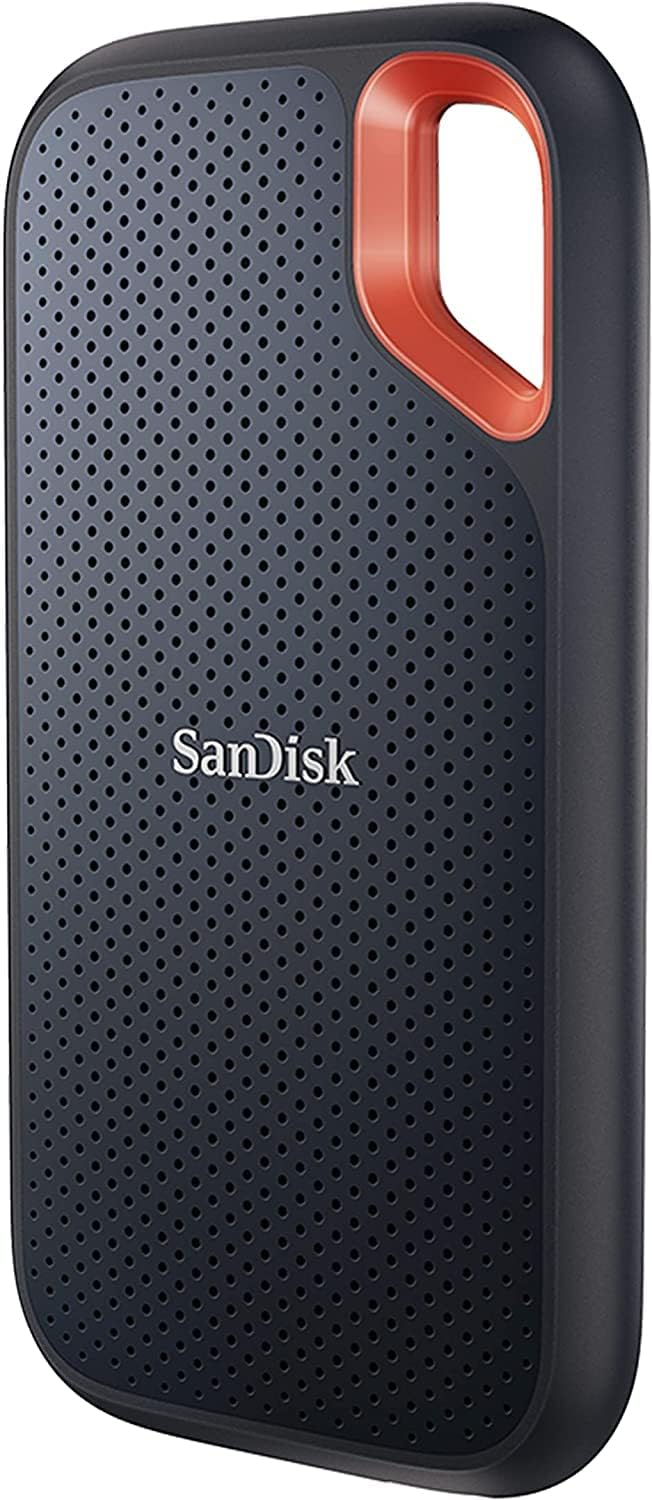 | 4.6/5 (85,378 reviews) | 2 TB | Up to 1050 MB/s (read), Up to 1000 MB/s (write) |
|
| Seagate Portable 2TB External Hard Drive |  | 4.6/5 (267,955 reviews) | 2 TB | 7200 RPM |
|
| Seagate Portable 4TB External Hard Drive | 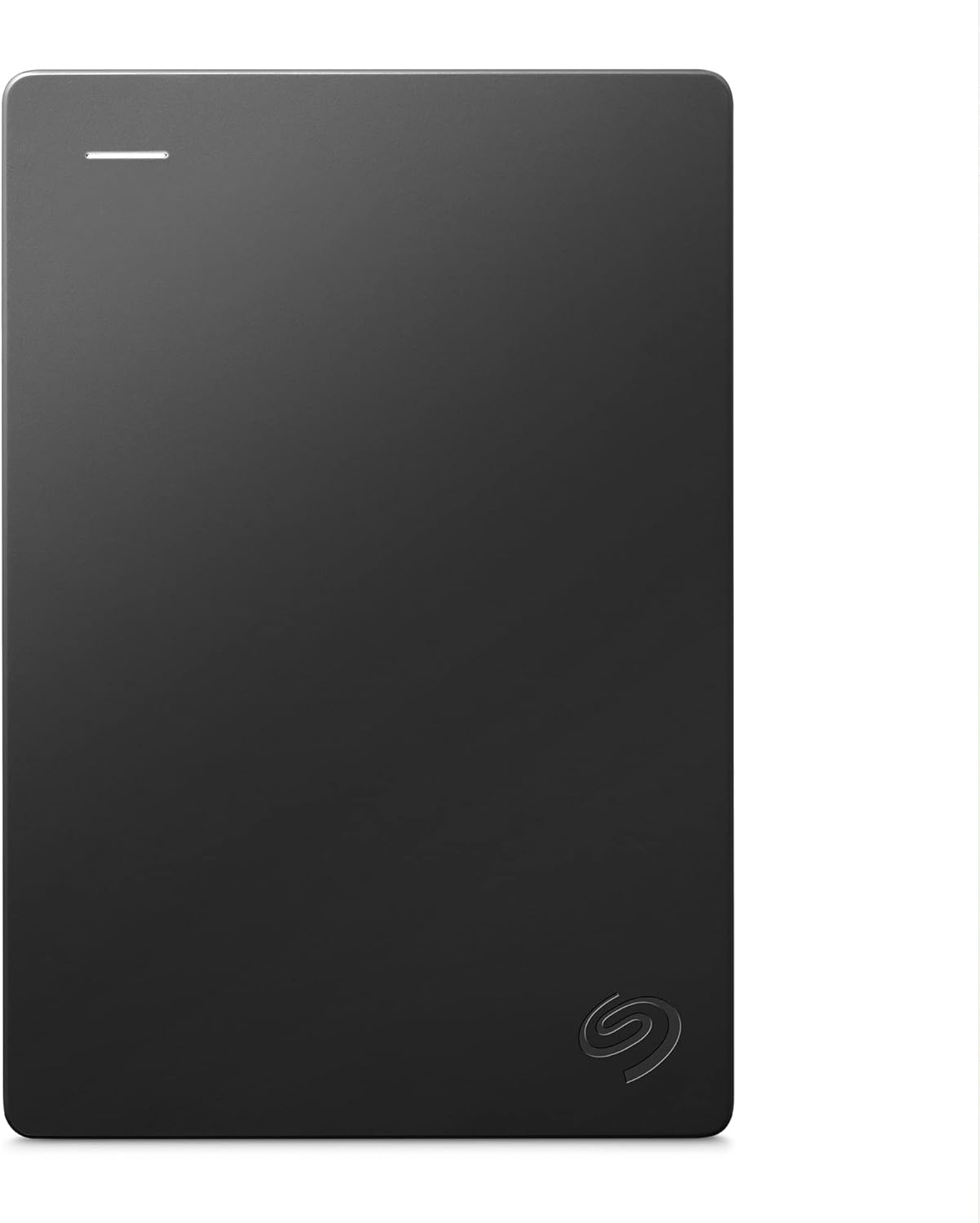 | 4.6/5 (267,955 reviews) | 4 TB | 7200 RPM |
|
| SanDisk 1TB Extreme Portable SSD | | 4.6/5 (85,378 reviews) | 1 TB | Up to 1050 MB/s (read), Up to 1000 MB/s (write) |
|
This Roundup is reader-supported. When you click through links we may earn a referral commission on qualifying purchases.