
You need reliable networked storage that matches how you work and protects what matters. This guide compares the best Terramaster NAS and DAS options so you can quickly find a device that fits your budget, performance needs, and environment. Whether you prioritize raw speed, high capacity, compact form factor, or business-grade features, these picks show what each model does best and how it benefits your workflows.
Top Picks
| Category | Product | Price | Score |
|---|---|---|---|
| 💰 Best Budget DAS | D4-320 | $189.99 | 84/100 |
| 🎯 Best for Media Production | F4-425 Plus | $569.99 | 86/100 |
| 🔰 Best Starter NAS | F2-425 | $249.99 | 84/100 |
| 🚀 Best NVMe Enclosure | D4 SSD | $299.99 | 88/100 |
| 🔥 Best for SSD Performance | F8 SSD Plus | $799.99 | 86/100 |
| 💼 Best for Small Business | F4-424 Pro | $699.99 | 80/100 |
| ⭐ Best Compact Power | F2-425 Plus | $399.99 | 86/100 |
| 🏅 Best Multi-User NAS | F6-424 Max | $999.99 | 80/100 |
| 📦 Best High-Capacity DAS | D8 Hybrid | $299.99 | 80/100 |
| 🧩 Best All-Rounder | F4-424 | $499.99 | 80/100 |
How We Selected These NAS Devices
You want storage that matches an intended use, and we evaluated each Terramaster model against practical factors: performance (CPU, RAM, NVMe or SATA throughput), connectivity (10GbE, 5GbE, USB4/USB3.x, Thunderbolt compatibility), capacity and expandability (bay count, M.2 slots), reliability and cooling, ease of setup and maintenance, and real-world value. We also weighed user feedback around long-term stability and manufacturer support so you can choose a product that meets your workflow and risk tolerance.
💰 Best Budget DAS

This is a straightforward, no-nonsense DAS that gives you fast local storage without the NAS complexity. You plug it into your PC or mini server via USB-C and you get up to 10 Gbps throughput, hot-swap drive bays and tool-free trays — great if you swap drives often. For daily use, it’s perfect for expanding laptop or desktop storage, keeping a working library for video editing, or offloading backups. For special projects — like a short-term media shoot or a large archive transfer — you can pop in high-capacity drives and keep working without fuss.
If you want an affordable way to boost local capacity and speed without learning a whole new OS, this is a solid pick.
What People Say
Most people like how easy the D4-320 is to set up and use — the tool-free trays and hot-swap support come up a lot. Users also appreciate the quiet fan and solid transfer speeds for local editing or backups.
A few mention occasional packaging or cable hiccups, but overall customers find it reliable and good value for the price.
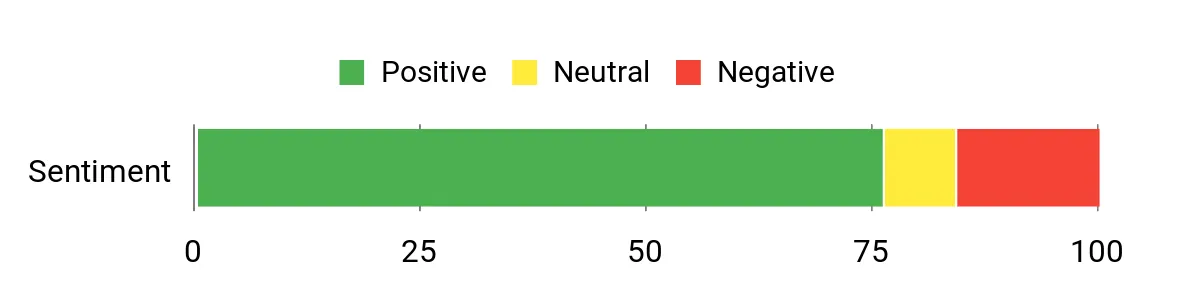
Overall Sentiment: Positive

Long-Term Savings
Because this is a DAS, you avoid recurring NAS software or license fees and only pay for drives as you need them. You can incrementally upgrade storage capacity by swapping drives, which spreads cost over time and keeps the enclosure useful for years.
When It Helps
| Situation | How It Helps |
|---|---|
| Video editing on a desktop | Huge local bandwidth and multiple bays let you store scratch disks and footage on fast, dedicated drives. |
| Home backup and archiving | You can rotate drives for off-site backups and hot-swap without downtime. |
| Temporary project or event | Pop in high-capacity drives for the duration of the project, then remove them when finished. |
| Expanding older laptops or minis | Gives you extra, fast external storage without replacing your main machine. |
Ease Of Use
| Feature | Ease Level |
|---|---|
| Initial setup | Easy |
| Drive swapping | Easy |
| Cross-platform compatibility | Easy |
| Monitoring and maintenance | Moderate |
Versatility
Works with 3.5″ and 2.5″ HDDs/SSDs and connects over common USB/Thunderbolt ports, so you can use it for backups, media libraries, or temporary work storage.
Durability
The enclosure uses an intelligent fan, sound-absorbing panels and vibration damping to protect drives and reduce noise, making it suitable for long-running setups.
Brand Trust
TerraMaster focuses on storage hardware and sells in many countries; customers report responsive support and a consistent product line.
Key Benefits
- Fast USB 3.2 Gen2 speeds up to 10 Gbps for quick local transfers
- Tool-free, hot-swappable trays make drive changes painless
- Quiet, temperature-controlled cooling keeps drives healthy
- Plug-and-play compatibility across Windows, Mac and Linux
Current Price: $189.99
Rating: 4.2 (total: 375+)
🎯 Best for Media Production
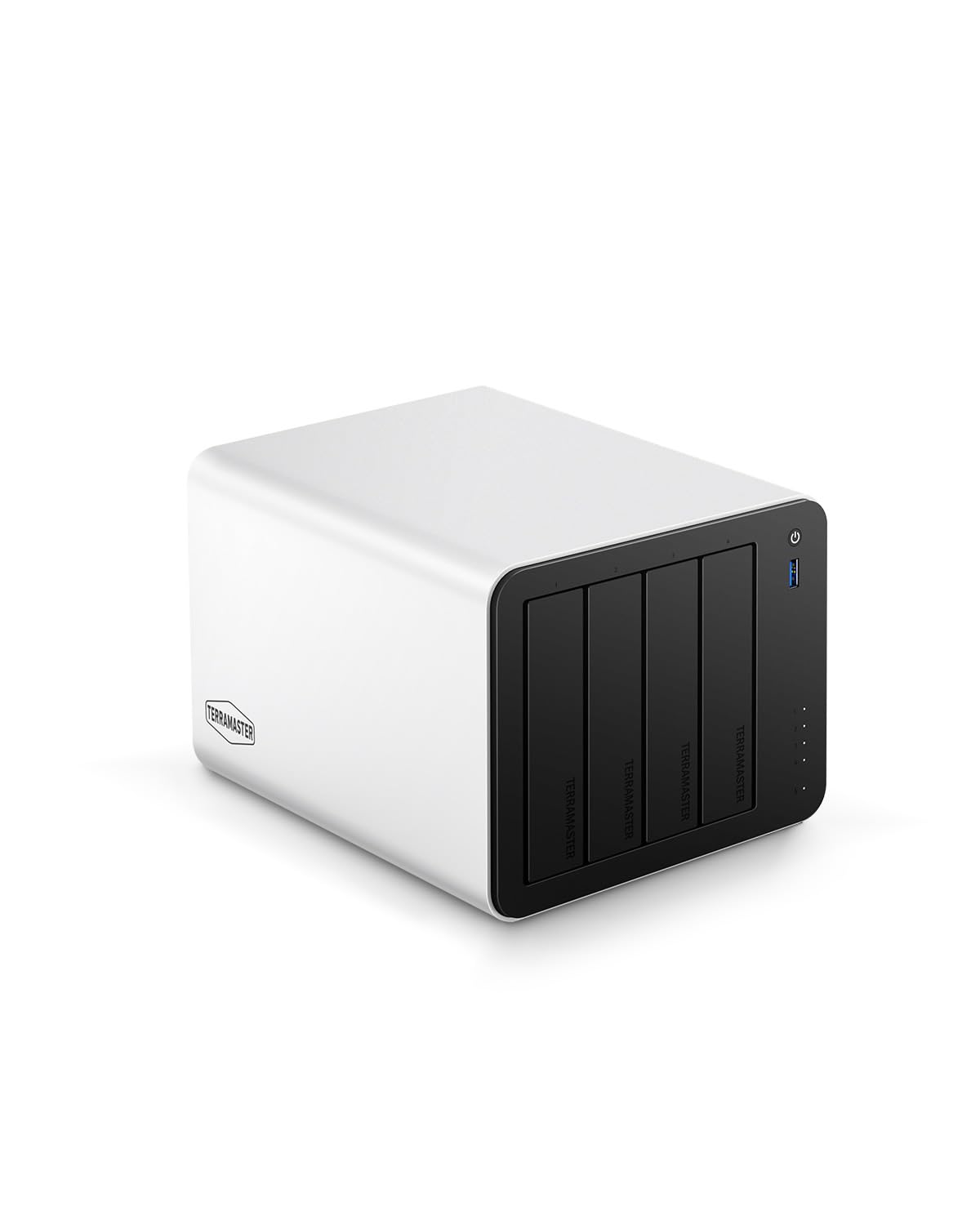
If you work with large media files or run a small shared server, this is the kind of NAS that makes life easier. You get a surprisingly capable Intel N150 CPU, 16GB of DDR5 RAM, dual 5GbE ports for fast transfers, and three M.2 slots for cache or expansion — so your day-to-day video editing, streaming and backups feel snappier.
For daily use you’ll love quicker project loads, smooth multi‑user access, and the ability to add SSD cache for frequently used files. For special projects — like a client shoot or a collaborative edit — you can push large files across the network without long waits.
If you want strong performance without needing an enterprise budget, this is a practical, flexible pick you can grow into.
What People Say
Customers often highlight the speed and real-world boost from the dual 5GbE ports and M.2 expansion — especially for Plex and video editing workflows. People also appreciate the data drive mounting feature and solid aluminum build that keeps things tidy and durable.
On the flip side, some mention the stock TOS interface isn’t as polished as competitors and a few users ran into setup or compatibility hiccups.
Overall Sentiment: Positive

Long-Term Savings
Because this unit supports large drives and SSD caching, you can expand storage incrementally instead of replacing hardware. The energy-efficient N150 chip helps keep power bills lower than higher-TDP alternatives, and the option to run third‑party OSes or containers means you won’t be tied to costly software licenses as your needs evolve.
When It Helps
| Situation | How It Helps |
|---|---|
| Video editing and collaborative projects | Fast network throughput and SSD caching reduce load times and let multiple editors access large source files without lag. |
| Home media server (Plex/Emby/Jellyfin) | Hardware transcoding and plenty of RAM keep simultaneous 4K streams smooth for family viewing or client demos. |
| Small office backups and shared storage | TRAID protection and multiple bays give redundancy and flexible capacity for team backups and file sharing. |
| Tinkerers who want custom setups | Support for third‑party OS installs lets you run Debian, ZFS, Docker and other tools for specialized use cases. |
Ease Of Use
| Feature | Ease Level |
|---|---|
| Initial setup | Easy |
| Drive installation & hot-plugging | Easy |
| Network configuration (link aggregation) | Moderate |
| Advanced customization (third‑party OS, ZFS) | Advanced |
Versatility
Between 4 SATA bays and three NVMe slots, plus container and VM support, this NAS can serve as a media server, backup box, lightweight VM host or a DIY server for more technical setups.
Durability
The aluminum-alloy chassis and push-lock HDD trays feel solid and are built for regular drive swaps; fans can be noticeable under heavy load but overall construction looks made to last.
Brand Trust
TerraMaster focuses on storage hardware and regularly updates its lineup; buyers report reliable hardware and general responsiveness, though a few users note occasional support or software polish issues.
Key Benefits
- Dual 5GbE ports with link aggregation for up to ~1,020 MB/s sequential transfers
- Triple M.2 slots for cache or independent NVMe pools to speed hot files
- Powerful Intel N150 CPU and 16GB DDR5 for smooth transcoding and multitasking
- TRAID protection and direct data drive mounting for flexible capacity and safer migrations
Current Price: $569.99
Rating: 4.3 (total: 15+)
🔰 Best Starter NAS

This is a compact, no-nonsense 2-bay NAS that’s great if you want reliable home storage without overcomplicating things. You get an Intel quad-core chip, 4GB of RAM and a 2.5GbE port, so everyday backups, photo libraries and streaming feel noticeably quicker than a standard gigabit box. It’s quiet and the tool-free drive trays make upgrades painless — handy when you just want to swap drives and get back to work.
For special tasks like running Plex or hosting a small shared folder for family or a home office, it holds up well as long as you don’t overload it with heavyweight container workloads. If you want a straightforward starter NAS that you can upgrade later (more RAM, bigger drives), this is an easy-to-recommend pick.
What People Say
Buyers generally like how easy the F2-425 is to set up and how it handles everyday tasks — backups, photo libraries and streaming — without fuss. People appreciate the 2.5GbE speed boost and the quiet, tool-free drive bays; common caveats mention the modest stock RAM and an older CPU choice, and a few users report app or support hiccups.
Overall Sentiment: Positive

Long-Term Savings
You can expand storage gradually by swapping in larger drives instead of replacing the whole unit, and upgrading RAM later keeps the device useful as needs grow. The relatively low-power CPU helps keep running costs down compared with higher-TDP models, and support for TRAID and cloud sync reduces the chance of costly data loss.
When It Helps
| Situation | How It Helps |
|---|---|
| Home media streaming (Plex/Jellyfin/Emby) | Hardware 4K decoding and the 2.5GbE port let you stream multiple high‑res files smoothly to smart TVs and devices on the local network. |
| Personal backups and photo libraries | TNAS mobile app and CloudSync options make automatic backups and offsite syncing straightforward, keeping your photos and documents safe without constant babysitting. |
| Small office file sharing | Support for 50+ user accounts and TRAID protection gives basic redundancy and easy shared access for a handful of team members. |
| Tinkerers and light labs | SODIMM RAM upgradeability and TOS app store let you experiment with containers or lightweight services without buying a pricier server. |
Ease Of Use
| Feature | Ease Level |
|---|---|
| Initial setup | Easy |
| Drive installation | Easy |
| Mobile app management (TNAS) | Moderate |
| Advanced customization (containers, third‑party OS) | Advanced |
Versatility
A compact 2-bay design that’s primarily a media and backup server for homes or small teams; you can upgrade RAM and tweak software to run light containerized services, but it’s not meant to replace higher-end multi-bay servers.
Durability
Plastic chassis but well-assembled with secure drive trays; expected to hold up for regular home use and drive swaps, while the quiet fan keeps it unobtrusive during long runs.
Brand Trust
TerraMaster is focused on storage hardware and regularly updates its lineup; customers report solid value and reliable hardware, though some mention software polish and support response vary.
Key Benefits
- 2.5GbE network port for faster file transfers than standard gigabit NASes
- Intel x86 quad-core CPU with hardware 4K H.265 decoding for smooth media playback
- Tool-free push-lock drive trays and compact footprint make drive swaps simple
- TRAID arrays and CloudSync support for flexible redundancy and cloud backups
- Quiet operation (around 19 dB) ideal for bedrooms or shared workspaces
Current Price: $249.99
Rating: 4.2 (total: 28+)
🚀 Best NVMe Enclosure
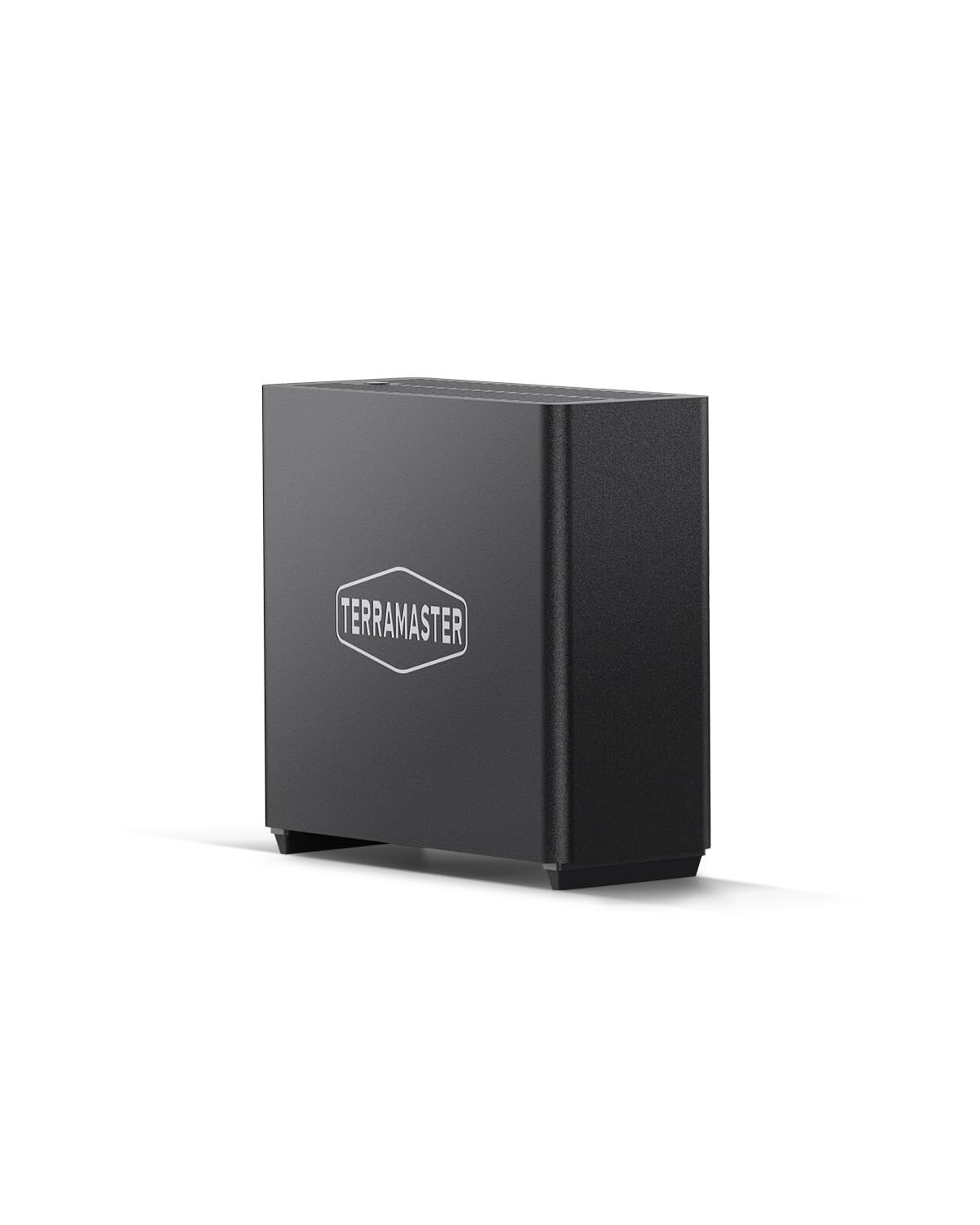
If you need an easy way to get desktop‑class NVMe speeds without buying a full server, this is the kind of gadget you’ll appreciate. Plug one into a Mac, PC, or a USB4 dock and you get very fast transfers for editing, large backups, or using the enclosure as a bootable external drive.
It’s surprisingly compact for four drives, has smart fans and temperature sensors so it stays quiet during everyday use, and it supports up to 32TB if you want large capacity. Do note it’s diskless and doesn’t ship with hardware RAID, so it’s best if you plan your own pooling or use it as a high‑speed scratch/backup solution.
For creatives and power users who want straightforward, portable NVMe performance, it’s a really practical pick.
What People Say
People commonly praise the speed and cooling — users note fast sustained transfers and a surprisingly quiet fan. Reviewers also like how compact and portable it is for a four‑bay unit, and many mention the convenience of cross‑platform compatibility.
A recurring caution is the power adapter situation and that you may want heatsinks or a higher‑watt supply for heavily loaded setups.
Overall Sentiment: Positive

Long-Term Savings
Because this is diskless, you can upgrade capacity incrementally by swapping SSDs instead of replacing the whole unit, which stretches your investment over time. Its low idle power and quiet operation keep running costs down, and using it as a fast scratch disk can speed workflows — that saves time (and therefore money) on repeated tasks. Plan for a potential aftermarket or higher‑watt power adapter if you intend to run four high‑capacity drives constantly.
When It Helps
| Situation | How It Helps |
|---|---|
| 4K video editing and post | High sustained throughput and NVMe speeds let you edit and playback large files directly from the enclosure with minimal lag. |
| On‑location photo and video backup | Compact size and fast transfers let you offload cards quickly between shoots and keep working without waiting on backups. |
| Portable scratch drive for creatives | Use it as a high‑speed scratch disk for timelines and caches so your workstation stays responsive during heavy projects. |
| Cross‑platform external boot drive | Works as a bootable macOS or Windows drive, giving you a fast external OS option for troubleshooting or portable setups. |
Ease Of Use
| Feature | Ease Level |
|---|---|
| Initial setup | Easy |
| Drive installation | Easy |
| Cross‑platform connection (Mac/Windows/Linux) | Easy |
| Thermal tuning (heatsinks, power adapter tweaks) | Moderate |
Versatility
A flexible external NVMe hub that works as fast storage, a bootable drive, or a scratch disk; great for creatives and power users but not a replacement for a multi‑user NAS or hardware RAID appliance.
Durability
Well‑built for desk use with effective cooling; several users praise long‑term reliability. The case is lightweight and some mention it’s plastic, so handle it reasonably but don’t expect server‑rack toughness.
Brand Trust
TerraMaster focuses on storage hardware and generally delivers good value; customers report solid hardware and responsive support, though software polish and accessory choices (power adapters) have been mixed.
Key Benefits
- Ultra‑fast 40Gbps throughput for heavy file transfers and 4K editing
- Supports four M.2 NVMe 2280 SSDs for up to 32 TB of high‑speed storage
- Active, whisper‑quiet cooling with multiple temperature sensors
- Plug‑and‑play compatibility with Thunderbolt and USB4/3.x devices
- Includes mobile and desktop backup apps for easy scheduled backups
Current Price: $299.99
Rating: 4.4 (total: 28+)
🔥 Best for SSD Performance

If you want a compact, all‑flash NAS that actually keeps up with real work, this is one to consider. You’ll get desktop‑class transfer speeds over 10GbE, a surprisingly small footprint that fits on a shelf or beside your monitor, and room for eight M.2 NVMe drives so you can scale storage without juggling big 3.5″ drives.
It’s great for day‑to‑day media streaming, family backups, or keeping a slick Plex server, and it also handles heavier jobs like post‑production timelines or small VM use if you tinker a bit. The built‑in heat sinks and convection cooling mean you rarely hear it hum, and TerraMaster’s Business Backup Suite covers snapshots and cloud sync so your projects stay safe. If you want a quiet, high‑speed all‑SSD box that won’t dominate your desk, this one’s an easy recommend.
What People Say
Customers generally praise the speed and quiet operation — the 10GbE port and NVMe setup consistently stand out. Many like how small and portable the unit is while still offering eight bays and good cooling.
A few people mention minor software quirks or question whether the CPU is generous enough for heavy virtualization, but most feel the hardware and backup features deliver strong value.
Overall Sentiment: Positive

Long-Term Savings
An all‑SSD design means you can upgrade capacity gradually by swapping out NVMe modules instead of replacing large drives or the whole chassis. The low idle power of SSDs and efficient cooling reduce ongoing energy and maintenance costs, and built‑in backup tools help avoid expensive recovery scenarios after data loss.
When It Helps
| Situation | How It Helps |
|---|---|
| 4K video editing and post-production | High sustained throughput lets you edit and stream large files directly from the NAS with minimal lag. |
| Home media server (Plex/Jellyfin) | Fast transcoding and network speeds keep multiple streams smooth for family viewing. |
| Small business backup and file server | BBS, snapshots and cloud sync provide flexible backup strategies and quicker recovery options. |
| On‑site shoots or portable workflows | Compact size and lightweight design make it easy to move between locations while keeping SSD performance. |
Ease Of Use
| Feature | Ease Level |
|---|---|
| Initial setup | Easy |
| SSD installation (tool‑free) | Easy |
| TOS management interface | Moderate |
| Network and 10GbE configuration | Moderate |
Versatility
Very versatile for an all‑SSD appliance: great as a high‑speed media server, fast backup target, or compact storage host for light virtualization and databases. It’s less suited as a replacement for full rack servers in large multi‑user enterprise environments.
Durability
Physically compact and mostly plastic but well‑made for desktop use; cooling design and heatsinks promote long SSD life. Handle with care, but you shouldn’t worry about everyday wear.
Brand Trust
TerraMaster is focused on storage solutions and delivers strong hardware value; customers report reliable gear and responsive support, though software polish and some advanced settings occasionally draw criticism.
Key Benefits
- Blistering 10GbE performance (advertised up to 1,024 MB/s) for fast transfers and low latency
- Eight M.2 NVMe bays let you build a high‑capacity, all‑flash array up to 64 TB
- 16GB DDR5 memory and an 8‑core Core i3‑N305 CPU for smooth multitasking
- Compact, palm‑sized design makes it easy to place or move around your workspace
- Thoughtful cooling: individual heatsinks plus convection and quiet fans for stable SSD temps
- TerraMaster Business Backup Suite (BBS) for snapshots, cloud sync and centralized backups
- Tool‑free SSD installation speeds setup and upgrades
Current Price: $799.99
Rating: 4.3 (total: 53+)
💼 Best for Small Business

If you need a compact 4‑bay NAS that actually handles busy workdays, this is one to consider. You get an 8‑core Intel N‑series CPU and 32GB of DDR5 memory, dual 2.5GbE ports for faster local transfers, plus M.2 NVMe slots for caching or OS drives. In plain terms: it’s fast enough for multi‑user file access, Plex streaming, and even light VM or database tasks. For daily use it’s great as a shared file server, backup target, or media library; for special projects like editing a short post‑production timeline or serving several remote Plex streams, it keeps things smooth.
If you want strong hardware without Synology/QNAP price tags, you’ll probably be pretty happy here.
What People Say
You’ll notice most users praise the hardware-for-price here: the CPU, DDR5 memory and 2.5GbE connectivity are repeatedly called out as real strengths. People also like how easy it is to install drives and NVMe modules, and many point to solid performance for Plex or multi‑user file access. A common caveat is that the bundled OS still has rough edges compared with enterprise alternatives, so some buyers install third‑party systems like Unraid or TrueNAS.
Overall Sentiment: Positive

Long-Term Savings
The solid on‑board specs mean you can keep this as your core server for years without major upgrades; adding NVMe cache or swapping larger drives as needs grow avoids a full replacement. Energy‑efficient DDR5 and 2.5GbE networking help lower ongoing power and transfer costs, while built‑in backup and snapshot tools reduce the risk and expense of data recovery.
When It Helps
| Situation | How It Helps |
|---|---|
| Small office file server | Handles concurrent access and backups for several users thanks to the multicore CPU and dual 2.5GbE networking. |
| Home media and Plex server | Plenty of horsepower for multiple streams and hardware‑assisted transcodes, keeping playback smooth for family viewing. |
| Content creator workstation | Use NVMe caching to speed up project loads and edits without constantly moving large media files between devices. |
| DIY NAS or alternative OS setups | Users who prefer Unraid or TrueNAS can re‑use the hardware for custom setups, getting more flexibility than the stock OS sometimes offers. |
Ease Of Use
| Feature | Ease Level |
|---|---|
| Initial setup | Easy |
| Drive installation (tool‑free) | Easy |
| M.2 NVMe installation | Easy |
| TOS management interface | Moderate |
| Network configuration and link aggregation | Moderate |
Versatility
Very versatile for a 4‑bay NAS: it’s equally useful as a small business file server, a home media/Plex host, or a base for custom NAS OS installs. It’s not a full rack server, but for desk‑oriented use it covers a lot of ground.
Durability
Built with a metal chassis and extra sound‑absorbing panels, it’s designed for continuous use. Cooling and component choices support steady operation, though long‑term reliability still depends on drive selection and maintenance.
Brand Trust
TerraMaster consistently targets value buyers with solid hardware; customers report generally reliable devices and active community support, while software polish and advanced features can lag behind bigger brands.
Key Benefits
- Powerful 8‑core Core i3‑N305 CPU and 32GB DDR5 for responsive multitasking
- Dual 2.5GbE ports (link aggregation capable) for higher throughput on modern networks
- Dual M.2 NVMe slots speed up caching and let you put the system disk off HDDs
- Tool‑free drive trays and push‑lock design make adding or swapping disks simple
- Dual USB 3.2 10Gbps ports for fast external transfers
- Rich backup options (snapshots, CloudSync, TFM Backup) to protect business data
- Compact metal chassis with sound‑absorbing measures keeps noise reasonable
Current Price: $699.99
Rating: 4.0 (total: 200+)
⭐ Best Compact Power
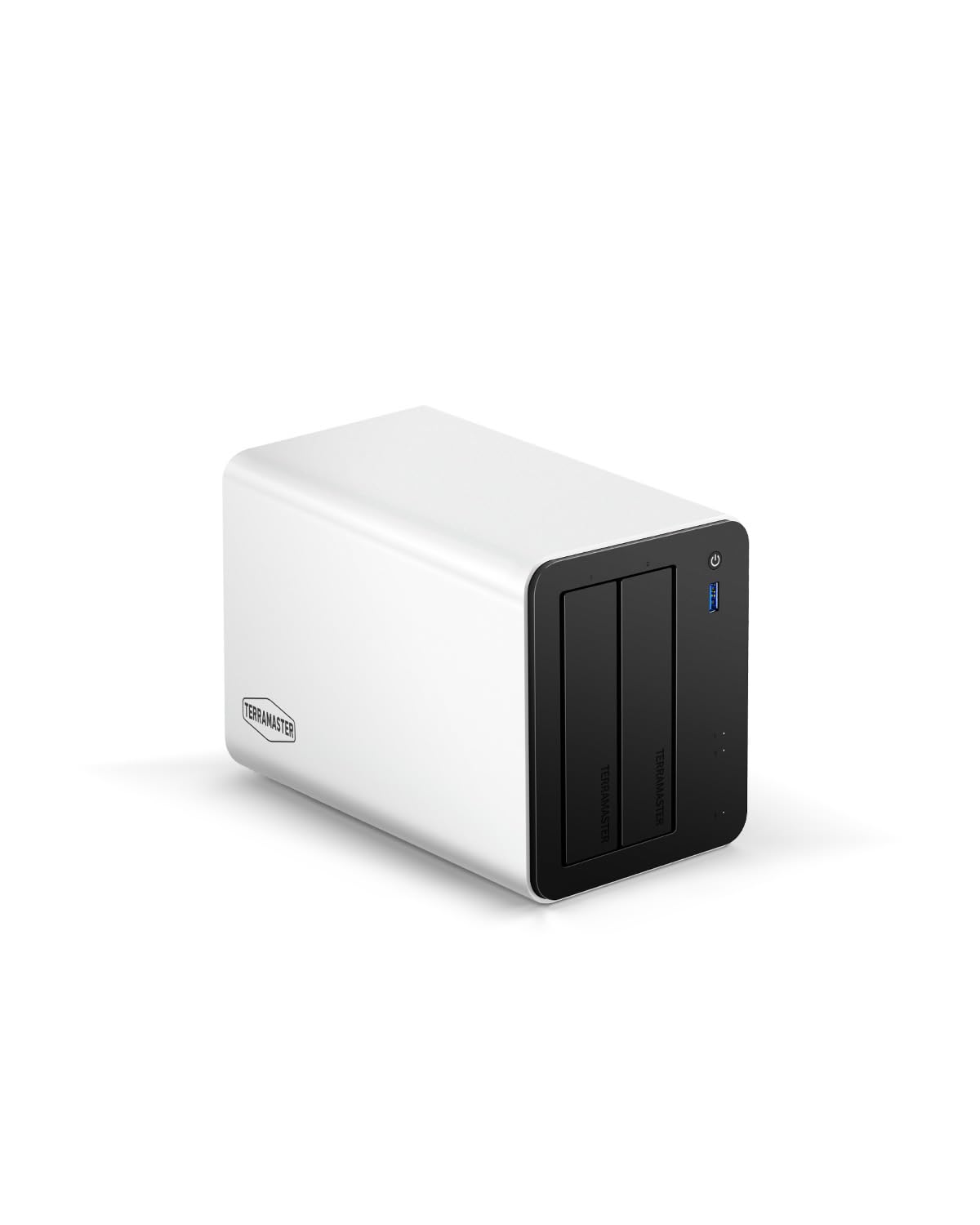
If you want a compact NAS that punches above its weight, this is worth a look. You get an Intel N150 quad‑core CPU and 8GB of DDR5, plus dual 5GbE ports and three M.2 slots that let you boost responsiveness with NVMe cache or extra storage.
For day‑to‑day use it makes backups, photo libraries and streaming painless; for bigger jobs like video editing or team file sharing it keeps transfers speedy without needing a rack. If you like hardware that’s easy to upgrade and don’t mind trying a little setup work, you’ll probably find it a very practical, budget‑friendly option.
What People Say
Across reviews people tend to praise the real-world speed: the dual 5GbE and NVMe options consistently improve transfers and streaming. Folks also appreciate the data drive mounting and the sturdy aluminum build, which make migration and drive swaps less stressful.
On the flip side, some users note the bundled OS has less polish than big-name rivals and a few ran into setup or compatibility hiccups.
Overall Sentiment: Positive

Long-Term Savings
Because the hardware is upgrade‑friendly you can expand storage or add NVMe cache instead of replacing the entire unit. The efficient N150 CPU and DDR5 help keep power use reasonable, and support for common backup tools reduces the chance of expensive data recovery later.
When It Helps
| Situation | How It Helps |
|---|---|
| Home media and streaming | Dual 5GbE and M.2 cache let you stream multiple 4K videos and keep playback smooth for family viewing. |
| Small team file server | Handles concurrent access and fast transfers for collaborative projects thanks to link aggregation and a capable CPU. |
| Video editing workstation | Use NVMe cache or pools to speed project loads and edits without constantly copying huge files to local drives. |
| DIY or alternative OS setups | Supports third‑party OS installs and offers flexible storage layouts for power users who prefer Unraid, TrueNAS, or Debian. |
Ease Of Use
| Feature | Ease Level |
|---|---|
| Initial setup | Easy |
| Drive installation (push‑lock trays) | Easy |
| M.2 NVMe installation | Moderate |
| TOS management interface | Moderate |
| Network configuration and link aggregation | Moderate |
Versatility
Very versatile for a 2‑bay NAS: great as a home media server, a shared office drive, or a base for more technical DIY setups. It won’t replace large multi‑bay systems, but it covers a lot of common workloads well.
Durability
The aluminum chassis and solid construction make it suitable for long‑term use; good cooling and sturdy drive trays help reliability, though final longevity depends on drive choice and maintenance.
Brand Trust
TerraMaster has a track record of offering high‑value hardware and an active user community; buyers often praise the specs for the price, while noting the software stack can feel less refined than premium competitors.
Key Benefits
- Intel N150 quad‑core CPU with 8GB DDR5 for snappy responsiveness
- Dual 5GbE ports (link aggregation / SMB Multichannel) for high network throughput
- Triple M.2 slots let you add cache or independent SSD pools for faster workflows
- Direct Data Drive Mounting so you can reuse drives without forced reformatting
- Aluminum chassis and push‑lock trays make the unit feel solid and easy to service
- Good balance of performance and price for home pros and small teams
Current Price: $399.99
Rating: 4.3 (total: 15+)
🏅 Best Multi-User NAS

If you need a compact workhorse that can actually keep up with a busy team, this is the kind of NAS you’ll enjoy using. It packs a Core i5 1235U, 8GB of DDR5, two 10GbE ports and M.2 NVMe for cache — that combo makes everyday backups, photo libraries, and media streaming feel instant, and it also handles heavier tasks like virtualization, database access, or multiple Plex streams without flinching.
For daily use it simplifies file sharing and automated backups; for special projects (editing sessions or client reviews) the fast network and NVMe cache cut wait times. If you appreciate hardware that’s upgradeable and you want smooth multi‑user performance without paying rack prices, this model is a very practical pick you can grow into.
What People Say
Customers routinely highlight the real-world speed — the CPU plus dual 10GbE and NVMe cache noticeably improve transfers and streaming. Many users like the quiet operation and solid build, and several mention that the unit handles multiple Plex streams or virtualization tasks with ease.
Common gripes focus on the system software polish and occasional USB/network quirks, plus tight clearance for NVMe heatsinks.
Overall Sentiment: Positive

Long-Term Savings
Because this NAS is built with upgradeable RAM, NVMe cache slots and high‑speed network ports, you can extend its useful life with modest investments instead of replacing the whole box. That flexibility, combined with built‑in backup and snapshot tools, helps avoid costly downtime or data recovery later on.
When It Helps
| Situation | How It Helps |
|---|---|
| Small office with many users | Dual 10GbE and a strong CPU keep concurrent file access snappy so team members aren’t tripping over each other during busy hours. |
| Media streaming and Plex server | Hardware transcoding and NVMe cache smooth playback and allow multiple simultaneous streams, including transcoded content. |
| Video editing and project work | Use NVMe cache or SSD pools to speed project loads and reduce waiting when you open large media files. |
| Business backup and disaster recovery | Built‑in backup suite with snapshots, cloud sync and off‑site options gives you versatile, automated ways to protect critical data. |
Ease Of Use
| Feature | Ease Level |
|---|---|
| Initial setup | Easy |
| Drive installation (6 bays) | Easy |
| M.2 NVMe installation | Moderate |
| TOS management interface | Moderate |
| Advanced networking tweaks (link aggregation / 10GbE tuning) | Moderate |
Versatility
Very versatile — it works well as a shared office drive, a high‑performance Plex/media server, or a backend for light virtualization and database tasks. If you want to run alternative OSes or DIY setups, the hardware is friendly to those options too.
Durability
Solidly built for desktop office use with good cooling and quiet fans; long‑term durability will track with drive quality and maintenance, though some users note occasional firmware or USB glitches that require attention.
Brand Trust
TerraMaster is known for delivering strong hardware at value prices and has an active user community. Buyers often praise the specs for the money while advising that the software is improving but not quite as refined as some premium rivals.
Key Benefits
- Powerful Intel Core i5 CPU and Iris Xe GPU for hardware transcoding and heavy multitasking
- Dual 10GbE ports deliver up to 20Gbps aggregated throughput for fast team access
- Dual M.2 NVMe slots let you add hyper cache for big gains in responsiveness
- 8GB DDR5 memory with upgrade headroom for more demanding workloads
- Comprehensive business backup suite (BBS) with snapshots, cloud sync and off‑site options
- Relatively compact 6‑bay design that fits office desktops while still offering high capacity
Current Price: $999.99
Rating: 4.0 (total: 200+)
📦 Best High-Capacity DAS

This is a handy tower if you want lots of local storage without fuss. You can mix big mechanical drives for backups and M.2 NVMe SSDs for the files you access all the time, and the USB 3.2 Gen2 Type‑C port gives you a proper 10Gbps link to a laptop or a small server.
For everyday use it’s great for fast file copies, media libraries and long‑term archives; for special tasks like editing or offsite backup rotation you can keep active projects on the NVMe side and cold data on HDDs. The tool‑free trays and push‑lock design make swapping drives easier than you’d expect, and the smart fan helps keep temperatures in check during heavy transfers. If you want large, flexible direct‑attached storage you’ll find this a practical, no‑nonsense option worth considering.
What People Say
Buyers commonly praise how easy it is to plug drives in and get going, noting strong transfer speeds over USB‑C and reliable plug‑and‑play behavior across Windows, Mac and Linux. People also appreciate the hybrid idea — SSDs for hot projects and HDDs for backups — plus quiet cooling and power‑on recovery.
A minority report concerns about the USB connection stability or plastic drive trays, but those comments sit alongside many satisfied users.
Overall Sentiment: Positive
Long-Term Savings
Because you can mix HDDs and NVMe, you don’t need to buy all‑SSD storage to get fast performance: put projects on SSDs and keep archives on cheaper HDDs, which stretches your budget. The drive‑swap design and standard interfaces also make future upgrades straightforward, so incremental investments (bigger HDDs or faster NVMe) keep the unit useful for years.
When It Helps
| Situation | How It Helps |
|---|---|
| Local backup and archive | Large HDD bays give affordable capacity for backups while NVMe slots remain free for quick restores or working data. |
| Video/photo editing | Keep active projects on NVMe SSDs for snappy editing and store finished media on HDDs to save costs. |
| Media server or Plex library | Fast USB‑C transfers help when importing or transcoding media, and the mixed storage gives a balance of speed and capacity. |
| Offsite rotation and disaster recovery | Tool‑free trays and push‑lock design speed drive swaps for rotation or cloning, making offsite backup workflows simpler. |
Ease Of Use
| Feature | Ease Level |
|---|---|
| Initial setup | Easy |
| 3.5″ drive installation (4 bays) | Easy |
| M.2 NVMe installation | Moderate |
| Drive swapping (hot swap) | Easy |
| Connection and basic use (plug‑and‑play) | Easy |
Versatility
Very versatile for direct‑attached workflows: it handles backups, media ingestion, project editing and archive storage without forcing you into a single storage approach. Works well with PCs, Macs and small servers.
Durability
Generally solid for desktop use — cooling and chassis are designed for continuous operation — though some users note that drive trays are plastic and recommend careful handling. With sensible drive choices and ventilation it should be reliable long term.
Brand Trust
TerraMaster is recognized for offering feature‑dense storage hardware at competitive prices; owners often praise the specs and value while noting software polish can lag premium competitors.
Key Benefits
- Hybrid layout: 4x 3.5″ SATA bays plus 4x M.2 2280 NVMe slots for hot/cold data separation
- USB 3.2 Gen2 Type‑C (10Gbps) delivers much faster direct transfers than USB 3.0
- Tool‑free, push‑lock trays let you install and swap drives quickly
- Up to ~152TB theoretical combined capacity (large HDDs + NVMe SSDs)
- Intelligent temperature‑controlled fan for quieter operation and better heat management
- Power‑on recovery and unattended operation features for reliable always‑on use
Current Price: $299.99
Rating: 4.0 (total: 843+)
🧩 Best All-Rounder
If you want a 4‑bay NAS that actually feels faster than its price suggests, the F4‑424 is worth a close look. You get a quad‑core N95 CPU, 8GB of DDR5 RAM (upgradeable), two 2.5GbE ports for snappy transfers and dual M.2 NVMe slots so you can cache the stuff you use most. For everyday use it’s great for network backups, streaming media to multiple devices, and mapping a shared drive for your family or home office.
For special projects — think photo or video editing, or temporarily hosting multiple Plex streams — the NVMe cache and extra RAM let you keep things responsive. The tool‑free trays and a side‑sliding M.2 cover make upgrades and drive swaps straightforward, so if you like to tinker a bit (or plan to grow storage over time) this one scales nicely. Overall, it’s a practical pick when you want solid performance without paying Synology/QNAP prices.
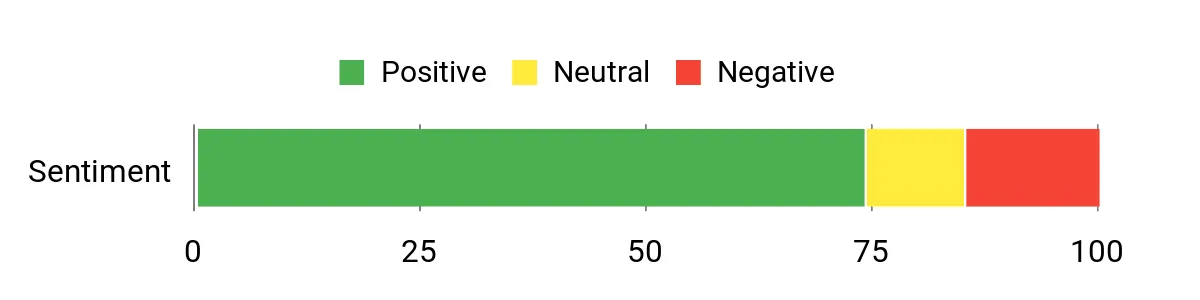
What People Say
You’ll notice most owners praise the F4‑424 for its performance-per-dollar: speedy transfers over 2.5GbE, good Plex handling and solid hardware for the price. People also like how easy it is to add drives or NVMe cache, and many appreciate that it’s flexible enough to run alternate OSes if you want.
A smaller group points out software quirks (TOS) and occasional USB or noise issues, but those comments sit alongside many satisfied users.
Overall Sentiment: Positive
Long-Term Savings
Because you can add NVMe cache and beef up RAM, you don’t need to buy the most expensive model to get a snappy experience—invest incrementally where it matters. Standard drive bays and common interfaces mean you can swap in larger HDDs later instead of replacing the whole unit, which spreads your costs over years.
When It Helps
| Situation | How It Helps |
|---|---|
| Home media server | Dual 2.5GbE and a capable CPU let you stream multiple HD/4K streams and do hardware‑assisted transcoding without the usual lag. |
| Photo and video editing | Use NVMe for active projects for fast file open/save, while storing finished archives on larger HDDs to keep costs down. |
| Small office file sharing and backups | RAID options, snapshot tools and scheduled backup apps give you a dependable central place for team files and daily backups. |
| Experimenting with alternate OSes | The hardware is flexible enough to run things like Unraid or TrueNAS if you want a different software experience, extending the device’s usefulness. |
Ease Of Use
| Feature | Ease Level |
|---|---|
| Initial setup (basic NAS) | Easy |
| 3.5″/2.5″ drive installation | Easy |
| M.2 NVMe installation | Moderate |
| TOS management and app installation | Moderate |
| Installing an alternate OS (Unraid/TrueNAS) | Advanced |
Versatility
You can use it as a home media server, office file server, backup target, or a light editing workstation with NVMe cache. It’s flexible enough for hobbyists to try other OSes and for small teams to run basic services.
Durability
The metal chassis and designed ventilation make it sturdy for 24/7 home or small‑office use; TerraMaster added sound‑absorbing measures but a few users note fan noise under heavy load, so expect typical consumer‑grade longevity with sensible cooling.
Brand Trust
TerraMaster is known for delivering strong hardware specs at competitive prices; many owners praise the value and community help, while software polish and some edge‑case stability issues lag premium rivals.
Key Benefits
- Strong value: N95 quad‑core CPU + 8GB DDR5 for responsive multitasking
- Dual 2.5GbE gives much faster local transfers than standard gigabit
- Dual M.2 NVMe slots for caching active projects or the OS
- Tool‑free drive trays and a side‑sliding M.2 cover for easy upgrades
- Multiple backup apps and snapshot support for better data protection
- Upgradable RAM and standard interfaces keep it future‑friendly
Current Price: $499.99
Rating: 4.0 (total: 200+)
⚡ Best Compact SSD NAS
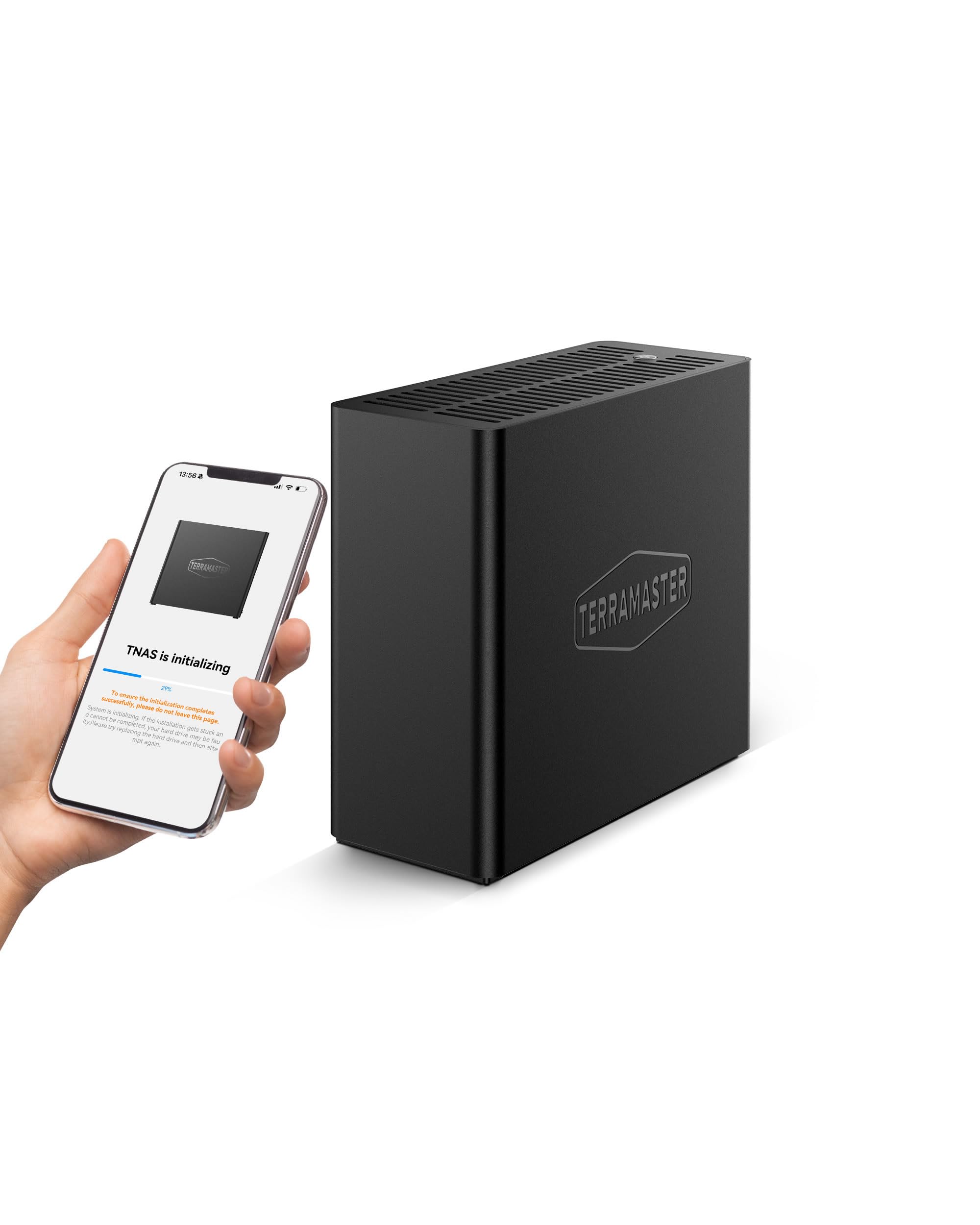
If you want a tiny NAS that actually behaves like a performance box, the F4 SSD is the kind of unit you’ll enjoy. It packs an N95 quad‑core CPU, 8GB of DDR5 memory and a 5GbE port into a palm‑sized chassis that fits on a crowded desk.
Since it uses M.2 NVMe drives only, you get very low latency and sustained transfers—handy for daily backups, streaming media to multiple devices, or sharing large photo and video projects. For special situations, like quick collaborative edits or portable on‑site work, the compact footprint and near‑silent cooling make it easy to move or tuck away.
If you like the idea of adding speed where you need it (more RAM or faster SSDs) instead of buying a pricier flagship, this one’s a sensible, practical pick.
What People Say
You’ll see a lot of owners praising its speed and cooling — many mention fast transfers over the 5GbE link and steady SSD temperatures thanks to the included heatsinks. People also like how small and quiet it is, and that setup and drive installs are straightforward. A smaller group flags software quirks or niche compatibility issues, but most buyers feel it delivers excellent value for a compact SSD NAS.
Overall Sentiment: Positive

Long-Term Savings
Because it’s diskless and relies on standard M.2 drives and upgradeable RAM, you can boost performance incrementally instead of replacing the whole unit. That flexibility—plus common interfaces like 5GbE—lets you extend usable life by swapping larger or faster SSDs as needs change, which spreads your expense over several years.
When It Helps
| Situation | How It Helps |
|---|---|
| Home media and family backup | Fast local transfers and quiet operation make streaming and nightly backups painless, even with several devices accessing media at once. |
| On‑the‑road editing or client demos | Its small size and lightweight design mean you can slip it into a bag and bring a fast, low‑latency storage pool to a shoot or meeting. |
| Small office shared storage | 5GbE throughput and snapshot/backup tools provide responsive file sharing and a simple way to protect team data without complicated infrastructure. |
| Speeding up active projects | Use NVMe drives for active project files to get quick open/save times, then archive finished work elsewhere to keep costs down. |
Ease Of Use
| Feature | Ease Level |
|---|---|
| Initial setup (basic NAS) | Easy |
| M.2 NVMe drive installation (tool‑free) | Easy |
| RAM upgrade | Moderate |
| TOS management and apps | Moderate |
| Advanced network/iSCSI tuning | Advanced |
Versatility
This is a focused, high‑speed device for users who prefer all‑SSD storage: great for media servers, fast backups, lightweight editing, or as a portable workhorse. It’s less suitable if you need lots of high‑capacity spinning disks out of the box, but flexible enough for hobbyists and small teams.
Durability
Built mainly from plastic but well‑ventilated and designed for continuous use, it’s durable enough for home and small‑office environments. Expect typical consumer‑grade longevity; sensible cooling helps avoid thermal wear on SSDs.
Brand Trust
TerraMaster consistently offers strong hardware specs at competitive prices. Many owners appreciate the value and active community support, though software polish and some niche compatibility issues occasionally trail premium rivals.
Key Benefits
- High single‑node speed thanks to N95 quad‑core CPU and 8GB DDR5
- 5GbE port for much faster local transfers than 1GbE
- Supports four M.2 2280 NVMe SSDs (tool‑free installation) for up to 32TB
- Very compact and lightweight — easy to place or take on the road
- Quiet operation with active cooling and individual SSD thermal design
- Includes TerraMaster Business Backup Suite for flexible backup and snapshot options
Current Price: $399.99
Rating: 4.3 (total: 53+)
🛡️ Best Hardware RAID
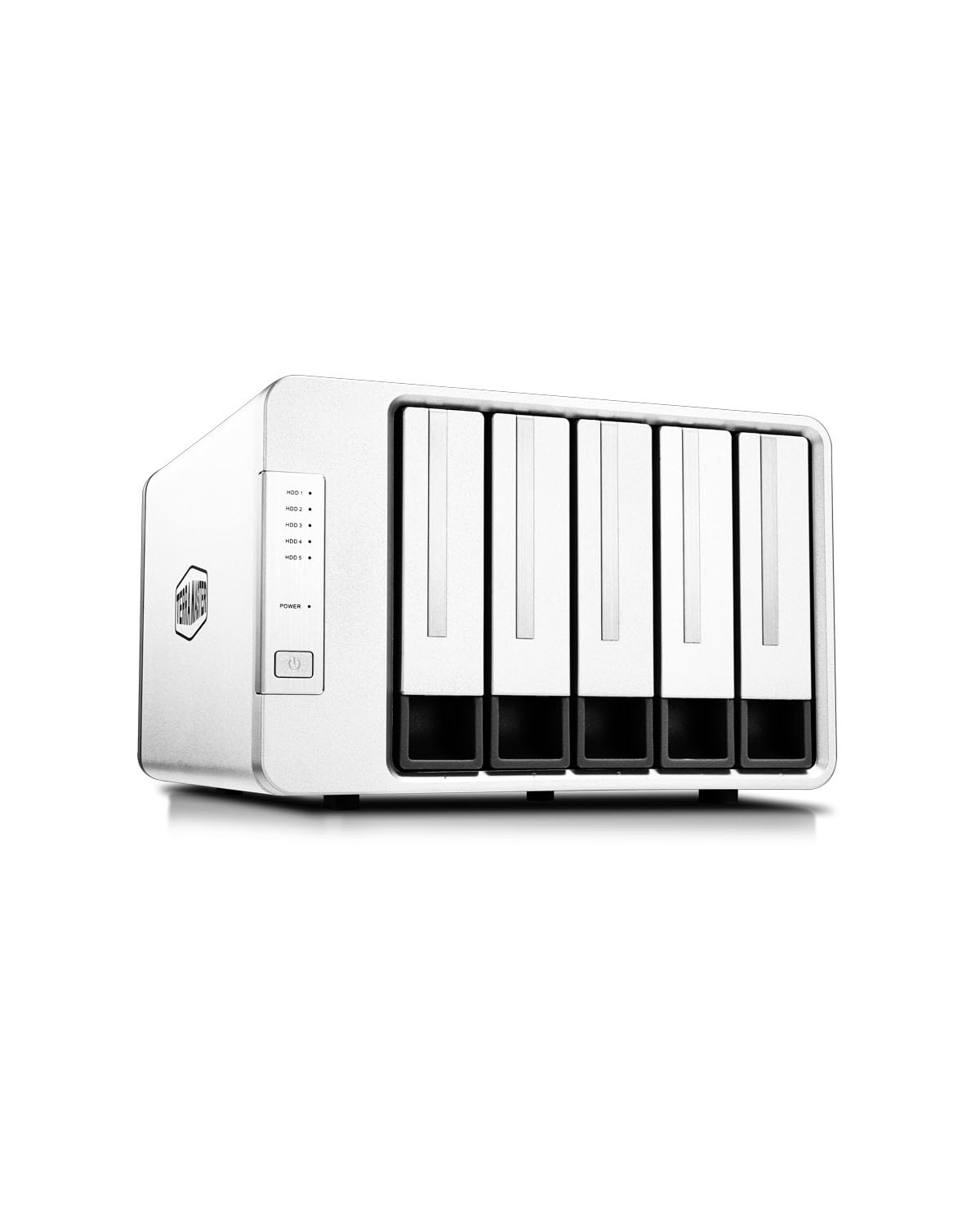
If you want a straightforward way to add a lot of reliable storage, this is the kind of enclosure you’ll reach for. It gives you true hardware RAID with a handy rotary knob to switch modes, tool‑free drive trays, solid cooling and USB‑C connectivity for easy hookup.
Day to day it’s great for scheduled backups, long media libraries and expanding a workstation or mini‑server; for special projects—like large video edits or a home lab build tied to Proxmox/TrueNAS—you get the capacity and RAID flexibility to keep working without constant babysitting. If you prefer a simple, practical route to big, redundant storage rather than a full-featured NAS, this one’s an easy, sensible pick.
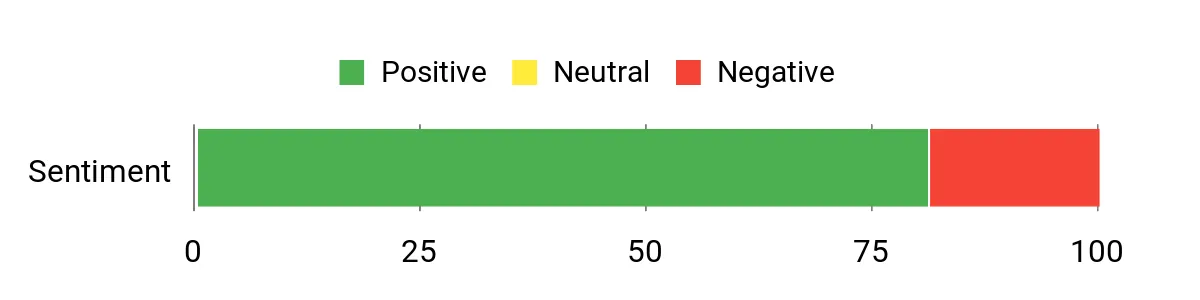
What People Say
Most owners appreciate how easy the D5‑310 is to set up: tool‑free trays, a simple RAID knob and reliable cooling come up often. People also like the capacity and cross‑platform plug‑and‑play behavior, and many call out solid day‑to‑day performance for backups and media.
A smaller number report RAID rebuild problems or controller failures, so there’s a mixed note around long‑term reliability for some users.
Overall Sentiment: Positive
Long-Term Savings
Using an enclosure like this means you can re-use existing drives and upgrade capacity drive‑by‑drive instead of buying a new appliance. The hardware RAID and hot‑spare option help limit downtime after a drive failure, and the toolless design keeps maintenance simple—both of which reduce support time and replacement costs over the years.
When It Helps
| Situation | How It Helps |
|---|---|
| Home backups and media libraries | Plenty of bays and large total capacity let you centralize family backups and store large video or photo collections without juggling drives. |
| Small office or creative team | Hardware RAID gives redundancy for shared files, and the USB‑C link keeps client workstations connected with predictable throughput. |
| Home lab or Proxmox/TrueNAS setups | The unit can present drives individually or in RAID, making it useful for experimenting with VMs or ZFS pools while keeping drives easy to swap. |
| Video/photo project work | High sustained transfers and multiple drives make copying large project files faster, so you spend less time waiting during ingest or archiving. |
Ease Of Use
| Feature | Ease Level |
|---|---|
| Initial setup (connect and power on) | Easy |
| Drive installation (toolless trays) | Easy |
| Switching RAID modes (rotary knob) | Easy |
| Cross‑platform use (Windows/macOS/Linux) | Easy |
| RAID rebuilds and advanced recovery | Moderate |
Versatility
This is a focused DAS: great if you need big, redundant storage attached to a PC, mini‑server or workstation. It’s less versatile than a networked NAS for remote access features, but it shines when you want simple, high‑capacity, local redundancy.
Durability
The aluminum chassis and active cooling are built to handle continuous use; many buyers report stable operation under load. Like any enclosure with a hardware controller, long‑term reliability depends on component tolerances, so keep good backups and consider replacement drives if you see repeated issues.
Brand Trust
TerraMaster consistently targets solid value in storage hardware. Owners often praise the specs and affordability, and while software polish and occasional hardware failures crop up, the brand has an active user base and generally responsive support channels.
Key Benefits
- True hardware RAID with an easy rotary switch for RAID 5/0/1/10/Single
- Supports up to 5 drives for a maximum of 120 TB (5 × 24 TB)
- USB 3.1 Gen 1 Type‑C interface with up to 5 Gbps transfers (real-world ~220 MB/s)
- Tool‑free drive bays and included cables/power make installs quick
- Hot spare support and basic backup software included for safer restores
- Compatible with Windows, macOS and Linux without extra drivers
Current Price: $259.99
Rating: 4.2 (total: 19+)
FAQ
How Do You Choose The Right Terramaster NAS For 2026?
You choose a Terramaster NAS by matching the unit’s strengths to your workflow rather than chasing specs for their own sake; match the NAS to your workflow means selecting the right bay count and storage type for your needs (all‑SSD for high I/O work, HDD for large cold storage), checking the CPU and RAM for tasks you plan to run (light file serving needs less than video editing or multiple Plex transcodes), and making sure the network ports meet your environment (2.5GbE/5GbE/10GbE or dual ports for aggregation). Expect DAS enclosures such as the D4‑320 to be the most affordable option at about $189.99 for simple USB storage, compact 2‑bay and 4‑bay home NAS options like the F2‑425 and F4‑424 line to sit in the $249.99–$569.99 range depending on model and features, and higher‑end SSD or business boxes like the F8 SSD Plus and F6‑424 Max to approach $799.99–$999.99 for heavy workloads. You should also factor in drive compatibility, power consumption, noise, and the cost of drives and accessories; verify the Terramaster compatibility list, plan for spare drives, and decide whether you need hardware features such as M.2 slots for cache or dedicated 10GbE ports before you buy.
How Do You Protect Data And Avoid Common Reliability Mistakes?
You protect data by treating RAID as availability, not as a substitute for backups: RAID is not a backup — it protects against a single drive failure in many configurations but does not protect against accidental deletion, corruption, ransomware, or catastrophic events. Implement at least one offsite or cloud copy in addition to your NAS retention, enable SMART and health monitoring on the NAS and drives, schedule regular integrity checks or scrubs, and keep a known‑good copy that you can restore from.
Use a UPS to prevent corruption during power loss, log firmware and OS updates and apply them during maintenance windows, and replace drives showing SMART warnings immediately; consider a hot‑spare or spare drive on the shelf for rapid rebuilds. For large archives, prefer enterprise or NAS‑rated HDDs for longevity and use SSDs where you need low latency; finally, test restores periodically so you know your backup process actually works.
How Hard Is Setup And Can You Run A Different Operating System On A Terramaster?
You will find most Terramaster units simple to start with: out of the box TOS will get you to a working NAS quickly and is ideal if you want turnkey file services, multimedia apps, and a GUI. If you prefer to run TrueNAS, Unraid or a Linux stack you can on many Terramaster models, but be prepared for extra steps and caveats — you may need to change BIOS/Secure Boot settings, use an NVMe or USB boot device, and accept that some vendor‑specific utilities or warranty language could be affected. A practical approach is to install the OS to a small dedicated NVMe so the system disk is isolated from your data drives, update firmware first, and back up any data before you experiment.
Secure the box immediately by disabling default remote services, changing default credentials, enabling the firewall or VPN for external access, and enabling two‑factor authentication where available. For performance tuning, use link aggregation or 10GbE where supported, add SSD cache or dedicated M.2 system drives to improve responsiveness, and monitor temperatures and power requirements (some enclosures have reported undersized power adapters) to avoid surprises during heavy load.
Top Customer Preferences
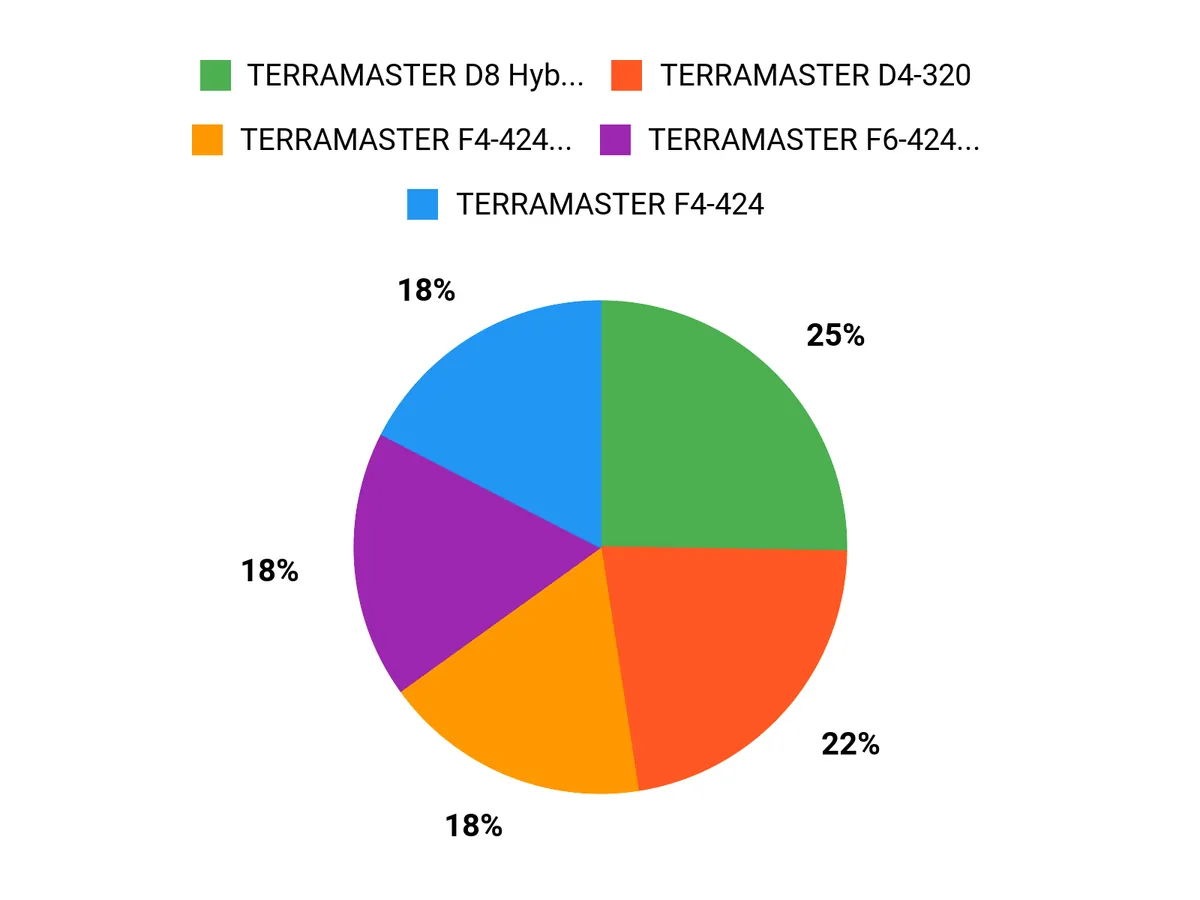
When choosing between the TERRAMASTER D4-320, F4-425 Plus, and F2-425 you prioritize performance and connectivity—opting for the F4-425 Plus for heavy multi-user access, hardware-assisted transcoding and faster network/port options, the F2-425 when you need a compact two-bay prosumer NAS, and the D4-320 when you want a cost-effective direct-attached or archive expansion solution. You also weigh RAID flexibility, storage capacity, energy use and software/features against price to match the device to your specific use case, whether that’s media streaming, virtualization, or simple backup and file sharing.
Wrapping Up
Choosing the right Terramaster device comes down to matching the hardware to your use case. If you need raw NVMe speed, the D4 SSD enclosure stands out.
If you want a compact, powerful NAS for media work, the F4-425 Plus and F2-425 Plus give excellent performance per dollar. For large-capacity, USB-attached storage, the D8 Hybrid and D5-310 provide scalable, tool-less bays.
Business users will appreciate the F4-424 Pro and F6-424 Max for multi-user performance and expanded RAM options. Review the interface, bay count, and whether you need hardware RAID or networked storage, then pick the model that aligns with how you work and how you plan to grow your storage over time.
| Product | Image | Rating | Price | Storage Capacity | Supported RAID Levels |
|---|---|---|---|---|---|
| TERRAMASTER D4-320 External Hard Drive Enclosure |  | 4.2/5 (375 reviews) | $189.99 | Supports up to 4 drives, max 16TB each |
|
| TERRAMASTER F4-425 Plus NAS Storage |  | 4.3/5 (15 reviews) | $569.99 | Up to 64TB (4 bays) |
|
| TERRAMASTER F2-425 2-Bay NAS Storage |  | 4.2/5 (28 reviews) | $249.99 | Supports up to 2 drives, max 14TB each |
|
| TERRAMASTER D4 SSD NVMe Enclosure |  | 4.4/5 (28 reviews) | $299.99 | Up to 32TB (4 M.2 NVMe drives) |
|
| TERRAMASTER F8 SSD Plus NAS |  | 4.3/5 (53 reviews) | $799.99 | Up to 64TB (8 bays) |
|
| TERRAMASTER F4-424 Pro NAS Storage |  | 4.0/5 (200 reviews) | $699.99 | Up to 72TB (4 bays) |
|
| TERRAMASTER D5-310 HDD Enclosure |  | 4.2/5 (19 reviews) | $259.99 | Supports up to 5 drives, max 20TB each |
|
This Roundup is reader-supported. When you click through links we may earn a referral commission on qualifying purchases.