
You rely on your home office to store work, archive projects, and keep client files safe, so choosing the right external drive matters. The right drive can speed up your workflow, simplify backups, and protect irreplaceable data while matching your budget and how you work.
This guide helps you compare common options so you can pick a drive that fits your needs rather than guessing at specs and brand names.
Top Picks
Category | Product | Price | Score |
|---|---|---|---|
🚀 Fastest SSD | $204.39 | 94/100 | |
⭐ Best Value SSD | $130.99 | 90/100 | |
💼 Best High-Capacity SSD | $1,099.99 | 82/100 | |
💰 Best Budget HDD | $79.99 | 85/100 | |
🔰 Best Capacity HDD | $174.19 | 86/100 | |
🛡️ Most Rugged Drive | $89.99 | 88/100 | |
🖥️ Best Starter NAS | $338.99 | 89/100 | |
🏢 Best Value 4-Bay NAS | $379.99 | 87/100 | |
🎯 Best Desktop DAS | $219.00 | 83/100 |
How We Picked These Drives
You need a drive that matches what you do and how you work, so we focused on practical factors you’ll notice every day. We prioritized performance for editing and frequent transfers, and capacity for archives, then weighed portability, durability, and noise for drives you’ll keep on your desk or in a bag.
Interface compatibility mattered too: USB-C or USB 3.x for modern laptops, and multi‑bay NAS or DAS options if you want shared or redundant storage. Finally we considered price per terabyte and real‑world reliability indicators like brand support and user feedback.
You want simple, roomy storage that doesn’t require fiddling with drivers or software, and that’s exactly where this drive fits. It gives you 2TB for backups, photo archives, or extra game libraries in a pocketable case that just shows up when you plug it in. Performance is typical for a mechanical drive—fine for backups and bulk storage, not the best if you edit large video projects directly.
If you need a reliable, affordable extra drive for everyday home office tasks, this is a straightforward choice.
What People Say
You’ll notice most people appreciate how easy the drive is to use straight out of the box and how much storage you get for the price. Common praise focuses on reliable plug-and-play behavior, steady transfer speeds for an HDD, and quiet operation during normal use.
A few users point out the included cable could be better and that mechanical drives aren’t ideal for irreplaceable data without a second backup.
Overall Sentiment: Positive

When It Helps
Situation | How It Helps |
|---|---|
Daily Backups | You can set up routine backups or drag-and-drop folders quickly, giving you an easy offline copy of important work files. |
Media Library | If you store large photo or video collections, the 2TB capacity keeps everything in one place while freeing up laptop space. |
Console Storage | You can plug it into a PlayStation or Xbox to expand game libraries without complex setup. |
Short Trips and Transport | It’s compact enough to carry between locations, but because it’s an HDD you should avoid drops and heavy vibration. |
Versatility
This drive works well as a general-purpose external: backups, media offloads, console expansion, or temporary transfers between machines. It’s not a substitute for an SSD when you need editing-level performance or sustained write speeds, and it’s wise to pair it with another backup if the data is critical.
Key Benefits
- Spacious 2TB Capacity
- Plug-and-Play USB 3.0 Setup
- Budget-Friendly
- Compact, Travel-Friendly Design
- Cross-Platform Compatibility
Current Price: $79.99
Rating: 4.6 (total: 270,219+)
You get a lot of storage for a reasonable price, which makes this drive an obvious pick if you need bulk backups or a consolidated media library. It plugs in and mounts without extra software, so you can start moving files right away. Performance is typical for a mechanical drive: fine for backups and archives but not ideal if you want SSD‑level responsiveness for editing. If your priority is capacity and simple, reliable storage for your home office, this is a practical, no‑fuss option.
What People Say
Most buyers say the drive delivers exactly what it promises: lots of space without any setup headaches. People frequently note the plug-and-play behavior, steady transfer speeds for an HDD, and good value per gigabyte.
A few mention occasional noise under heavy load and remind you to keep critical data backed up elsewhere, but many praise the overall reliability and convenience.
Overall Sentiment: Positive

When To Use
Situation | How It Helps |
|---|---|
Daily Backups | You can schedule or drag-and-drop routine backups to free up laptop space and keep an easy offline copy of work files. |
Media Archive | Store photo and video libraries in one place so you can access large collections without filling your main drive. |
Console Storage | Expand a PlayStation or Xbox library quickly with no complicated setup, giving you room for more games. |
Offsite Rotation | Use this drive as a transportable backup you can swap between locations for simple offsite protection. |
Versatility
This is a general-purpose external HDD that fits many roles: a backup target, a media vault, or extra space for consoles. It’s versatile for occasional travel and desk use, though you should avoid using it as a primary drive for performance‑sensitive tasks.
Key Benefits
- Large 5TB Capacity
- Easy Plug-and-Play Setup
- Good Price Per Terabyte
- Quiet When Idle
- Works With Consoles and PCs
Current Price: $149.99
Rating: 4.6 (total: 213,595+)
You want a drive that keeps up when you move large files between devices, and this SSD does that. It’s tiny enough to slot into a pocket but fast enough to feel like an extension of your laptop for photo and video work.
It’s built for travel with dust and water resistance and a rubberized shell that helps with drops. If your day includes editing, fast backups, or frequent file transfers, this is one of the easiest performance upgrades you can add to your kit.
What People Say
Customers commonly highlight the dramatic speed improvement over HDDs and praise how compact the drive is for travel. Users appreciate the durable build and reliable daily performance, while a smaller group warns that long sustained writes can warm the unit and that you need a Gen 2/3 USB‑C port to reach peak speeds.
Overall Sentiment: Positive

When To Use
Situation | How It Helps |
|---|---|
Photo/Video Editing | You can edit directly from the drive or move large libraries quickly, cutting transfer times and smoothing your workflow. |
Travel Backup | Its compact, rugged design and carabiner loop make it easy to carry and secure while you back up footage on location. |
Daily Work Transfers | Fast reads and writes save time when you swap big project folders between home and office machines. |
Portable Media Library | Keep a ready-to-go archive of large files or projects without relying on slower cloud uploads when you’re on the road. |
Versatility
This SSD fits multiple roles: a primary fast backup for active projects, a rugged field drive for creators, or a compact archive for critical files you need close at hand. It’s less suited as a long‑term replacement for enterprise backup systems that require sustained heavy writes.
Key Benefits
- Blazing Transfer Speeds
- Very Portable and Lightweight
- Rugged IP55 Rating
- Hardware Encryption Option
- Broad USB‑C Compatibility
Current Price: $204.39
Rating: 4.6 (total: 86,926+)
You need lots of storage without fuss, and this drive is built for that. It gives you 4TB for backups, photo libraries, or extra game storage and mounts immediately when you plug it in. Performance matches a mechanical drive—adequate for backups and media but not as snappy as an SSD for editing. If your priority is roomy, inexpensive storage you can tuck on your desk, this is a practical pick.
What People Say
You’ll notice reviewers often highlight how easy the drive is to use out of the box and how much space you get for the money. People appreciate steady transfer speeds for an HDD and the simple drag‑and‑drop setup, while a smaller number point out that mechanical drives can be louder under heavy use and recommend keeping critical data backed up elsewhere.
Overall Sentiment: Positive

When To Use
Situation | How It Helps |
|---|---|
Routine Backups | You can schedule or manually copy important folders to free laptop space and keep an offline copy of work files. |
Media Archive | Store large photo and video libraries in one place so your main drive stays uncluttered. |
Console Storage | Expand PlayStation or Xbox storage quickly without complex formatting or setup. |
Offsite Rotation | Use it as a transportable backup you swap between locations for simple offsite protection. |
Versatility
This drive covers general backup and archive roles well, and it’s useful for consoles and occasional transport. It’s not the best choice for sustained editing or as a system boot drive where SSD performance matters.
Key Benefits
- Generous 4TB Capacity
- Plug-and-Play USB 3.0
- Affordable Price per TB
- Compact, Desk-Friendly Design
- Works With PC, Mac, and Consoles
Current Price:
Rating: (total: +)
You want a drive that survives life on the move and still behaves like a dependable backup. This LaCie model pairs a protective rubber bumper with straightforward plug‑and‑play USB connection, making it a favorite for photographers and travelers who need a tough, pocketable archive.
Speeds are fine for backups and media, and the rugged design helps when you carry it in a bag or toss it in a kit. If you value durability and easy Mac compatibility, this is a solid choice.
What People Say
Most buyers praise the Rugged Mini for its sturdy design and ease of use, especially with Mac backups and on-location photo work. People often mention the rubber bumper, reliable transfers, and how well it stands up to travel. A few note the older Micro‑B port and occasional connector sensitivity, so it’s smart to handle the cable carefully.
Overall Sentiment: Positive

When To Use
Situation | How It Helps |
|---|---|
On-Location Backups | The rubber bumper and durable casing let you back up photos in the field without worrying about bumps or light drops. |
Time Machine Backups | It mounts cleanly on Macs and works well with Time Machine after formatting, giving you a simple local backup solution. |
Travel Storage | Its compact size and protective shell fit neatly in a bag, making it easy to transport large media libraries. |
Studio Archive | Use it as a tidy archive for completed projects that you don’t need to edit off of daily but want readily accessible. |
Versatility
This drive is versatile for backups, fieldwork, and transporting large media, and it works across Mac and PC. It’s not tailored for heavy sustained server loads or as a primary editing drive, but it shines as a rugged secondary storage option.
Key Benefits
- Rugged Drop and Water Resistance
- Compact, Easy to Carry
- Reliable Plug-and-Play Setup
- Good Transfer Speeds for HDD
- Includes Adobe Trial and Warranty
Current Price: $89.99
Rating: 4.5 (total: 10,052+)
You want speed without bulk, and the Crucial X10 delivers that in a pocketable package. It moves large projects quickly, so editing, game installs, and heavy backups feel noticeably faster than an HDD.
The rugged rating and compact build mean you can carry it between home and client sites with less worry, and USB‑C makes it plug into modern laptops easily. For most creatives and power users who need a fast, portable drive, this is a practical upgrade.
What People Say
People commonly praise the X10 for its speed and how small it is compared with the performance it delivers. Reviewers note that it feels solidly built and makes transfers and on‑the‑go editing much smoother.
A few users point out that to hit top speeds you need the right USB‑C port and that sustained heavy writes can warm the drive.
Overall Sentiment: Positive

When To Use
Situation | How It Helps |
|---|---|
Photo/Video Editing | You can edit large files directly or move project folders fast, reducing wait times and keeping your workflow fluid. |
Travel Backup | Its rugged construction and small size make it easy to back up footage or work while you’re away from the desk. |
Gaming Library | Store games externally and enjoy quick load times compared with HDD alternatives, freeing up internal drive space. |
Cross-Device Transfers | Use it to shuttle large files between desktop, laptop, and tablet without long transfer waits. |
Versatility
Great for creators, frequent travelers, and gamers who need fast portable storage. Less suited as a replacement for enterprise backup systems or for workloads requiring sustained, long‑duration writes.
Key Benefits
- Very Fast Read/Write Performance
- Compact, Lightweight Design
- IP65 Dust and Water Resistance
- Drop Protection for Travel
- Wide Device Compatibility (USB‑C)
Current Price: $130.99
Rating: 4.6 (total: 1,604+)

You get a roomy 5TB drive in a compact, modern case that plugs into newer laptops via USB‑C. It’s geared toward straightforward backups, media archives, and anyone who wants built‑in security features without extra setup.
Transfer speeds match a mechanical drive, so it’s best for storing and retrieving large files rather than editing directly from the drive. If you want a secure, high‑capacity portable disk for everyday home‑office use, this is a practical option.
What People Say
Buyers frequently praise how easy the drive is to use and how well it works with modern laptops thanks to USB‑C. People like the bundled security features and backup tools, and many mention the solid build and quiet operation.
Common complaints focus on inconsistent cable quality and occasional reliability issues, so reviewers often recommend testing the drive on arrival and keeping a second backup for critical files.
Overall Sentiment: Positive

When To Use
Situation | How It Helps |
|---|---|
Time Machine Backups | Connect via USB‑C and use the included tools to set up reliable automatic backups for your Mac. |
Secure Work Files | Enable hardware encryption and password protection to keep client data safer when you transport the drive. |
Media Archive | Store large photo and video libraries in one place to free up your laptop’s internal drive. |
Travel & Portability | Compact metal design and USB‑C connectivity make it easy to carry and connect on the go. |
Versatility
This drive works well as a daily backup target, a portable media archive, and a secure transport drive for client work. It’s adaptable across Windows and Mac, but not intended as a high‑end editing drive or server storage.
Key Benefits
- Large 5TB Capacity
- USB‑C Modern Connectivity
- Password Protection & Hardware Encryption
- Ransomware Defense Software
- Sleek Metal Design
Current Price: $169.99
Rating: 4.3 (total: 19,758+)
You want a simple, high‑capacity drive that sits on your desk and quietly handles backups and large media libraries. This WD Elements 6TB gives you lots of room for photos, videos, and archived projects, and it connects via USB 3.2 so transfers are practical for everyday use.
It’s not an SSD‑level performer for editing directly, but it’s a reliable, no‑frills option if your priority is capacity and consistent, easy storage.
What People Say
Most users highlight how much space they get for the money and how easy the drive is to use straight away. People commonly praise stable transfer speeds for standard HDDs and quiet operation during long copies. A small number of reviewers recommend checking cables and formatting options on arrival and keeping a backup for critical data.
Overall Sentiment: Positive

When To Use
Situation | How It Helps |
|---|---|
Routine Backups | You can schedule full system or folder backups and keep an offline copy of important work without juggling limited laptop storage. |
Media Archive | Store large photo and video collections in one place so your active drives stay responsive and uncluttered. |
Shared Network Storage | Use it as an extra drive attached to a mini server or media PC to feed video libraries to other devices on your network. |
Portable Offsite Backup | Take the drive to a second location for simple offsite rotation to protect against local failures. |
Versatility
Good for backups, media storage, and occasional transport between locations. It’s flexible across platforms but not aimed at heavy sustained editing workloads.
Key Benefits
- Large 6TB Capacity
- USB 3.2 Fast Transfers
- Plug-and-Play Simplicity
- Quiet, Reliable Operation
- Works Across PC and Mac
Current Price: $174.19
Rating: 4.6 (total: 338,468+)

You want a high‑capacity drive that just works, and this My Passport model does that in a compact metal case. It’s aimed at straightforward backups, media archives, and moving large folders between machines without fuss. The included security and backup tools add a layer of protection if you carry client files, though some users prefer third‑party imaging tools for full restores.
For general home‑office storage and routine backups, this drive gives a lot of space with familiar, easy connectivity.
What People Say
Buyers often call out how simple the drive is to set up and how much storage you get for the price. People appreciate the modern USB‑C connectivity, quiet operation, and the extra security options included with the software bundle.
A handful of users warn about short cables or preferring different backup software, so many recommend testing the drive and software as soon as it arrives.
Overall Sentiment: Positive

When To Use
Situation | How It Helps |
|---|---|
Time Machine Backups | Connect via USB and use built‑in tools to keep regular Mac backups without manual effort. |
Client File Transport | Hardware encryption and password protection help keep sensitive files safer while you move between sites. |
Media Archive | Store large photo and video libraries in one place so your working machine stays responsive. |
Offsite Rotation | Take the drive to another location for a simple offsite copy as part of a basic backup routine. |
Versatility
This drive suits everyday backups, media archives, and portable storage for client work across Windows and Mac. It’s flexible for many home‑office roles but not a substitute for SSDs when you need editing‑level performance or for enterprise backup systems that demand sustained write endurance.
Key Benefits
- Generous 6TB Capacity
- USB‑C/USB 3.1 Compatibility
- Password Protection & Encryption
- Ransomware Defense Tools
- Compact Metal Design
Current Price: $179.71
Rating: 4.5 (total: 116,341+)
You get large, travel-ready storage that’s built to take a few knocks. The Rugged 5TB packs a lot of space in a compact, bumpered case and mounts via USB 3.0 for quick plug-and-play backups.
Speeds are fine for archiving and media, though it’s not an SSD substitute for editing large projects. If you need a tough portable archive for shoots, backups, or fieldwork, this model balances durability and capacity well.
What People Say
Most people praise the Rugged for its sturdy bumper, easy plug-and-play setup, and how convenient the 5TB size is for archives and shoots. Users often call out reliable transfers around the advertised HDD speeds and how well it handles travel.
A minority report connection or reliability hiccups and recommend testing the drive and cable on arrival and keeping a second backup for irreplaceable data.
Overall Sentiment: Positive

When To Use
Situation | How It Helps |
|---|---|
On-Location Backups | The protective bumper and durable casing let you back up photos and footage in the field without worrying about light drops or splashes. |
Time Machine Backups | Reformat and plug it into your Mac for simple Time Machine backups that free up laptop space quickly. |
Travel Storage | Its compact profile and robust shell make it easy to carry in a camera bag or backpack while keeping large libraries accessible. |
Studio Archive | Use it as a reliable archive for completed projects you want offline but still reachable without re-downloading from cloud storage. |
Versatility
Good for photographers, videographers, and anyone who needs rugged portable storage for backups and archives. It’s less suited as a primary editing drive or always-on server storage, and some users prefer modern USB‑C ports over the Micro‑B connection on certain models.
Key Benefits
- Rugged Drop and Weather Resistance
- Large 5TB Capacity
- Compact, Travel-Friendly Design
- USB 3.0 Plug-and-Play
- Includes Adobe Trial and Warranty
Current Price: $169.99
Rating: 4.5 (total: 2,377+)
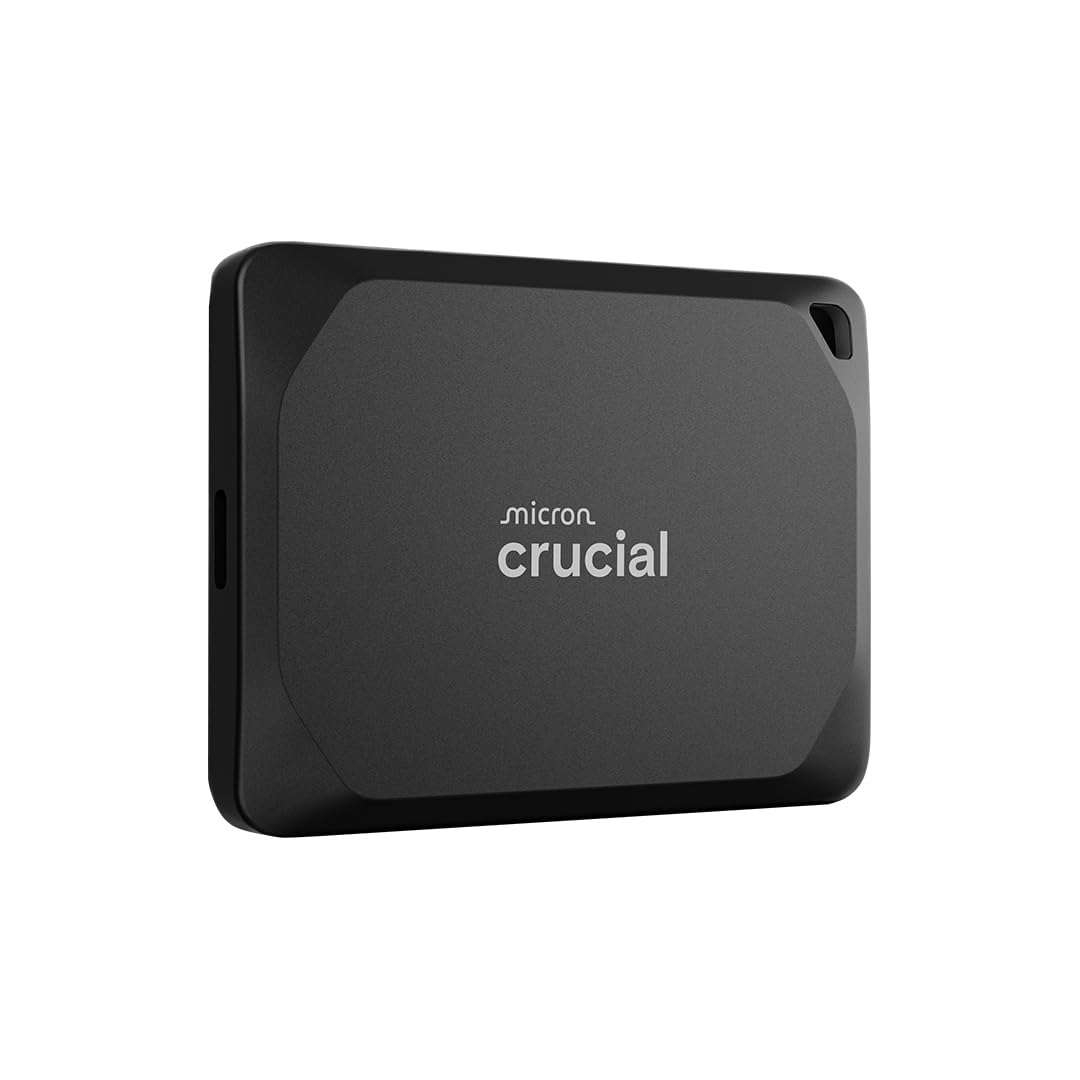
You need a fast, portable drive that keeps up with large projects, and the X10 Pro is built for that. It brings near‑NVMe speeds over USB‑C so you can transfer big video files quickly or edit directly from the drive with minimal lag.
The compact, rugged design makes it easy to carry between home and client sites, and broad compatibility means it plugs into Macs, PCs, consoles, and phones without fuss. If your workflow depends on speed and mobility, this is a strong contender.
What People Say
Users often highlight the dramatic speed improvement over traditional drives and how small the unit is for the performance it delivers. Many say it makes transferring and editing large files noticeably smoother, and the rugged rating gives peace of mind on the go.
A minority report occasional disconnects or setup quirks and note that top speeds require the right host port.
Overall Sentiment: Positive

When To Use
Situation | How It Helps |
|---|---|
Video Editing On The Go | You can edit high‑resolution footage directly from the drive without long waits, keeping your laptop storage free. |
Location Backups | Rugged casing and drop protection let you back up shoots in the field with less worry about bumps or light rain. |
Large Project Transfers | High sustained throughput shortens the time it takes to move multi‑GB project folders between machines. |
Cross‑Platform Workflows | USB‑C compatibility makes it simple to shuttle files between Windows, Mac, Linux, and supported consoles. |
Versatility
Excellent for creators, prosumers, and gamers who need fast portable storage. It covers backups, direct editing, and file transport well, though enterprise backup or always‑on server roles may call for different solutions.
Key Benefits
- Very High Read/Write Speeds
- Portable and Rugged Build
- USB‑C Plug‑and‑Play
- Good For Direct Editing
- Broad Device Compatibility
Current Price: $243.95
Rating: 4.2 (total: 3,692+)
You want a small, durable drive that survives travel and still behaves like a dependable backup. The Rugged Mini packs 1TB into a bright orange, rubber‑bumpered case that protects against bumps and light weather while mounting via USB 3.0 for quick plug‑and‑play use. Transfer speeds are suitable for backups and media offloads, and the compact footprint makes it easy to toss in a camera bag or laptop sleeve.
If you need resilient portable storage for shoots, classwork, or everyday backups, this is a very convenient option.
What People Say
Most users praise the Rugged Mini for surviving real‑world knocks and staying reliable during travel. People commonly mention easy setup with Macs and PCs, steady transfer speeds for backups and media, and the peace of mind the bumper delivers. A few users advise checking cables and formatting to match your system and recommend a second backup for irreplaceable files.
Overall Sentiment: Positive

When To Use
Situation | How It Helps |
|---|---|
Field Backups | The rubber bumper and durable case let you copy photos and footage on location without worrying about light drops or splashes. |
Student Work | Its small size fits in a backpack pocket and holds course files, video projects, and media libraries without taking desk space. |
Time Machine Backups | Reformat and plug it into your Mac to keep automated local backups that free up internal storage. |
Portable Archive | Store completed projects offline so you can clear working drives while keeping files quickly accessible when needed. |
Versatility
Well suited for photographers, students, and travelers who need rugged, portable backup. It’s not aimed at sustained editing tasks where SSD performance matters, but it’s flexible for many everyday storage roles.
Key Benefits
- Rugged Drop and Water Resistance
- Compact, Travel-Friendly Size
- Reliable Plug-and-Play USB 3.0
- Recognizable Protective Bumper
- Includes Adobe Trial and Warranty
Current Price: $77.49
Rating: 4.6 (total: 6,310+)

You’re looking at a compact 2‑bay NAS that brings Synology’s DSM ecosystem to a small home office. It’s handy for centralizing backups, sharing files between devices, hosting a light media server, and even running a few packages or containers if you keep workloads modest. Setup is guided through DSM and the unit supports RAID and common NAS features; pick reliable drives and modest apps for the best, consistent performance.
If you want a straightforward NAS with a polished OS and room to grow, this model is a sensible starter.
What People Say
People generally like the DSM interface and the simplicity of setting up shared folders, backups, and basic apps. Reviewers appreciate that it handles common NAS tasks smoothly and that performance is noticeably better than very entry‑level boxes. A few users call out limits in CPU headroom, occasional noisy fans, or past restrictions on drive compatibility, so many recommend updating firmware and choosing drives thoughtfully.
Overall Sentiment: Positive

When To Use
Situation | How It Helps |
|---|---|
Centralized Backups | You can back up multiple PCs and Macs to one place with scheduled jobs and versioning, reducing reliance on ad hoc external drives. |
Home Media Server | Store and stream a shared video and music library to TVs and devices without keeping large files on every machine. |
Photo/Project Archive | Keep completed projects and RAW photo archives on the NAS so your workstation stays responsive while files remain accessible. |
Light App Hosting | Run small containers or Synology packages for backups, file sync, or simple surveillance duties without needing a full server. |
Versatility
Good for home offices that need reliable backups, shared storage, and light media services. It’s flexible for backups and moderate app use, though heavy virtualization or intensive transcoding will exceed its intended scope.
Key Benefits
- Polished DSM Software Suite
- Compact Two‑Bay Design
- Easy File Sharing & Backups
- 2.5GbE Potential for Faster LAN
- Good Starter NAS for Home/Small Office
Current Price: $338.99
Rating: 4.1 (total: 75+)

You want fast, durable storage that travels with you, and the T7 Shield is built for that. It hits near‑NVMe speeds over USB‑C so you can move large photo and video files quickly or edit directly from the drive.
The rubberized, IP65‑rated shell and drop resistance make it a solid choice if you carry drives in a bag or work outside the studio. If speed and ruggedness matter more than wallet‑friendly capacity, this drive balances both nicely.
What People Say
Most users praise how fast and small the T7 Shield is, noting it makes big transfers and direct edits feel much smoother. People also like the rugged design and included high‑speed cable, which make it easy to use outdoors or on shoots.
A few reviewers mention the drive can warm up during long transfers and that reaching peak speeds depends on having the right host port.
Overall Sentiment: Positive

When To Use
Situation | How It Helps |
|---|---|
On‑Location Editing | Edit 4K footage or large timelines directly from the drive without long waits, keeping your laptop’s internal storage free. |
Field Backups | IP65 rating and drop resistance let you back up photos and video on the go with less worry about bumps or light rain. |
Phone Media Offload | Plug into a compatible phone via USB‑C to quickly move photos and videos off your device and reclaim space. |
Gaming Storage | Store games externally for faster load times than HDDs and easy portability between consoles and PCs. |
Versatility
Strong choice for creators, photographers, and gamers who need fast, portable, and durable storage. It covers backups, direct editing, and cross‑device transfers well, though sustained heavy writes may warm it and true peak speeds require compatible host ports.
Key Benefits
- Up to 1,050/1,000 MB/s Speeds
- IP65 Water and Dust Resistance
- Drop Protection (≈3m)
- Dynamic Thermal Guard For Heat Control
- Wide Device Compatibility (USB‑C)
Current Price: $399.99
Rating: 4.7 (total: 15,986+)

You want a drive that moves large projects fast and survives life on the road. The Extreme PRO delivers near‑top NVMe speeds over USB‑C so transfers and direct editing are noticeably quicker than typical portable SSDs.
The rugged, IP65‑rated case and hardware encryption make it practical for fieldwork and client jobs. Keep in mind that hitting peak speeds depends on having the right host ports and cables, but for performance and durability this is a strong option.
What People Say
Most reviewers highlight the real speed boost for moving and editing large files, and say the compact, rugged design makes it easy to carry between shoots or offices. People like the included high‑speed cable and cross‑platform compatibility, while a few advise that the drive can warm during long transfers and that you need a proper USB 3.2 Gen 2×2 host to get the absolute top speeds.
Overall Sentiment: Positive

When To Use
Situation | How It Helps |
|---|---|
On‑Location Editing | You can edit high‑resolution video directly from the drive with minimal lag, keeping internal storage free for active projects. |
Field Backups | The IP65 rating and rugged housing let you back up footage or photos outdoors with less worry about dust or light rain. |
Phone/Tablet Offloads | Plug into compatible USB‑C devices to quickly move large media off mobile devices and reclaim space. |
Portable Game Library | Store large game installs externally to free up console or PC storage while enjoying faster load times than HDDs. |
Versatility
Well suited for photographers, video editors, and gamers who need fast, durable portable storage. It handles backups, direct editing, and cross‑device transfers well, though enterprise backup or always‑on server roles may call for other solutions.
Key Benefits
- Up to 2000MB/s Read/Write Performance
- USB‑C / USB 3.2 Gen 2×2 Compatibility
- IP65 Water and Dust Resistance
- Rugged Build and Drop Protection
- Hardware Encryption for Security
Current Price: $300.99
Rating: 4.4 (total: 16,353+)

You get a user‑friendly 4‑bay NAS that’s designed for easy setup and everyday network storage. It’s a good fit if you want central backups, a place to store large media libraries, or a simple media server without wrestling with complex enterprise gear. The 2.5GbE port and expandability make it reasonably future‑proof for faster home networks, and the built‑in apps help you access files, run basic media services, and manage photos with minimal fuss.
What People Say
Users commonly praise how straightforward the initial setup is and how the web and mobile apps make everyday access easy. People also note good transfer speeds on a wired network and like that the system is expandable with common drives.
A few mentions recommend reading the docs or watching a short tutorial for some of the more advanced features.
Overall Sentiment: Positive

When To Use
Situation | How It Helps |
|---|---|
Home Backups | Centralize backups from multiple PCs and phones so you don’t rely on scattered external drives. |
Media Streaming | Store and stream video and music to smart TVs and devices without clogging a single computer. |
Photo Management | Use the photo app and AI features to organize large image libraries and find shots faster. |
Small Office File Sharing | Share large project folders across the team with controlled permissions and remote access. |
Versatility
Suitable for families, creators, and small teams who need accessible shared storage, media streaming, and straightforward backups. It handles common NAS roles well but isn’t aimed at heavy virtualisation or enterprise workloads.
Key Benefits
- Beginner Friendly Setup
- 4‑Bay Expandability
- 2.5GbE Faster Network
- Mobile/Web Remote Access
- App Ecosystem (Media & Backup)
Current Price: $379.99
Rating: 4.5 (total: 407+)
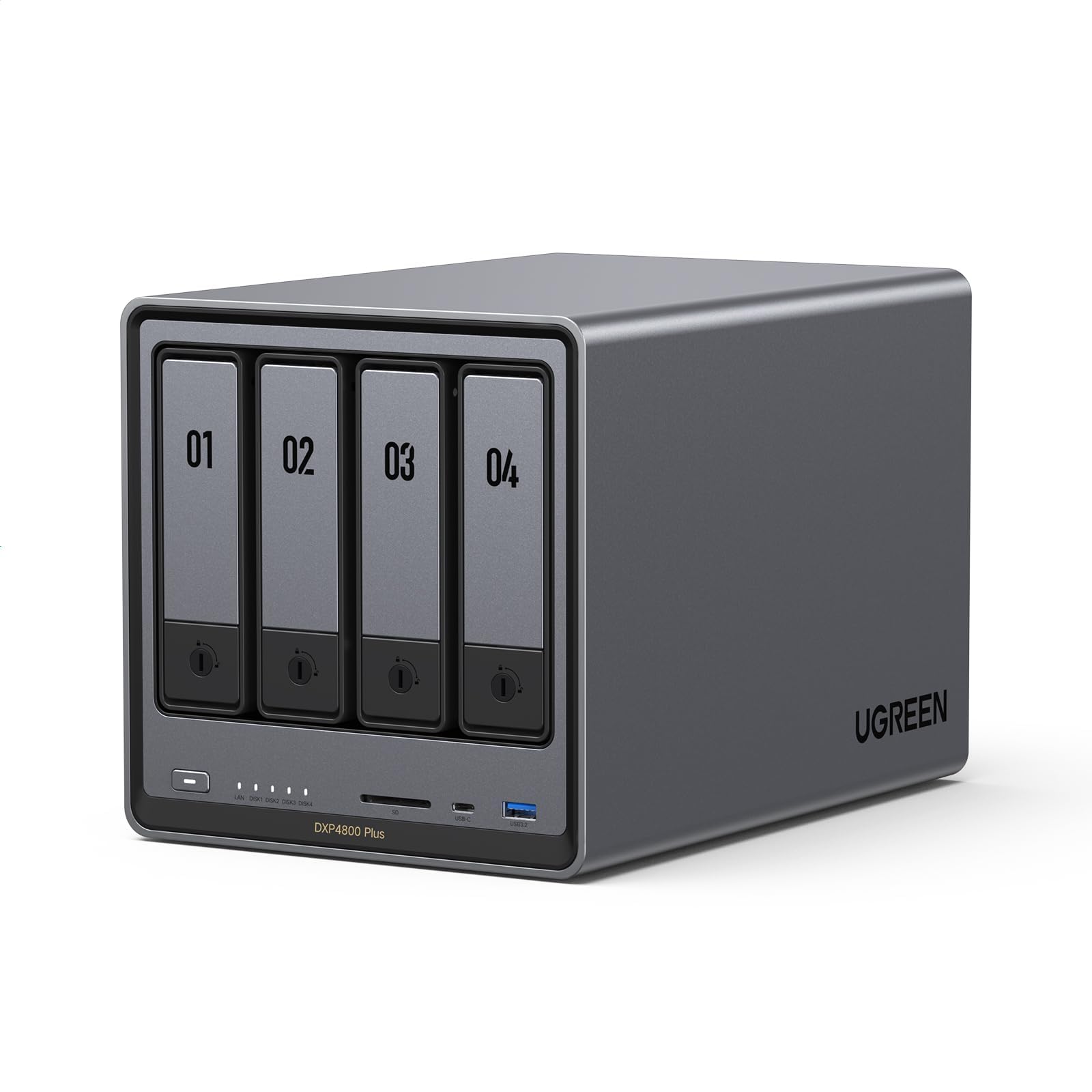
You’re looking at a powerful desktop NAS that’s aimed at creators and small teams who want local performance and flexibility. With a Pentium Gold CPU, DDR5 memory, NVMe slots and a 10GbE port, it handles media streaming, fast backups and containerized apps without feeling sluggish. The built‑in 4K HDMI and app ecosystem also make it handy as a media hub or Plex server. If you want a single box that can serve as fast shared storage, a media server and a light app host, this unit covers those roles well.
What People Say
People frequently praise how the unit brings desktop‑class hardware to a compact NAS, noting fast transfers and smooth Plex or Docker use. Reviewers like the easy drive installation and expandability, and many appreciate the 10GbE option for faster LAN performance.
A few users point out minor software polish issues or the need to pick compatible SSDs for NVMe cooling, but overall the hardware value and speed get the most positive feedback.
Overall Sentiment: Positive

When To Use
Situation | How It Helps |
|---|---|
Plex / Media Server | The CPU and network bandwidth let you stream and transcode media to multiple devices with fewer hiccups than basic NAS boxes. |
Large File Backups | Fast Ethernet and NVMe caching shorten backup windows and make daily syncs feel less painful. |
Container Apps / Docker | You can run lightweight containers for Jellyfin, Home Assistant or small web services without overloading the system. |
Local Editing & Scratch Storage | NVMe pools and 10GbE let you host project files for collaborative editing with better responsiveness than standard gigabit setups. |
Versatility
This NAS is versatile for prosumers, small studios and home labs: it handles media, backups and lightweight server tasks. It’s not positioned as an enterprise appliance, but it offers a lot of headroom for growing home or small‑business needs.
Key Benefits
- High‑Performance CPU And DDR5 Memory
- 10GbE And 2.5GbE Network Options
- NVMe Slots For Caching Or Fast Pools
- 4K HDMI Output For Direct Media Playback
- Tool‑Less Drive Installation
Current Price: $619.99
Rating: 4.5 (total: 490+)

You want a compact, reliable drive that moves large files without slowing you down. This SanDisk portable SSD delivers solid read speeds for backups, media transfers, and editing on the go, while the rugged casing and hook make it easy to carry and less worrying to toss in a bag.
It’s a practical step up from spinning disks when you need speed and portability without a huge price jump.
What People Say
Buyers repeatedly point to the speed and portability as the main wins, saying it makes large transfers and mobile editing much easier. People like the durable feel and how the drive hooks into a bag or keyring, and many praise the cross‑platform compatibility.
A small number note it warms during long transfers or that peak throughput depends on host ports and cables.
Overall Sentiment: Positive

When To Use
Situation | How It Helps |
|---|---|
Quick Backups | You can move whole project folders or run fast hourly backups without long wait times. |
On‑The‑Go Editing | Edit photos or video directly from the drive to avoid filling your laptop’s internal storage. |
Phone Offloads | Use USB‑C to rapidly transfer large photo and video batches from mobile devices. |
Travel Storage | Rugged casing and the rubber hook make it easy to carry and less likely to get damaged in transit. |
Versatility
Great for creators, students, and anyone who needs fast portable storage for backups, editing, and cross‑device transfers. It’s not a substitute for high‑end NVMe docks when you need absolute peak throughput, but it balances speed, durability and affordability well.
Key Benefits
- Up to 800MB/s Read Speeds
- Compact, Rugged Design
- USB‑C Compatibility
- Drop Protection and Rubber Hook
- Plug‑and‑Play Across Devices
Current Price: $249.99
Rating: 4.6 (total: 9,345+)

You want a drive that combines huge capacity with top speeds and real durability. The T9 puts 4TB in a compact, rubberized chassis that can handle drops and travel while delivering near‑NVMe transfer rates on compatible ports.
It’s great for large project transfers, editing directly from the drive, and carrying a full game or media library between machines. Keep in mind you need a 20Gbps host port and the right cable to reach the absolute top numbers, but even on 10Gbps it’s noticeably fast.
What People Say
Buyers frequently praise the T9 for delivering very fast transfers and the convenience of large capacity in a pocketable package. Reviewers like the solid build and how it holds up during travel, and many call out seamless compatibility with Macs, PCs and consoles.
A few note that peak performance depends on having a true USB 3.2 Gen 2×2 host and that the drive can run warm during extended heavy writes.
Overall Sentiment: Positive

When To Use
Situation | How It Helps |
|---|---|
On‑Location Editing | You can edit high‑resolution video directly from the drive with minimal lag, reducing the need to offload to slower storage. |
Large Project Backups | Move multi‑hundred‑GB project folders quickly during off‑hours, shortening backup windows and freeing internal drive space. |
Portable Game Library | Keep large game installs on the drive for fast load times and easy portability between consoles or PCs. |
Cross‑Device Transfers | Use the USB‑C interface to shuttle large media libraries between laptops, tablets, and compatible phones without long waits. |
Versatility
Excellent for creators, gamers, and professionals who need both high capacity and fast portable performance. It handles backups, direct editing, and multi‑device transfers well, though enterprise always‑on roles may call for different solutions.
Key Benefits
- Very High Read/Write Speeds
- Large 4TB Capacity
- Rugged, Drop‑Resistant Design
- Dynamic Thermal Guard
- AES‑256 Hardware Encryption
Current Price: $799.99
Rating: 4.6 (total: 2,612+)

You want a small NAS that makes sharing files and backing up devices simple, and the DS223 delivers a polished DSM experience in a compact package. It’s a good fit for centralizing photos, Time Machine backups, or serving media around the house without a steep learning curve.
Install drives, follow the guided setup, and you’ll have shared folders, automated backups and mobile access in short order. If you need a reliable, everyday NAS that’s easy to manage, this model covers the essentials well.
What People Say
Buyers often praise how intuitive Synology’s software is and how quickly the DS223 gets basic NAS tasks done, like scheduled backups and file sharing. Reviewers appreciate the device’s compact footprint and reliable performance for home media and photo archives. A few people mention the learning curve for advanced features, but most find the guided setup and apps make everyday use straightforward.
Overall Sentiment: Positive

When To Use
Situation | How It Helps |
|---|---|
Time Machine Backups | Connect and configure once to keep automatic Mac backups without juggling external drives. |
Family Media Library | Store movies, photos and music centrally so every device on your network can stream without duplicated files. |
Remote File Access | Use Synology’s mobile apps to grab documents or photos from home while you’re out and about. |
Light App Hosting | Run photo indexing, simple web services or a small Plex/Jellyfin server without needing a full server rack. |
Versatility
Great for home offices, students and small teams that need centralized storage, automated backups and easy media streaming. It’s flexible for everyday NAS roles but not intended for heavy virtualization or enterprise workloads.
Key Benefits
- User‑Friendly DSM Interface
- Compact Two‑Bay Design
- Centralized Backups And Sync
- Good App Ecosystem For Media
- Energy‑Efficient And Quiet
Current Price: $284.99
Rating: 4.5 (total: 793+)
You want huge, fast, and portable storage that you can actually take into the field. This 8TB SanDisk packs massive capacity into a compact, rubberized shell that resists dust and light water, and it moves large projects quickly over USB‑C.
It’s aimed at creators and professionals who need a single drive to hold full libraries, edit directly, or carry archives between locations. Expect fast transfers on compatible hosts and solid real‑world durability for travel and shoots.
What People Say
Customers often highlight how freeing the combination of large capacity and solid transfer speeds is for handling entire photo or video libraries. Many praise the rugged design and included cable options for easy cross‑device use, while a few remind you that peak speeds require a compatible USB 3.2 host and that the drive can warm under very long transfers.
Overall Sentiment: Positive

When To Use
Situation | How It Helps |
|---|---|
Field Shoots | Back up multiple camera cards quickly and store full session archives in one rugged drive you can trust on location. |
Direct Editing | Edit large video timelines straight from the SSD to avoid cluttering your laptop and to speed up export and render times. |
Mass Archive | Consolidate years of photos, raw files and project folders into a single portable vault that’s faster and quieter than spinning drives. |
Travel & Gaming | Carry a large game or media library between machines, with rugged protection and faster load times than HDDs. |
Versatility
This drive is ideal for creators, prosumers and anyone needing large, fast portable storage; it handles backups, direct editing and cross‑device transfers but isn’t meant as always‑on server storage.
Key Benefits
- Massive 8TB Capacity
- Fast 1050/1000 MB/s Transfers
- IP55 Dust and Water Resistance
- Hardware AES‑256 Encryption
- Carabiner Loop and Rugged Build
Current Price: $1,099.99
Rating: 4.6 (total: 87,626+)

You want an affordable way to keep a local copy of your files and the LinkStation does the basics without a lot of fuss. It arrives with a drive preinstalled, connects to your router, and presents shared folders for backups and media. Setup can feel dated compared with modern NAS systems, but for straightforward Time Machine jobs or a single shared repository it’s a cost‑effective choice.
If you need advanced features or rock‑solid uptime, plan for extra steps and occasional troubleshooting.
What People Say
People appreciate that the LinkStation gives you a ready‑to‑use network drive at a low price and that it integrates easily with Time Machine and basic home backups. Reviewers also mention intermittent connectivity or software quirks and advise checking firmware and network settings.
Many value the device as a simple local cloud, but some expect more polished apps and stronger reliability from newer NAS models.
Overall Sentiment: Neutral

When To Use
Situation | How It Helps |
|---|---|
Time Machine Backups | Plug it into your network and set Time Machine to back up your Mac automatically without juggling external drives. |
Central File Repository | Keep family photos, documents and shared folders on one always‑on device accessible from any machine on your LAN. |
Media Sharing (DLNA) | Serve a small library of videos and music to smart TVs and media players on your home network. |
Occasional Offsite Access | Use the built‑in remote access features to grab a file when you’re away from home, though setup can be fiddly. |
Versatility
Good for entry‑level home backups, basic media sharing, and a cheap always‑on repository. It’s not designed for heavy multitasking, large business use, or advanced virtualization.
Key Benefits
- Includes 2TB Drive
- Easy Basic Setup
- Works With Time Machine
- Low Entry Price
- Compact Desktop Footprint
Current Price: $139.99
Rating: 3.8 (total: 3,198+)

If you need fast, local storage without building a server, the TR‑004 is a neat option. It hooks to your PC or Mac over USB‑C and gives you hardware RAID options so you can prioritize speed or redundancy.
The enclosure is straightforward to populate with drives and offers flexible modes for backups, media libraries, or a simple RAID array for a home workstation. It’s not a full NAS but it’s an affordable way to get RAID and extra bays on demand.
What People Say
Buyers like the TR‑004 for giving RAID capabilities without a full server, and many highlight how easy it is to install drives and pick a RAID mode. People also value the USB‑C connection for decent throughput and the unit’s compact size.
A few users caution that drive choice matters for reliability and that the plastic trays can feel a bit lightweight.
Overall Sentiment: Positive

When To Use
Situation | How It Helps |
|---|---|
Local Video Editing | Attach fast HDDs or SSDs to the enclosure to create a RAID array for smoother local editing and quicker project transfers. |
Redundant Backups | Use RAID 1 or RAID 5 to mirror critical data so a single drive failure won’t wipe out your backups. |
Temporary High‑Capacity Storage | Populate the bays with large drives for short‑term projects or migrations without changing your main workstation. |
DAS For Home Lab | Connect to a small PC or mini server as an inexpensive way to test RAID setups or expand storage for VMs and containers. |
Versatility
Useful as a direct‑attached RAID enclosure for creators, IT hobbyists and anyone needing extra local storage. It’s flexible across drive types and RAID levels but not a replacement for a networked NAS if you need multi‑user services.
Key Benefits
- Hardware RAID Controller
- USB‑C Direct Attached Speed
- Supports 2.5″ and 3.5″ Drives
- Multiple RAID Modes
- Compact, Tool‑Less Drive Bays
Current Price: $219.00
Rating: 4.2 (total: 679+)
If you want RAID without building a server, the TR‑004 plugs into your Mac or PC over USB‑C and gives you four bays with hardware RAID control. It’s useful when you need fast local storage, temporary high‑capacity arrays, or a simple RAID testbed.
Installation is straightforward and the enclosure supports both 2.5″ and 3.5″ drives, so you can mix HDDs and SSDs depending on whether you prioritize capacity or speed.
What People Say
You’ll find users appreciating the TR‑004 as a cost‑effective way to add RAID and extra bays without a NAS. Common praise focuses on easy drive installation, the flexibility of RAID modes, and decent throughput over USB‑C.
A few people note that drive choice affects reliability and that the plastic trays can feel a bit light, so testing with your drives is recommended.
Overall Sentiment: Positive

When To Use
Situation | How It Helps |
|---|---|
Local Video Editing | Create a RAID 0 or RAID 10 array for faster project transfers and smoother timeline playback when working directly from local storage. |
Redundant Backups | Use RAID 1 or RAID 5 to mirror important data so a single drive failure won’t destroy your backup set. |
Drive Migration | Populate the bays with large drives for one‑time migrations or temporary expansion without changing your main system. |
Home Lab Storage | Attach it to a small server or workstation as an inexpensive way to test RAID configurations or expand VM storage. |
Versatility
Good for creators, IT hobbyists and small offices that need fast, local RAID arrays. It’s flexible across drive types and RAID levels but not a replacement for a multi‑user NAS when you need persistent network services.
Key Benefits
- Hardware RAID Support
- USB‑C Direct Attached Speed
- Tool‑Less Drive Installation
- Supports 2.5″ and 3.5″ Drives
- Flexible RAID Modes
Current Price: $219.00
Rating: 4.2 (total: 679+)

You want a small NAS that feels snappy on a home network, and the TS‑216G delivers a step up from basic boxes with its quad‑core CPU and 2.5GbE port. It’s handy for centralized backups, media streaming and light app hosting without taking much desk space.
Install two drives, follow the DSM‑like setup, and you’ll have shared folders, scheduled backups and basic media services running quickly.
What People Say
Users consistently praise the unit’s performance for a compact NAS, noting faster LAN transfers with the 2.5GbE port and responsive handling of backups and media. People like that it’s easy to set up and fits well on a desk, while a few mention that advanced features have a learning curve and that drive selection matters for reliability.
Overall Sentiment: Positive

When To Use
Situation | How It Helps |
|---|---|
Time Machine Backups | Set up scheduled Mac backups so your laptop files are saved automatically without juggling external drives. |
Home Media Server | Store and stream movies and music to TVs and devices on your network with better responsiveness than entry‑level boxes. |
Shared Project Storage | Share large project folders across workstations so collaborators can access the same files without duplication. |
Light App Hosting | Run photo indexing, small web tools or a simple Plex/Jellyfin instance without needing a full server. |
Versatility
Good choice for home offices and small teams that need centralized backups, media streaming and basic app hosting. It’s versatile for typical NAS roles but not aimed at heavy virtualization or enterprise workloads.
Key Benefits
- 2.5GbE Faster Network Transfers
- Quad‑Core Processor For Smooth Tasks
- Compact Two‑Bay Design
- Good For Backups And Media
- Simple File Sharing And Apps
Current Price: $269.00
Rating: 4.4 (total: 63+)

You’re looking at a rack‑style NAS built for heavy home‑office and small‑studio workloads. With a quad‑core CPU, DDR4 memory and both 10GbE and 2.5GbE networking, the Lockerstor 10 handles large backups, fast media streaming and multiple app services without choking.
The dual M.2 slots let you add caching or super‑fast pools, and ten bays give room to grow. If you want a single device that can be a fast archive, Plex/Jellyfin server and a small app host, this one covers a lot of bases.
What People Say
Users often highlight the hardware horsepower and expandability, saying the box is noticeably faster than consumer two‑bay models and handles Plex, backups and Docker containers well. People like the tool‑less drive trays and the 10‑bay headroom for growth, while a few mention that advanced setup and optional upgrades take some reading or a tutorial to get right.
Overall Sentiment: Positive

When To Use
Situation | How It Helps |
|---|---|
Studio Media Server | Host and transcode large video libraries with smoother playback and faster library scans thanks to the CPU and fast network ports. |
Enterprise‑Style Backups | Create RAID arrays across many drives to keep multi‑TB client backups safe and shorten backup windows with higher throughput. |
VMs & Containers | Run light VMs or Docker apps for testing, sync services, or web tools without needing a separate server. |
High‑Capacity Archive | Consolidate years of photos, projects and archives into a single chassis with room to expand as your data grows. |
Versatility
This unit is versatile for prosumers, small studios and small businesses that need a mix of high capacity, fast networking and room for NVMe caching. It’s less aimed at ultra‑small setups that just need simple backups, but it shines where multiple services and larger storage pools are required.
Key Benefits
- High‑Performance CPU And Memory
- 10 Bays For Large Capacity
- 10GbE And 2.5GbE Network Ports
- Dual M.2 NVMe Slots For Caching
- Good For Media And Backup Workloads
Current Price: $1,271.99
Rating: 4.4 (total: 691+)

You’re looking at a compact but capable NAS that balances speed and expandability. With a quad‑core processor, dual multi‑gig ports and M.2 slots for caching, it moves large files quickly and supports media streaming, backups and small server apps.
It’s a good fit if you want more performance than entry‑level boxes but don’t need full enterprise hardware; add RAM or NVMe cache later to boost responsiveness for heavier tasks.
What People Say
Users often praise the device’s speed and expandability, noting that the multi‑gig network ports and NVMe options make transfers and media serving noticeably snappier than basic NAS units. Many highlight that a RAM or SSD upgrade significantly improves performance, and reviewers appreciate the broad app support for Plex, backups and lightweight containers.
A few mention that advanced features require a little reading or tinkering to get the most out of the box.
Overall Sentiment: Positive

When To Use
Situation | How It Helps |
|---|---|
Media Server | Dual 2.5GbE and the CPU let you stream and transcode multimedia to multiple devices with fewer hiccups. |
Project Backups | High throughput shortens backup windows for large project folders and keeps your workstation responsive. |
VMs and Containers | You can run light Docker containers or virtual machines for testing and small services without a separate server. |
Cache‑Accelerated Storage | Add NVMe SSDs for read/write caching to speed common file access patterns and improve app responsiveness. |
Versatility
Suitable for prosumers, small studios and home offices that need faster LAN performance, media services and room to expand. It handles backups, streaming and light server tasks well but isn’t targeted at large enterprise virtualization.
Key Benefits
- Quad‑Core Performance
- Dual 2.5GbE Networking
- Four M.2 NVMe Slots
- Compact Two‑Bay Footprint
- Good App And Media Support
Current Price: $458.99
Rating: 4.2 (total: 449+)
FAQ
Which Drive Type Should I Choose?
You’ll want to pick the drive that matches how you work. Choose an SSD if you need speed for editing, frequent large transfers, or reliable portable use; SSDs are quieter, more durable against drops, and faster but cost more (for example, a 2TB SanDisk SSD runs around $204.39). Choose an HDD if you need affordable bulk storage or long archives—a Seagate 2TB portable HDD is about $79.99 and gives lots of space for backups and media collections.
How Much Capacity Do I Need?
Think about your files and how long you keep them. If you mainly store documents and photos, 1–2TB will often do; if you work with video, large RAW photo libraries or game libraries, plan for 4TB or more.
It’s easier and usually cheaper to choose a little extra capacity now rather than moving data later, so aim for the smallest size that still leaves breathing room for growth.
How Do I Protect My Data?
Don’t rely on a single drive as your only copy; use a simple backup strategy such as keeping at least two copies with one offsite or cloud copy and test restores occasionally. Use the drive’s password or hardware encryption for sensitive files, enable scheduled backups from your computer, and consider a NAS if you need shared, always‑on access.
Also check warranty and rescue options—some drives include services that help with recovery if something goes wrong—and replace cheap supplied cables if they feel flimsy.
What Buyers Prefer
You usually pick by priorities: if you want the best price per terabyte and simple plug‑and‑play backups you’ll lean toward the Seagate 2TB or 5TB portables, while if you value speed, durability and editing on the go you’ll favor the SanDisk 2TB Extreme for its SSD performance and rugged build. Reliability, cross‑platform compatibility and whether you need portability or raw capacity tend to decide which one you buy.
Wrapping Up
Now that you know the tradeoffs, choose based on how you work. If you move large files and want responsiveness pick an SSD like the SanDisk Extreme or Crucial X10. If you need lots of cheap, simple backup space pick a portable HDD such as the Seagate or WD Elements.
If you want shared access, redundancy, and expandability, consider a NAS like the Synology DS225+ or a 4‑bay value option like the UGREEN DH4300. Match interface and capacity to your laptop and workflow, keep at least one copy of critical data offsite, and you’ll have a fast, reliable setup that protects your work and keeps your home office running smoothly.
| Product Name | Image | Rating | Storage Capacity | Type | Interface | Price |
|---|---|---|---|---|---|---|
| Seagate Portable 2TB External Hard Drive HDD |  | 4.6/5 (270,219 reviews) | 2 TB | HDD | USB 3.0 | $79.99 |
| Seagate Portable 5TB External Hard Drive HDD |  | 4.6/5 (213,595 reviews) | 5 TB | HDD | USB 3.0 | $149.99 |
| SanDisk 2TB Extreme Portable SSD |  | 4.6/5 (86,926 reviews) | 2 TB | SSD | USB-C, USB 3.2 Gen 2 | $204.39 |
| Seagate Portable 4TB External Hard Drive HDD | | 4.5/5 (No reviews yet) | 4 TB | HDD | USB 3.0 | $109.99 |
| LaCie Rugged Mini 2TB |  | 4.5/5 (10,052 reviews) | 2 TB | HDD | USB 2.0/3.0 | $89.99 |
| WD 6TB Elements Portable External Hard Drive |  | 4.6/5 (338,468 reviews) | 6 TB | HDD | USB 3.2 Gen 1/USB 3.0 | $174.19 |
| LaCie Rugged 5TB Portable HDD |  | 4.5/5 (2,377 reviews) | 5 TB | HDD | USB 2.0/3.0 | $169.99 |
| Crucial X10 1TB Portable SSD | 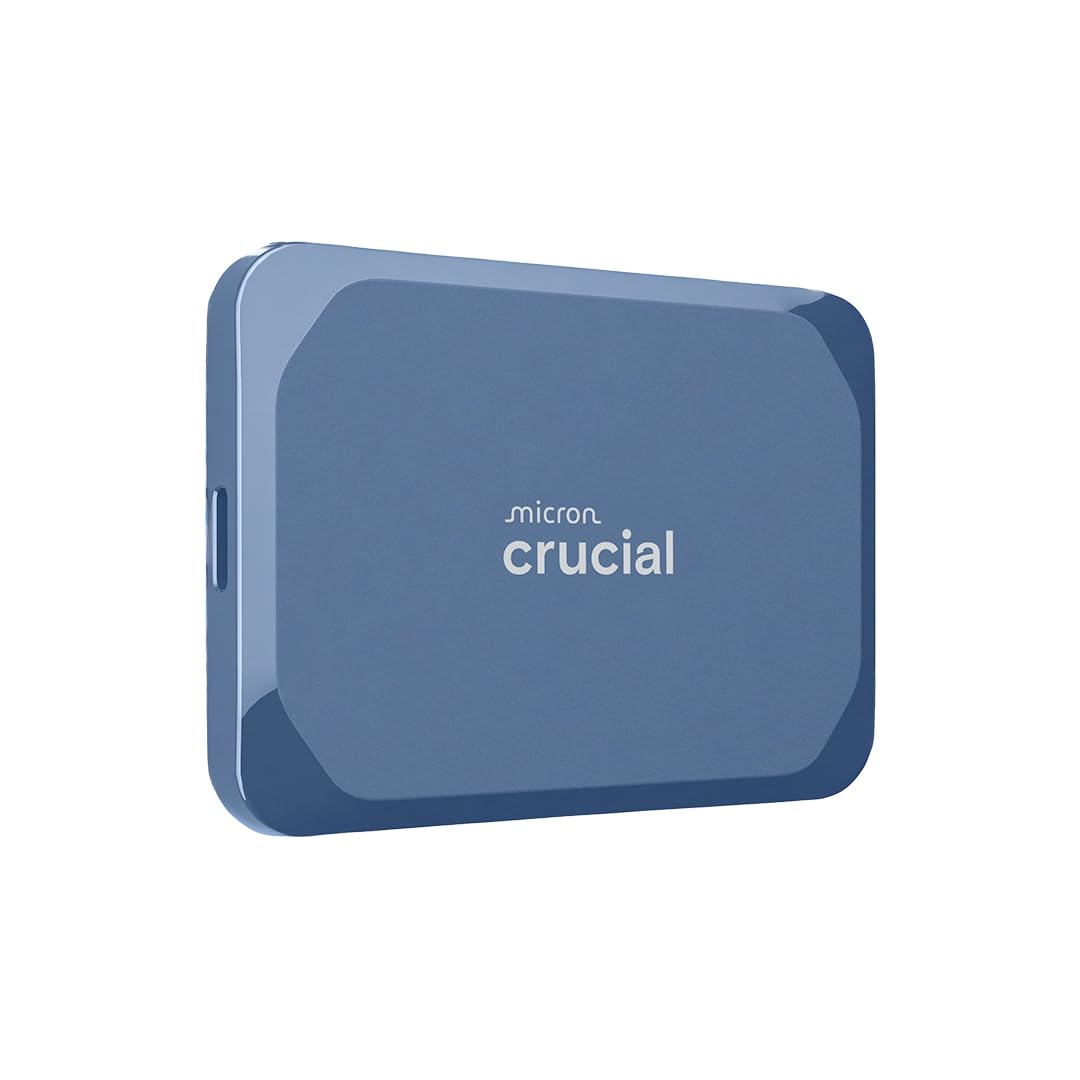 | 4.6/5 (1,604 reviews) | 1 TB | SSD | USB 3.2 USB-C | $130.99 |
| QNAP TR-004 4 Bay USB Type-C DAS | | 4.2/5 (679 reviews) | N/A | DAS | USB Type-C | $219.00 |
This Roundup is reader-supported. When you click through links we may earn a referral commission on qualifying purchases.