
Your TV can do more than broadcast channels — it can become a single hub for everything you watch, listen to and play. You’ll find choices that prioritize picture quality, speed, simple setup, or the best value. This guide helps you pick the best streaming device and apps that match your network, TV, and viewing habits so you spend less time troubleshooting and more time watching.
Read on to learn which streamers give you the smoothest 4K performance, best smart-home integration, easiest setup for parents or grandparents, and the most future-proof hardware for gaming or home theater.
Top Picks
| Category | Product | Score |
|---|---|---|
| 🏆 Best Overall | Fire Stick 4K+ | 92/100 |
| 🎯 Best Hands-Free | Fire TV Cube | 88/100 |
| 💰 Best Budget HD | Roku Stick HD | 86/100 |
| ⭐ Best 4K Value | Roku Stick Plus | 89/100 |
| 🔰 Best for Beginners | Fire Stick HD | 84/100 |
| 🚀 Best Picture Quality | Roku Stick 4K | 91/100 |
| 🏅 Best Premium Roku | Roku Ultra | 90/100 |
| 🎮 Best for Performance | Fire Stick Max | 92/100 |
| 🎨 Best Google Experience | Google Streamer | 87/100 |
| 💼 Best for Power Users | NVIDIA SHIELD | 93/100 |
Selection Criteria
You want a streamer that works reliably with your TV, apps and home network. We focused on: performance (app launch speed, UI responsiveness), video and audio formats (4K, Dolby Vision, Dolby Atmos), connectivity (Wi‑Fi 6/6E, Ethernet), expandability (storage, USB, ports), voice and smart‑home integration, ease of setup and everyday use, and value at the listed price. For specialist picks we weighted features like hands‑free voice control, advanced upscaling and gaming support more heavily so you get a clear recommendation whether you want simplicity, premium home‑theater features, or future-proof horsepower.
🏆 Best Overall

If you want a compact streamer that handles everyday viewing and the occasional big movie night with equal ease, this is the one to reach for. You get smooth 4K playback, Dolby Vision and Dolby Atmos support for richer picture and sound, and Wi‑Fi 6 to keep streams steady when your network is busy.
Search feels smarter thanks to AI-powered Fire TV Search and Alexa, so finding something to watch takes less scrolling. It’s also handy for travel or breathing new life into an older TV — plug it in, connect to Wi‑Fi and you’re set.
For most people I’d recommend this as a reliable, versatile pick that covers streaming, casual cloud gaming, and smart-home control without making things complicated.
What People Say
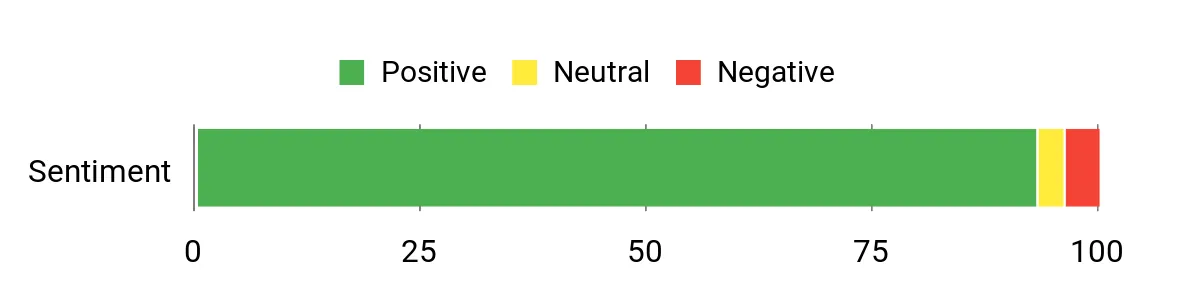
Customers frequently praise the device’s picture quality and smooth performance, noting how much better streaming can feel compared with older built-in TV apps. People like the Alexa remote and the quick search features, and many appreciate the Wi‑Fi 6 support and the long-term software updates.
A minority report occasional setup or connectivity hiccups, but most say those problems are rare or solvable.
Overall Sentiment: Positive
Long-Term Cost Benefits
You don’t need to replace a whole TV to get modern streaming features — this stick adds 4K, HDR and updated apps to older sets and keeps receiving software updates for years. Free ad-supported apps and the ability to stream games via the cloud mean you can try new content without immediately buying new hardware.
Situational Benefits
| Situation | How It Helps |
|---|---|
| Old TV needs an upgrade | Plugs into any HDMI port to add modern apps, better UI and 4K/HDR playback without buying a new set. |
| Family movie night | Delivers reliable 4K picture and immersive audio so movies feel more cinematic, plus quick access to streaming apps. |
| Travel or hotel stays | Compact and portable, you can use a hotel or travel router to stream your apps on any TV with HDMI. |
| Casual gaming | Supports cloud gaming via Xbox Game Pass, letting you play higher-end titles without a console. |
| Smart home control | Use Alexa from the remote to check cameras, control lights and bring smart-home routines to the TV. |
Ease Of Use
| Feature | Ease Level |
|---|---|
| Initial Setup | Easy |
| Voice Search (Alexa) | Easy |
| Remote Controls | Easy |
| App Navigation | Moderate |
| Bluetooth Pairing | Easy |
Versatility
This stick works for casual daily TV watching, weekend binges, streaming live events, and light cloud gaming. It also doubles as a smart-home hub display when you want to see camera feeds or run Alexa routines from the couch.
Compatibility
| Platform | Compatibility Level |
|---|---|
| Streaming Services (Netflix, Prime, Disney+ etc.) | High |
| 4K and HDR TVs (Dolby Vision, HDR10+) | Excellent |
| Bluetooth Audio and Accessories | Good |
| Xbox Cloud Gaming | Supported |
| Alexa and Smart Home Devices | Wide |
Practicality
Small, low-profile and simple to stash behind a TV, the stick is practical for almost any living room. It relies on your Wi‑Fi, so performance is best with a modern router, but once it’s running it becomes the everyday way you watch shows and control smart devices.
Fun Factor
Between the large catalog of movies and shows, voice shortcuts that help you find something fast, and cloud gaming options, it adds a lot of entertainment value to a TV setup without any fuss.
Key Benefits
- Fast 4K streaming with Dolby Vision and Dolby Atmos support
- Smarter search and voice control via Alexa
- Wi‑Fi 6 support for more reliable playback on crowded networks
- Access to millions of titles plus free ad-supported content
- Cloud gaming support with Xbox Game Pass for casual play
Rating: 4.7 (total: 93986+)
🎯 Best Hands-Free
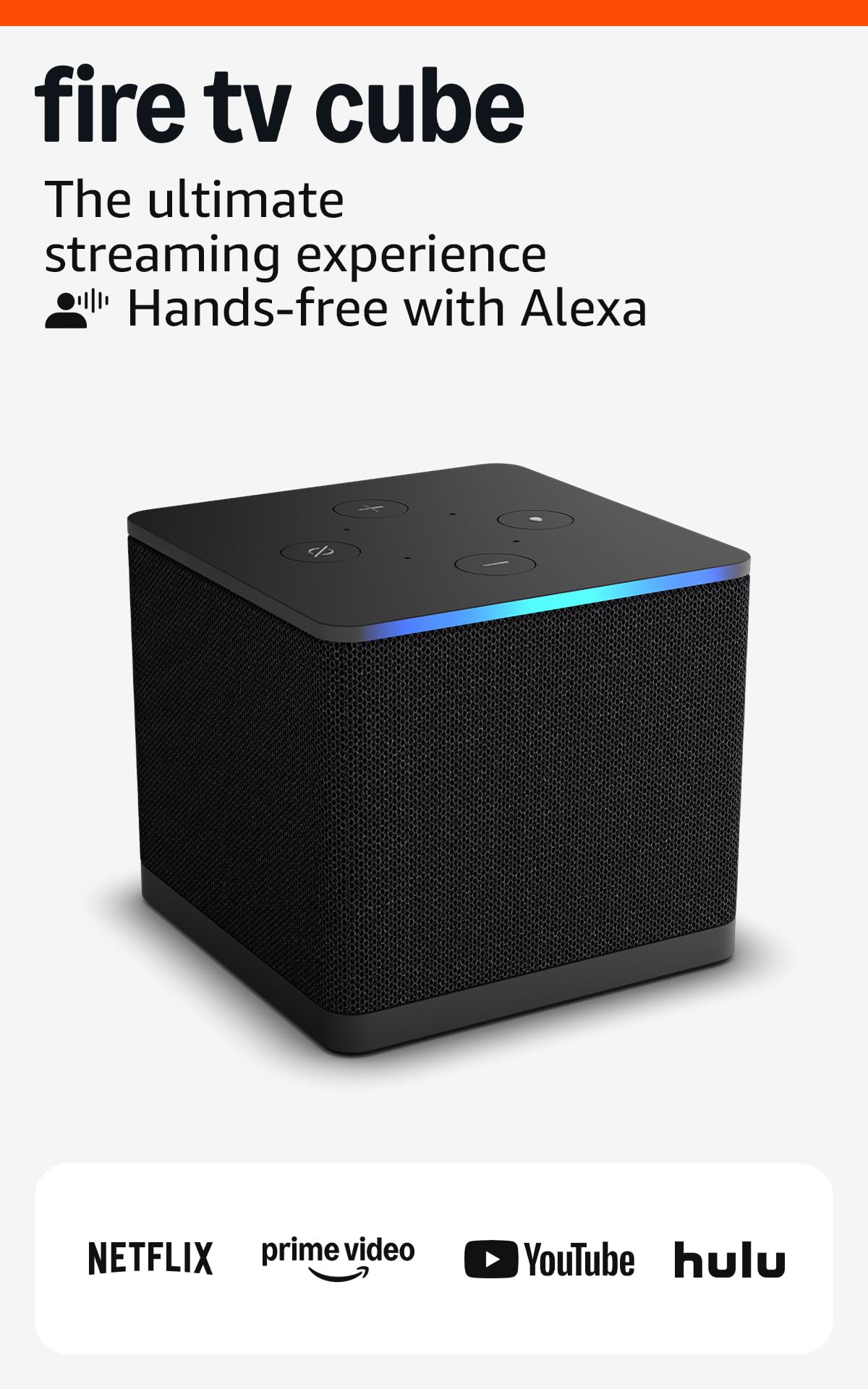
If you want a streaming device that feels like it runs the living room for you, the Fire TV Cube is a solid pick. It’s built for hands-free control with far-field Alexa, plus faster navigation thanks to a beefy octa-core processor. You get true-to-life 4K playback with Dolby Vision and Atmos, HDMI in/out for switching between consoles or cable boxes, and Wi‑Fi 6E support to keep high-bitrate streams steady when the network is busy.
Day-to-day it’s great for quick searches, watching shows, and checking camera feeds; for special occasions it doubles as a compact home-theater brain—switching inputs, routing audio, and handling voice commands during movie night. If you like the idea of a smart, voice-forward hub that reduces fumbling with remotes, this is the one I’d recommend trying.
What People Say
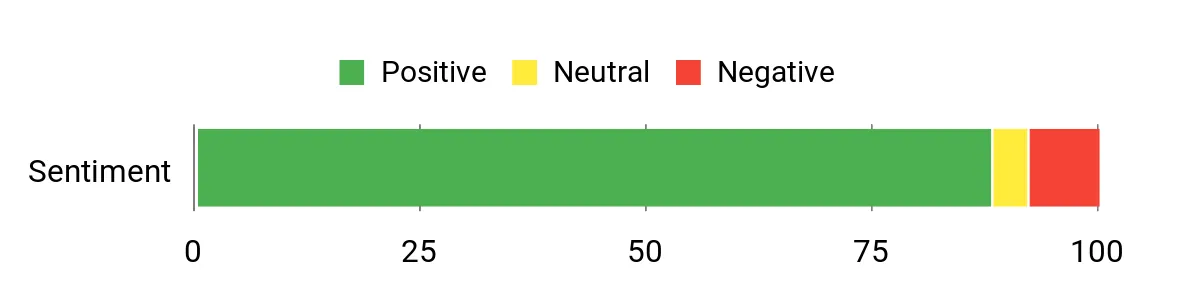
Most users mention how snappy the Cube feels and praise the hands-free Alexa experience and seamless control of TVs and soundbars. People also notice better picture and audio support, especially when paired with compatible TVs and receivers.
A fair number report occasional glitches like freezes or audio/display quirks, but overall reviews lean toward reliability and useful smart-home integration.
Overall Sentiment: Positive
Long-Term Cost Benefits
You get years of software security updates and ongoing app support, so the Cube can keep your TV feeling modern without replacing the set. Built-in Alexa and device-control features can also simplify your setup so you don’t need extra hubs or remotes down the road.
Situational Benefits
| Situation | How It Helps |
|---|---|
| Main living-room hub | Controls TV, soundbar and other HDMI devices by voice so you can switch inputs and adjust volume without juggling remotes. |
| Movie night | Delivers 4K HDR and Dolby Atmos support for more cinematic picture and sound when you want a richer experience. |
| Busy Wi‑Fi environments | Wi‑Fi 6E support helps keep 4K streams smoother when multiple devices are active on your network. |
| Smart-home control on screen | Use Alexa to view camera feeds, start video calls, or run routines directly from the TV. |
| Multi-source setups | HDMI input and pass-through make it easy to keep consoles, cable boxes or Blu‑ray players connected without swapping cables. |
Ease Of Use
| Feature | Ease Level |
|---|---|
| Initial Setup | Easy |
| Voice Control (Alexa) | Easy |
| Switching Inputs / Equipment Control | Moderate |
| App Navigation | Moderate |
| Remote Controls | Easy |
Versatility
This cube covers everyday streaming, big movie nights, smart-home interaction, and multi-device setups. It’s equally useful if you want hands-free voice search from the couch or a single box to manage several HDMI sources.
Compatibility
| Platform | Compatibility Level |
|---|---|
| Streaming Services (Netflix, Prime, Disney+ etc.) | High |
| 4K and HDR TVs (Dolby Vision, HDR10+) | Excellent |
| AV Receivers and Soundbars | Good |
| Alexa and Smart Home Devices | Wide |
| Game Consoles and HDMI Devices | Supported |
Practicality
The Cube is compact and easy to place on a shelf, and the added Ethernet port and HDMI passthrough make it practical for more complex home-theater setups. It does rely on compatible hardware to unlock its full audio/video capabilities, so pairing it with modern TVs and receivers pays off.
Fun Factor
Between voice searches that actually understand natural phrases, fast app switching, and the ability to flip between streaming and gaming sources, it adds a playful, convenient layer to how you watch and control content.
Key Benefits
- True hands-free control with built-in far-field Alexa
- Fast performance and quick app starts thanks to an octa-core processor
- 4K HDR with Dolby Vision and Dolby Atmos for cinematic picture and sound
- HDMI in/out and device control to switch between consoles, cable boxes, and streaming
- Wi‑Fi 6E support for smoother high-resolution streaming on modern networks
Rating: 4.5 (total: 15120+)
💰 Best Budget HD

If you want a simple way to breathe new life into a TV, this Roku stick is one of the easiest options to live with. You plug it into HDMI, power it from the TV’s USB (no extra wall wart needed), and the clean home screen gets you to apps and free live channels fast. Day-to-day it’s great for casual watching, second-room TVs, or a kitchen setup where you want fast access to news, streaming apps, and hands-free searching with the voice remote; for special occasions it’s portable enough to take on trips or use on a spare TV. You get Bluetooth Headphone Mode for quiet evenings and broad smart-home compatibility (Alexa, AirPlay, Google Home), so it fits a lot of setups without fuss.
If you want a reliable, no-frills upgrade that’s easy to live with, this is a sensible pick.
What People Say
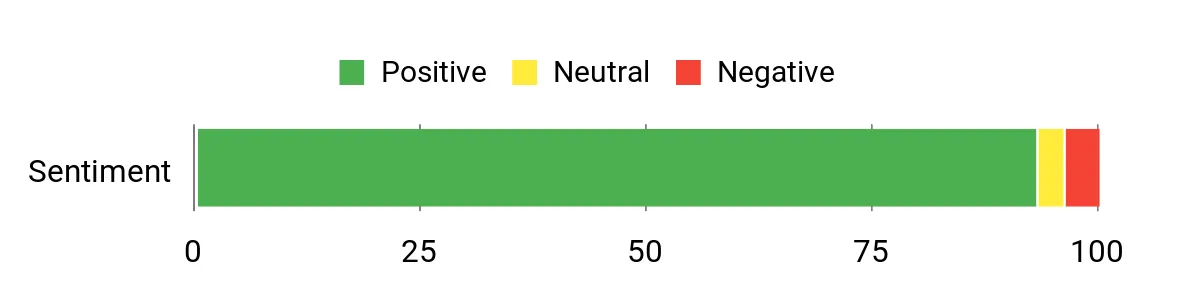
Most customers praise how easy the Roku stick is to set up and how much value you get from the free live TV lineup and bundled apps. People consistently note the compact design and that the single voice remote often replaces the TV remote for power and volume.
Common downsides mentioned are the lack of 4K support and occasional app slowdowns on weaker Wi‑Fi, but overall feedback emphasizes reliability and simplicity.
Overall Sentiment: Positive
Long-Term Cost Benefits
This stick can extend the useful life of older TVs, so you don’t need to replace the set just to get a modern streaming experience. Built-in platform updates and access to the major apps mean your viewing options stay current, and the single-device approach reduces the need for extra dongles or hubs over time.
Situational Benefits
| Situation | How It Helps |
|---|---|
| Older or ‘dumb’ TV | Turns an old set into a smart TV quickly, giving access to modern apps and free live channels without hardware overhaul. |
| Bedroom or kitchen TV | Compact stick and USB power keep cables minimal, and fast navigation makes quick viewing practical while you cook or get ready. |
| Late-night solo viewing | Bluetooth Headphone Mode lets you watch loudly without disturbing others. |
| Travel or visiting relatives | Small, portable design is easy to pack and set up on a hotel or guest TV so you keep your apps and preferences. |
| Replacing a cluttered remote setup | The voice remote can handle power and volume for many TVs, cutting down on multiple remotes on the couch. |
Ease Of Use
| Feature | Ease Level |
|---|---|
| Initial Setup | Easy |
| Voice Remote (search & control) | Easy |
| App Navigation | Easy |
| Bluetooth Headphone Pairing | Easy |
| Powering from TV USB | Easy |
Versatility
This stick works well as a simple everyday streamer, a second-room solution, or a travel companion. It handles streaming apps, free live channels, and casting features, so whether you’re watching a quick news clip or hosting a casual movie night, it adapts without needing extra gear.
Compatibility
| Platform | Compatibility Level |
|---|---|
| Streaming Services (Netflix, Prime, Disney+, Hulu) | High |
| HD TVs (1080p) | Excellent |
| 4K TVs | Limited (HD output only) |
| Smart-home (Alexa, Google Home, AirPlay) | Good |
| AV Receivers / Soundbars | Supported |
Practicality
Its small form factor and TV-powered design keep the setup clean and unobtrusive, and the remote consolidation is genuinely useful in everyday living rooms. It doesn’t deliver 4K, so pairing it with a 4K-focused home theater won’t unlock high-res benefits, but for most second TVs and simple setups it’s a practical, low-hassle solution.
Fun Factor
Between the huge selection of free live channels, easy voice searches, and the ability to quietly watch with Bluetooth headphones, it makes casual streaming more enjoyable and less fiddly. It’s the kind of gadget that quietly improves how you watch without getting in the way.
Key Benefits
- Quick, straightforward setup—plug into HDMI and power from a TV USB
- Access to 500+ free live HD channels plus all major streaming apps
- Compact design that stays out of sight and won’t block neighbor HDMI ports
- Voice remote that controls power, volume, and searches for shows
- Bluetooth Headphone Mode for private listening without extra adapters
- Portable—easy to move between TVs or take on trips
Rating: 4.7 (total: 7716+)
🔰 Best for Beginners
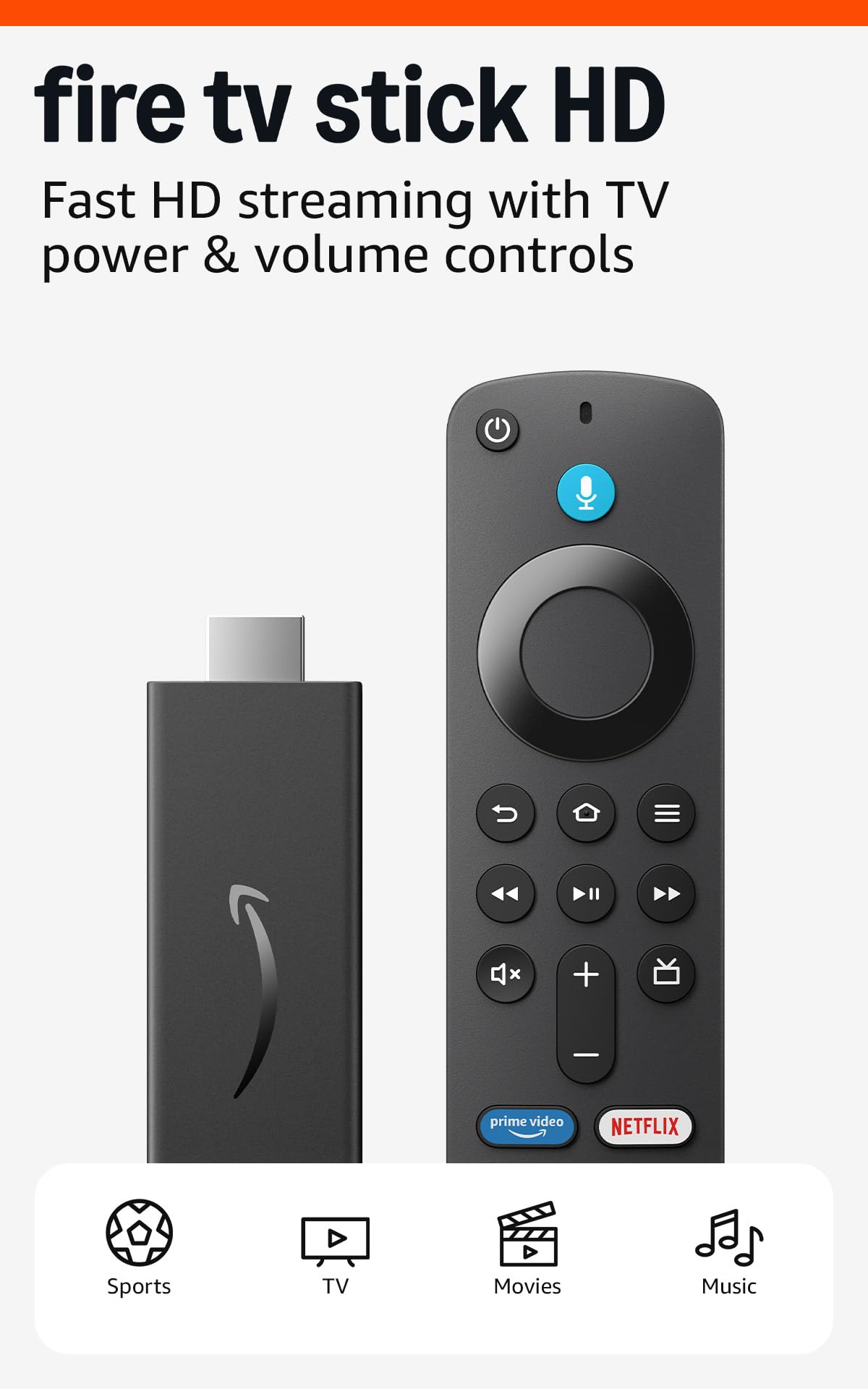
If you want a fuss‑free way to turn a regular HDTV into a smart TV, this Fire TV Stick HD is one of the simplest paths. You plug it into HDMI, power it up, connect to Wi‑Fi and you’re into apps and live channels in minutes. Day‑to‑day it’s perfect for casual watching in a bedroom, kitchen, or second TV where you don’t need 4K but appreciate a smooth interface and voice control.
For travel or visiting relatives it’s small and easy to pack, and the Alexa Voice Remote doubles as a handy media and basic TV control so you won’t be juggling remotes. If you want a low‑stress, reliable upgrade that focuses on ease of use, this is a solid pick.
What People Say
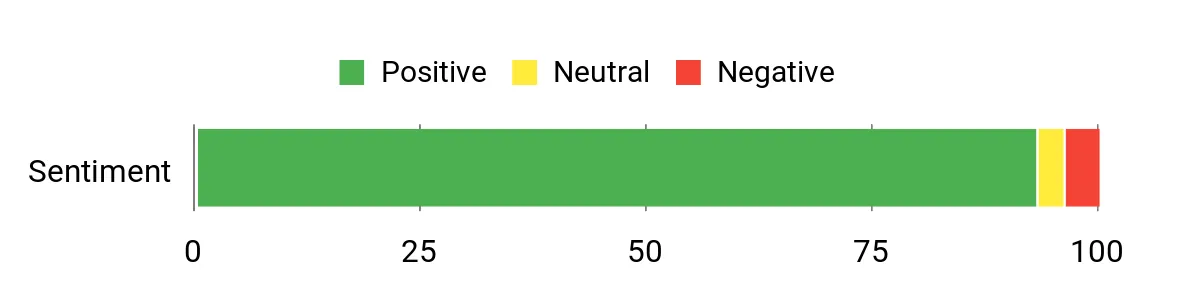
You’ll see lots of praise for how straightforward this stick is to set up and use, especially for non‑technical users and second TVs. Customers commonly call out the Alexa remote, reliable HD playback, and the fact it unlocks major apps without fuss. A few people note limits like micro‑USB power, Wi‑Fi 5 instead of Wi‑Fi 6, or occasional menu lag, but most feedback centers on value and simplicity.
Overall Sentiment: Positive
Long-Term Cost Benefits
Using this stick can keep an older HDTV useful for years, so you don’t have to replace the whole set just to get modern apps. Regular platform updates and broad app support mean your streaming options stay current, and the small‑device approach reduces the need for multiple gadgets over time.
Situational Benefits
| Situation | How It Helps |
|---|---|
| Older or non‑smart TV | Turns the set into a modern streaming hub quickly, giving you access to apps and live channels without buying a new TV. |
| Bedroom or kitchen TV | Compact stick and simple remote keep things tidy and easy to use for short viewing sessions or background TV while you cook. |
| Gifting to less tech‑savvy family | Straightforward setup and a familiar interface make it an approachable gift for parents or grandparents. |
| Travel or guest stays | Small, lightweight design is easy to pack and lets you bring your apps and preferences to a hotel or guest TV. |
| Condensed living spaces | Consolidates streaming and basic TV control into one tiny device so you keep fewer remotes and cables around. |
Ease Of Use
| Feature | Ease Level |
|---|---|
| Initial Setup | Easy |
| Voice Remote (search & control) | Easy |
| App Navigation | Easy |
| Bluetooth Pairing (headphones/controllers) | Easy |
| Menu Responsiveness | Moderate |
Versatility
This stick fits lots of roles: a simple everyday streamer, a second‑room player, a travel companion, or an easy gift. It handles streaming apps, live channels, music services and smart‑home voice tasks so you can use it for quick shows, background music, or basic home control.
Compatibility
| Platform | Compatibility Level |
|---|---|
| Streaming Services (Netflix, Prime Video, Disney+, Hulu) | High |
| HD TVs (1080p) | Excellent |
| 4K TVs | Limited (HD output only) |
| Smart‑home (Alexa) | Good |
| Bluetooth headphones / controllers | Supported |
Practicality
The tiny form factor keeps your entertainment area tidy and the included remote often replaces multiple remotes for everyday tasks. It’s not aimed at high‑end home theaters, but for most casual viewing and secondary TVs it’s a highly practical option.
Fun Factor
Between voice searches, free live channels, and easy Bluetooth headphone use, it makes everyday streaming more convenient and enjoyable. It doesn’t chase 4K thrills, but for relaxed movie nights and quick shows it improves the experience with minimal fuss.
Key Benefits
- Very easy setup — plug into HDMI, connect to Wi‑Fi and go
- Alexa Voice Remote for voice search and basic TV control
- Compact, portable design that’s easy to move between TVs
- Access to the major streaming apps plus ad‑supported free channels
- Support for HDR10 and Dolby‑encoded audio passthrough for better HD playback
- Bluetooth pairing for headphones and controllers
Rating: 4.6 (total: 48262+)
⭐ Best 4K Value

If you want a tidy, no‑fuss way to get 4K streaming on pretty much any TV, this Roku stick is a great fit. You plug it into HDMI, power it (TV USB works in many cases), connect to Wi‑Fi and you’re into apps and free live channels in minutes. It’s small enough to tuck behind a set but powerful enough for crisp 4K/HDR playback, and the voice remote keeps navigation quick when you don’t feel like typing. Use it for daily binge sessions, background news while you cook, or pack it in a bag to keep your streaming setup the same when you travel.
If you want strong picture quality without overcomplicating things, this is an easy recommendation.
What People Say
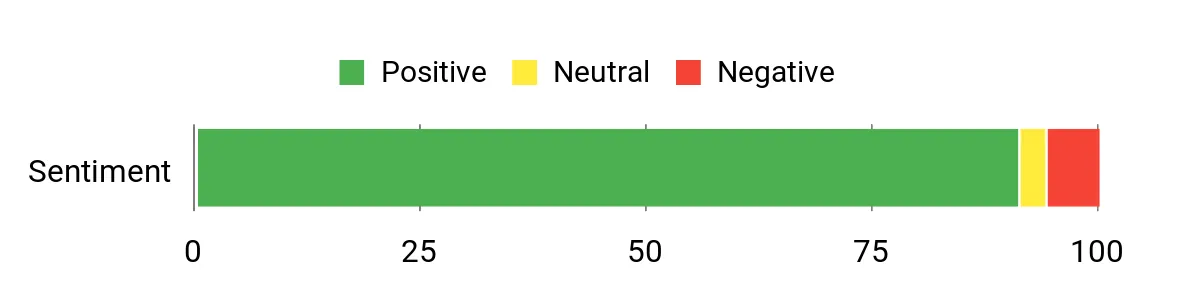
Most customers highlight how straightforward the stick is to set up and how reliably it delivers apps and free live channels. People often praise the compact form factor and the voice remote, and many call out the Bluetooth headphone feature as a nice touch. A handful of users mention minor network or initial setup quirks, but overall sentiment centers on speed, picture quality, and everyday reliability.
Overall Sentiment: Positive
Long-Term Cost Benefits
Rather than replacing an entire TV, this stick keeps older sets useful by adding modern apps and 4K playback. Its portability and broad app support mean you can standardize on one device across rooms or trips, reducing the need for multiple gadgets over time.
Situational Benefits
| Situation | How It Helps |
|---|---|
| Older or non‑smart TV | Instantly adds current streaming apps and 4K support so you avoid buying a new television. |
| Small rooms or secondary TVs | Compact stick and single remote keep clutter down and make casual viewing simple. |
| Travel or guest stays | Lightweight and easy to pack, so you can bring your streaming profile to hotels or friends’ TVs. |
| Shared household with different viewing needs | You can reorder apps and use profiles so everyone finds their favorites quickly. |
| Late‑night listening | Bluetooth Headphone Mode lets you watch without disturbing others. |
Ease Of Use
| Feature | Ease Level |
|---|---|
| Initial Setup | Easy |
| Voice Remote (search & control) | Easy |
| App Navigation | Easy |
| Bluetooth Headphone Pairing | Easy |
| Menu Responsiveness | Moderate |
Versatility
This stick works as your everyday living‑room player, a second‑room streamer, and a travel companion. It handles streaming apps, free live channels, private headphone listening, and basic smart‑home voice tasks, so it adapts to movie nights, background music, or quick catch‑ups.
Compatibility
| Platform | Compatibility Level |
|---|---|
| Major Streaming Services (Netflix, Prime Video, Disney+, Hulu) | High |
| 4K HDR TVs | Excellent |
| HD TVs (1080p) | Excellent |
| Bluetooth headphones / controllers | Supported |
| Smart home (Alexa, Google Home, Apple AirPlay) | Good |
Practicality
The slim form factor keeps your setup tidy and the remote often replaces several controllers for day‑to‑day use. It’s not aimed at dedicated home‑theater audiophiles, but for most viewers it’s a highly practical way to modernize a TV without extra cables or bulky boxes.
Fun Factor
Between quick voice searches, themed screensavers, and free live channels, it makes casual streaming more enjoyable. The Bluetooth headphone option also adds a simple, fun way to watch late without disturbing others.
Key Benefits
- Easy, fast setup — plug into HDMI, connect to Wi‑Fi and go
- 4K + HDR support for sharper, more colorful picture
- Compact design that won’t block neighboring HDMI ports
- Voice remote that controls TV power, volume, and search
- Bluetooth Headphone Mode for private listening
- Access to 500+ free live channels plus top streaming apps
- Portable — take your personalized streaming setup on the road
Rating: 4.6 (total: 3196+)
🚀 Best Picture Quality

If you want sharper picture and a simpler streaming setup, this Roku stick makes upgrading easy. You plug it into an HDMI port, power it (many TVs will power it from a USB), connect to Wi‑Fi and you’re into apps, live channels and crisp 4K/Dolby Vision content within minutes.
It’s slim so it won’t block adjacent HDMI ports and the voice remote can handle TV power and volume so you don’t need a pile of remotes. Use it for every‑night binge sessions, grabbing quick news while you cook, or slipping into a suitcase for travel so your streaming experience stays the same away from home.
For most people who care about picture quality without fuss, it’s a practical, portable upgrade.
What People Say
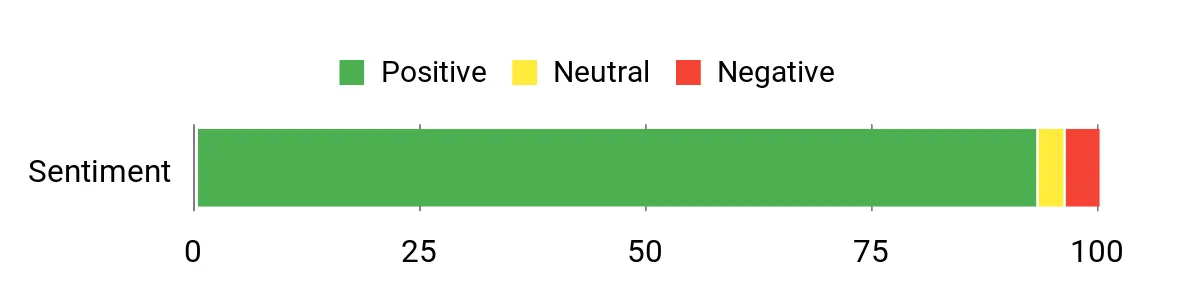
Customers frequently praise how much smoother and faster streaming feels compared with older TV smart platforms, and many note a clear improvement in picture quality when using 4K and Dolby Vision. People also like the voice remote and the long‑range Wi‑Fi, which keeps playback stable in rooms farther from the router. A small number mention occasional network or setup hiccups, but those are relatively rare in the broader feedback.
Overall Sentiment: Positive
Long-Term Cost Benefits
Instead of replacing an entire TV to get current apps and better picture, this stick modernizes older sets and keeps them useful. Because it’s portable and supports the leading services, you can standardize on one device across rooms or trips, cutting down on future gadget purchases and simplifying long‑term maintenance.
Situational Benefits
| Situation | How It Helps |
|---|---|
| Older or clunky smart TV OS | Adds a modern, responsive interface and current streaming apps without buying a new television. |
| Rooms far from your router | Long‑range Wi‑Fi receiver improves signal pickup so streaming stays smoother in bedrooms or basements. |
| Travel or shared accommodation | Lightweight and portable—bring your stick to keep your streaming profile and apps consistent on other TVs. |
| Multiple remotes cluttering the couch | Remote controls TV power and volume, often replacing your TV’s original remote for routine tasks. |
| Secondary TVs and RVs | Compact form and simple setup make it ideal for small screens, campers, or guest rooms. |
Ease Of Use
| Feature | Ease Level |
|---|---|
| Initial Setup | Easy |
| Voice Remote (search & control) | Easy |
| App Navigation | Easy |
| Switching TVs / portability | Easy |
| Menu Responsiveness | Moderate |
Versatility
You can make this your daily living‑room player, a tidy second‑room streamer, or a travel companion. It handles streaming apps, free live channels, voice searches and basic TV control, so it fits movie nights, background news, or on‑the‑road viewing.
Compatibility
| Platform | Compatibility Level |
|---|---|
| Major streaming services (Netflix, Prime Video, Disney+, Hulu) | High |
| 4K HDR TVs (Dolby Vision / HDR10+) | Excellent |
| 1080p and older HD TVs | Excellent |
| Bluetooth headphones / accessories | Supported |
| Smart home assistants / casting | Good |
Practicality
Its slim profile keeps setups neat and the single remote simplifies everyday control. It isn’t a niche home‑theater processor, but for typical viewing needs it’s a very practical way to add modern streaming and improved picture to almost any TV.
Fun Factor
Search by voice, flip through free live channels, and enjoy vivid HDR content—those little conveniences make watching more relaxed and more fun. The portability also adds a casual, useful twist for trips or temporary setups.
Key Benefits
- 4K, Dolby Vision and HDR10+ for noticeably richer image detail and color
- Long‑range Wi‑Fi receiver improves streaming in rooms farther from the router
- Voice remote that also controls TV power and volume, reducing clutter
- Compact stick design that stays hidden behind the TV and won’t block ports
- Access to hundreds of free live channels plus all major streaming apps
- Portable — easy to take on trips or move between TVs
- Simple plug‑in setup that gets you streaming quickly
Rating: 4.7 (total: 92,917+)
🏅 Best Premium Roku

If you want a no‑nonsense way to turn your TV into a premium streaming hub, Roku Ultra earns its place. You plug it in, connect to Wi‑Fi (or Ethernet), sign into your apps and you get a snappy interface, smooth 4K/HDR playback and Dolby Atmos sound. The rechargeable Voice Remote Pro with backlit buttons and a lost‑remote finder makes living‑room control painless, and Bluetooth headphone support is great for late‑night viewing.
Use it for everyday shows, hosting a movie night with better picture and sound, or taking a familiar streaming setup with you when you move between rooms — it’s designed to feel polished without getting in your way. If you care about speed, picture quality and a premium remote experience, this is a practical pick.
What People Say
You’ll find most people praising how much faster and more reliable streaming feels compared with older smart‑TV platforms, and many call out the picture and sound upgrades when using 4K, HDR10+ or Dolby Vision content. The remote and its rechargeable battery are frequently mentioned as a welcome upgrade, and users like Bluetooth headphone mode and the improved Wi‑Fi performance. A small portion of feedback notes regional app gaps or occasional software quirks, but those are in the minority.
Overall Sentiment: Positive
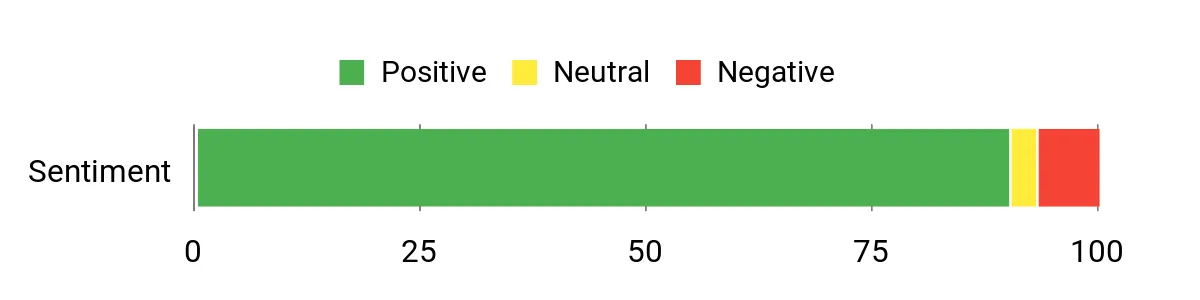
Long-Term Cost Benefits
Rather than replacing a perfectly good TV to get modern apps and better picture, this device modernizes older sets and keeps them useful for years. The rechargeable remote cuts down on battery purchases, and consistent software updates mean you’re less likely to buy another player soon — that adds up over time.
Situational Benefits
| Situation | How It Helps |
|---|---|
| Home theater and movie nights | Delivers 4K HDR and Dolby Atmos so your films look and sound more cinematic without complicated AV gear. |
| Late-night watching | Bluetooth headphone mode lets you listen privately without disturbing others. |
| Rooms with spotty Wi‑Fi | Wi‑Fi 6 and the option to use Ethernet help keep streams stable in basements or distant bedrooms. |
| Frequent travelers or moving between TVs | Simple setup and synced apps make it easy to bring your profile and apps to another TV. |
| Families juggling remotes | Backlit rechargeable remote that also controls TV power/volume reduces clutter and bedtime fumbling. |
Ease Of Use
| Feature | Ease Level |
|---|---|
| Initial Setup | Easy |
| Voice Remote (search & control) | Easy |
| App Navigation | Easy |
| Connecting Bluetooth headphones | Easy |
| Advanced display/audio settings | Moderate |
Versatility
You can make this your living‑room powerhouse or use it as a dedicated media box for a home theater, guest room, or travel setup. It handles streaming apps, live channels, private audio and basic TV control, so it’s useful for movie nights, background TV while you work, or sharing with guests.
Compatibility
| Platform | Compatibility Level |
|---|---|
| Major streaming services (Netflix, Prime Video, Disney+, Hulu) | High |
| 4K HDR TVs (Dolby Vision / HDR10+) | Excellent |
| Bluetooth headphones / accessories | Supported |
| Ethernet & Wi‑Fi 6 networks | Excellent |
| Some regional broadcaster apps | Limited |
Practicality
The compact box, solid connectivity and a remote that replaces disposable batteries make this an easy, low‑fuss upgrade for most homes. It’s not meant to replace high‑end AV processors, but for everyday and premium streaming it’s very practical.
Fun Factor
The faster menus, crisp HDR content and voice controls make browsing and discovering new shows more enjoyable, and the backlit remote adds a surprisingly nice comfort when you’re fumbling on the couch at night.
Key Benefits
- Fast, responsive interface — apps and menus launch quickly
- Cinematic 4K picture with HDR10+ and Dolby Vision support
- Immersive Dolby Atmos audio and Bluetooth headphone mode
- Rechargeable Voice Remote Pro with backlit buttons and lost‑remote finder
- Wi‑Fi 6 and Ethernet support for more reliable streaming
- Lots of free channels plus access to all major streaming services
- USB and Ethernet ports for more flexible home setups
Rating: 4.5 (total: 5,800+)
🏆 Best Overall
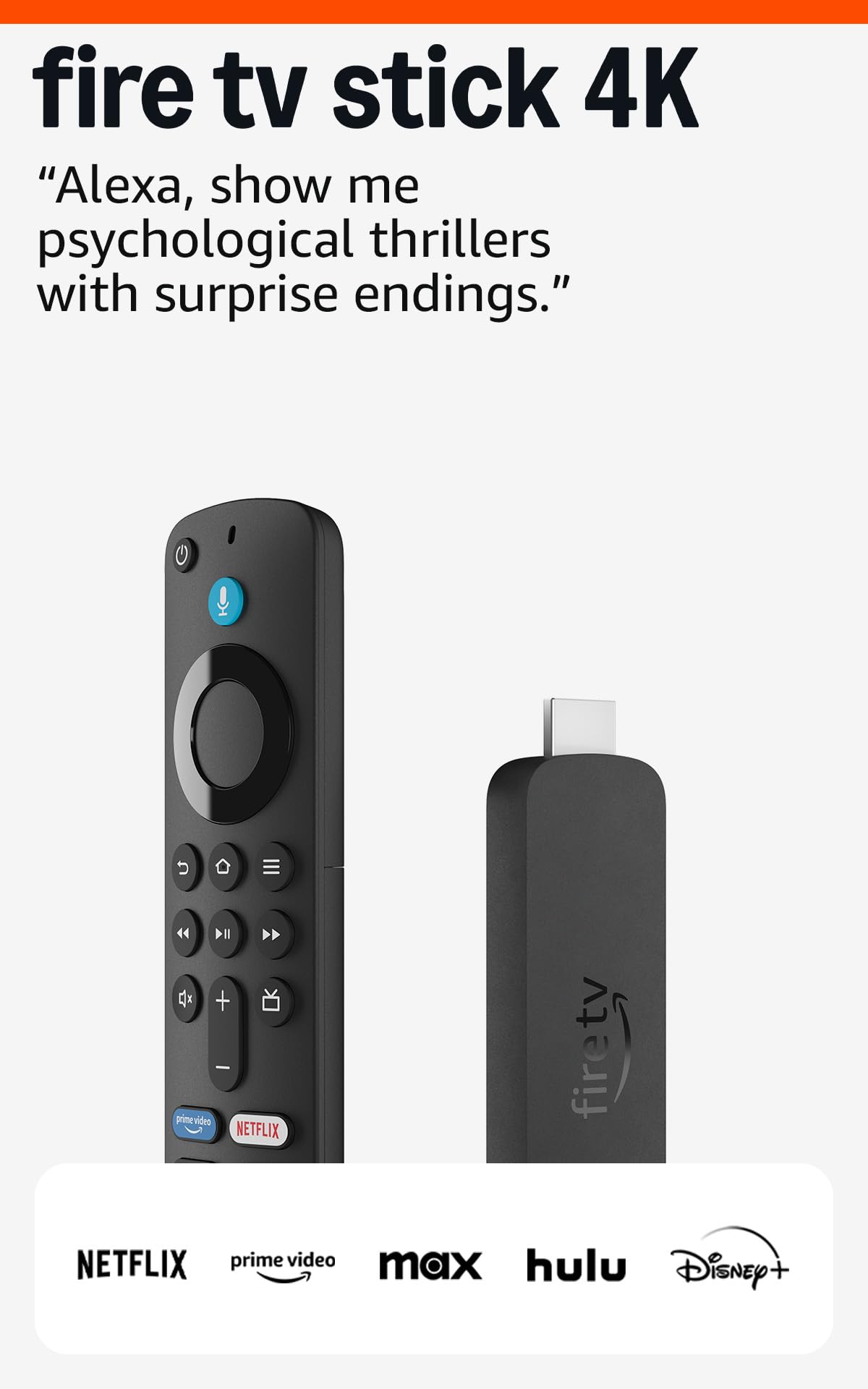
If you want a simple way to upgrade any TV, the Fire TV Stick 4K makes streaming painless. You plug it in, sign into the apps you use, and you’ve got crisp 4K playback, Dolby Atmos sound and Alexa voice search to find stuff without typing.
It’s great for everyday binge sessions, turning an old bedroom set into a smart TV, or hosting a casual movie night where you want solid picture and minimal fuss. The Wi‑Fi 6 support helps keep streams stable when other devices are active, and cloud gaming via Xbox Game Pass is handy if you want a quick multiplayer or single‑player session without a console.
If you’re after a reliable, compact streamer that just gets the job done, this is a sensible pick.
What People Say
Most users say setup is quick and the interface is easy to navigate, and many call out noticeably better picture and sound compared with older smart‑TV systems. The Alexa Voice Remote and Wi‑Fi 6 stability come up a lot as positives, while a minority mentions home‑screen recommendations or occasional buffering on slower connections.
Overall Sentiment: Positive
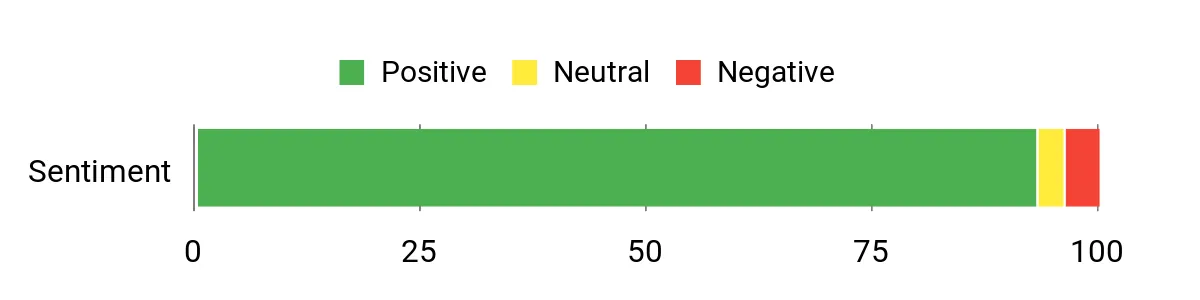
Long-Term Cost Benefits
This device extends the life of older TVs, so you don’t need to replace the set just to get modern apps and 4K support. Regular software updates and the included remote mean you avoid small accessory costs and upgrades for a longer period.
Situational Benefits
| Situation | How It Helps |
|---|---|
| Older or secondary TVs | Turns an aging set into a modern streamer with 4K/HDR support and current apps, avoiding a full TV replacement. |
| Small apartments or bedrooms | Compact plug‑in design and easy setup keep clutter down while giving full streaming access. |
| Casual cloud gaming | Lets you play Xbox Game Pass titles via cloud streaming without a dedicated console. |
| Family living rooms | Alexa remote and preset app buttons simplify control for people who prefer a straightforward interface. |
| Homes with many devices on the network | Wi‑Fi 6 support reduces interruptions when multiple devices are streaming or online. |
Ease Of Use
| Feature | Ease Level |
|---|---|
| Initial Setup | Easy |
| Voice Search / Alexa | Easy |
| App Navigation | Easy |
| Switching between apps | Easy |
| Advanced display/audio tuning | Moderate |
Versatility
You can use it as your daily streaming hub in the living room, a lightweight travel or guest‑room player, or a quick way to add cloud gaming. It handles movies, live channels, apps and basic smart‑home control, so it fits a lot of everyday scenarios.
Compatibility
| Platform | Compatibility Level |
|---|---|
| Major streaming services (Netflix, Prime Video, Disney+, Hulu) | High |
| 4K HDR TVs (Dolby Vision / HDR10+) | Excellent |
| Bluetooth headphones & speakers | Supported |
| Smart home devices (cameras, lights via Alexa) | Good |
| Cloud gaming services (Xbox Game Pass) | Good |
Practicality
Small, easy to hide and simple to manage, it’s a low‑maintenance way to get modern streaming features. The included remote that controls TV power/volume keeps things tidy and reduces the need for extra accessories.
Fun Factor
Browsing feels quicker with voice search, and 4K HDR content genuinely looks more engaging; add cloud gaming and the device punches above its size for casual entertainment.
Key Benefits
- Sharp 4K HDR playback with Dolby Vision, HDR10+ and Dolby Atmos
- AI‑powered Alexa search makes finding shows faster and easier
- Wi‑Fi 6 support for more stable streaming with multiple devices
- Access to a huge library — apps, live channels and over a million free titles
- Works with smart home devices and controls TV power/volume with one remote
- Cloud gaming support via Xbox Game Pass without a console
Rating: 4.7 (total: 95,952+)
🎮 Best for Performance
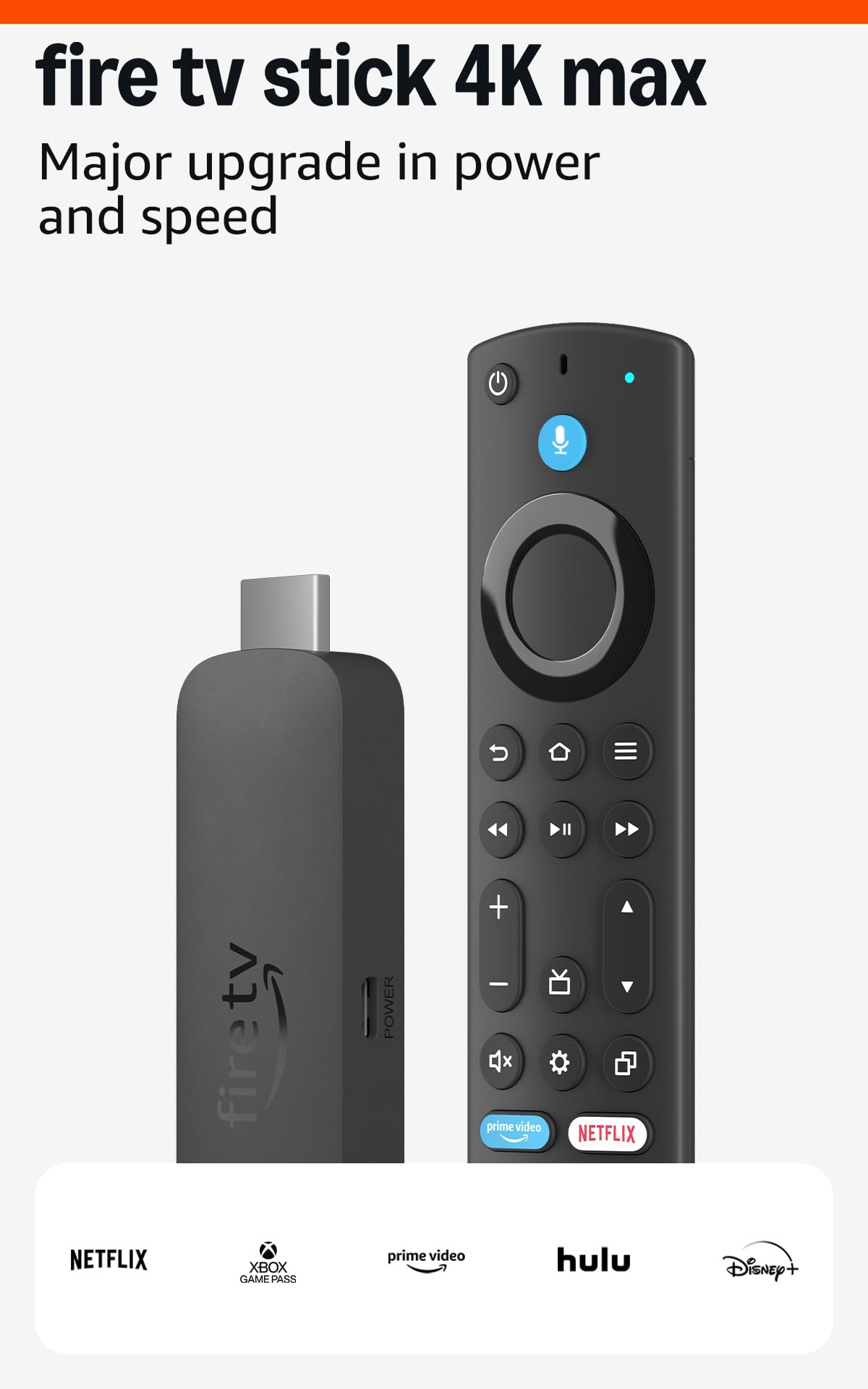
If you want the fastest Fire TV experience, this is the stick to grab. Setup is plug‑and‑play: you plug it in, sign into your apps, and you get snappy app launches, smooth 4K HDR playback and clearer audio with Dolby Atmos.
It’s great for everyday watching, upgrading older or secondary TVs, and even casual cloud gaming via Xbox Game Pass when you don’t want a full console. The extra storage and Wi‑Fi 6E support make it more future‑proof, so it’s a solid choice if you care about speed and fewer hiccups when multiple devices are online.
What People Say
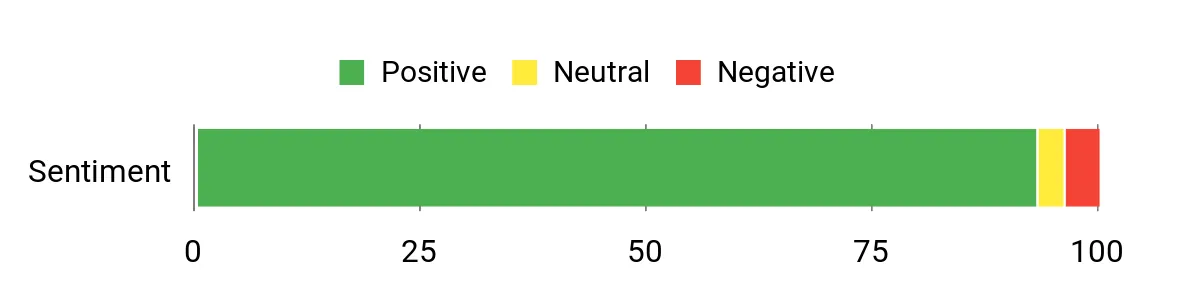
Customers frequently praise the speed and responsiveness compared with older sticks or smart‑TV platforms, and many notice a visible bump in picture and sound quality. Reviews often call out the Alexa remote, extra storage, and more reliable Wi‑Fi connection as practical upgrades, while a small number of users mention occasional freezes if the device is overloaded with apps.
Overall Sentiment: Positive
Long-Term Cost Benefits
By upgrading the streaming receiver rather than replacing a whole TV, you keep older sets useful for longer and avoid the cost of a new display. The faster processor and added storage reduce the need for early replacement, and software updates keep apps current without buying extra hardware.
Situational Benefits
| Situation | How It Helps |
|---|---|
| Older or problem TVs | Bypasses flaky built‑in smart platforms and restores fast, modern streaming without replacing the screen. |
| Travel or vehicles | Small and portable enough to tuck into a bag so you can use it in hotels or compatible vehicle displays for on‑the‑go streaming. |
| Casual cloud gaming | Lets you play Xbox Game Pass cloud titles without a console, handy for quick multiplayer sessions or family gaming nights. |
| Busy home networks | Wi‑Fi 6E support helps keep streams smooth when phones, tablets and other devices are all online. |
| Shared living spaces | Dedicated app buttons and voice control make it easier for multiple people to access their favorite services quickly. |
Ease Of Use
| Feature | Ease Level |
|---|---|
| Initial Setup | Easy |
| Voice Search / Alexa | Easy |
| Remote Finder | Easy |
| App Navigation | Easy |
| Advanced display/audio tuning | Moderate |
Versatility
Use it as your main living‑room streamer, a compact travel player, or a way to add cloud gaming and smart‑home voice control. It handles movies, live TV, apps and light gaming so it fits many everyday and occasional needs.
Compatibility
| Platform | Compatibility Level |
|---|---|
| Major streaming services (Netflix, Prime Video, Disney+, Max) | High |
| 4K HDR TVs (Dolby Vision / HDR10+) | Excellent |
| Bluetooth headphones & speakers | Supported |
| Smart home devices (Alexa ecosystem) | Good |
| Cloud gaming services (Xbox Game Pass) | Good |
Practicality
It’s compact, easy to tuck behind a TV, and the included remote manages power and volume so you don’t need extra accessories. The added storage helps if you like a lot of apps or occasional downloads.
Fun Factor
Faster browsing and richer 4K HDR visuals make watching more enjoyable, and cloud gaming adds a recreational layer that goes beyond basic streaming.
Key Benefits
- Noticeably faster performance and quicker app launches
- 4K HDR playback with Dolby Vision, HDR10+ and Dolby Atmos audio
- Wi‑Fi 6E support for more stable streams on busy networks
- 16GB storage for more apps and downloads
- Upgraded Alexa Voice Remote with TV control and remote finder
- Cloud gaming support for Xbox Game Pass without a console
Rating: 4.6 (total: 67,304+)
🎨 Best Google Experience

If you want a streamer that just gets out of the way and shows you what to watch, this is a solid pick. Setup is straightforward—plug it in, pair the remote, and your apps load quickly thanks to a faster processor and extra memory.
It handles 4K HDR with Dolby Vision and can feed a Dolby Atmos setup, so movie nights, sports, or a family streaming session look and sound noticeably better. You’ll also appreciate the redesigned voice remote, the home panel for smart‑home control, and the built‑in storage for more apps, making it useful for everyday viewing and for special occasions when you want reliable, high‑quality playback.
What People Say
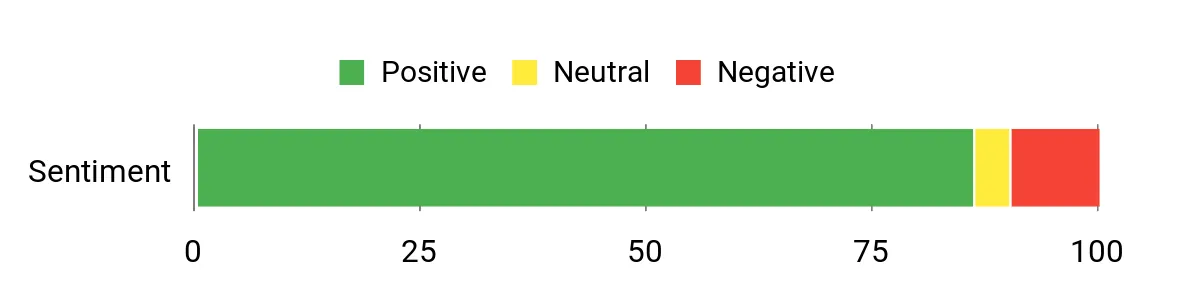
Customers commonly highlight how snappy the interface feels and how much easier it is to find things with Google’s recommendations. People also praise the picture and audio quality, the voice remote and the extra storage, while a smaller group notes annoyances like HDMI cable requirements, occasional power or accessory issues, or mixed feelings about ports compared with niche hardware.
Overall Sentiment: Positive
Long-Term Cost Benefits
Upgrading the streamer keeps an older TV useful without buying a new display, and the faster hardware plus software updates reduce the need for early replacements. Built‑in storage and Ethernet support help avoid extra accessories later on.
Situational Benefits
| Situation | How It Helps |
|---|---|
| Older TVs with slow built‑in platforms | Bypasses sluggish OEM software and gives a modern, responsive streaming experience without replacing the screen. |
| Home theater setups | Supports Dolby Vision and Atmos so you can get better picture and immersive sound from your existing speakers and display. |
| Shared family TVs | Personalized recommendations and easy profile switching help everyone find shows faster, reducing remote‑fighting and search time. |
| Homes with crowded Wi‑Fi | Gigabit Ethernet and improved Wi‑Fi performance keep streams steadier when many devices are online. |
Ease Of Use
| Feature | Ease Level |
|---|---|
| Initial Setup | Easy |
| Voice Search | Easy |
| App Navigation | Easy |
| Remote Finder / Physical Controls | Easy |
| Advanced display/audio tuning | Moderate |
Versatility
Use it as your primary living‑room streamer, a better playback option for a bedroom TV, or the hub for smart‑home quick controls. It covers movies, live channels, casting from phones, and light cloud gaming or media apps, so it fits most daily and occasional entertainment needs.
Compatibility
| Platform | Compatibility Level |
|---|---|
| Major streaming services (Netflix, Prime Video, Disney+, YouTube) | High |
| 4K HDR displays (Dolby Vision) | Excellent |
| Casting from Android & iOS devices | Excellent |
| Smart home devices (Google Home ecosystem) | Excellent |
| Wired networks (Gigabit Ethernet) | Good |
Practicality
The box is compact and easy to hide behind a TV; the included remote covers power and volume so you don’t need extra accessories. Note that an HDMI 2.1 cable is required but sold separately; the built‑in storage and Ethernet make it practical for real‑world use.
Fun Factor
A smarter home screen and quick, responsive navigation make browsing feel less like a chore and more like discovery. The improved remote and better picture/sound support add to the enjoyment during movie nights and live events.
Key Benefits
- Fast, responsive performance with smoother app switching
- Up to 4K HDR with Dolby Vision and support for Dolby Atmos
- 32 GB storage so you can keep more apps installed
- Redesigned voice remote with remote finder and custom button
- Tailored recommendations and unified home screen for easier discovery
- Gigabit Ethernet option for steadier streams on congested networks
Rating: 4.4 (total: 1,957+)
🎨 Best Google Experience

If you want a streamer that feels polished and just works, this one is worth a look. Setup is simple—plug it in, pair the remote, and your apps load fast thanks to a quicker processor and more memory. It supports up to 4K HDR with Dolby Vision and can feed Dolby Atmos speakers, so everyday watching and special‑occasion movie nights both look and sound noticeably better. The redesigned voice remote (with a find‑my‑remote option and a customizable button) and the new home panel for smart‑home control make it handy around the house, whether you’re catching a quick show or hosting a watching party.
What People Say
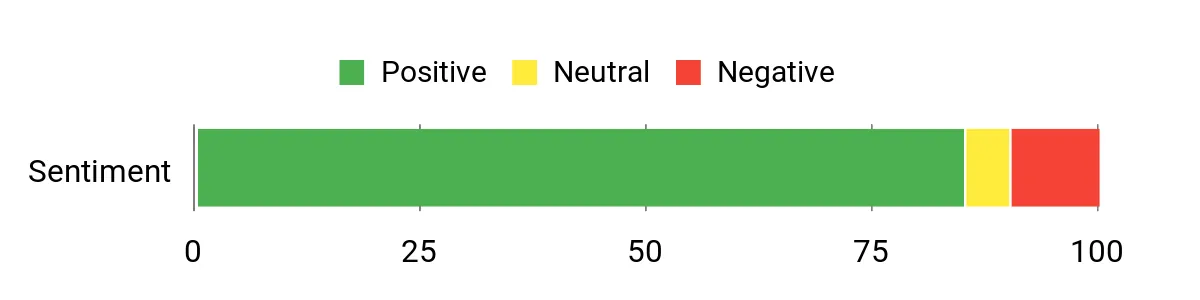
You’ll find most people praise how responsive the interface feels and how much easier it is to discover stuff with Google’s recommendations. Reviewers also frequently call out the picture and audio upgrades, the redesigned voice remote, and how simple setup is, while a minority note quirks like the need for an HDMI cable, occasional app‑specific issues, or remote programming limits with certain audio setups.
Overall Sentiment: Positive
Long-Term Cost Benefits
Giving an older TV a modern streaming brain extends its useful life so you don’t have to replace the display. Faster hardware and onboard storage lower the chance you’ll upgrade again soon, and Ethernet support can save you from buying extra network gear for a stable viewing experience.
Situational Benefits
| Situation | How It Helps |
|---|---|
| Older TVs with slow built‑in software | Adds a modern, responsive OS so you get updated apps and smoother navigation without replacing the set. |
| Movie nights and live sports | Supports 4K HDR and Dolby Atmos for better picture and immersive sound using your existing display and speakers. |
| Shared family TVs | Personalized recommendations and profiles help everyone find shows quickly and cut down on searching. |
| Crowded home networks | Wired Ethernet and improved Wi‑Fi performance keep streams steady when many devices are online. |
Ease Of Use
| Feature | Ease Level |
|---|---|
| Initial Setup | Easy |
| Voice Search | Easy |
| App Navigation | Easy |
| Remote Finder / Physical Controls | Easy |
| Advanced display/audio tuning | Moderate |
Versatility
Use it as your main living‑room streamer, a better option for a bedroom set, or the hub for quick smart‑home controls. It handles movies, live channels, casting from phones, and light media apps, so it fits daily binge sessions and occasional gatherings alike.
Compatibility
| Platform | Compatibility Level |
|---|---|
| Major streaming services (Netflix, Prime Video, Disney+, YouTube) | High |
| 4K HDR displays (Dolby Vision) | Excellent |
| Casting from Android & iOS devices | Excellent |
| Smart home devices (Google Home ecosystem) | Excellent |
| Wired networks (Gigabit Ethernet) | Good |
Practicality
The compact box tucks away behind a TV and the remote handles power and volume so you won’t need extra gadgets. Keep in mind an HDMI 2.1 cable is required but sold separately; the included storage and Ethernet option make the streamer practical for everyday use.
Fun Factor
A smarter home screen and snappy navigation make browsing feel more like discovering than digging through apps. Better picture and sound support plus the improved remote add to the enjoyment for movie nights or big‑game watch parties.
Key Benefits
- Snappy performance and smoother app switching
- Up to 4K HDR with Dolby Vision and Dolby Atmos support
- 32 GB of onboard storage for more apps
- Redesigned voice remote with remote finder and custom button
- Unified home screen with tailored recommendations
- Ethernet and improved Wi‑Fi for steadier streaming
Rating: 4.4 (total: 2065+)
💼 Best for Power Users

If you want a streamer that gives you control and the best possible picture and sound, this is a solid pick. Setup is straightforward and once it’s running you can stream 4K HDR content, use AI upscaling to sharpen older HD video, and hand over heavy lifting to GeForce NOW for cloud gaming.
The Pro model adds USB 3.0 ports, extra RAM and Plex Media Server so it can double as a small home media hub. Whether you’re watching daily shows, hosting a movie night, or building a dedicated home theater, this box handles both casual use and advanced setups with ease — and you’ll notice the difference in audio pass‑through and playback reliability.
What People Say
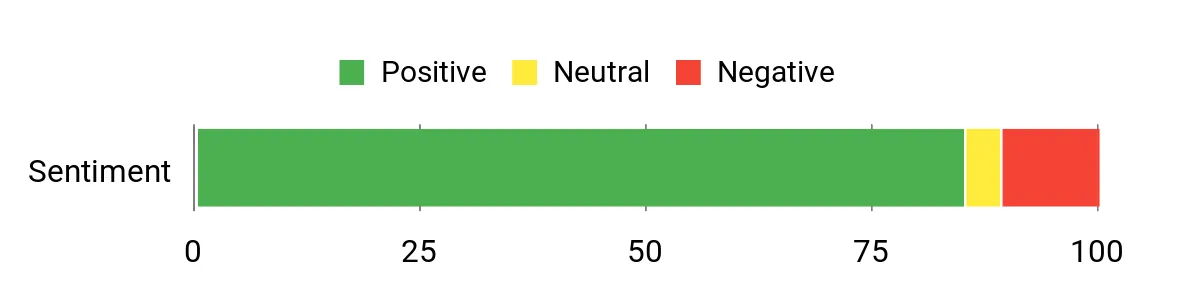
Most users praise how reliably the Shield handles both video and audio, especially in Dolby Vision and Atmos setups, and they frequently call out the AI upscaling and Plex server as standout features. People also like the device’s speed and the fact it keeps getting updates, while a smaller group mentions that advanced display/audio tuning can take a little fiddling to get perfect.
Overall Sentiment: Positive
Long-Term Cost Benefits
Using the Shield keeps an older TV or AVR useful for longer by adding modern streaming, upscaling, and server capabilities — so you’re less likely to replace larger components. Built‑in Plex and USB expandability reduce the need to buy separate NAS or transcoding devices, and ongoing software support helps the unit stay current.
Situational Benefits
| Situation | How It Helps |
|---|---|
| Older TVs with sluggish smart platforms | Adds a fast, updatable Android TV experience so you get current apps and smoother navigation without replacing the display. |
| Dedicated home theater rooms | Passes lossless audio and supports Dolby Vision/Atmos, so picture and sound integrate cleanly with receivers and speaker setups. |
| Cloud gaming or casual PC-less gaming | GeForce NOW turns the Shield into a high‑end gaming client so you can play demanding titles without a gaming PC. |
| Media collectors and small servers | Plex Media Server plus USB 3.0 ports make the Pro a compact way to stream your own library to devices around the house. |
Ease Of Use
| Feature | Ease Level |
|---|---|
| Initial Setup | Easy |
| Voice Control | Easy |
| App Navigation | Easy |
| Plex Media Server setup | Moderate |
| Advanced display/audio tuning | Moderate |
Versatility
This box works as a daily living‑room streamer, a dedicated home‑theater source, a small Plex server, and a cloud‑gaming client. It’s flexible enough for anyone who wants both simple streaming and more advanced media or gaming features.
Compatibility
| Platform | Compatibility Level |
|---|---|
| Major streaming services (Netflix, Prime Video, Disney+, YouTube) | Excellent |
| Dolby Vision & Dolby Atmos capable displays/receivers | Excellent |
| GeForce NOW cloud gaming | Excellent |
| Local media servers (Plex) and USB storage | High |
| Voice assistants (Google Assistant, works with Alexa) | Good |
Practicality
The compact form factor tucks out of sight while USB ports let you expand storage or plug in cameras and peripherals. It’s practical as both a daily streamer and a background media server, though you’ll want a solid network connection and compatible AVR/TV to get the most from advanced audio and HDR features.
Fun Factor
Streaming looks sharper and music/movies become more immersive with Dolby Atmos and AI upscaling, and GeForce NOW adds the fun of playing high‑quality games without a dedicated PC — great for movie nights or when friends come over for gaming.
Key Benefits
- Top-tier 4K HDR playback with Dolby Vision and Dolby Atmos support
- AI upscaling that improves HD content in real time
- GeForce NOW cloud gaming support for high‑quality gaming without a PC
- Built-in Plex Media Server and USB 3.0 ports for local media and expandability
- Regular software updates and broad Android app compatibility
- Reliable audio/video pass-through for true home‑theater setups
Rating: 4.4 (total: 12824+)
🎨 Best Google Experience

If you want a no-fuss way to get every streaming app and some live TV into one place, the TiVo Stream 4K is a friendly little stick that does exactly that. You’ll get Android TV with Google Assistant, easy access to the Play Store, and Dolby Vision/HDR plus Dolby Atmos support for nicer picture and sound. It’s compact and portable so it’s great for daily binging on your main TV, upgrading a non‑smart set in the kids’ room, or bringing to a second home for weekend movie nights. You’ll appreciate the solid remote, Live Channels integration, and the USB‑C port if you want extra storage or an Ethernet adapter — overall it’s a practical pick that balances convenience with decent media features.
What People Say
Across reviewers you’ll see praise for a responsive interface, a well‑made remote, and the convenience of combining apps and live channels into a single guide. People like that it’s Android TV so they can install apps from the Play Store and that audio/video features like 5.1 and Atmos work in many apps.
Common gripes mention occasional app gaps by region, some post‑update quirks, and the need for a US TiVo account in certain countries.
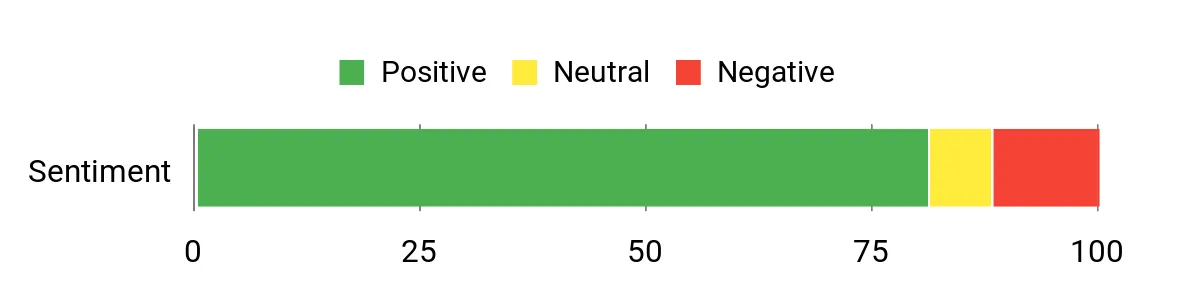
Overall Sentiment: Positive
Long-Term Cost Benefits
Adding this stick can extend the life of older TVs by giving them modern streaming features and app access, so you’re less likely to replace a whole set. The USB‑C expandability and Play Store access mean you can add apps or storage instead of buying extra boxes or a separate media server.
Situational Benefits
| Situation | How It Helps |
|---|---|
| Old or non‑smart TVs | Turns any HDMI display into a current Android TV experience so you get modern apps and voice search without replacing the TV. |
| Travel or secondary TVs | Small and plug‑in friendly, you can take it with you and use your Google account to pick up where you left off. |
| Movie nights with immersive audio | Supports Dolby Vision and Dolby Atmos in supported apps, so compatible TVs and receivers deliver a noticeably better cinematic feel. |
| Limited local storage or wanting extra connectivity | USB‑C lets you add storage or an Ethernet adapter, which helps if you need more space or a wired connection for stable streaming. |
Ease Of Use
| Feature | Ease Level |
|---|---|
| Initial Setup | Easy |
| Voice Control | Easy |
| App Installation (Play Store) | Easy |
| Live Channels integration | Moderate |
| Troubleshooting updates/region activation | Moderate |
Versatility
This stick works as a daily living‑room streamer, a handy travel companion, or a quick upgrade for secondary TVs. With Android TV you can add apps, tweak the launcher, or attach storage — so it adapts to casual viewers and power users who tinker.
Compatibility
| Platform | Compatibility Level |
|---|---|
| Major streaming services (Netflix, Prime Video, Disney+, HBO Max, Peacock) | Excellent |
| Dolby Vision & Dolby Atmos capable TVs/receivers | Excellent |
| Google Assistant and Android ecosystem | Excellent |
| Local media apps and sideloaded apps (Jellyfin, Plex, etc.) | High |
| Some region‑locked services and operator apps | Variable |
Practicality
Small and unobtrusive, the stick frees up space behind the TV and the extra USB‑C port adds useful expandability. It’s practical for everyday streaming, travel, and setups where you want Google Assistant and Play Store access without a bulky box, though region activation and app availability can affect usability overseas.
Fun Factor
Media looks and sounds better in supported apps thanks to HDR and Atmos, and the ability to add games or emulators from the Play Store adds an extra layer of fun when friends or family drop by.
Key Benefits
- Centralized search and recommendations across apps so you don’t jump between screens
- Android TV with Google Assistant and Play Store access for wide app compatibility
- 4K UHD with Dolby Vision HDR and Dolby Atmos sound support
- Compact, plug‑in form factor with a USB‑C port for extra storage or adapters
- Live Channels guide that aggregates free streams and some live services
- Simple remote that reliably powers and controls TVs and receivers
Rating: 4.3 (total: 9477+)
💰 Best Budget HD

If you want a no‑fuss way to turn any TV into a smart TV, Roku Express does that cleanly and simply. You plug it into HDMI, follow a quick guided setup in English or Spanish, and you’ve got Netflix, Prime Video, YouTube and hundreds of other channels ready to browse. It’s compact and unobtrusive so it’s great for daily binging on the main set, upgrading a bedroom or guest TV, or bringing along for a weekend at a second home.
For most people who value simplicity, a reliable picture, and easy navigation, it’s an easy recommendation.
What People Say
Most buyers highlight how easy the Roku Express is to set up and use, and they like the clear picture for HD content. Reviews commonly praise the simple remote, the wide app selection and the Roku Channel’s free content; occasional notes mention the standard remote doesn’t control TV power/volume and that the ViX trial details can be confusing.
Overall Sentiment: Positive

Long-Term Cost Benefits
Adding this little player keeps older TVs useful by giving them modern app access and ongoing software updates, so you can postpone replacing the whole set. Since it aggregates many free channels and Roku Originals, you often get more viewing options without extra hardware upgrades.
Situational Benefits
| Situation | How It Helps |
|---|---|
| Non‑smart or aging smart TVs | Turns the set into a current streaming platform so you get app access and updates without buying a new TV. |
| Bedrooms, guest rooms, or secondary TVs | Small and low‑profile—perfect for adding streaming to a second TV without clutter or complex setup. |
| Bilingual households | Setup and menus in English or Spanish make it easier for different family members to use comfortably. |
| Quick movie nights or casual sports viewing | Fast boot and a simple home screen get you watching with minimal navigation; ViX and the Roku Channel add live and free options to the lineup. |
Ease Of Use
| Feature | Ease Level |
|---|---|
| Initial Setup | Easy |
| Remote Navigation | Easy |
| Switching/adding channels | Easy |
| Voice Assistant Integration | Moderate |
| Troubleshooting network or region issues | Moderate |
Versatility
This box is a straightforward daily streamer for most households: a main TV that wants simplicity, a secondary screen that needs smart features, or a travel/guest solution. The dual‑language support and broad channel library make it flexible for different users and uses.
Compatibility
| Platform | Compatibility Level |
|---|---|
| Major streaming services (Netflix, Prime Video, Disney+, Apple TV+) | Excellent |
| Roku Channel and ViX live/on‑demand | Excellent |
| Voice assistants (Siri via AirPlay/HomeKit, Alexa, Google Assistant) | High |
| 1080p HDTVs and HDMI inputs | Excellent |
| Region‑specific or operator apps | Variable |
Practicality
The Roku Express is compact, uses the included HDMI cable and USB power cable, and doesn’t require an elaborate setup—ideal if you want a fuss‑free solution. It relies on a stable home Wi‑Fi connection, so make sure your signal reaches the TV.
Fun Factor
You get quick access to free Roku Channel content, hundreds of apps, and shortcuts on the remote that make jumping into movies or shows effortless—great for casual viewing and family nights.
Key Benefits
- Quick guided setup with dual‑language (English/Spanish) support
- Smooth 1080p HD streaming for most shows and movies
- Includes three months of ViX Premium access to try additional live and on‑demand content
- Customizable home screen and quick‑launch buttons on the remote
- Automatic software updates keep new channels and features coming
- Works with Siri, Alexa and Hey Google for voice control via compatible devices
Rating: 4.7 (total: 699+)
🔰 Best for Beginners
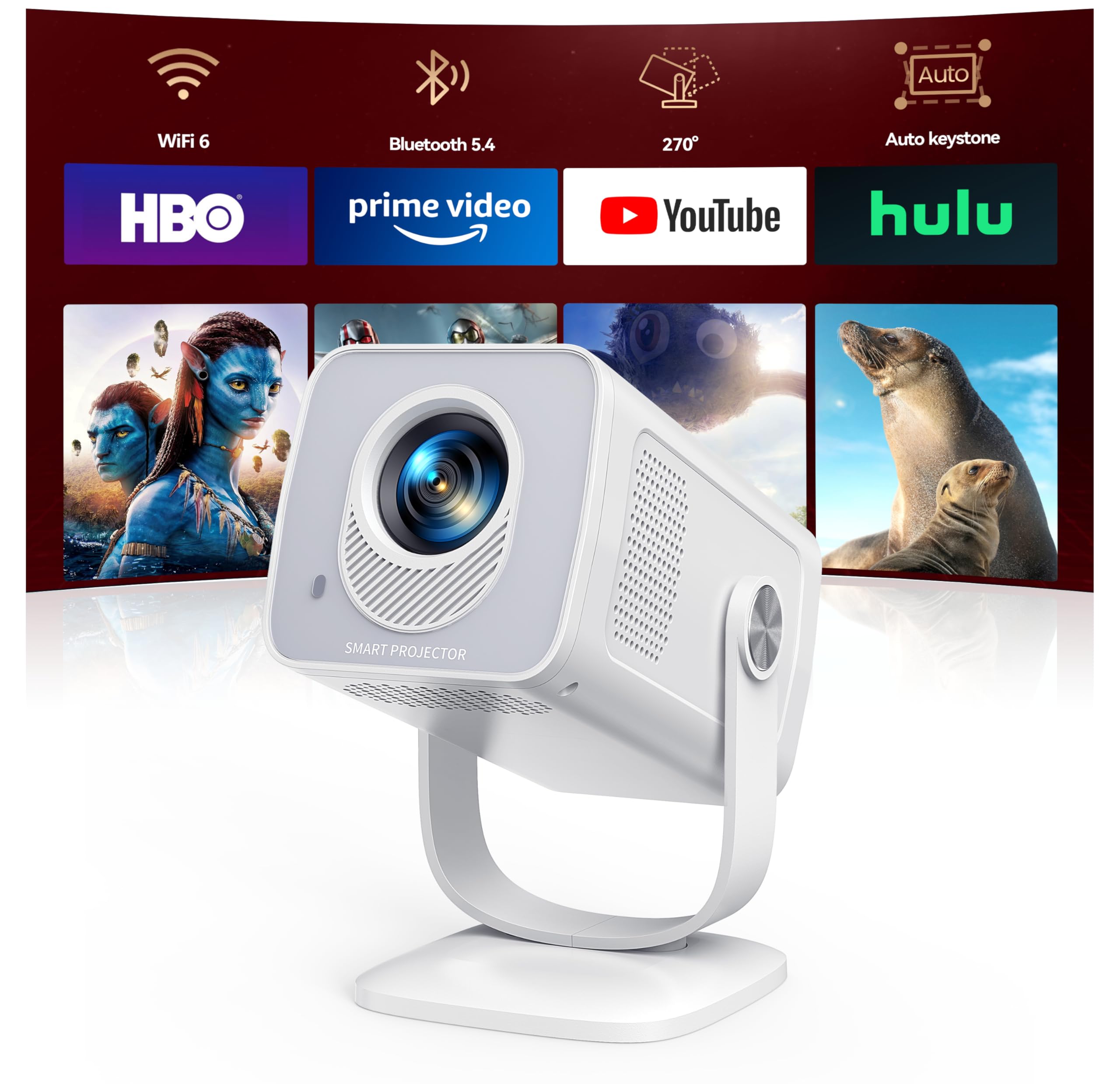
If you want a truly portable way to get a big‑screen feel without fuss, this is a smart pick. You plug it in, connect to Wi‑Fi and the built‑in Android 13 apps mean you can stream without a separate stick.
It’s small and light, so you can move it around the living room, mount it on a tripod for outdoor movie nights, or toss it in a bag for trips. For everyday TV, casual gaming, or a weekend backyard cinema, it’s practical and easy to live with — especially if you prefer a simple, ready‑to‑use setup.
What People Say
Buyers repeatedly praise how quick and painless setup is, and they like that streaming apps come preinstalled so you don’t need a separate stick. People also point out the projector’s bright, colorful picture in dimmer rooms, reliable Wi‑Fi performance, and surprisingly good auto‑keystone for such a small unit. A common note is that built‑in speakers are fine for casual use but pairing a Bluetooth speaker improves the experience.
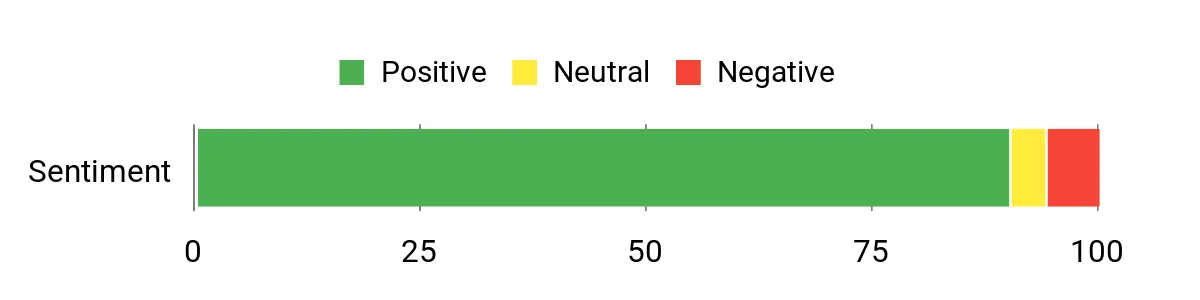
Overall Sentiment: Positive
Long-Term Cost Benefits
Because apps are built in and it supports HDMI sources, you can skip buying an additional streaming device and still get modern apps and occasional firmware updates. Its portability also means one device covers multiple rooms and activities, which reduces the urge to buy separate screens or dedicated equipment.
Situational Benefits
| Situation | How It Helps |
|---|---|
| Small apartments or bedrooms | Ultra short‑throw capability and compact size let you get a large image without needing a big room or long throw distance. |
| Outdoor or backyard movie nights | Lightweight build, tripod mount and 270° rotation make it easy to position for evening screenings and casual gatherings. |
| Travel, presentations, or pop‑up setups | It’s small enough to carry and supports HDMI and wireless casting, so you can run slides or stream video nearly anywhere. |
| Casual gaming and console use | Multiple inputs including HDMI let you connect a console or TV stick for big‑screen gaming sessions. |
Ease Of Use
| Feature | Ease Level |
|---|---|
| Initial Setup | Easy |
| Accessing Built‑in Apps | Easy |
| Auto Keystone & Focus | Easy |
| Wireless Casting and Bluetooth Pairing | Moderate |
| Firmware Updates and App Management | Moderate |
Versatility
This projector works as a living‑room plug‑and‑play streamer, a portable travel projector, and a flexible outdoor unit for dusk screenings. Between HDMI inputs, wireless casting and onboard apps, it adapts to different devices and use cases without extra hardware.
Compatibility
| Platform | Compatibility Level |
|---|---|
| Built‑in streaming apps (Prime Video, YouTube, Hulu, etc.) | Excellent |
| HDMI devices (Fire TV sticks, consoles, laptops) | Excellent |
| Mobile casting (AirPlay, Miracast and other protocols) | High |
| Bluetooth audio (headphones, speakers) | High |
| Region‑specific or operator apps | Variable |
Practicality
It’s compact, easy to mount with a tripod, and has multiple ports so you can hook up a phone, laptop or HDMI stick. For best picture quality use it in dimmer light; built‑in Wi‑Fi 6 helps with stable streaming but you’ll still want a solid home network.
Fun Factor
You get that big‑screen vibe without a permanent setup — great for movie nights, weekend gaming, or turning a backyard into a mini theater. The portability and simple controls make it feel like a casual, fun upgrade to normal TV viewing.
Key Benefits
- Built‑in Android 13 with thousands of apps so you can stream without extra dongles
- Ultra short‑throw and 270° rotation for flexible placement in small spaces
- Wi‑Fi 6 and two‑way Bluetooth 5.4 give smoother streaming and easy wireless audio
- Auto vertical keystone and manual focus/zoom for quick setup and a square image
- Native support for 1080p and 4K playback (via HDMI source) and wide color gamut
- Pocketable size and tripod mount make it genuinely portable for indoor/outdoor use
Rating: 4.6 (total: 212+)
🎨 Best Google Experience

If you want a no-fuss way to turn a basic TV into a smart one, this ONN box is a solid, approachable pick. It gives you Android TV with the Google Play Store, Chromecast built-in and a voice remote, so you can cast from your phone, ask Google to find shows, or download the apps you already use.
It’s compact and simple to set up—great for a second room, a guest bedroom, or an older living-room TV that needs new life. For everyday streaming, casual gaming and occasional movie nights, it’s practical and easy to live with; if you prefer things that just work without extra dongles, this is worth considering.
What People Say
Across reviews people tend to praise how simple the setup is and how it brings popular apps to otherwise dumb TVs. Buyers frequently note the value for what you get — smooth streaming for most services, reliable casting, and a helpful voice remote.
A few users mention occasional app crashes or quirks (YouTube being the most cited) and that it can take a short learning curve if you’re coming from another platform.
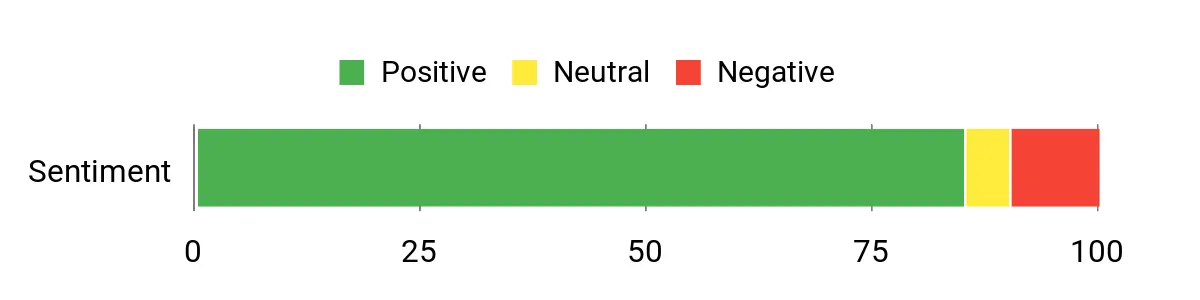
Overall Sentiment: Positive
Long-Term Cost Benefits
Since it puts apps and casting into one small box and ships with an HDMI cable, you can avoid buying extra dongles or replacing the whole TV. Putting a single inexpensive device into spare rooms or older sets is an easy way to add modern streaming without ongoing hardware upgrades.
Situational Benefits
| Situation | How It Helps |
|---|---|
| Older or ‘dumb’ TVs | Adds smart features, app access and casting so you don’t need to replace the entire set. |
| Second TVs and guest rooms | Small size and easy setup make it ideal for adding streaming to extra rooms without clutter. |
| Casual movie nights | 4K support and Chromecast let you quickly stream films from phones or apps for a better viewing experience. |
| Temporary or portable setups | Tuck it in a bag with a TV or monitor and you’ve got a compact streaming kit for travel or short deployments. |
Ease Of Use
| Feature | Ease Level |
|---|---|
| Initial Setup | Easy |
| Voice Control (Google Assistant) | Easy |
| Casting from Phone | Easy |
| Installing/Managing Apps | Moderate |
| Troubleshooting App Crashes | Moderate |
Versatility
This unit works as a simple, everyday streamer, a casting receiver for phones and tablets, and a compact option for spare rooms or travel. It handles common apps, HDMI sources and basic media playback without extra hardware.
Compatibility
| Platform | Compatibility Level |
|---|---|
| Google Play Store apps (Prime Video, Netflix, YouTube, etc.) | Excellent |
| HDMI devices (game consoles, laptops, sticks) | Excellent |
| Mobile casting (Chromecast) | Excellent |
| Common TV brands (ONN, Samsung, Vizio, TCL, Hisense, etc.) | High |
| Region-specific services | Variable |
Practicality
It’s a compact, plug‑and‑play box that includes an HDMI cable and a voice remote, so you can get streaming up and running quickly. Keep in mind it’s intended for U.S.
use only, so region‑locked services or apps may not work properly elsewhere.
Fun Factor
You can easily cast photos, pull up playlists, and launch movies with a voice command — it turns an ordinary TV into a more social, interactive hub for evenings with friends or easy weekend binge sessions.
Key Benefits
- 4K Ultra HD output for sharper, clearer picture on compatible TVs
- Android TV with Google Play Store gives access to familiar streaming apps
- Voice remote with Google Assistant for hands‑free search and control
- Chromecast built‑in so you can cast videos, photos and music from a phone
- Includes a high‑speed HDMI cable for straightforward setup
- Compact form factor makes it easy to tuck behind your TV or move between rooms
Rating: 4.4 (total: 1341+)
FAQ
How Do I Choose The Right Streaming Device For My TV And Needs?
You should prioritize compatibility with your TV and the features you actually use. Verify that your TV supports 4K/HDR if you want Ultra HD playback, and confirm the HDMI version (HDMI 2.1 for the latest features) and HDCP requirements so the device can deliver the resolution and audio you expect. Match the device’s wireless capability to your network: Wi‑Fi 6 or Wi‑Fi 6E support matters if you have a modern router and multiple devices on your network; otherwise a reliable dual‑band device will do. Consider processor speed and storage if you plan to run many apps or sideload Android apps, and choose a remote and voice assistant that fit your ecosystem (Alexa, Google Assistant, or platform‑agnostic controls).
If you care about home theater sound, confirm support for Dolby Atmos and HDMI eARC/electronic audio passthrough to your AVR or soundbar. Finally, factor in long‑term software support and accessibility features; devices that receive regular security and OS updates will protect your privacy and compatibility over time.
Why Is My Streaming Device Buffering Or Failing To Connect To Wi‑Fi?
You should first eliminate the basic network issues: reboot your router and the streaming device, confirm the Wi‑Fi password, and ensure the device is connecting to the correct band (2.4 GHz for range, 5 GHz or 6 GHz for speed). Move the router or device closer if signal strength is poor, or use an Ethernet adapter or the device’s wired port for a stable connection. Check for network congestion from other devices and temporarily pause large downloads or cloud backups. Update the streaming device firmware and the specific app that’s stalling, clear the app cache or reinstall the app, and verify router settings like QoS or AP isolation that might block traffic.
If setup fails repeatedly on one TV, try powering the stick from the wall adapter rather than the TV USB, use the included HDMI extender to improve fit and thermal performance, and if you travel often consider a travel router to create a dedicated local network.
Can I Use A Streaming Device For Better Audio, Gaming, And Privacy, And What Setup Tips Should I Know?
Yes — a modern streamer can improve sound, support cloud or casual gaming, and be configured for privacy, but you must set it up correctly. For best audio, route sound via HDMI ARC or eARC to your AVR or soundbar, enable passthrough in the device audio settings, and match the app output to your receiver so Dolby Atmos or multichannel formats reach the AVR intact.
For gaming choose a device with low latency and enable Auto Low Latency Mode on compatible HDMI 2.1 setups; cloud gaming works well only with a fast, stable internet connection. Protect your privacy by muting or disabling far‑field voice if you don’t use it, review and revoke unnecessary app permissions and account linkages, use separate profiles or a guest Wi‑Fi network for visitors, and keep the device updated to maintain security patches.
Practical tips: rename multiple devices in the companion app to avoid voice/automation confusion, use the HDMI extender to relieve heat and improve signals, pair Bluetooth headphones for private listening, and keep a simple troubleshooting routine (reboot, update, clear cache) when an app misbehaves.
Top Customer Picks
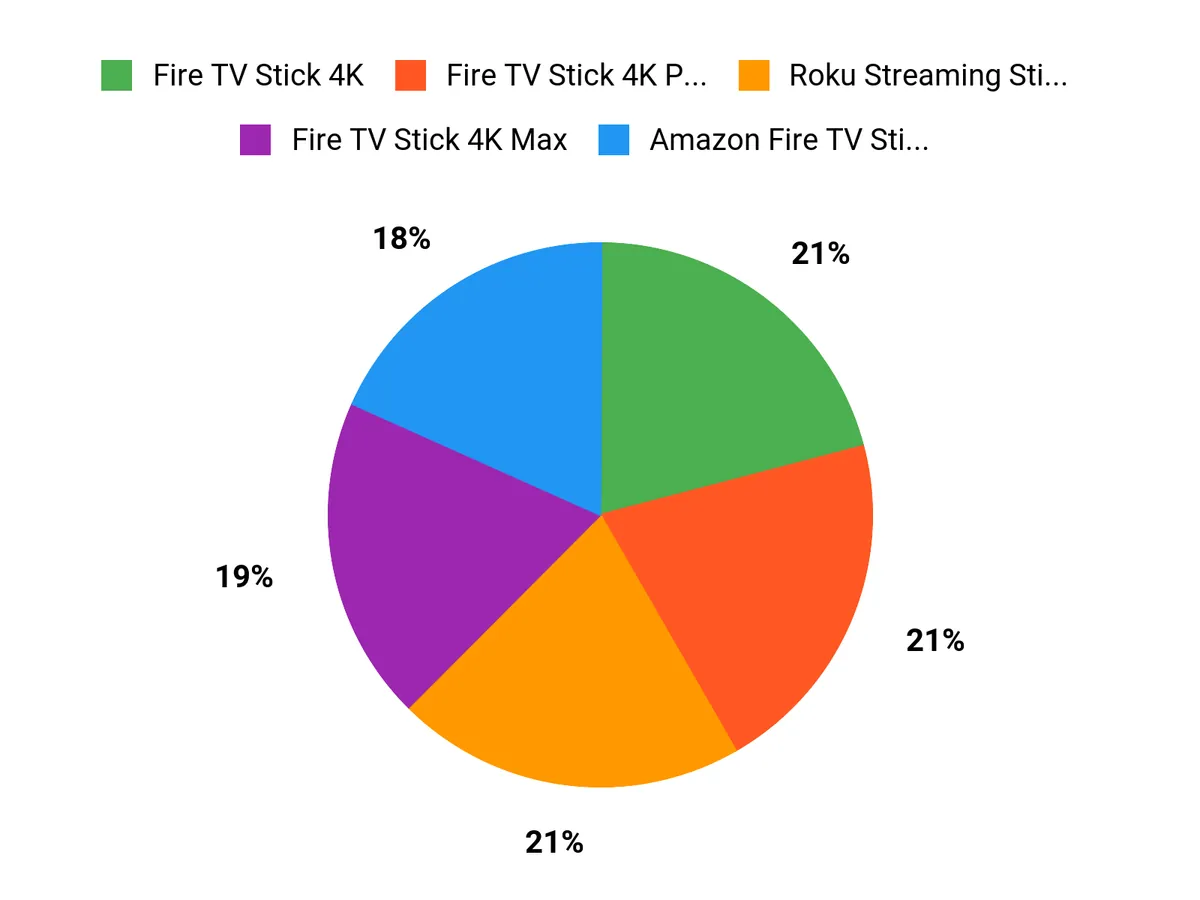
When choosing among the Fire TV Stick 4K Plus, Fire TV Cube, and Roku Streaming Stick HD, you typically prioritize raw performance and hands‑free Alexa control, 4K performance with good value and responsiveness, or budget‑friendly simplicity and an intuitive interface. That means you go with the Cube when you want maximum power and advanced voice features, the Stick 4K Plus when you want best‑value 4K streaming, and the Roku when you want an affordable, no‑friction way to access your apps.
Wrapping Up
Choose the streamer that matches how you watch. If you want the best balance of price, speed and 4K features, the Fire Stick 4K+ gives you fast navigation, Wi‑Fi 6 and broad app support. If you prefer hands‑free voice and a device that can run your living room, the Fire TV Cube makes that effortless. Roku devices are consistently strong for a clean, reliable UI and excellent free live TV channels — pick the Roku Stick 4K or Roku Ultra for better picture and more advanced remotes. For the most demanding setups — audio pass‑through, AI upscaling, Plex server or cloud gaming — the NVIDIA SHIELD remains the top choice.
Finally, if you use Google services and want aggregated recommendations across apps, choose the Google Streamer. Use the categories above to match a device to your priorities (budget, simplicity, 4K quality, or power user features) and you’ll get the smoothest streaming experience for your home.
| Product | Image | Rating | Resolution | Supported Highlights | Connectivity Options |
|---|---|---|---|---|---|
| Amazon Fire TV Stick 4K Plus |  | 4.7/5 (N reviews) | 4K Ultra HD |
|
|
| Amazon Fire TV Cube |  | 4.5/5 (N reviews) | 4K Ultra HD |
|
|
| Roku Streaming Stick HD |  | 4.7/5 (N reviews) | 1080p |
|
|
| Amazon Fire TV Stick HD |  | 4.6/5 (N reviews) | 1080p |
|
|
| Roku Streaming Stick Plus |  | 4.6/5 (N reviews) | 4K |
|
|
| Roku Streaming Stick 4K |  | 4.7/5 (N reviews) | 4K |
|
|
| NVIDIA SHIELD Android TV Pro |  | 4.4/5 (N reviews) | 4K |
|
|
| Google TV Streamer 4K |  | 4.4/5 (N reviews) | 4K |
|
|
| TiVo Stream 4K |  | 4.3/5 (N reviews) | 4K |
|
|
| Roku Express |  | 4.7/5 (N reviews) | HD (1080p) |
|
|
| Mini Projector with WiFi6 |  | 4.6/5 (N reviews) | 1080p |
|
|
| ONN Android TV 4K UHD Streaming Device |  | 4.4/5 (N reviews) | 4K |
|
|
This Roundup is reader-supported. When you click through links we may earn a referral commission on qualifying purchases.