
You need reliable, modern network storage that matches how you work and protect your data. UGREEN’s 2026 NAS lineup spans compact 2-bay boxes through full-featured 8-bay systems, so you can choose the right balance of performance, capacity and price.
This guide helps you compare the most relevant models quickly, so you can pick a NAS that gives you faster backups, smoother media workflows, and safer long-term storage without guessing which specs actually matter.
Top Picks
| Category | Product | Price | Score |
|---|---|---|---|
| 🏆 Best Value | UGREEN DXP2800 | $279.99 | 90/100 |
| 🎯 Best for Beginners | UGREEN DH2300 | $188.99 | 90/100 |
| 🚀 Best for Media | UGREEN DXP4800 Plus | $559.99 | 90/100 |
| 🔰 Best for Backups | UGREEN DH4300 Plus | $364.99 | 90/100 |
| 💰 Best Midrange | UGREEN DXP4800 | $439.99 | 90/100 |
| ⭐ Best for Power Users | UGREEN DXP6800 Pro | $1,019.99 | 96/100 |
| 💼 Best for Professionals | UGREEN DXP8800 Plus | $1,199.99 | 94/100 |
| 🎨 Best All-Flash | UGREEN DXP480T | $849.99 | 96/100 |
How We Chose
You want a NAS that fits your real needs, not just raw specs. We evaluated models on practical factors you care about: hardware capability (CPU, RAM, NVMe support), network connectivity (1GbE, 2.5GbE, 10GbE), storage flexibility (bay count, RAID options, cache support), software maturity and app availability (Docker, media servers, backup tools), ease of setup and everyday use, and value for money. We also weighed real-world signals: customer ratings, reported reliability, thermal/noise behavior, and whether the device supports common alternatives like TrueNAS or Unraid.
That combination helps you choose a model that matches your skill level and intended use — from simple phone backups to multi-stream media servers and small prosumer labs.
🏆 Best Value
UGREEN DXP2800
If you want a compact NAS that punches above its weight, this is a great pick. You can use it as a fast photo and document backup for every day, a home media hub for movie nights, or a quiet file server for remote work. Setup is straightforward and the app-based access makes grabbing a file from your phone or streaming to a TV painless.
It’s also flexible enough to run Docker containers or a few lightweight services if you want to experiment. For the price, you get real horsepower and expandability — I recommend it if you want a reliable, practical NAS without overpaying.
What People Say
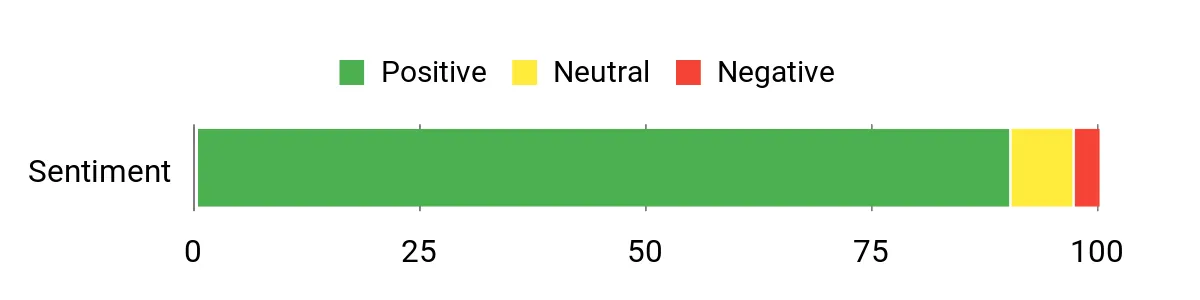
Customers commonly praise how snappy and reliable the DXP2800 feels for its price, especially for backups and media streaming. People also highlight the straightforward setup and useful features like Docker, remote access, and NVMe support.
A number of users mention helpful customer support and steady performance under typical home loads.
Overall Sentiment: Positive
Long-Term Cost Benefits
You pay once for hardware instead of ongoing cloud fees, and the DXP2800’s low power draw keeps running costs down. Its broad drive compatibility and expandability mean you can upgrade storage over time rather than replacing the whole device.
Situational Benefits
| Situation | How It Helps |
|---|---|
| Daily Photo and Document Backup | Automatically backs up photos and important files so you can free up phone space and always find documents when you need them. |
| Movie Night or Hosting | Stream 4K media directly to your TV or projector without buffering when your network supports it, turning your NAS into a mini home theater server. |
| Remote Work and Travel | Secure remote access and built-in apps let you reach files from anywhere, so you can share or retrieve work documents without juggling third-party services. |
Ease Of Use
| Feature | Ease Level |
|---|---|
| Initial Setup Wizard | Easy |
| Mobile App & Remote Access | Easy |
| Installing Docker / Advanced Apps | Moderate |
| RAID Configuration & Drive Management | Moderate |
Versatility
This NAS adapts well to home media, personal cloud storage, lightweight server tasks and hobbyist projects like Docker containers. You can scale storage and tweak performance as your needs change.
Durability
Built with a metal chassis and designed for low operating temperatures, the unit feels sturdy and runs quietly. Many users report long-term reliable operation, and the 2-year warranty adds extra reassurance.
Brand Trustworthiness
UGREEN is known for solid accessories and increasingly credible in NAS space; reviewers mention responsive support and frequent firmware updates which helps build confidence.
Key Benefits
- Fast local transfers with 2.5GbE and NVMe slots, so large backups don’t take ages
- Easy mobile and remote access via the app, making files available when you’re away
- Good value: strong CPU and expandable RAM for multitasking without a huge price
- Quiet and energy-efficient for everyday home use
- Supports Docker and common media apps for flexible use cases
Current Price: $279.99
Rating: 4.5 (total: 594+)
🎯 Best for Beginners
UGREEN DH2300
This is the kind of NAS that makes it easy to own your storage without getting bogged down in setup drama. You can use it to back up phone photos every day, offload family videos, or stream movies to the TV on weekends.
The app and setup wizard keep things approachable, but there’s enough under the hood—AI photo tagging, RAID options, and Docker support—to grow into if you want more. If you want a straightforward, reliable starter NAS that still gives you useful features, this is a solid pick.
What People Say
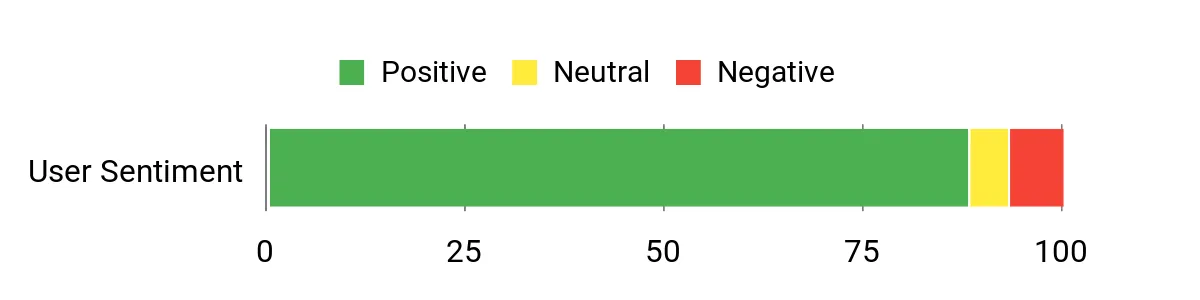
Buyers frequently mention how simple the DH2300 is to set up and how useful the mobile apps are for backups. People appreciate the AI photo features and the value of owning storage instead of paying monthly cloud fees.
A few users note slower tasks like thumbnail indexing and limitations for very demanding workloads, but most praise its reliability for everyday backup and media use.
Overall Sentiment: Positive
Long-Term Cost Benefits
Buying a NAS like this means a one‑time hardware purchase instead of ongoing cloud fees. At roughly $188.99 for the unit, you avoid recurring costs such as a $59.99/month cloud plan — that adds up to $719.88 in a year. Over time you’ll likely save money and keep full control of your data.
Situational Benefits
| Situation | How It Helps |
|---|---|
| Everyday Phone Backups | Automatically stores photos and videos so you can free up phone storage and quickly find pictures using AI tags. |
| Family Movie Night | Serve videos to a TV over your network and use the built‑in media apps to organize playlists without relying on a streaming subscription. |
| Replacing Cloud Storage | Mirror or back up cloud content and stop recurring monthly fees while keeping your files under your control. |
| Small Home Office Backups | Use RAID1 and scheduled backups to protect important documents and easily recover from a drive failure or accidental deletion. |
Ease Of Use
| Feature | Ease Level |
|---|---|
| Initial Setup Wizard | Easy |
| Mobile App & Remote Access | Easy |
| RAID Configuration & Drive Management | Moderate |
| Installing Advanced Apps / Docker | Moderate |
Versatility
This NAS handles everyday backups, family media streaming, basic home office tasks and light hobbyist apps. It’s not aimed at enterprise workloads, but it’s flexible enough for most home and small‑office needs.
Durability
The unit is compact and feels well built for home use; users report reliable day‑to‑day operation. Standard warranties and firmware updates add confidence for long‑term ownership.
Brand Trustworthiness
UGREEN has a growing reputation beyond accessories, and reviewers often note responsive support, frequent firmware updates, and clear documentation that help build trust.
Key Benefits
- Very easy initial setup and intuitive mobile/web apps—good for nontechnical users
- AI photo organization so finding pictures is much quicker than manual sorting
- Supports up to 60 TB so you can store large media libraries without monthly cloud fees
- Solid mix of features (RAID, remote access, 4K HDMI) for home media and backups
- Reasonable price for a diskless 2‑bay NAS with useful software and support
Current Price: $188.99
Rating: 4.5 (total: 176+)
🚀 Best for Media
UGREEN DXP4800 Plus
If you edit video, stream high‑bitrate media, or just want a noticeably snappier home server, this is the kind of NAS that makes those tasks painless. You can sling raw footage over a 10GbE link to an NVMe cache, stream 4K to the living room, or run Plex and Docker containers without the usual bottlenecks. For everyday use it handles backups and media libraries smoothly; for special projects (editing, home lab VMs, hosting a small team) it scales well thanks to upgradable RAM and NVMe slots. If you want a media‑first NAS that feels like it was built for creators and power users who still want plug‑and‑play convenience, this is a really strong pick you can grow into.
What People Say
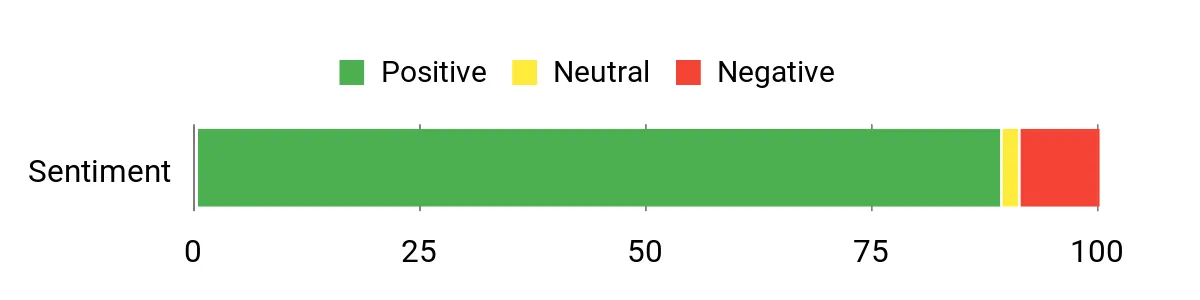
Across reviews people praise the DXP4800 Plus for its strong hardware—fast network ports, NVMe support and upgradability come up a lot. Buyers say it moves big files quickly and handles Plex, backups and some containerized apps with ease.
Common caveats are a more minimal stock OS (some opt to run TrueNAS) and a slightly steeper learning curve for advanced networking or drive mapping.
Overall Sentiment: Positive
Long-Term Cost Benefits
At the listed price of $559.99 you get a one‑time purchase that replaces ongoing cloud storage bills and gives you full control over media and backups. Even if you account for buying drives, avoiding a $9.99/month cloud plan would save about $119.88 in a year, and those savings grow every year while you keep performance and privacy in your own hands.
Situational Benefits
| Situation | How It Helps |
|---|---|
| Video Editing | Use an NVMe as a scratch disk and a 10GbE link to edit directly from the NAS with minimal stutter. |
| Large Media Library | Store and stream 4K movies to multiple devices while preserving performance with fast LAN ports and caching. |
| Home Lab & VMs | Upgradable RAM and a capable CPU let you run light VMs and Docker services for testing and small servers. |
| Automated Backups | Schedule device and PC backups to a central location and recover files quickly thanks to RAID options and SSD cache acceleration. |
Ease Of Use
| Feature | Ease Level |
|---|---|
| Initial Setup Wizard | Moderate |
| Mobile App & Remote Access | Easy |
| RAID Configuration & Drive Management | Moderate |
| Advanced Networking (10GbE, drive mapping) | Moderate to Advanced |
Versatility
This model is aimed at media users and creators but is flexible enough for backups, home labs, light virtualization and running containerized apps. It’s a solid bridge between beginner NASes and full‑blown prosumer gear.
Durability
Reviews and the build suggest a sturdy, compact chassis with easy drive access and stable day‑to‑day operation. Users report reliable uptime and responsive firmware updates.
Brand Trustworthiness
UGREEN is expanding beyond accessories into NAS hardware; customers note active firmware updates and reachable support, which helps build confidence for longer ownership.
Key Benefits
- Very fast local transfers via built‑in 10GbE and 2.5GbE ports — perfect for large media files
- NVMe slots let you use SSD cache or super‑fast scratch storage for editing workflows
- Upgradable RAM and a capable Pentium CPU make it future‑proof for heavier home‑lab tasks
- Solid hardware build with easy drive access and good thermal behavior
- Includes HDMI for direct media playback and supports common apps like Plex and Jellyfin
- Diskless price gives you flexibility to choose drives that match your budget and needs
Current Price: $559.99
Rating: 4.5 (total: 351+)
🔰 Best for Backups
UGREEN DH4300 Plus
If you want a no-fuss way to stop paying for cloud storage and keep full control of your files, this DH4300 Plus is built for that. You can set it up in minutes, let it automatically back up phones and PCs, and use the AI photo album to sort thousands of images without babysitting it. For everyday life it’s great for offloading phone photos and backing up family computers; for special occasions it handles large event photo libraries or short-term media projects comfortably. If you care about privacy and long-term value, this is a very practical, beginner-friendly choice you can grow with.
What People Say
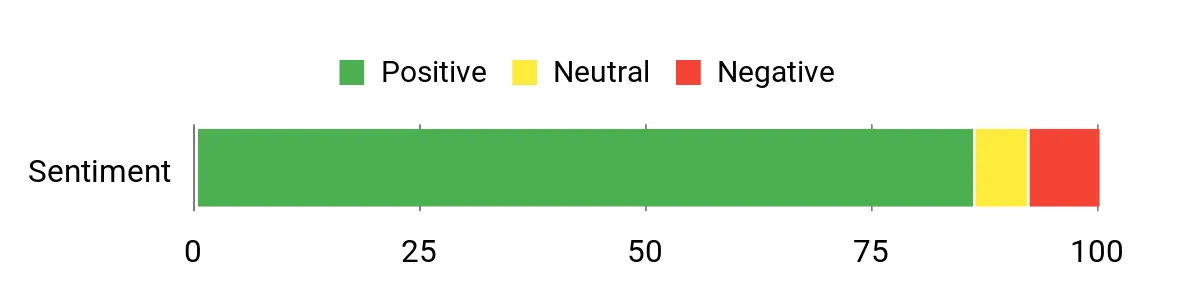
You’ll notice most people praise how easy this NAS is to set up and use for backups and photo libraries. Reviews often highlight the AI photo features, stable day‑to‑day performance, and the boost from the 2.5GbE port.
A few users mention the UI could be smoother and that large photo indexing can take time, but overall customers value the privacy and cost savings.
Overall Sentiment: Positive
Long-Term Cost Benefits
At the current price of $364.99 you buy storage once instead of paying monthly cloud fees. If you compare to a 12TB cloud plan at $59.99/month, you’d cover the NAS cost in roughly six months and avoid ongoing subscription charges, so your savings grow every year while you maintain control over your data.
Situational Benefits
| Situation | How It Helps |
|---|---|
| Automatic Device Backups | Centralizes backups for phones and laptops so you can restore files quickly without a cloud subscription. |
| Large Photo Libraries | AI album sorts, tags and removes duplicates so you spend less time hunting for shots after events. |
| Home Office or Small Team | RAID options and remote access let you share and protect important documents across devices securely. |
| Media Playback on TV | 4K HDMI and decent networking let you stream videos directly for family movie nights or presentations. |
Ease Of Use
| Feature | Ease Level |
|---|---|
| Initial Setup Wizard | Easy |
| Mobile App & Remote Access | Easy |
| RAID Configuration & Drive Management | Moderate |
| Advanced Apps (Docker, NVR, Theater) | Moderate |
Versatility
This NAS is focused on backups and media for home users, but it’s flexible enough to run extra apps like Docker, a media server or an NVR. It’s a good fit if you want a reliable storage hub without diving deep into complex networking.
Durability
The chassis and drive compatibility have held up in customer use; users report stable uptime and straightforward drive swaps. It’s not an industrial rack unit, but it’s built for dependable home or small office use.
Brand Trustworthiness
UGREEN has strong experience with consumer hardware and accessories, and buyers note active firmware updates and accessible support that help when you own the device long term.
Key Benefits
- Beginner-friendly setup with mobile app and NFC pairing for quick connections
- Large capacity support (up to 120 TB) so you don’t need to delete memories
- AI photo album organizes and deduplicates images automatically
- Faster local transfers via 2.5GbE and 8GB RAM for smooth backups and browsing
- One-time purchase replaces recurring cloud fees, giving long-term savings and privacy
- 4‑bay design for RAID options and wide drive compatibility
Current Price: $364.99
Rating: 4.5 (total: 176+)
💰 Best Midrange
UGREEN DXP4800
If you want a midrange NAS that feels faster than its price suggests, the DXP4800 is worth a close look. You get a quad‑core N100 CPU, 8GB of DDR5 RAM and a dedicated 32GB eMMC system drive so everyday tasks — backups, media streaming and folder sharing — run smoothly.
For daily use you can offload phone photos, stream 4K movies to a TV via HDMI, or let it quietly handle scheduled PC backups. When a project needs more speed, the 2x 2.5GbE ports and NVMe slots give you noticeably faster local transfers and cache options. It’s flexible enough to run Docker containers if you want to experiment, but still approachable for someone who just wants reliable home storage. If you want practical performance without paying flagship prices, this hits a nice sweet spot and is easy to grow into.
What People Say
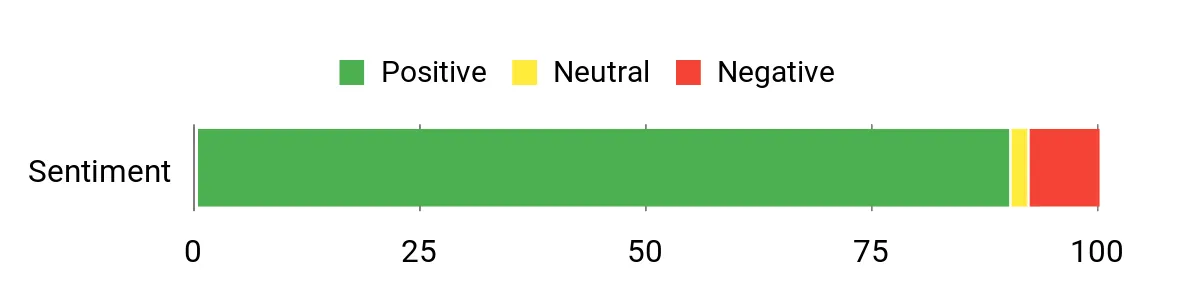
You’ll see lots of praise for the speed and value — reviewers often point to the 2.5GbE ports and NVMe capability as standout features. People also like how straightforward setup is, the stable day‑to‑day performance, and the built‑in HDMI for streaming.
A common caveat is that the app store is still growing and the CPU isn’t aimed at heavy VM workloads.
Overall Sentiment: Positive
Long-Term Cost Benefits
At the current price of $439.99 you pay once for hardware instead of ongoing cloud fees. If you compare that to a $59.99/month cloud plan, you’d recoup the NAS cost in about 7–8 months, and after that you keep saving money while holding full control of your files.
Situational Benefits
| Situation | How It Helps |
|---|---|
| 4K Movie Nights | Plug into the HDMI port and stream directly to a TV without a separate media PC. |
| Phone & PC Backups | Automatic backup apps and fast networking make nightly or scheduled backups quick and reliable. |
| Small Team File Sharing | RAID options and user permissions let you share documents securely across the household or a small office. |
| Speeding Up Workflows | Use NVMe cache and 2.5GbE to move large media projects or thumbnails faster during short‑term editing bursts. |
Ease Of Use
| Feature | Ease Level |
|---|---|
| Initial Setup Wizard | Easy |
| Mobile App & Remote Access | Easy |
| RAID Configuration & Drive Management | Moderate |
| Docker & Advanced Apps | Moderate |
Versatility
This model covers a lot of ground: from simple backups and media streaming to running containerized apps and using NVMe as cache. It’s a good pick if you want a device that’s useful day‑to‑day and flexible enough for small projects.
Durability
Users report stable uptime and straightforward drive swaps; the aluminum chassis and thermal design keep temps in check for typical home and small office use.
Brand Trustworthiness
UGREEN has built a solid reputation for consumer hardware and accessories. Buyers note regular firmware updates and responsive support that help keep the device useful over time.
Key Benefits
- Fast local transfers via 2x 2.5GbE ports for quicker backups and media moves
- 8GB DDR5 and Intel N100 keep everyday tasks responsive
- 32GB eMMC system drive avoids OS issues tied to drive swaps
- NVMe slots for cache or blazing‑fast storage tiers
- 4K HDMI output makes direct media playback simple for the living room
- Docker support and expandable options let you add features later
Current Price: $439.99
Rating: 4.5 (total: 594+)
⭐ Best for Power Users
UGREEN DXP6800 Pro
If you want a powerhouse you can actually live with, this is the one to consider. The DXP6800 Pro pairs a 12th‑Gen Intel i5 with 8GB of DDR5 and a 6‑bay chassis so you can stash a ton of media or project files locally.
For everyday use you’ll find backups, photo library sorting and 4K/8K playback via HDMI straightforward, and the dual 10GbE ports make large file transfers noticeably faster when you need them. For special occasions like editing a weekend video project or serving media to friends, the extra CPU cores, NVMe slots and RAID flexibility let you push the box harder without slowing the rest of your network.
If you want a device you can grow into — whether by adding drives, running containers, or installing a different NAS OS down the road — this one’s built for that.
What People Say
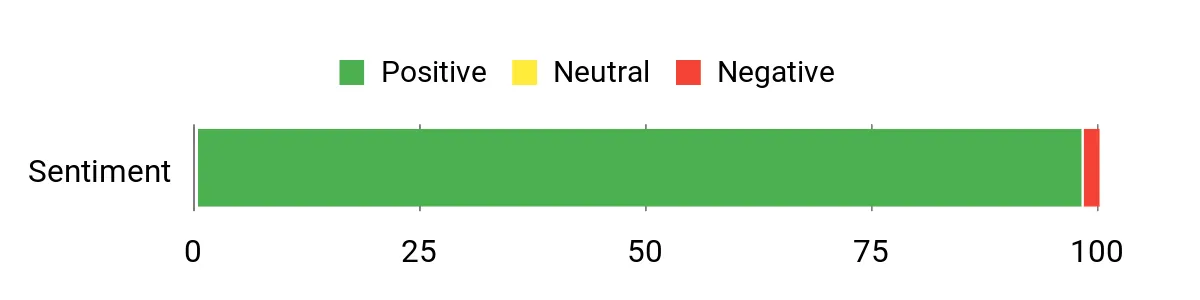
You’ll see consistent praise for the hardware: reviewers love the CPU power, the 10GbE throughput and the roomy 6‑bay design. People often mention the speedy local transfers and the flexibility to add NVMe or switch to an alternative NAS OS.
The common caution is that the native OS is still maturing, so while day‑to‑day use is solid, power users sometimes tweak firmware or try other software for advanced setups.
Overall Sentiment: Positive
Long-Term Cost Benefits
At the current price of $1,019.99 you’re paying up front for local control and a lot of performance. If you’d otherwise spend roughly $50/month on cloud storage and features, you’d recoup the NAS cost in about 20 months — after that you keep the benefits and avoid recurring fees while keeping full ownership of your data.
Situational Benefits
| Situation | How It Helps |
|---|---|
| Video editing sessions | High CPU cores, NVMe slots and 10GbE mean you can edit directly from fast shared storage without long transfer waits. |
| Large household media library | Six drive bays give room for capacity and RAID protection so you can store thousands of movies and photos safely. |
| Home lab or virtual machines | Plenty of CPU and expandable RAM make it capable of running Docker containers and light VMs for testing or services. |
| Quick local backups and restores | Dual 10GbE delivers fast nightly backups and faster restores when you need to recover files quickly. |
Ease Of Use
| Feature | Ease Level |
|---|---|
| Initial setup wizard | Easy |
| Drive installation & RAID setup | Moderate |
| App store and built‑in features | Moderate |
| Advanced tuning (Docker/VMs) | Advanced |
Versatility
This unit covers everything from simple backups and media streaming to hosting containers, light VMs and high‑speed shared storage for creative projects. It’s a flexible platform if you want both a home media center and a capable home‑lab device.
Durability
Build quality is solid with an aluminum chassis and integrated power supply; users report reliable uptime and straightforward drive swaps, though larger 6‑bay models may need minor vibration dampening in some setups.
Brand Trustworthiness
UGREEN has moved into NAS with reputable hardware and steady firmware updates; buyers note active updates and improving software support, and the company is increasingly seen as a serious alternative to established NAS brands.
Key Benefits
- Two 10GbE ports for very fast local transfers and link aggregation
- 12th‑Gen Intel i5 (10 cores) gives solid performance for VMs, Docker and heavy tasks
- Six SATA bays plus 2 M.2 NVMe slots for large, flexible storage setups
- 128GB system SSD and expandable RAM handle multitasking and apps smoothly
- 8K HDMI output for direct media playback to a display
- Wide drive compatibility and multiple RAID options for data protection
Current Price: $1,019.99
Rating: 4.8 (total: 40+)
💼 Best for Professionals
UGREEN DXP8800 Plus
This is the one to pick if you want a roomy, fast NAS that still feels approachable. You get a 12th‑Gen Intel i5, dual 10GbE, eight drive bays and M.2 slots — that combo makes everyday backups, large file transfers and 4K media streaming really smooth.
For special projects like video editing with multiple users or running containers and VMs, the hardware gives you headroom without needing to babysit it. If you like the idea of swapping drives, trying a different NAS OS or growing RAM later, this box handles that with minimal drama.
What People Say
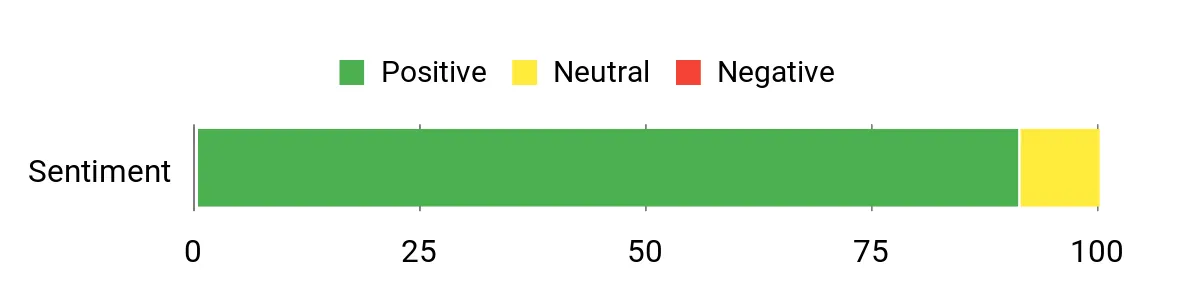
Most buyers highlight the build quality, the real-world speed from the dual 10GbE ports and how well the i5 handles media and container workloads. People also appreciate the flexible 8‑bay layout and M.2 slots for caching or app storage. Common notes of caution are occasional noise or vibration with certain HDDs and a bit of setup learning if you swap in a different NAS OS.
Overall Sentiment: Positive
Long-Term Cost Benefits
At the sale price of $1,199.99 you’re investing up front for control and performance instead of monthly cloud fees. If you’d otherwise spend about $50/month on cloud storage and advanced features, you’d break even in roughly 24 months and afterwards keep lower ongoing costs while owning your data and bandwidth.
Situational Benefits
| Situation | How It Helps |
|---|---|
| Video editing with collaborators | Fast network links and NVMe support let you edit from shared storage without long file copies. |
| Large household media library | Eight drive bays and RAID options give you room and redundancy to store thousands of movies and photos. |
| Office backups and restores | Dual 10GbE speeds up nightly backups and cuts restore time when you need files back quickly. |
| Home lab or custom OS installs | Open hardware and included 128GB SSD make it easy to install TrueNAS, UnRAID or run containers for testing. |
| Emergency portability | A desktop chassis you can unplug and move makes it simple to grab critical data if you need to evacuate or relocate. |
Ease Of Use
| Feature | Ease Level |
|---|---|
| Initial setup wizard | Easy |
| Drive installation & RAID setup | Moderate |
| Switching to TrueNAS or another OS | Moderate |
| Accessing PCIe expansion | Advanced |
Versatility
This NAS covers everyday backups, large media libraries, Plex streaming, lightweight VM work and home‑lab experiments. Whether you keep the stock OS or install TrueNAS, it adapts to both casual and professional workflows.
Durability
Solid metal chassis and thoughtful engineering give reliable uptime in user reports; some setups with high‑RPM enterprise drives may benefit from extra vibration damping or quieter fans.
Brand Trustworthiness
UGREEN has moved into high‑end NAS gear with competitive specs and steady firmware updates; customers increasingly treat it as a serious alternative to established vendors.
Key Benefits
- Dual 10GbE ports for much faster local transfers and link aggregation
- 12th‑Gen Intel Core i5 (10 cores) for smooth multi‑tasking, transcoding and VMs
- Eight SATA bays plus 2 M.2 NVMe slots for massive, flexible storage setups
- Includes 128GB system SSD and supports expandable DDR5 RAM for snappy responsiveness
- 8K HDMI output and Thunderbolt 4 support broaden media and workstation use
- Wide drive compatibility and multiple RAID options for data protection
Current Price: $1,199.99
Rating: 4.7 (total: 36+)
🎨 Best All-Flash
UGREEN DXP480T Plus
If you want an all‑flash NAS that feels fast out of the box but still stays approachable, this is a great pick. You get a 12th‑Gen i5 and a 10GbE port for noticeably quicker local transfers, plus four M.2 slots if you want blistering NVMe storage. It handles everyday backups, Plex or 4K/8K streaming, and even light container workloads without breaking a sweat — handy whether you’re moving big video projects or just keeping your family photos organized. I’d recommend it if you want near‑instant file access and don’t mind spending a bit more up front for speed and responsiveness.
What People Say
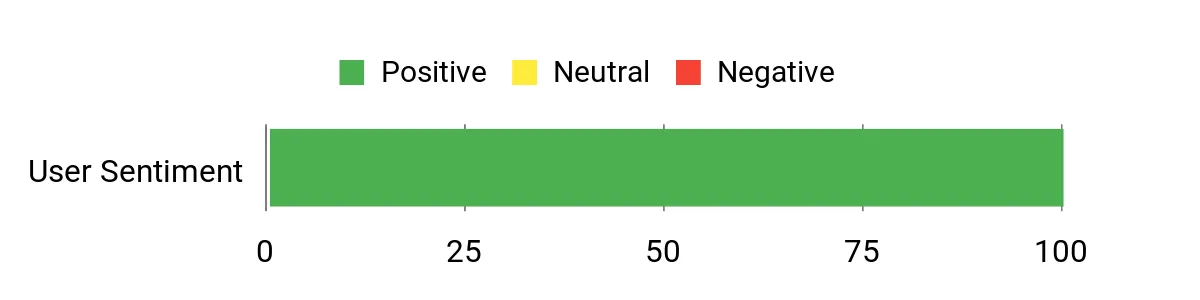
You’ll notice reviewers repeatedly calling out the build quality and the real‑world speed — especially once you switch to SSDs and use the 10GbE port. People like the responsive i5 platform and the simple, consolidated NAS app for everyday tasks. A few buyers mention minor setup quirks (Thunderbolt can require extra configuration and the HDMI output is more for status than a full desktop), but most are pleased with the reliable, speedy performance.
Overall Sentiment: Positive
Long-Term Cost Benefits
At the current price of $849.99 you’re investing up front for performance instead of paying recurring cloud fees. If you’d otherwise spend around $25/month on cloud storage and extras, you’d reach break‑even in roughly 34 months — after that you keep lower ongoing costs and full control of your data.
Situational Benefits
| Situation | How It Helps |
|---|---|
| Editing and sharing large video files | Fast NVMe storage and 10GbE cut the wait when opening or transferring multi‑gig projects between collaborators. |
| Household media and streaming | All‑flash speeds and HDMI output keep playback smooth for multiple 4K/8K streams and quick library browsing. |
| Running Docker apps and home lab services | The i5 CPU and included RAM give you headroom to run containers, lightweight VMs and self‑hosted tools reliably. |
| Fast local backups and restores | 10GbE dramatically shortens nightly backup windows and reduces restore times when you need files back quickly. |
| Travel or remote access needs | Local ownership of your data plus built‑in security features mean you can avoid cloud lock‑in while still accessing files remotely. |
Ease Of Use
| Feature | Ease Level |
|---|---|
| Initial setup wizard | Easy |
| Drive and M.2 installation | Moderate |
| Thunderbolt configuration | Moderate |
| 10GbE networking and link aggregation | Moderate |
| Running containers and advanced networking | Advanced |
Versatility
This unit works well for daily backups, a large media library, Plex or other streaming servers, and as a compact workstation adjunct via Thunderbolt and HDMI. It’s flexible enough for both casual users who want speed and enthusiasts who like to run containers or try different NAS software.
Durability
The metal‑lean design and solid construction point to good longevity; users report quiet operation in normal use, though the case can get warm under sustained heavy loads.
Brand Trustworthiness
UGREEN has been expanding into higher‑end NAS gear with regular firmware updates and improving software. Buyers increasingly see it as a viable alternative to longtime NAS brands.
Key Benefits
- 10GbE networking and Wi‑Fi 6 for much faster local transfers and smoother streaming
- 12th‑Gen Intel Core i5 (10 cores) to handle multitasking, transcoding and apps
- All‑flash design with 4× M.2 NVMe slots for extremely fast read/write performance
- Includes 8GB DDR5 and a 128GB system SSD for snappy system responsiveness
- 8K HDMI output and 2× Thunderbolt 4 ports expand media and workstation use cases
- Unified NAS app brings storage manager, photos and file access into one place
- Professional encryption and multi‑factor options for stronger local data control
Current Price: $849.99
Rating: 4.8 (total: 19+)
⭐ Best for Power Users
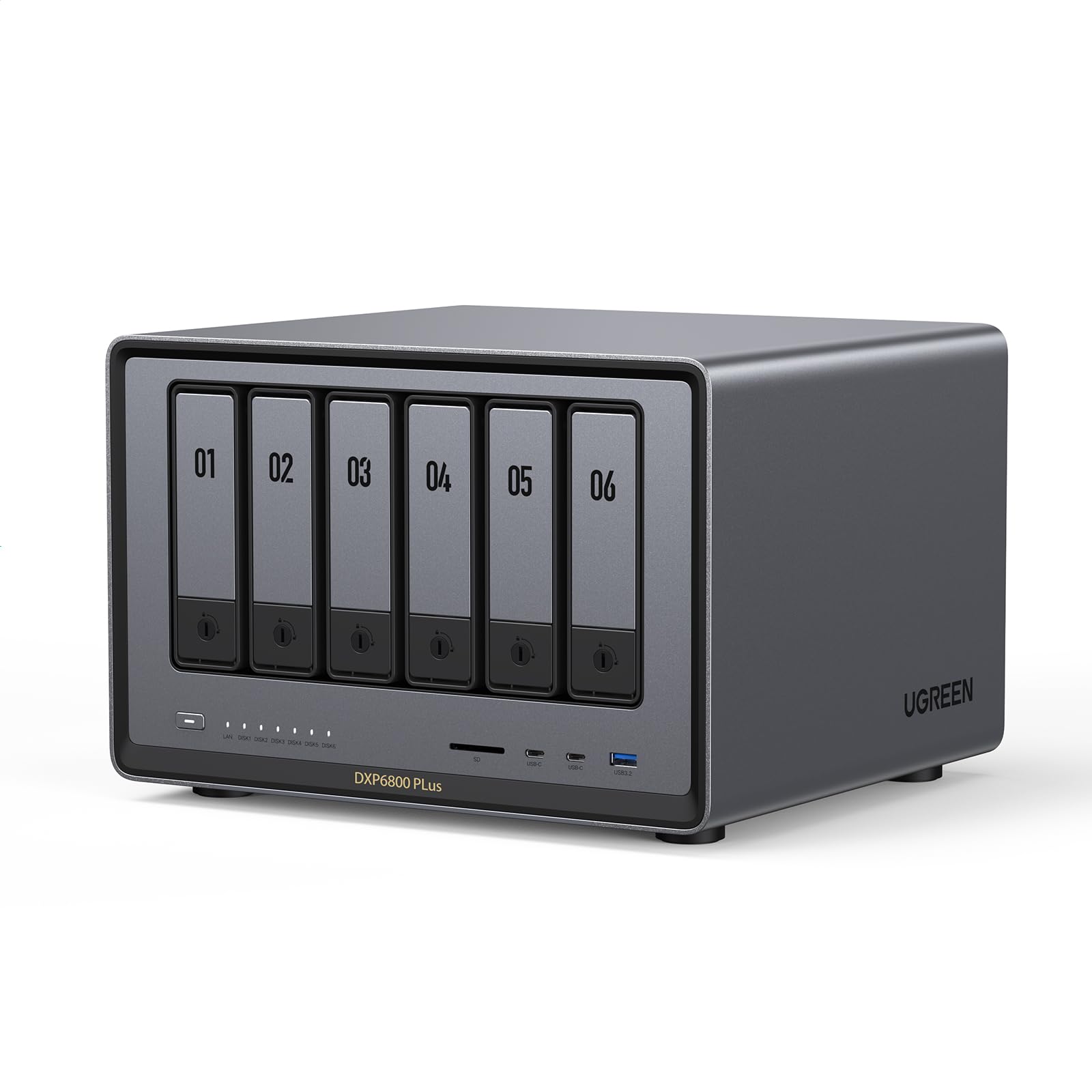
UGREEN DXP6800 Plus
If you want a roomy, powerful NAS that stays approachable, this is one to consider. You get a 12th‑Gen Intel i3, plenty of RAM and a 10GbE port so local transfers and media streaming feel noticeably snappier.
It handles daily backups, family photo libraries, Plex-style streaming and heavier tasks like light container workloads without much fuss. For bigger projects or a home office that needs fast shared storage, it’s a practical pick — you get performance and expandability without having to become a full-time sysadmin.
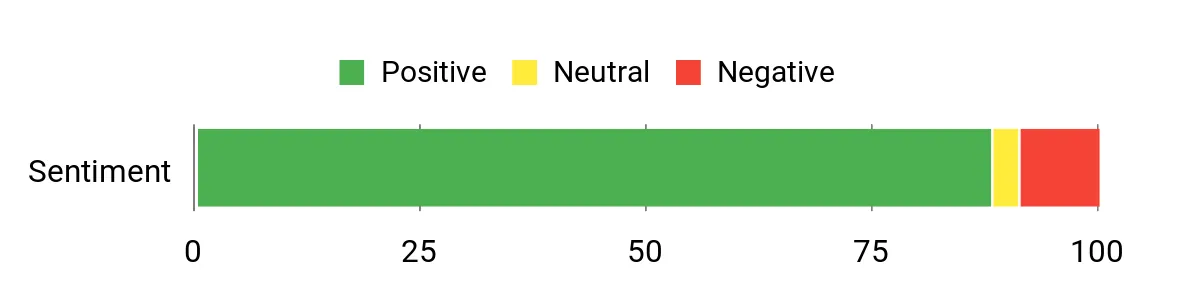
What People Say
Customers often praise the DXP6800 Plus for its real-world speed and quiet operation, especially once they add large drives or NVMe cache. People repeatedly note how straightforward the initial setup feels and how well it serves media libraries, Plex servers and backups. A few users mention the vendor OS could use more app polish, but the hardware performance and networking options are what earn the most compliments.
Overall Sentiment: Positive
Long-Term Cost Benefits
At the current price of $849.98 you’re paying up front for storage and control instead of ongoing cloud fees. If you’d otherwise spend about $25/month on cloud storage and related services, you’d hit break-even in roughly 34 months — after that you keep lower ongoing costs and full ownership of your data.
Situational Benefits
| Situation | How It Helps |
|---|---|
| Large media libraries and Plex servers | 10GbE and a beefy CPU reduce buffering and speed up metadata scans, so multiple users can stream 4K content smoothly. |
| Nightly backups or large file transfers | Higher network throughput shortens backup windows and makes restores faster when you need files back quickly. |
| Home office or small business shared storage | Multiple bays and RAID support let you build redundancy and capacity for collaborative projects and centralized file access. |
| Caching and fast local workspaces | M.2 NVMe slots let you add fast cache drives to accelerate frequently used files and editing workflows. |
| Privacy-conscious users avoiding cloud lock-in | Local storage and built-in encryption give you control over who accesses data while still offering remote access features. |
Ease Of Use
| Feature | Ease Level |
|---|---|
| Initial setup wizard | Easy |
| Drive and M.2 installation | Moderate |
| Network configuration and link aggregation | Moderate |
| Installing apps and media services | Moderate |
| Advanced container or custom OS setups | Advanced |
Versatility
This NAS works well for everyday backups, a large household media library, running Plex or similar servers, and as shared storage for home office tasks. It’s flexible enough if you later want to run containers, add NVMe cache or experiment with alternative NAS software.
Durability
The metal chassis and solid build suggest good longevity; many users report quiet, stable operation over months of use. Expect some heat under sustained heavy loads, but overall the unit feels robust for home and small‑office environments.
Brand Trustworthiness
UGREEN has been improving its NAS lineup with regular firmware updates and broader feature support. Buyers see it as a competitive, increasingly reliable alternative to established NAS makers, especially given the hardware value.
Key Benefits
- 1×10GbE and 1×2.5GbE for much faster local transfers and smoother simultaneous streaming
- 12th‑Gen Intel Core i3 (6 cores / 8 threads) that keeps multitasking and media apps responsive
- Six SATA bays plus two M.2 NVMe slots gives huge capacity and flexible cache/boot options
- Comes with 8GB DDR5 and 128GB system SSD for snappy system performance out of the box
- Supports RAID levels up to RAID10 for redundancy and large storage pools up to 196TB
- Unified NAS app consolidates storage manager, files and photos so daily tasks stay simple
- Local data control and advanced encryption options for stronger privacy than many cloud services
Current Price: $849.98
Rating: 4.5 (total: 371+)
🚀 Best for Media
UGREEN DXP4800 Plus
If you want a media-focused NAS that still feels approachable, this one is worth a look. You get a 4‑bay desktop chassis with huge capacity options, fast 10GbE networking and 10Gbps USB ports for quick local transfers, plus an HDMI-friendly setup for plugging into a TV.
Day-to-day it’s great for backups, a growing photo library or streaming a household’s Plex libraries; for special occasions it doubles as a simple media hub for movie nights or sharing large event footage. If you care most about smooth streaming and speedy local transfers without getting deep into server admin, this strikes a nice balance.
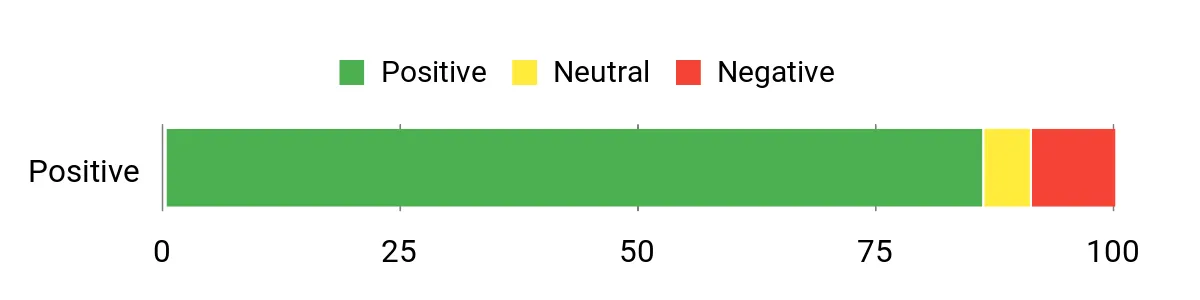
What People Say
Customers tend to praise the unit’s real-world transfer speeds and the convenience of the bundled HDMI options for media playback. People often mention the straightforward setup via the app and that the device makes large backups and streaming libraries feel much faster.
A few users note they’d like occasional firmware polish, but most appreciate the hardware value and capacity.
Overall Sentiment: Positive
Long-Term Cost Benefits
At the current price of $639.98 you’re investing in one-time hardware instead of ongoing cloud fees. If you’d otherwise pay about $20/month for equivalent cloud storage and transfer convenience, you’d reach break-even in roughly 32 months — after that you keep lower ongoing costs and full control of your data.
Situational Benefits
| Situation | How It Helps |
|---|---|
| 4K movie nights and local streaming | HDMI support plus 10GbE smooths playback and lets multiple users stream without stutters. |
| Backing up large photo and video libraries | High throughput shortens backup windows and the multi‑bay design offers RAID options for redundancy. |
| Plug-and-play media playback | The bundled right‑angle 4K HDMI cable and media-friendly ports make connecting to a TV quick and painless. |
| Home office shared storage | Fast networking and centralized storage let you share files and collaborate without long waits. |
| Remote access and private cloud needs | App-based remote access and encryption keep your files private while still reachable from anywhere. |
Ease Of Use
| Feature | Ease Level |
|---|---|
| Initial setup wizard | Easy |
| Drive installation | Moderate |
| Network configuration (10GbE) | Moderate |
| App-based remote access and sharing | Easy |
| Advanced tuning and firmware tweaks | Advanced |
Versatility
This NAS is geared toward media lovers but also covers everyday backups, home office file sharing and even light media-server duties. The HDMI readiness and fast ports mean it can act as a living-room media player one day and a central backup hub the next.
Durability
The desktop design and solid build suggest reliable day-to-day operation; users report stable performance for streaming and backups. Expect some heat under sustained heavy use, but the unit feels durable for home and small office environments.
Brand Trustworthiness
UGREEN is expanding its NAS lineup and has been rolling out firmware updates and clearer app support. It’s becoming a credible, value-oriented alternative to older NAS brands for buyers who want modern ports and features.
Key Benefits
- 10GbE and 10Gbps USB for much faster local file transfers and reduced buffering
- Up to 136TB capacity — plenty of room for photos, videos and archives
- HDMI-ready bundle makes it easier to use as a media playback device
- User-friendly app on Windows, macOS, Android, iOS and web browsers for easy access
- Secure private cloud with encryption and flexible permission controls
- Centralized backups and multiple RAID options for better data protection than external drives
Current Price: $639.98
Rating: 4.4 (total: 248+)
FAQ
How Reliable And Quiet Are Ugreen NAS Models For Home Or Small Office Use?
You can expect solid reliability from Ugreen NAS hardware and modern firmware when you follow basic best practices; Ugreen units use quality metal or aluminum chassis, dedicated system storage (eMMC or an included SSD on many models) and show stable performance in long runs. Noise and power are largely determined by the drives and fan mode you choose: for example, the DXP2800 reports idle fans in Quiet Mode around 29–34 dB and full‑speed modes that can exceed 50 dB, while power consumption ranges from about 9–10 W idle to ~51 W at full load, so placing the NAS away from a work area or choosing 5,400 rpm drives will keep audible noise low.
Drive vibration is the most common source of noise in multi‑bay systems, so you should use drives designed for NAS duty, add foam or padding on drive sleds if you hear vibration, and consider low‑noise fans (Noctua or equivalent) if you need lower temps under heavy load. Finally, keep a UPS and a regular backup strategy in place; good hardware reduces failures but does not eliminate them.
Which Ugreen NAS Should You Buy And What Should You Consider When Choosing Drives And Network?
You should pick a model that matches the scale of your workload and network: choose 2‑bay models (for example the DXP2800 at $279.99 or the DH2300 at $188.99) for compact home backups and light media duties, 4‑bay models (DXP4800 $439.99 or the DXP4800 Plus $559.99) for larger media libraries or modest virtualization, and 6–8 bay or all‑flash models (DXP6800 Pro $1,019.99, DXP8800 Plus $1,199.99, DXP480T Plus $849.99) when you need high capacity, extra bays or sustained performance. When selecting drives, use HDDs for mass storage and cost efficiency and SSDs for cache or an all‑flash configuration; be mindful that a 2.5 GbE network will limit throughput to roughly a few hundred MB/s so high‑end SSDs can be wasted unless you have 10GbE or a fast local connection.
Note that some Ugreen units require like‑sized drives for certain RAID configurations and that RAID Is Not A Backup—RAID protects against a single drive failure (depending on RAID level) but you still need separate backups or snapshots for accidental deletion, corruption, or catastrophic events. If you plan Docker, VMs or heavy transcoding, prioritize CPU, RAM expandability and 10GbE ports when available.
How Do You Get Started With Setup, Remote Access And Running Apps Like Docker Or Plex?
You should start by physically installing drives, connecting the NAS to your network, and running the initial setup via the web UI or the Ugreen discovery utility; basic initialization often takes 15–30 minutes but RAID resync or large volume builds can take hours to days depending on drive size. Configure a static IP or reserve the device in your router to avoid issues after firmware updates, enable snapshots and automated backups for critical data, and plug the NAS into a UPS.
For remote access, use the native Ugreen cloud service for quick access or deploy a secure solution such as Tailscale or your own VPN; if you prefer direct control, Tailscale gives you secure remote mounts without complex port forwarding. To run server apps, install the provided apps or use Docker for the widest compatibility—many users run Jellyfin, Plex, qBittorrent or Home Assistant in containers; remember to permanently mount network volumes inside containers and to increase RAM if you plan many containers or VMs.
Finally, follow practical tips: start with HDDs for storage and add NVMe as cache only when your network and workload justify it, avoid mixing drive types inside RAID pools unless supported, and test your backup and restore process so you know it works before you need it.
Preferred Ugreen Models
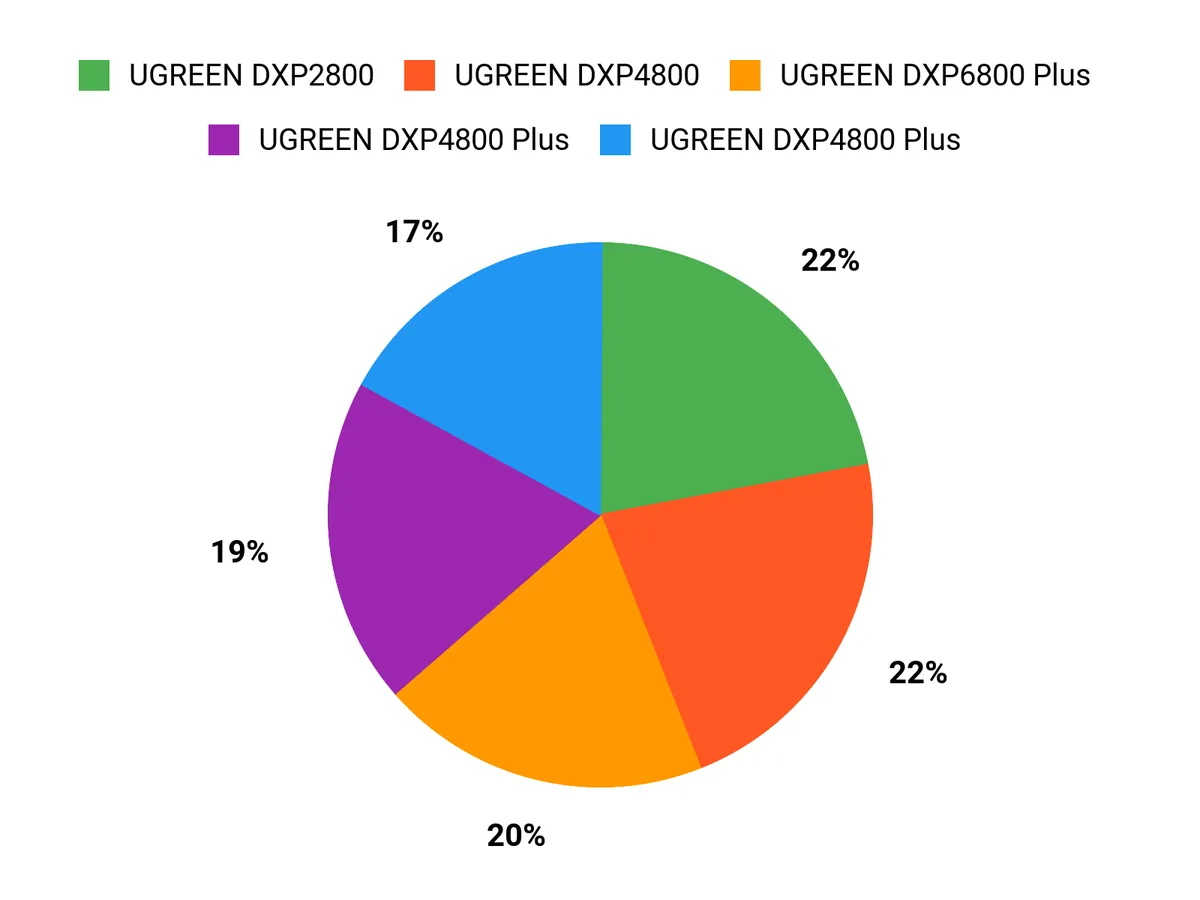
When choosing between the UGREEN DXP2800, DH2300, and DXP4800 Plus, you prioritize raw performance and network throughput, drive bay count and overall capacity, RAID/data-protection features and expandability, plus price, power consumption, and noise. In practice, you pick the DXP4800 Plus for maximum throughput and expansion, the DXP2800 for a balanced mix of capacity and value, and the DH2300 when you want a compact, budget-friendly NAS with essential features.
Wrapping Up
You now have a clear map to UGREEN’s 2026 NAS lineup and what each model does best. If you want the best value for everyday home use and occasional media tasks, the DXP2800 balances performance and price. If you’re new to NAS and want the simplest reliable starter system, choose the DH2300. For heavier media editing, caching or multi-stream Plex/Jellyfin, step up to the DXP4800 Plus or the all-flash DXP480T. If you need prosumer expandability, faster networking and the headroom for VMs or many containers, the DXP6800 Pro and DXP8800 Plus give you the CPU, bays and 10GbE throughput to scale.
Use the criteria above to match a model to how you’ll use it: backups and phone sync, lightweight media streaming, or sustained heavy workloads. Picking the right UGREEN NAS will give you faster transfers, safer backups, and more control over your data so you can stop relying on piecemeal external drives or recurring cloud fees.
| Product | Image | Rating | Processor | RAM | Connectivity | Storage Capacity | Price |
|---|---|---|---|---|---|---|---|
| UGREEN NASync DXP2800 2-Bay Desktop NAS |  | 4.5/5 (594 reviews) | Intel N100 Quad-core | 8GB DDR5 | 2.5GbE, 4x USB Ports, 4K HDMI | N/A (Diskless) | $279.99 |
| UGREEN NASync DH2300 2-Bay Desktop NAS |  | 4.5/5 (176 reviews) | N/A | 4GB LPDDR4X | 1GbE, 4K HDMI | 60TB (Diskless) | $188.99 |
| UGREEN NASync DXP4800 Plus 4-Bay Desktop NAS |  | 4.5/5 (351 reviews) | Intel Pentium Gold 8505 | 8GB DDR5 | 1x 10GbE, 1x 2.5GbE, 4K HDMI | N/A (Diskless) | $559.99 |
| UGREEN NASync DXP6800 Pro 6-Bay Desktop NAS |  | 4.8/5 (40 reviews) | Intel i5 1235u | 8GB DDR5 | 2x 10GbE, 2x M.2 NVMe Slots, 8K HDMI | N/A (Diskless) | $1,019.99 |
| UGREEN NASync DXP8800 Plus 8-Bay Desktop NAS |  | 4.7/5 (36 reviews) | Intel i5 1235u | 8GB DDR5 | 2x 10GbE, 2x M.2 NVMe Slots, 8K HDMI | N/A (Diskless) | $1,199.99 |
| UGREEN NASync DXP480T Plus 4-Bay All-Flash SSD NAS | 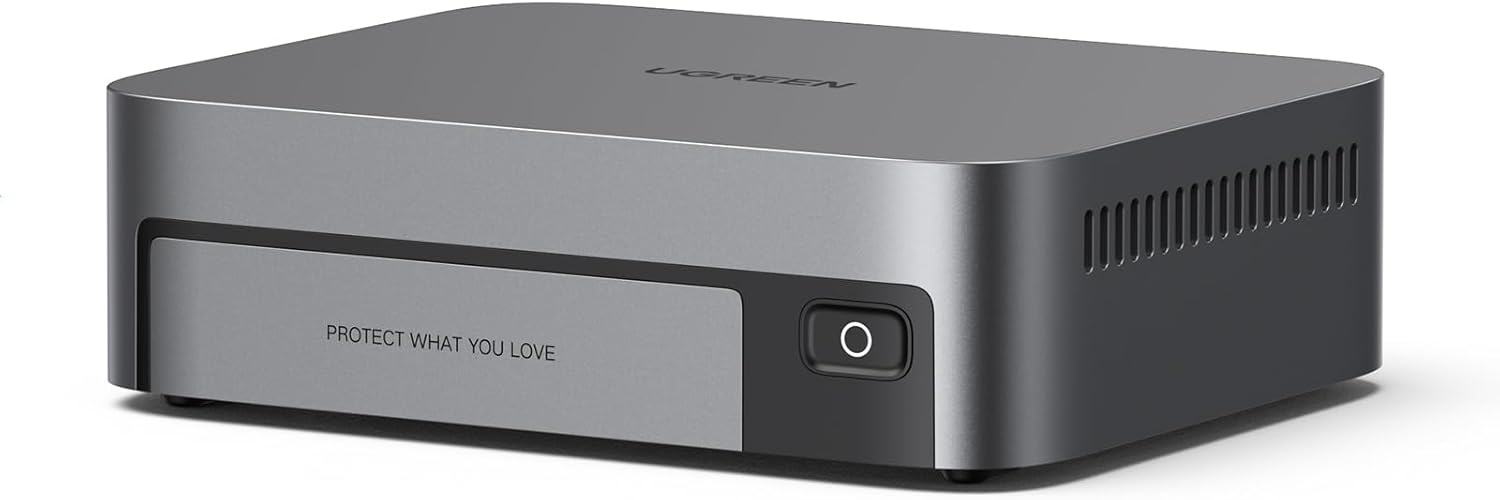 | 4.8/5 (19 reviews) | Intel i5 1235u | 8GB DDR5 | 10GbE, Wi-Fi 6, 4x M.2 NVMe Slots, 8K HDMI | N/A (Diskless) | $849.99 |
| UGREEN NASync DXP6800 Plus 6-Bay Desktop NAS |  | 4.5/5 (371 reviews) | Intel i3 1215u | 8GB DDR5 | 1x 10GbE, 1x 2.5GbE, 4K HDMI | N/A (Diskless) | $849.98 |
This Roundup is reader-supported. When you click through links we may earn a referral commission on qualifying purchases.